Introduction
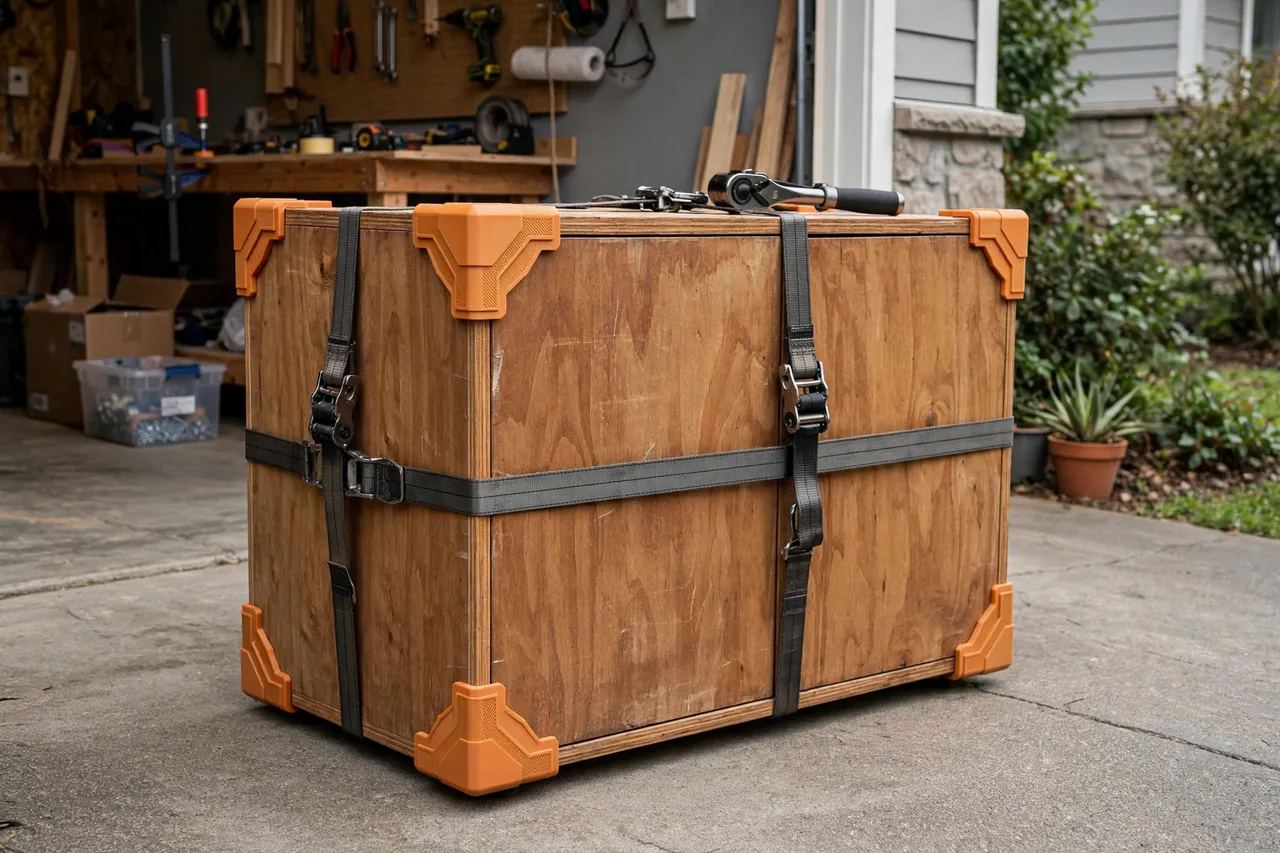
A ratchet strap is wonderfully strong and terribly unfair to corners. All that tension concentrates on a narrow band of webbing, and a sharp 90-degree edge takes the full force. The result is familiar: crushed corners on a cabinet, a dent line across a panel, or a strap that slowly saws its way into softwood as a load shifts.
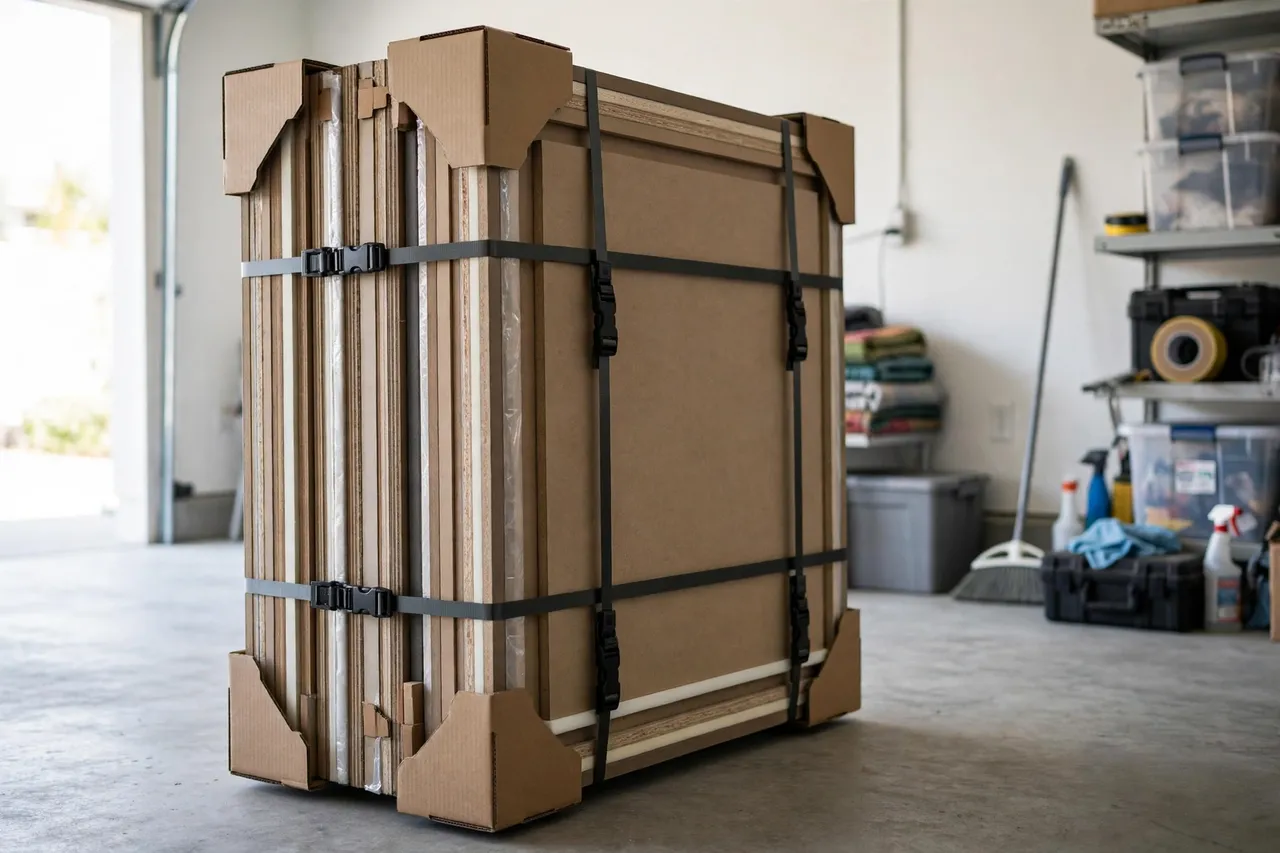
Corner protectors fix the physics. They sit between strap and edge, spread the load over a wider area, and give the strap a smooth channel to ride in. Commercial protectors exist, but they come in generic sizes and slip off at the worst moment. A printed set, sized to your straps and your typical loads, stays put and fits the corners you actually protect.
One honest limit up front: these protectors guard surfaces and keep straps seated. They are not load-rated safety equipment, they do not increase a strap’s working load, and they must never be used to secure overhead loads or anything where failure could injure someone. For moving furniture, strapping panels, and holding a load steady on a trailer bed at ordinary tension, they are a simple, effective helper.
What You Need
Corner protectors are flat-ish prints that stack well, so a full set prints in one session.
Materials and tools
- A home 3D printer with a build area of roughly 120 mm in at least one direction
- PETG filament for toughness and weather resistance, or TPU for extra grip
- Your ratchet straps, so you can measure the webbing width
- Calipers or a ruler, a pencil, and sandpaper or a small file
- A test load: a board or box with sharp corners to try the protectors on
PETG is the default choice: stiff enough to spread load, tough enough to survive being tossed in a strap bag. TPU grips better on slick finished surfaces but flexes more under heavy tension.
Suggested print settings
- Layer height: 0.20 mm, or 0.24 mm for faster batch printing.
- Walls: 4 perimeters — the channel walls take the strap’s edge load.
- Infill: 40 to 50 percent, gyroid or grid.
- Top and bottom layers: 4 or more.
- Orientation: Print with the corner cradle facing up.
- Supports: None for an open-channel design.
Print one protector first, test it on a real corner with a real strap, and then print the set.
Design Considerations
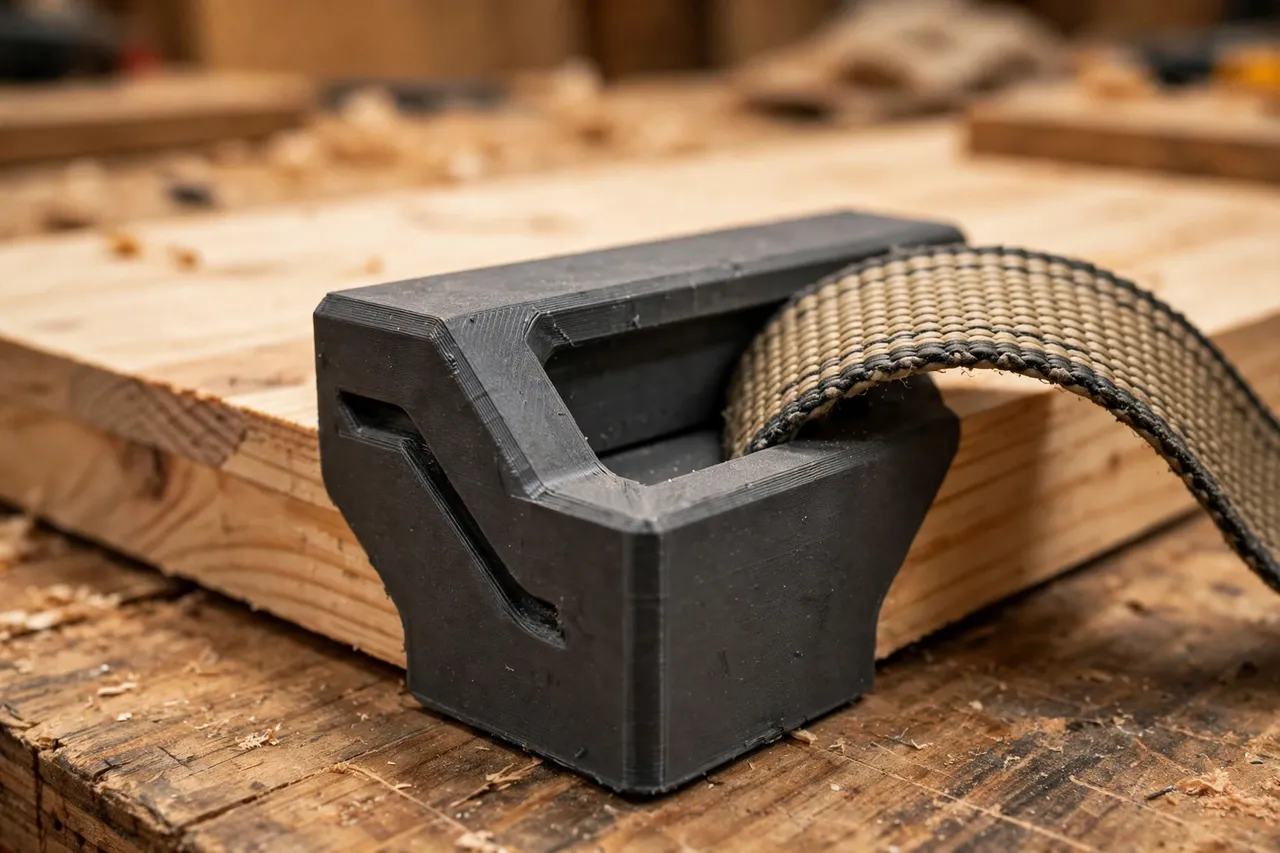
A protector is a bent plate with a channel. Four details decide whether it works or slides off.
1. The corner cradle
The cradle wraps the corner with two faces at 90 degrees, each long enough to spread the load — about 50 to 70 mm per side works well for furniture and panels. A small radius on the inside corner, rather than a sharp inside angle, lets the protector sit flush even on corners that are not perfectly square. Add a slight lip on each outer edge so the protector cannot slide sideways off the corner.
2. The strap channel
The strap rides in a shallow channel across the outside of the cradle, sized to your webbing width — common straps are 25 mm or 50 mm wide, but measure yours. The channel should be about 2 mm wider than the webbing, with low side rails that keep the strap centered without pinching it. A strap that wanders out of its channel stops protecting anything.
3. Grip and padding
A few shallow ribs on the inside faces grip the work without marking it, and a recess for a stick-on felt or rubber pad adds protection for finished surfaces. For bare timber, ribs alone are usually enough. Avoid aggressive teeth — they mark the very surface you are trying to protect.
4. Sizing a set
Most loads need four protectors per strap run, one per corner. Print sets of four in one color, and consider a second size for narrow edges such as shelf boards. A small hole or loop at one end lets you clip protectors to a strap with a carabiner so they are never left behind at the other end of a move.
Step-by-Step
- Measure your strap width and the thickness of the corners you protect most often.
- Model the protector: two faces at 90 degrees, a strap channel on the outside, lips on the edges.
- Print one test piece and fit it to a sharp corner.
- Run the strap through the channel and tension it gently. The protector should stay centered and not tilt off.
- Check for marks after releasing — ribs should grip, not dent.
- Adjust if needed. Slipping? Add ribs or a rubber pad recess. Strap wandering? Raise the channel rails.
- Print sets of four in your chosen material and color.
- Use them on a real load: place protectors on every corner the strap crosses, then tension slowly and evenly, checking that each protector stays seated.
Tips for Better Results
- Protect every corner a strap touches, not just the sharpest one — an unprotected corner is the one that dents.
- Tension in stages. Snug the strap, check all protectors, then tighten fully.
- Recheck after the first few minutes of a journey or move; loads settle and straps slacken.
- Keep a set with each strap so protectors are there when you need them, not in a drawer at home.
- Mark sets by strap width with a paint pen or color code, so a 25 mm set never gets forced onto a 50 mm strap.
For workshop jobs where the strap is really a clamp in disguise, the same protect-the-surface thinking applies to “3D Printed Hand Screw Clamp Pads: Soft Pads for Wooden Hand Screws,” which guards work under a different kind of pressure.
Common Mistakes to Avoid
- Sizing the channel from the strap’s label. Measure the webbing — it varies by brand.
- Making the cradle faces too short. Short faces concentrate load again, defeating the purpose.
- Forgetting the side lips. Without them, a protector slides off the corner the moment tension shifts.
- Using protectors to justify over-tensioning. A protector spreads force; it does not make a fragile corner strong. Tension only as much as the load needs.
- Treating printed protectors as safety gear. They are surface guards for ordinary loads, not rated restraints — never use them for overhead lifting or securing loads where failure could hurt someone.
Care, Storage, and Alternatives
Brush off grit before storing, since trapped sand scratches finishes. Keep sets clipped to their straps or in a labeled bag, and keep PETG protectors out of prolonged direct sun if you store them in a vehicle. A cracked protector is a quick reprint — retire any piece with a split channel wall rather than trusting it.
Commercial plastic and rubber corner protectors are a good buy if you haul daily or need a rated product for commercial transport. For the home workshop and occasional moves, a printed set matched to your straps is cheaper, fits better, and is easy to replace.
FAQ
Will corner protectors stop straps from denting softwood entirely?
They greatly reduce denting by spreading the load, but they cannot make a fragile corner invincible. Combine protectors with sensible tension — tighten only as much as the load requires.
Do I need protectors on rounded corners too?
Rounded corners spread load naturally, so they need less protection. Still, a protector keeps the strap seated and guards the finish, so it is worth using on finished pieces even with soft edges.
Can I use these on a roof rack or trailer?
For ordinary, sensibly tensioned loads at home, yes. They are not rated safety equipment, so do not rely on them — or on any printed part — for overhead loads, commercial hauling, or anything where failure could cause injury.
My protectors keep sliding off before I tension the strap. What helps?
Add side lips, inside ribs, or a rubber pad recess for grip. A small loop that clips to the strap also holds a protector in place while you position the load.
Conclusion
Dented corners are the tax you pay for strapping a load without protection, and it is a tax you can stop paying with an evening of printing. Sized to your straps, fitted to your corners, and used at sensible tension, printed corner protectors keep furniture, panels, and finishes intact through moves and workshop tie-downs.
Print one, test it on a sharp corner, and then make sets of four. Your next move will leave nothing behind but the load itself — undented. And for loads that stay in the workshop rather than on the road, “3D Printed Board Jacks for Workbenches: Support Long Boards While You Work” keeps long work steady at the bench instead of on a strap.