Introduction
Pantry shelves have a natural tendency toward chaos. You stack cans neatly, and a week later one row has avalanched into the next, a box has slid sideways, and finding anything means moving half the shelf. The usual cause is simple: shelves are wide, goods are narrow, and nothing stops one zone from invading another.
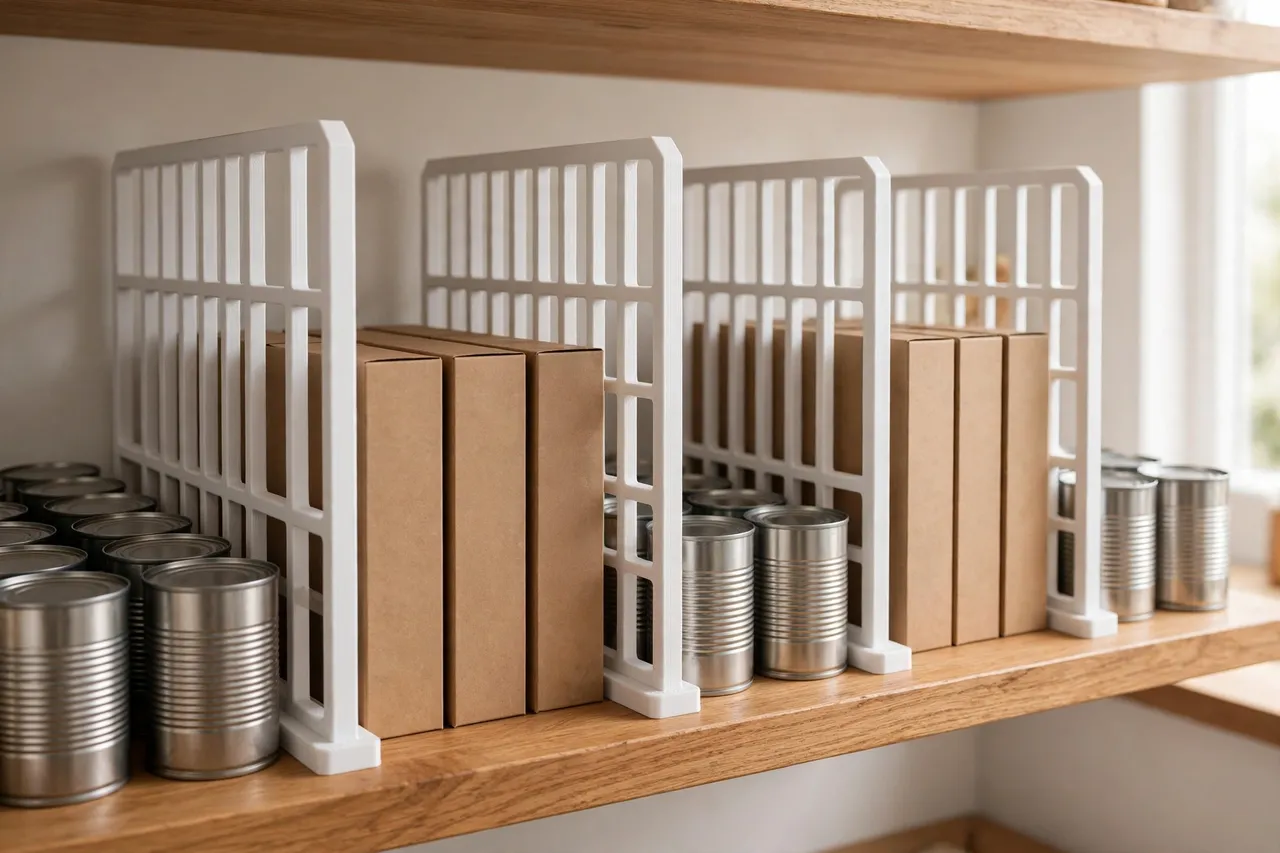
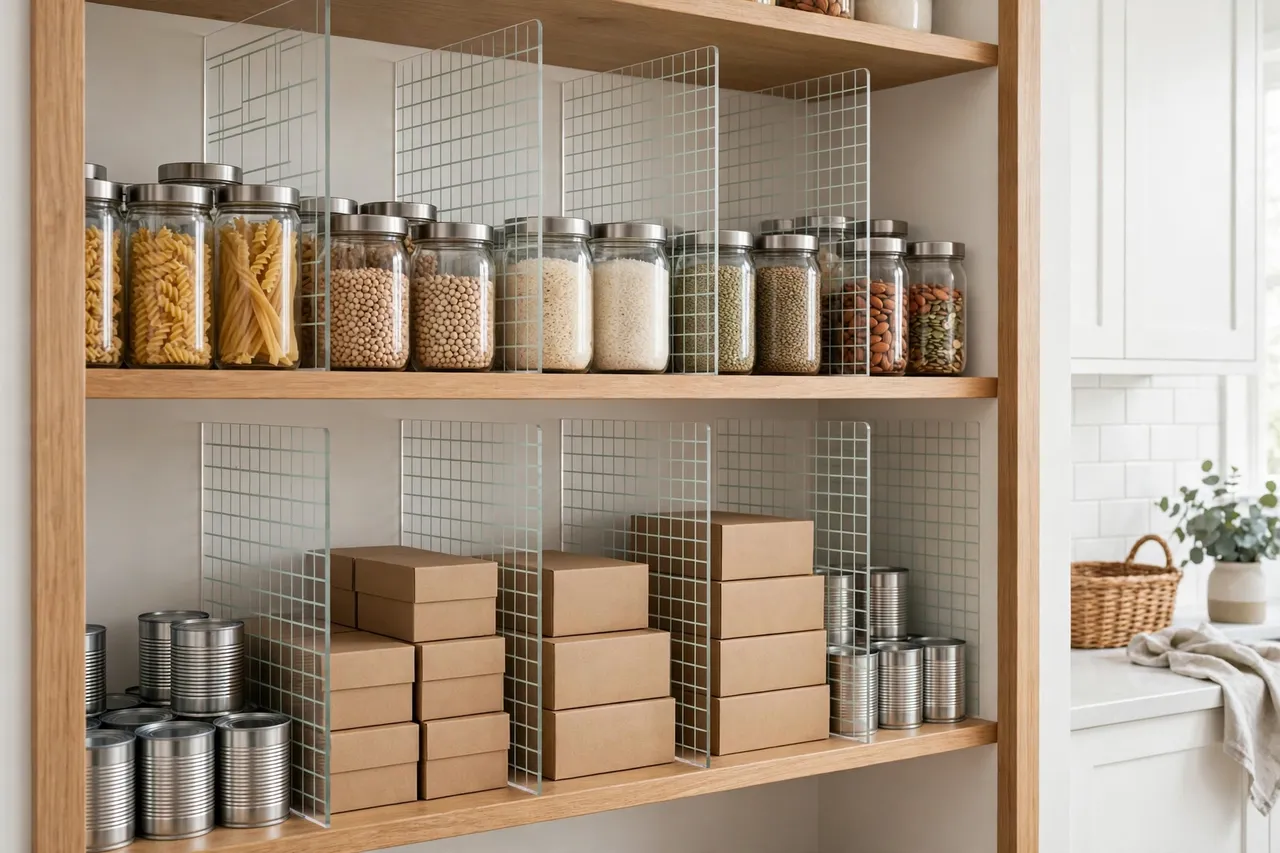
Shelf dividers solve this by giving every zone a wall. Store-bought dividers come in fixed sizes, though, and pantry shelves are anything but standard — different depths, different thicknesses, different clearances. Printing your own dividers means each one is sized to your shelf and your goods, with a foot that grips the shelf board and an upright tall enough to actually hold things in place.
This guide covers designing, printing, and using pantry shelf dividers that clamp or slot onto a shelf board. They are organizers, not load-bearing hardware: they keep goods upright and separated, and they should never be asked to hold up a shelf or carry weight beyond a row of everyday pantry items leaning against them.
What You Need
Dividers are flat, tall prints, so they suit a printer with a reasonable vertical build height, or a design that prints flat and slots together.
Materials and tools
- A home 3D printer with a build height of at least 150 mm, or a two-piece divider design
- PLA filament for a tidy indoor organizer, or PETG for a tougher divider
- A tape measure or calipers, and the shelf boards you want to fit
- Sandpaper or a small file for cleanup
- A pencil for marking divider positions
PLA is perfectly fine here: pantry dividers live indoors at room temperature and carry no structural load. Choose a color that suits the pantry — white or light gray keeps the space looking bright, while a darker color hides scuffs.
Suggested print settings
- Layer height: 0.20 mm for speed; 0.24 mm is acceptable for a purely functional divider.
- Walls: 3 to 4 perimeters — the upright panel needs stiffness more than anything.
- Infill: 20 to 30 percent, grid or gyroid. Dividers do not need heavy infill.
- Top and bottom layers: 3 to 4.
- Orientation: Print the upright panel standing, or flat with a slot-together foot, depending on your printer’s height.
- Supports: None for a simple L-shaped divider; minimal supports only if you add decorative cutouts.
Print one test divider first and check the foot grips your shelf board before printing a whole set.
Design Considerations
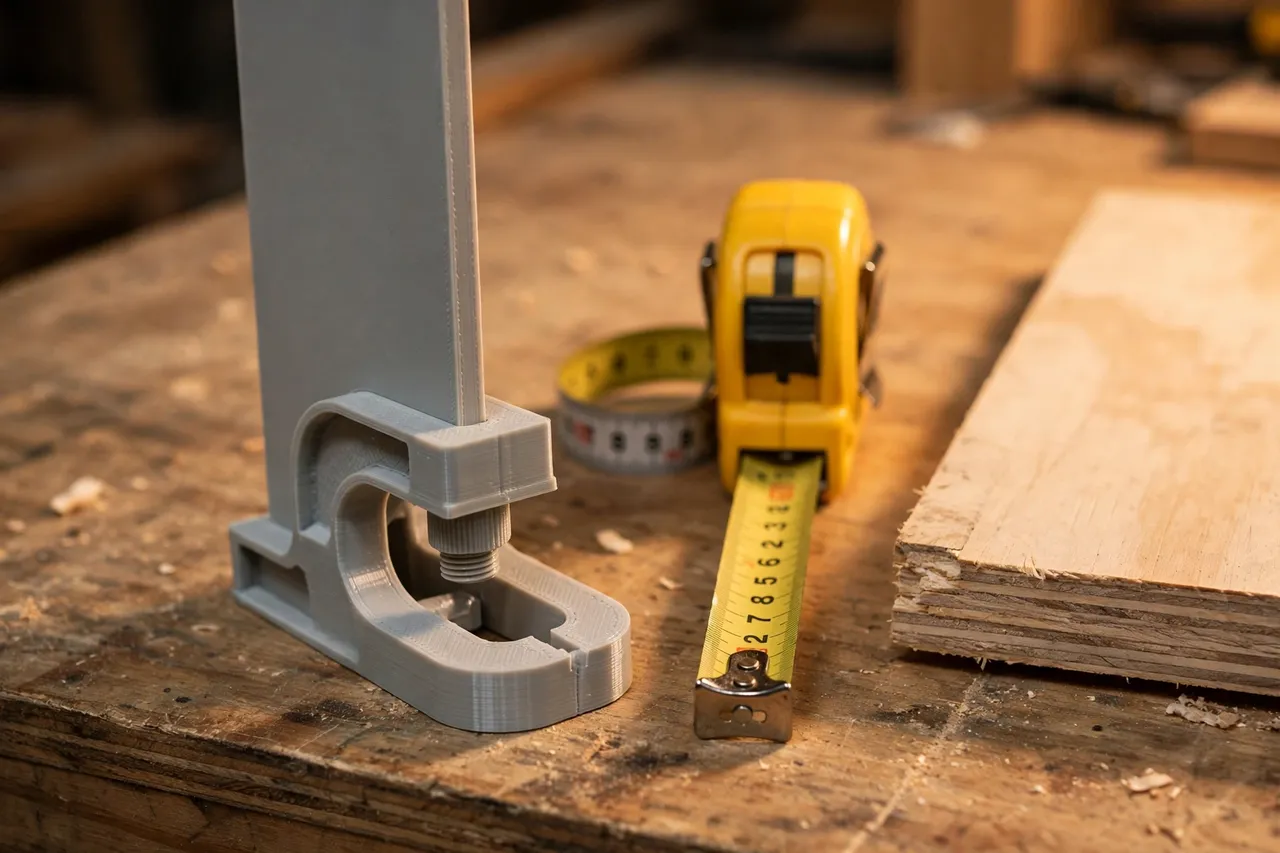
A pantry divider has two parts: a foot that attaches to the shelf, and an upright panel that separates goods. Getting both right matters more than making it fancy.
1. The foot: clamping the shelf board
Measure your shelf board’s thickness — common pantry shelves run 16 to 25 mm. The foot should be a C-shaped clamp that slides over the front edge of the shelf, or a flat base that sits on the shelf with a lip at the front. A clamp foot stays put when you pull items out; a flat base is simpler but can slide. Add a small rubber or foam pad inside the clamp for grip, and keep the clamp’s grip firm but not so tight that it damages the shelf finish. If your shelves are wire racks rather than boards, design a foot that hooks over two wires instead.
2. The upright panel
The panel’s height should suit what it separates: about 150 to 200 mm for cans and jars, taller for cereal boxes. Make it 3 to 4 mm thick for stiffness, with a slight taper or rounded top corners so it looks finished and does not snag bags. A panel that is too tall wastes print time and blocks the view of what is behind it; a panel that is too short lets tall boxes flop over it. Match the height to the shelf’s contents, not to the shelf itself.
3. Stiffness without bulk
A tall, thin panel can flex. Add a small triangular gusset where the panel meets the foot, or a shallow vertical rib down the panel’s back. Either one dramatically stiffens the divider without much extra plastic. Perforations or slots in the panel save filament and look neat, but keep them small and away from the base, where stress is highest.
4. Sizing a set, not a single divider
Pantry organization works as a system. Measure each shelf’s depth and plan divider spacing around the goods that live there: cans in one zone, boxes in another, jars in a third. Print dividers in matching colors per shelf so the pantry reads as one organized space rather than a collection of random parts.
Step-by-Step: Printing the Dividers
- Measure your shelves. Board thickness, shelf depth, and the clearance to the shelf above.
- Plan your zones. Decide what lives where, and how wide each zone should be.
- Model the divider, with clamp foot sized to your board and a panel height matched to the goods.
- Print a test divider and slide it onto the shelf. It should grip firmly and stand square.
- Clean up the print. Sand the foot’s inside edges so it slides on without scratching the shelf.
- Adjust if needed. Too loose? Tighten the clamp by 0.3 mm. Flexing? Add a gusset or rib.
- Print the full set from the same file, in matching colors per shelf.
Step-by-Step: Organizing with Dividers
- Empty the shelf. It is the only way to plan zones honestly.
- Place the dividers. Slide them onto the shelf edge at your planned zone boundaries, spacing them by the width of the goods.
- Load the zones. Cans in one zone, boxes in another, jars in a third — heaviest items low, lightest high.
- Test daily use. Pull a can from the middle of a row. The divider should stay put and the row should stay upright.
- Adjust spacing. If a zone is cramped, slide a divider a few centimeters and retest. That adjustability is the point of a clamp foot.
- Label if it helps. A small adhesive label on the divider’s front edge turns zones into a system the whole household can follow.
Tips for Better Results
- Print in batches. Dividers are quick prints; run several at once for a whole shelf.
- Keep the panel smooth. A smooth face lets cans slide in and out without catching.
- Use matching colors per shelf. It looks intentional and makes the pantry feel calmer.
- Leave a finger gap. Space zones so you can actually reach items without knocking neighbors over.
- Store the file. When you reorganize the pantry next year, reprinting a divider in a new size takes minutes.
Common Mistakes to Avoid
- Sizing from memory. Measure the shelf board. A clamp that is a millimeter too tight will not fit, and one too loose will slide.
- Printing panels too thin. A 2 mm panel flexes under a leaning row of cans. Go 3 to 4 mm, with a gusset.
- Making dividers taller than the clearance. Check the distance to the shelf above before printing tall panels.
- Using dividers as shelf supports. Dividers organize; they do not hold shelves up or carry structural weight.
- Overfilling zones. A divider keeps a row upright, but a row packed so tight you must force items in will still topple when you pull one out.
Care, Storage, and When to Choose an Alternative
Wipe dividers with a damp cloth when you clean the pantry. If a divider cracks or warps, reprint it — the file is already sized to your shelf. Keep a couple of spares in a cupboard for the next reorganization.
Printed dividers are ideal for standard pantry boards and wire racks with everyday goods. If your shelves are glass, very thin, or unusually shaped, a store-bought divider made for that shelf type may fit better. And if a shelf itself is sagging, fix the shelf — no divider will solve a structural problem.
FAQ
Will clamp-foot dividers damage my shelf boards?
Not if the clamp is sized correctly and you add a thin foam or felt pad inside it. Sand the foot’s inner edges smooth before first use, and avoid forcing a tight clamp onto a finished board.
Can I use these on wire pantry racks?
Yes, with a different foot: design a hook that catches two wires of the rack instead of clamping a board. Measure the wire spacing before modeling.
How tall should a pantry divider be?
Tall enough to contain what it separates — around 150 to 200 mm for cans and jars, taller for boxes — but short enough to leave clearance to the shelf above and a clear view of contents.
My dividers slide when I pull items out. What went wrong?
The clamp is too loose for your board, or the foot has no grip pad. Tighten the clamp by a fraction, add a foam pad inside the foot, and check that the panel is not so tall that leverage works against it.
Conclusion
A pantry that stays organized is not about willpower; it is about zones with walls. Printed dividers sized to your shelves give every row a boundary, cost very little, and slide to new positions whenever the pantry’s contents change. Measure the boards, print a test, and organize one shelf at a time.
For the same approach in the workshop, you may also enjoy our related guide, “Workshop Small-Parts Organizer: 3D Printed Stackable Bins and Screw Sorters for Your Workbench,” which applies zone thinking to small parts. And if shelf hardware is your current project, “Light-Duty Shelf Brackets: When 3D Printed Brackets Make Sense — and How to Print Them Strong” covers the brackets that hold the shelves themselves.