Introduction
Every workshop has a drawer, a jar, or a tin full of loose batteries. Fresh cells roll in with flat ones, AA hides among AAA, and the cell you grab for a flashlight or stud finder is just as likely spent as new. Testing your way through a tangled pile every time a remote dies is a small job that somehow always happens in a hurry.
Loose storage is worse than messy. Cells rattling together can knock terminal-to-terminal, get dented, or end up buried for years. A pile also tells you nothing about which cells arrived first, so the oldest stock never gets used first.
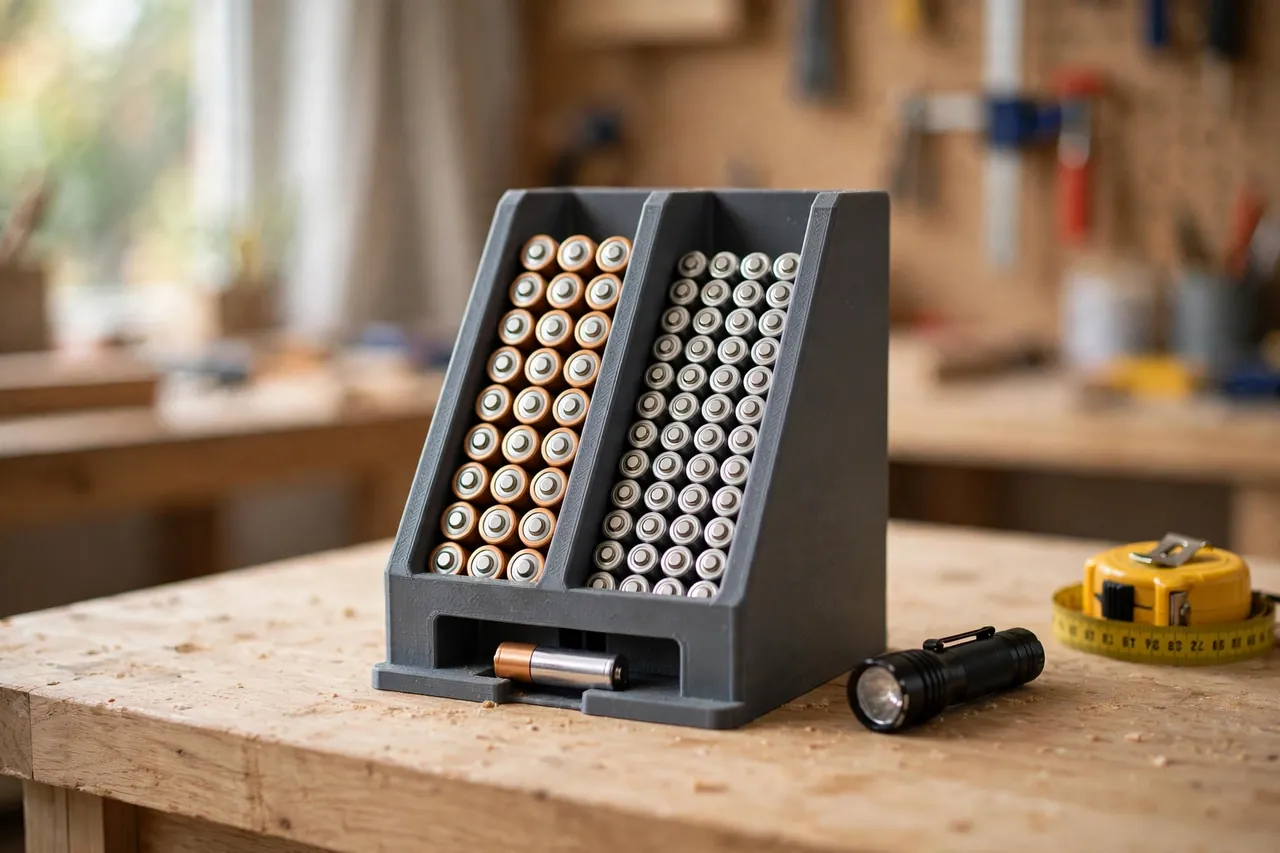
A 3D printed battery dispenser fixes the whole problem with simple geometry. It is a gravity-feed rack: you drop fresh cells in at the top of a channel, and the rack presents one cell at a time at the bottom. Every size gets its own separate channel, so terminals cannot touch each other and AA never mixes with AAA.
This guide covers designing, printing, and loading your own dispenser for loose AA and AAA cells. Be clear about what this is: storage only, a passive rack. The printed part is not a charger, a tester, or anything electrical — it holds sealed, finished cells in an orderly queue until you need one.
What You Need
The dispenser is a tall, simple box with internal channels, and it prints in one or two pieces on most home printers.
Materials and tools
- A home 3D printer with a build height of roughly 180 mm, or a design split into two stacking sections
- PETG filament for a durable rack, or PLA for a first version kept indoors
- A handful of real AA and AAA cells to measure and test the channels
- Calipers or a ruler for checking cell diameter and length
- A small file or sandpaper for smoothing channel entrances
- Optional wall screws and a level if you plan to mount the rack
- A paint pen or printed labels to mark each channel by size
PETG is the better long-term choice: it shrugs off bench knocks and will not soften in a warm garage. PLA works indoors and prints the crispest channel details, so it is ideal for your test print.
Suggested print settings
- Layer height: 0.20 mm is plenty; the channels are simple, forgiving shapes.
- Walls: At least 3 to 4 perimeters — the channel dividers and outer shell do all the work.
- Infill: 20 to 30 percent, grid or gyroid. This is a holder, not a loaded part.
- Top and bottom layers: 4 or more, so the base the cells rest on stays flat and smooth.
- Orientation: Print upright, exactly as it will stand, so channels form vertically with no internal overhangs.
- Supports: A good design needs none if channel roofs are angled or bridged short.
Print a short test section first, before the full-height rack.
Design Considerations
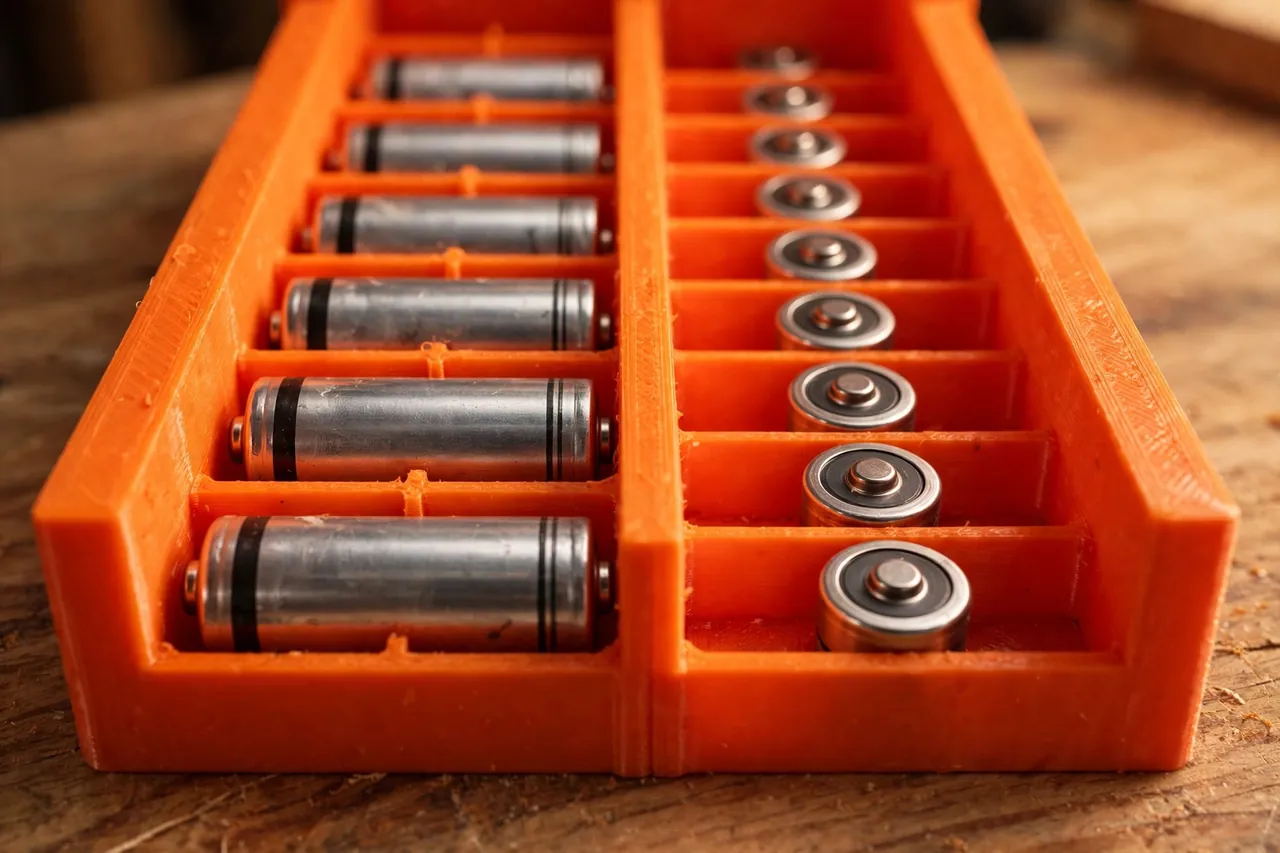
You can model this dispenser in any basic CAD program. It is essentially a box divided into lanes, each lane a gentle slope or straight drop ending in a feed opening.
1. Separate channels for every size
Give AA and AAA their own channels, always. AA cells are roughly 14.5 mm in diameter and 50.5 mm long; AAA cells are roughly 10.5 mm by 44.5 mm, but brands vary, so measure the cells you actually buy. Each channel holds its cells in single file with divider walls between lanes, so no two terminals can ever meet side by side. A single mixed bin defeats the entire design.
2. Slip-fit clearance that still guides
Aim for about 0.4 to 0.6 mm of clearance around a cell. Too tight and cells hang up on layer lines; too loose and cells tilt, wedge sideways, and jam the queue. A slight funnel at the top makes loading easy, and a gentle slope at the bottom rolls the next cell into the feed slot on its own.
3. The feed opening
At the base of each channel, leave an opening just tall enough to pull one cell out with a fingertip — roughly one cell diameter plus 4 to 6 mm. A small lip below holds the queue back while you take the front cell. Test with real cells: the front cell should come away cleanly without the next one spilling out.
4. Capacity and mounting
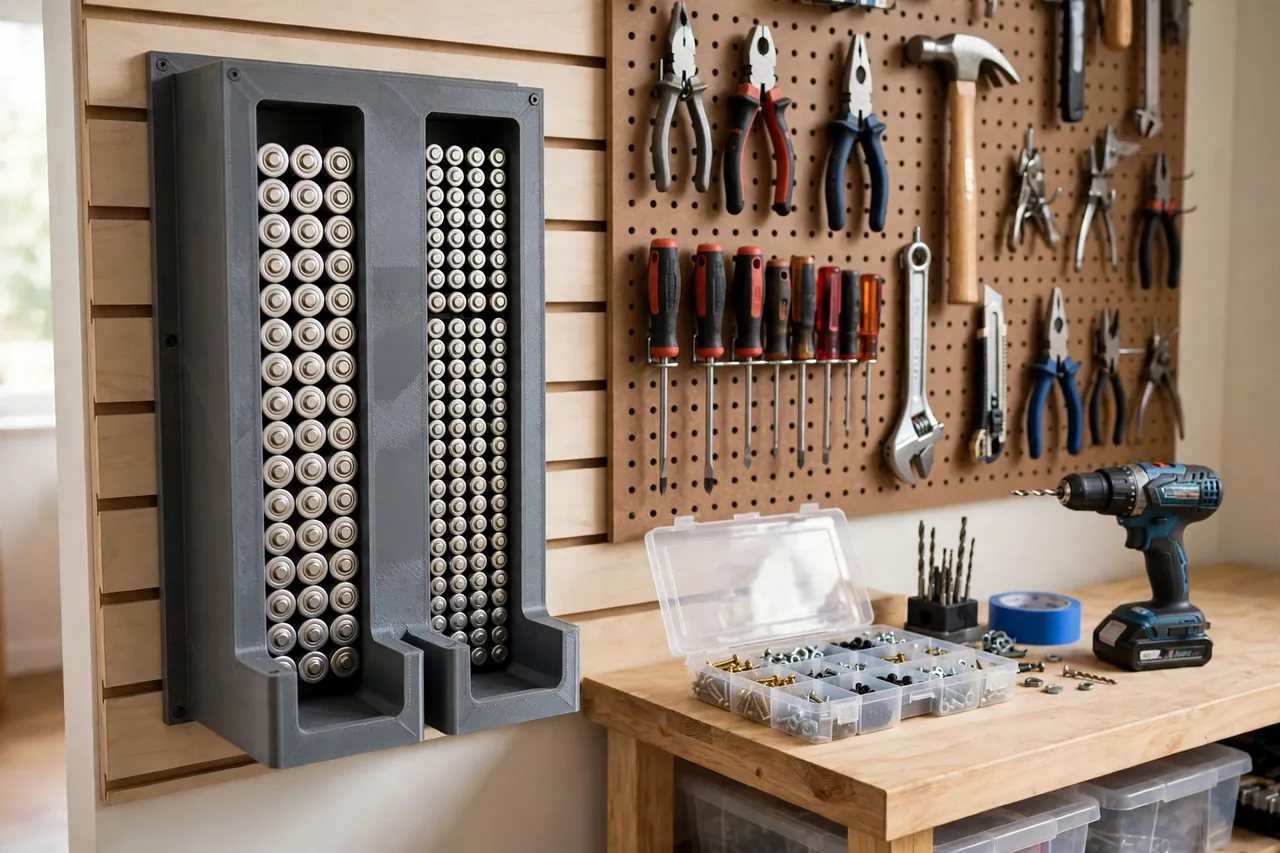
Decide how many cells you genuinely keep. A channel holding eight to twelve suits most homes; deeper storage belongs in the original packaging. Add a flat back with keyhole slots or screw holes for wall mounting, and keep a freestanding version’s footprint stable enough not to tip.
Step-by-Step: Printing and Assembly
- Measure your cells — diameter and length for both AA and AAA, checking two or three brands if you mix them.
- Model the channels as single-file lanes with divider walls, funnels at the top, and a feed opening at the base of each.
- Print a short test lane and run a full load of cells through it, checking for hang-ups and tilting.
- Adjust the clearance. Cells sticking? Widen the lane by 0.2 mm. Cells wedging sideways? Narrow it slightly.
- Print the full rack in PETG once the test lane feeds smoothly from top to bottom.
- Clean it up. Ease the funnel edges and feed openings with a file so cell wrappers never snag or tear.
- Mount or stand it. Screw it to the wall through the back panel, or check that the freestanding base sits flat and steady.
If your printer is too short, print the rack as two stacking sections with a simple tongue-and-groove joint.
Step-by-Step: Using the Dispenser Day to Day
- Load from the top only. Drop fresh cells into the funnel of the correct channel, size by size.
- Keep sizes separate. AA in the AA lane, AAA in the AAA lane — never mix a channel to save space.
- Take from the bottom. Pull the cell presented in the feed slot; the queue settles down behind it.
- Rotate your stock naturally. Fresh cells go in at the top and leave from the bottom, so the oldest is always used first.
- Refill before you run dry. When a channel drops to two or three cells, add a fresh pack to the top.
- Check cells as you load. Anything that looks wrong never enters the rack.
- Remove damaged cells carefully. A swollen, leaking, or corroded cell should be taken out promptly, handled gently, kept away from the rest, and recycled per your local rules.
- Mark your channels. A simple AA or AAA label at each funnel prevents mix-ups before they start.
One firm rule sits behind all of this: never open, modify, recharge, or repair a cell. Non-rechargeable cells are never recharged, damaged cells are never patched up, and the dispenser is a rack for storage — nothing electrical, ever.
Tips for Better Results
- Size to one brand. If you always buy the same cells, size the channels to them for the smoothest feed.
- Add a date habit. When you open a new pack, a tiny pencil dot on the last cell tells you roughly how old the queue is.
- Use color with intent. Print AA channels in one color and AAA in another for a rack you can read at a glance.
- Keep the rack off the floor. Wall mounting keeps cells dry, visible, and out of the dust.
Common Mistakes to Avoid
- One big mixed bin. Without separate channels, terminals can touch and sizes mix — the two problems this design exists to solve.
- Channels sized from a chart alone. Cell sizes vary by brand; measure the cells in your hand.
- Skipping the test lane. A full-height print that jams at cell three wastes far more filament than a test section.
- Loading spent cells back in. A flat cell returned to the queue guarantees a future disappointment; set spent cells aside for recycling.
- Treating the rack as a charger or tester. It is neither. It holds sealed cells in order — that is the whole job.
Care, Storage, and When to Choose an Alternative
Wipe the channels out with a dry brush now and then, and check the feed openings for wrapper scraps or dust. Keep the rack indoors, dry, and out of direct heat, and give the cells a quick visual check at each refill. If a divider wall cracks, reprint the section rather than working around a lane that no longer keeps cells apart.
Sometimes the better answer is simpler. If you keep only four spare cells, the original packaging in a labeled drawer is honestly enough. The printed rack earns its place when you keep a working stock of both sizes and want the oldest used first without thinking about it. For the bigger rechargeable packs your tools use, you may also enjoy our related guide, “Cordless Tool Battery Storage Rack: 3D Print Wall Holders to Organize Your Workshop (storage only),” which covers wall storage for those sealed packs.
FAQ
How many cells should one channel hold?
Eight to twelve per size suits most homes — enough to always have a fresh cell ready, without a tall rack or stock sitting around for years. If you go through cells quickly, print a second rack rather than one very deep one.
Can one dispenser handle both AA and AAA?
Yes — that is the point of separate channels. Each size gets its own lane, sized to that cell, with divider walls between lanes. What a dispenser should never do is mix sizes in a single open bin.
Can I store rechargeable AA and AAA cells in it too?
Yes. As loose-cell storage the rack treats them the same: they sit in their channel until taken out to use or to charge in their proper charger. The rack itself never charges anything — charging always happens in the manufacturer’s charger, off the rack.
What do I do with a swollen or leaking cell?
Remove it carefully, do not use it, and do not try to open, fix, or recharge it. Keep it separate from good cells and take it to a battery recycling point, following your local rules. Then wipe the channel clean before reloading.
Conclusion
A loose-battery drawer wastes time every week. A printed dispenser turns it into a tidy queue: separate channels, oldest cell first, and the right size waiting in the feed slot whenever a flashlight, remote, or meter goes flat.
Print a test lane, size it to the cells you actually buy, and load it once. From then on, fresh batteries stop being something you search for.
If the rest of your bench suffers from the same loose-parts chaos, you may also enjoy our related guide, “Workshop Small-Parts Organizer: 3D Printed Stackable Bins and Screw Sorters for Your Workbench,” and for docking the chargers that keep your tool packs ready, see “3D Printed Charger Wall Mounts: Dock Tool Battery Chargers Off the Bench,” which pairs neatly with this rack on the same wall.