Introduction
Freehand sharpening looks effortless when someone skilled does it. The wrist stays locked, the bevel stays flat on the stone, and the edge comes up keen in minutes. For the rest of us, the wrist rocks, the angle drifts a few degrees mid-stroke, and the bevel ends up rounded — sharp-ish for a day, dull again by the weekend.
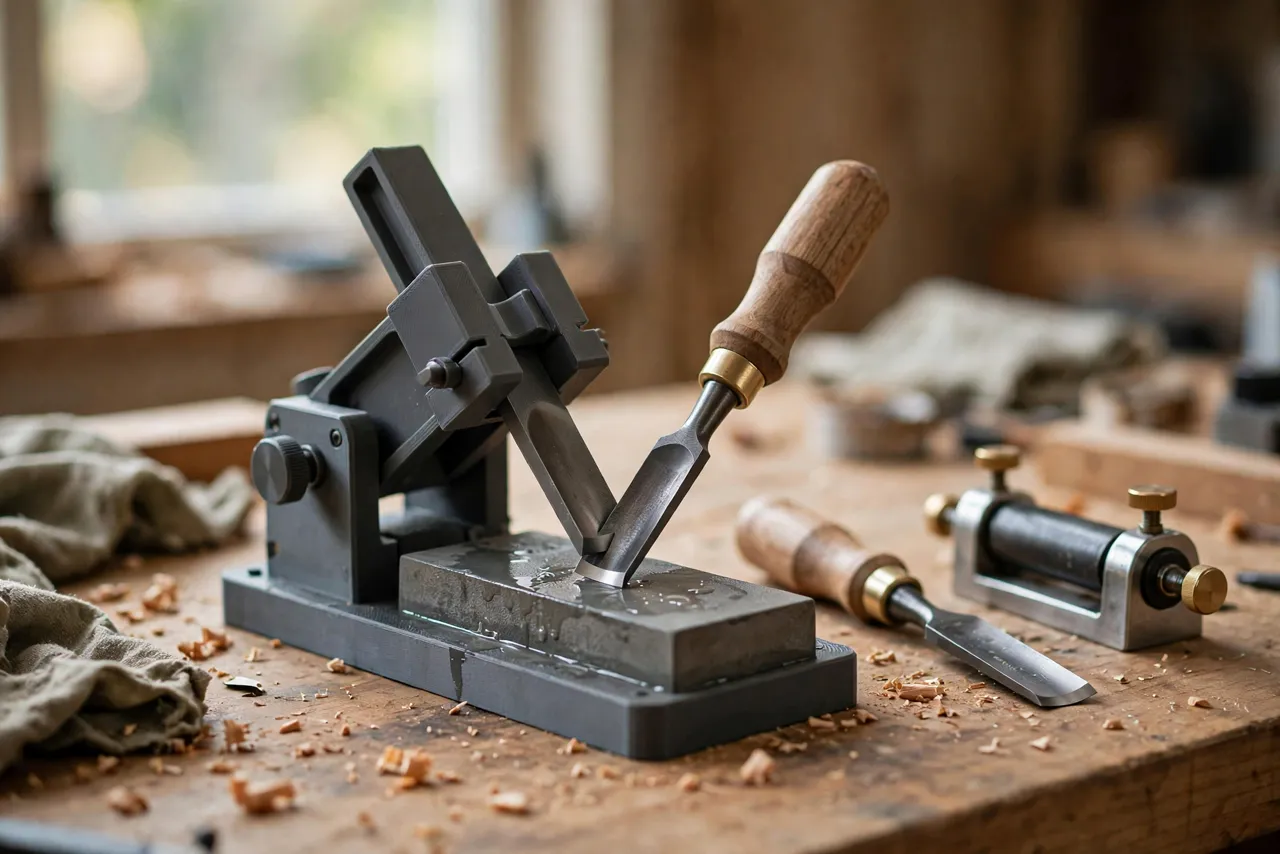
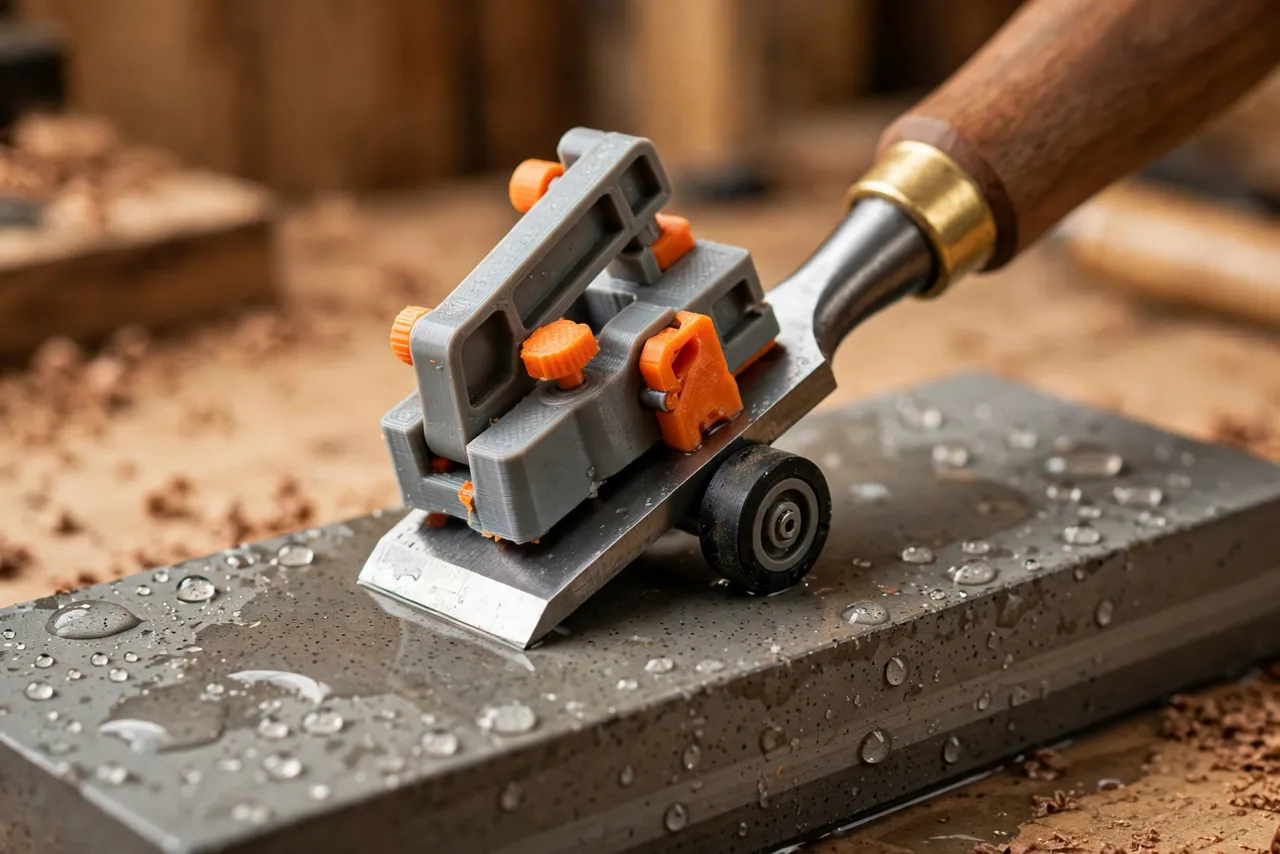
The problem is not effort. It is consistency. A chisel bevel is a single flat plane at a fixed angle, usually 25 or 30 degrees, and holding that plane by hand takes practice most home woodworkers never get to build. A 3D printed chisel sharpening angle jig holds the chisel at that fixed angle for you: clamp the chisel, set the projection, roll it across the stone, and every stroke hits the same bevel.
This guide covers designing, printing, and using your own jig. It is a sharpening aid only — it will not rescue a chisel with a badly damaged or chipped edge, which may need regrinding first.
What You Need
The jig is small — most versions fit in a 100 mm cube — so any home printer can make it. You will need a flat sharpening stone and a way to check your angle.
Materials and tools
- A home 3D printer and PETG filament for a jig that survives wet stones and repeated clamping
- A flat whetstone, diamond plate, or sandpaper-on-glass setup, plus water or honing fluid as your system requires
- The chisels you want to sharpen, with their bevel angles noted (25 degrees is the common primary bevel)
- A small ruler or a printed angle-setting template, plus a marker
- A leather strop or a piece of flat leather with honing compound, for finishing
- A rag, an old toothbrush for stone cleaning, and a flat surface to work on
PETG handles damp conditions better than PLA, which matters when your jig lives next to a water stone. Either material works for a first test version.
Suggested print settings
- Layer height: 0.20 mm, or 0.16 mm for cleaner clamp faces.
- Walls: 4 or more perimeters — the clamp body takes real squeezing force.
- Infill: 40 to 60 percent, grid or gyroid.
- Top and bottom layers: 4 or more.
- Orientation: Print the clamp body on its side or flat as your design dictates, keeping the wheel axle holes clean.
- Supports: Minimal; design the roller housing to print without them where possible.
You will also need a small roller: a printed wheel on a short bolt, a spare bearing, or a furniture caster wheel all work. The roller sets the angle by fixing the chisel’s height above the stone.
Design Considerations
A sharpening jig has three jobs: hold the chisel firmly, set a repeatable angle, and roll smoothly. Each part serves one of those jobs.
1. The clamp
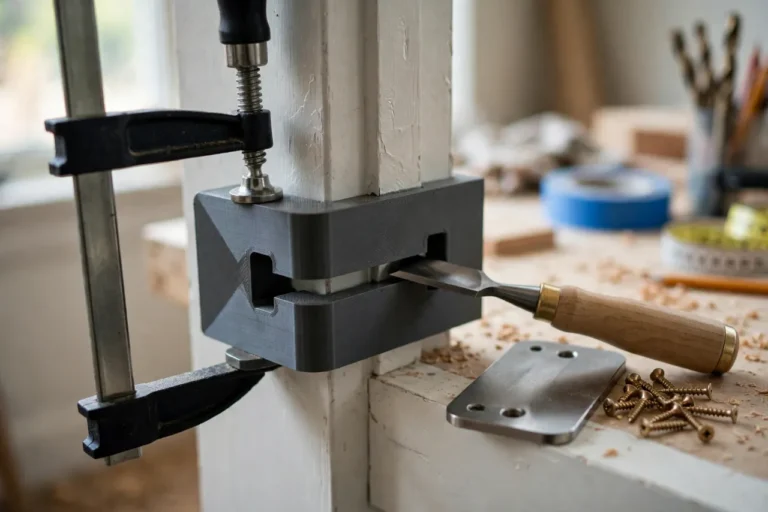
The clamp grips the chisel blade, not the handle. It should contact both flat faces of the blade with a wide, flat jaw, and tighten with a screw or a printed wedge. Narrow jaws let the chisel twist mid-stroke; wide jaws hold it square.
Size the clamp to your chisels. A clamp that fits a 25 mm chisel loosely will not hold a 6 mm chisel at all. Many makers print two clamp inserts — one for wide chisels, one for narrow ones — or design a V-groove jaw that centers different widths automatically. Test the fit before you trust it on a stone.
2. Setting the angle
Angle comes from projection: how far the chisel tip sticks out past the roller. More projection means a shallower angle; less projection means a steeper one. Your design should include a simple setting method — a printed gauge block, a marked ruler position, or a small stop tab — so you can return to the same projection every time.
The common targets are 25 degrees for a primary bevel and 30 degrees for a micro-bevel. Do not obsess over a single degree. A consistent 27 degrees beats a wobbling 25-to-32 every time, because a flat, consistent bevel sharpens faster and lasts longer.
3. The roller
The roller carries the jig across the stone. It should roll freely, sit square to the chisel, and keep a constant height. A wobbly or off-square roller steers the chisel sideways and grinds one corner of the edge more than the other. Check squareness by rolling the empty jig across a flat surface and watching whether it tracks straight.
4. Squareness to the stone
The chisel must sit square across the jig, not skewed. Add a small registration edge or a flat reference face in the clamp so the chisel’s back registers the same way every time. ## Step-by-Step: Printing and Assembly
- Measure your chisels — blade width, thickness, and the bevel angle you want.
- Choose a roller — a printed wheel, a bearing, or a small caster — and note its diameter.
- Model the clamp, roller housing, and setting gauge to your measurements.
- Print a test clamp and check that it grips your widest and narrowest chisels without twisting.
- Print the full jig, clean up the roller axle holes, and fit the roller so it spins freely.
- Set a known angle using the gauge and verify it with a protractor or angle app on a flat surface.
- Mark the gauge positions for 25 and 30 degrees with a paint pen.
If the roller binds, ream the axle hole lightly by hand. If the clamp slips, add a thin rubber strip inside the jaws — grip matters more than looks here.
Step-by-Step: Using the Jig
- Flatten the back of the chisel first. A chisel with a hollow or rounded back will never feel truly sharp, jig or not. Work the back flat on a fine stone until it is uniformly polished near the edge.
- Clamp the chisel with the bevel down, square in the jig, and set the projection for your target angle.
- Wet the stone as your system requires and place it on a non-slip base.
- Roll the jig back and forth with light, even pressure, keeping the bevel flat on the stone. Let the stone do the work — pressing hard dishes the stone and rounds the edge.
- Check for a burr. After a few dozen strokes, feel the back of the edge for a fine wire burr along the full width. A burr everywhere means the bevel is fully apexed.
- Work through the grits, from coarse to fine, resetting the same projection each time. The jig makes grit changes painless because the angle never moves.
- Add a micro-bevel if you like. Shorten the projection slightly for a 30-degree micro-bevel and take a handful of strokes on your finest stone.
- Remove the burr by laying the chisel back flat on the fine stone for a few light strokes, then strop on leather until the edge catches no light and shaves cleanly.
Test sharpness on a scrap board, not your thumb. A sharp chisel should pare a thin shaving with light pressure and no tearing.
Tips for Better Results
- Use the same projection every session. Record your gauge settings; consistency across months is what keeps edges quick to refresh.
- Keep stones flat. A dished stone grinds a rounded bevel no jig can fix. Flatten stones regularly.
- Clean the roller. Stone slurry in the axle makes the jig drag and steer.
- Sharpen little and often. A few minutes when the edge starts to dull beats a full regrind after it is blunt.
- Strop between full sharpenings. A stropped edge often lasts several sessions before it needs the stones again.
Common Mistakes to Avoid
- Clamping on the handle or the bolster. Clamp the flat blade, or the chisel will pivot.
- Changing projection mid-session. Pick an angle, set it, and leave it alone until the edge is done.
- Pressing hard to speed things up. Pressure rounds edges and dishes stones; patience sharpens.
- Skipping the back. A polished bevel on an unflattened back is a half-sharp chisel.
- Grinding a damaged edge on a fine stone. Chips and dents need a coarse stone or a grinder first; fine stones just waste time.
- Testing sharpness on skin. Use paper, a fingernail at a safe angle, or a scrap shaving — never a fingertip drag test.
Care, Storage, and When to Choose an Alternative
Rinse stone slurry off the jig, dry it, and store it flat in a drawer or hung on a peg. Check the roller axle occasionally; a worn axle makes the jig steer. Reprinting a worn part takes under an hour.
Sometimes a commercial honing guide is the better buy. If you sharpen daily, work with very wide plane irons as well as chisels, or want a guide with a built-in angle-setting dial, a metal guide will outlast plastic and hold tighter tolerances. For home chisel sharpening a few times a month, a printed jig is accurate enough — and the fact that you can print a second one sized for narrow chisels makes it more flexible than most store-bought guides.
FAQ
What angle should I sharpen my chisels to?
25 degrees for the primary bevel is the standard starting point for bench chisels, with a 30-degree micro-bevel for durability. Mortise chisels often go steeper, around 30 to 35 degrees. Match the angle to the work: finer angles cut cleaner but dull faster.
Will the jig work for plane irons too?
Often, yes, if the clamp is wide enough and the iron is flat. Many makers print a wider clamp body for plane irons and use the same roller system. Check that the iron sits square and does not rock in the jaws.
My edge looks polished but still will not cut cleanly. What is wrong?
Usually the back is not flat, or a burr remains. Reflatten the back, remove the burr carefully on the fine stone, and strop again. A wire edge feels sharp but folds over on the first cut.
How do I know when the bevel angle is right?
When the whole bevel contacts the stone evenly — you will see a uniform scratch pattern across its width — and the edge apexes with a burr along the full length. Patchy scratch patterns mean the angle or the stone flatness is off.
Conclusion
A steady bevel is not a talent. It is a fixture problem, and a printed jig is the simplest fixture that solves it. With one afternoon of printing and a little practice, sharpening stops being a chore you avoid and becomes a five-minute refresh that keeps every chisel in the shop genuinely sharp.
Print one sized for your chisels, mark your 25- and 30-degree settings, and keep it beside your stones. If hand-tool setup is your current project, you may also like our related guide, “3D Printed Honing Guide Blocks: Set Exact Chisel and Plane Iron Angles Without Expensive Jigs,” which covers a simpler fixed-angle alternative, and for layout work before you ever reach for a chisel, see “3D Printed Marking Gauge and Scriber Guides for Accurate Layout Lines in Wood Repairs.”