Introduction
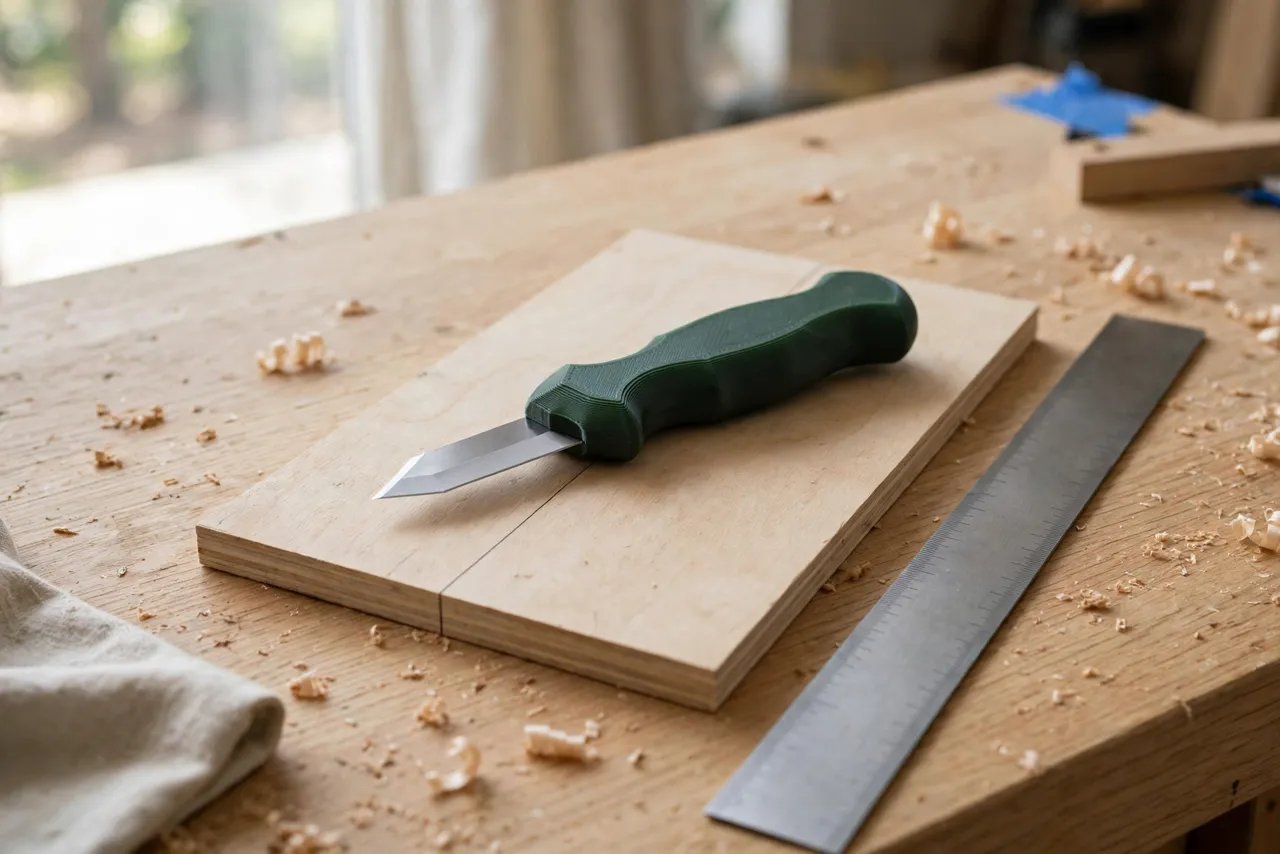
A marking knife is the most accurate layout tool in woodworking. A pencil line is wide and fuzzy; a knife line is a single crisp cut that a chisel or saw can register against exactly. But the knives themselves are often an afterthought — a thin metal handle that digs into your fingers, or a blade with no handle at all.
Printing your own handle changes that. You shape the grip to your hand, fit the blade you already own, and add a sheath so the edge survives in a drawer. The result is a layout tool you actually reach for, instead of settling for a pencil because the knife is uncomfortable.
This guide covers designing, printing, and fitting a handle for a standard marking knife blade. The handle is a grip only — it holds a manufactured steel blade, and it is never a substitute for the blade itself. A printed blade will not cut a line, and a printed handle will not make a dull blade sharp. Get the blade right, fit the handle to your hand, and your layout work gets noticeably more precise.
What You Need
The handle is a small, flat print, and the blade is the only part you should buy rather than print.
Materials and tools
- A home 3D printer with a modest build area
- PETG filament for a tough handle, or PLA for a test version
- A manufactured marking knife blade — a spear-point or single-bevel blade from a hardware store, or a repurposed utility blade if your design suits it
- Small pins, screws, or epoxy for fixing the blade, depending on your design
- Calipers for measuring the blade tang
- Sandpaper for smoothing the grip and fitting the blade slot
- Optional: a small magnet or friction tab for the sheath
Buy the blade first and design around it. Every blade tang is a slightly different size, and designing from a guess guarantees a loose fit.
Suggested print settings
- Layer height: 0.20 mm, or 0.16 mm for a smoother grip face.
- Walls: At least 4 perimeters — the handle is thin, and perimeters carry the load.
- Infill: 40 to 60 percent, gyroid, so the handle feels solid in the hand.
- Top and bottom layers: 4 or more.
- Orientation: Print flat on its side for the strongest grip shape, or upright if your design has a deep blade slot. Flat printing gives the cleanest wide face for a contoured grip.
- Supports: Minimal, only if your design includes an overhanging pommel or sheath clip.
Print a test handle first and hold it before fitting the blade. Grip shape is personal, and a test costs almost nothing.
Design Considerations
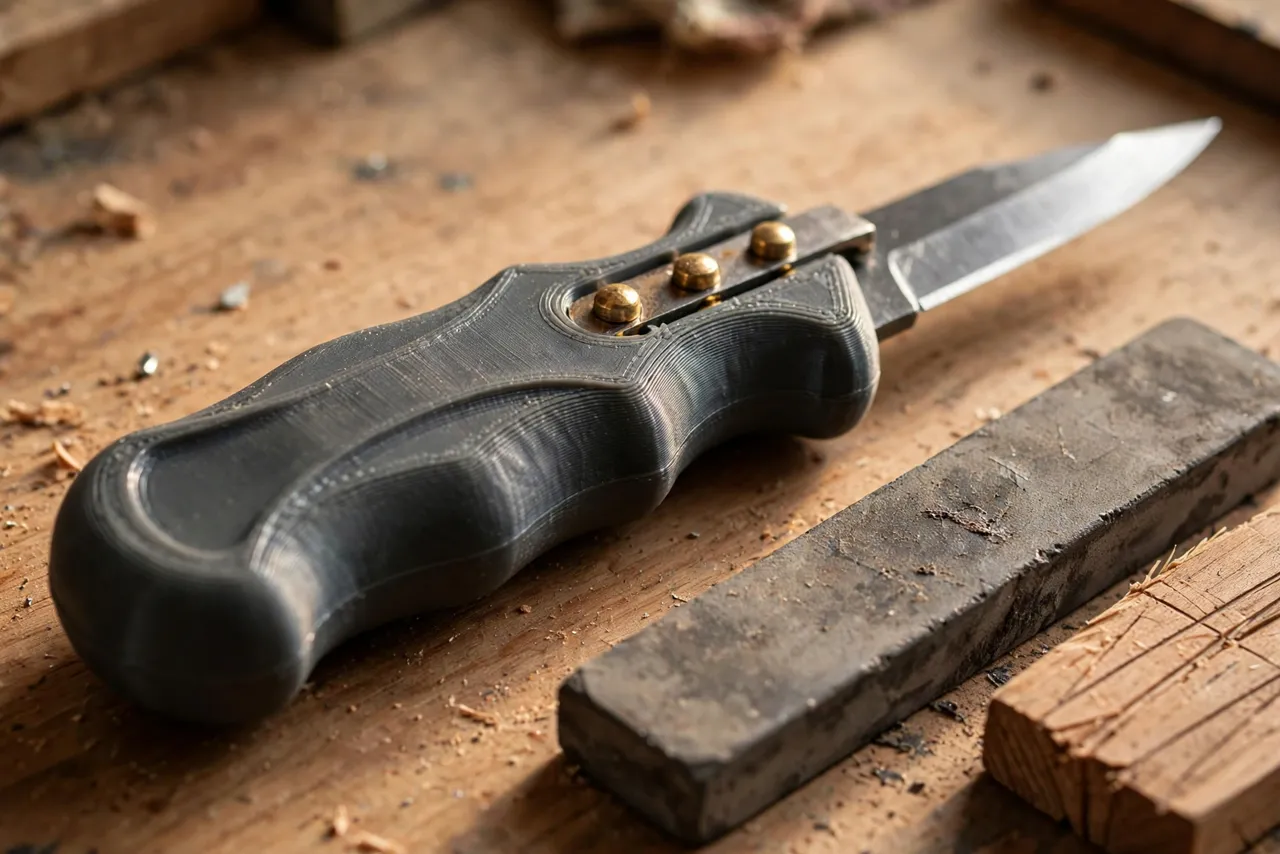
A marking knife handle is flatter and more shaped than a round tool handle. That flatness is the point: it keeps the blade registered against a straightedge.
1. The blade slot
Measure the blade tang — its width, thickness, and length — with calipers. Model the slot 0.1 to 0.2 mm wider than the tang for a snug fit, and deep enough to bury at least two-thirds of the tang. A shallow slot lets the blade flex; a slot that is too tight will split the handle when you press the blade in. Include a small cross-hole for a pin or screw through the tang if the blade has a hole, or plan on epoxy for a permanent fit.
Never rely on friction alone. A marking knife is pushed hard along a straightedge, and a blade that works loose mid-line is dangerous and ruins the work. Pin it, screw it, or glue it — ideally two of the three.
2. Grip shape and flat reference face
One face of the handle should stay flat. That flat face rides against a ruler or square and keeps the blade vertical, which is what makes knife lines accurate. Shape the other face for your hand: a gentle palm swell, a thumb rest near the front, and slightly rounded edges so nothing digs in during a long layout session. Keep the overall handle length around 110 to 130 mm and the width around 22 to 28 mm — long enough to control, slim enough to see the line.
3. Handedness and bevel direction
Marking knives are often single-bevel: the flat side of the blade faces the straightedge, and the bevel faces the waste. Design the handle so the blade’s flat side sits flush with the handle’s flat face, and mark which side is which — a small dot or a colored inlay on the bevel side prevents confusion. If you are left-handed, mirror the design rather than fighting a right-handed handle.
4. The sheath
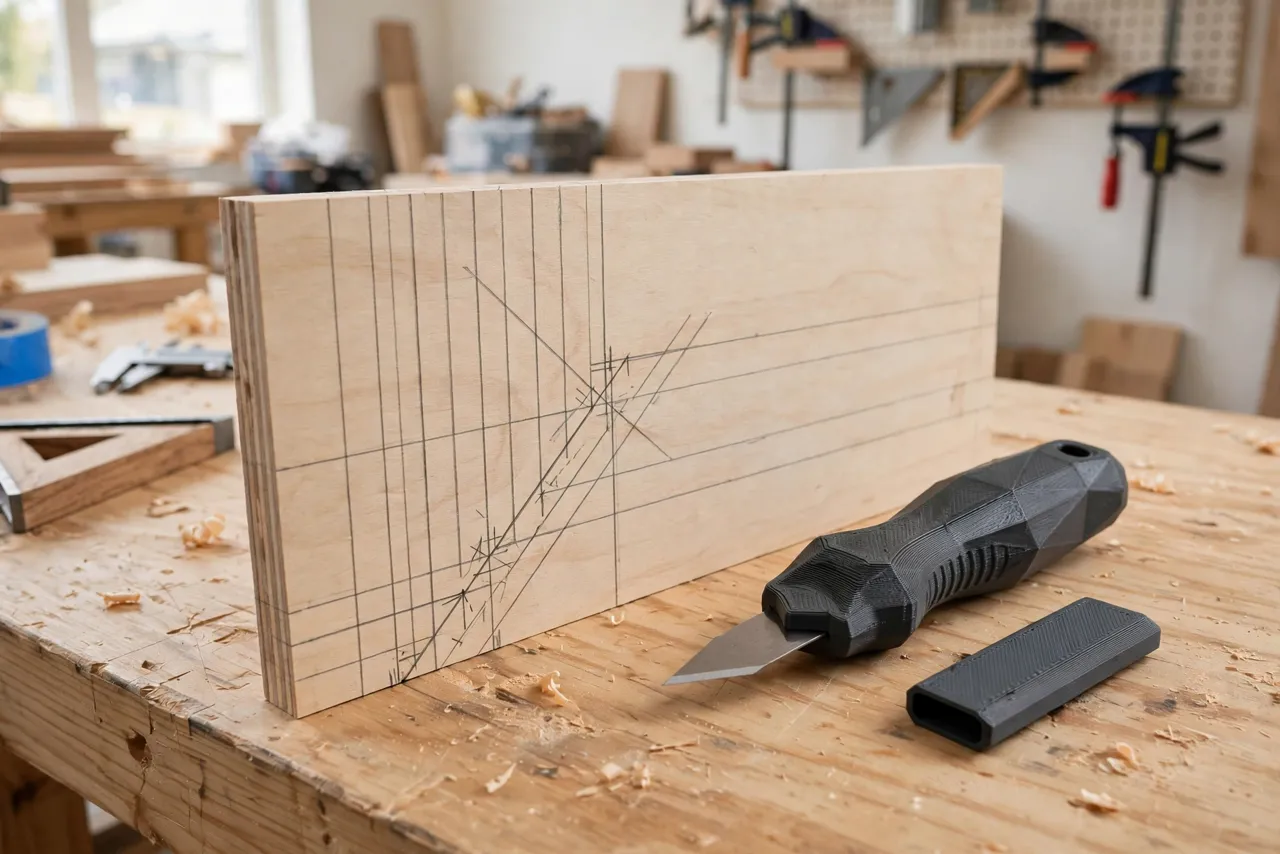
A marking knife blade is short and sharp, and it will cut a tool roll, a pocket, or a finger if left bare. Print a simple slip sheath: a flat sleeve slightly longer than the exposed blade, with a friction fit or a small magnet to hold it. The sheath also protects the edge from nicks in a drawer, which keeps your lines crisp. Print the sheath in a bright color so a sheathed knife is easy to spot.
Step-by-Step: Printing and Assembly
- Buy or choose your blade and measure its tang carefully.
- Model the handle with a flat reference face, a contoured grip face, and a slot to suit the tang.
- Print a test handle and check the blade fit dry, before any glue.
- Adjust the slot by 0.1 mm at a time until the blade seats fully with light pressure.
- Sand the grip lightly, rounding any sharp printed edges.
- Fix the blade permanently. Epoxy the tang into the slot, add a pin or screw if your design allows, and let glue cure overnight.
- Print and fit the sheath. It should slide on with light friction and stay put when the knife is shaken gently.
- Test on scrap. Mark lines against a straightedge and check that the blade stays vertical and the handle feels secure.
Step-by-Step: Using a Marking Knife
- Mark your position with a light pencil tick first, then place the straightedge on the line.
- Hold the knife with the flat side against the straightedge and the blade vertical.
- Draw the knife toward you with light, steady pressure. One light pass, then a second slightly firmer pass, beats one hard gouge.
- For cross-grain lines, keep pressure moderate to avoid tearing fibers; a sharp blade matters more than force here.
- Register your chisel or saw in the knife line, not beside it. The line is the cut.
- Sheath the blade the moment you set the knife down. A bare blade on a bench is how benches and hands get cut.
A knife line across the grain also severs fibers, which reduces tear-out when you saw or chisel up to it — one of the reasons knife layout beats pencil layout for joinery.
Tips for Better Results
- Keep the blade scary sharp. A marking knife that drags is worse than a pencil. Hone the bevel on a fine stone little and often.
- Print a second handle for a different blade. A spear-point blade suits fine joinery; a heavier single-bevel blade suits rougher carpentry layout. Swap handles, not habits.
- Pair it with a good straightedge. A knife is only as accurate as the edge it rides against; a machined square or a quality ruler makes the difference.
- Build a matching layout kit. Our guide “3D Printed Scratch Awl Handle: A Comfortable Grip for Marking and Piercing” covers the awl that pairs with this knife for lines and starter holes, and “3D Printed Sliding Bevel Gauge: Copy Any Angle and Transfer It Anywhere” covers transferring angles to mark.
- Color-code the sheath. A bright sheath means you never mistake a bare blade for a safe one in a drawer.
Common Mistakes to Avoid
- Printing the blade. A printed edge will not cut wood cleanly and will snap. Always use a manufactured steel blade.
- Fitting the blade with friction only. Pin, screw, or glue it — a loose blade is a safety problem.
- Rounding the flat reference face. If that face is curved or textured, the blade will not sit vertical and your lines will drift.
- Pressing too hard. Deep single passes tear grain and wander. Light passes, repeated, give cleaner lines.
- Storing the knife bare. Sheath it every time. Edge nicks from drawer rattling show up as ragged lines.
- Using the knife as a chisel or pry tool. Sideways force snaps thin blades and can split the handle. Keep a proper chisel for chiseling.
Care, Storage, and When to Choose an Alternative
Wipe the blade dry after use, hone it when it starts to drag, and store the knife sheathed on a pegboard hook or in a tool roll. If the handle cracks or the grip wears, reprint it and transfer the blade.
For daily professional joinery, a manufactured hardwood-handled marking knife will outlast plastic and may feel better over thousands of lines. For home workshops, unusual hand sizes, or a blade you already own that deserves a better handle, a printed handle is cheaper, fully customizable, and more than accurate enough.
FAQ
Can I use a utility knife blade as a marking knife blade?
Sometimes, if your handle design suits its shape and the blade seats solidly. Purpose-made marking blades are usually better: they are thicker, single-bevel, and shaped for layout. Whatever blade you use, fix it firmly — never friction-only.
Should the handle be flat on both sides?
No — one flat reference face is what matters. The other face should be shaped for your hand. Two flat faces are fine but less comfortable; a contoured grip face is the main advantage of printing your own.
My knife lines wander. Is the handle the problem?
Check three things: the flat face riding truly against the straightedge, the blade being sharp, and your pressure being light and even. A dull blade or a rounded reference face causes wandering more often than grip shape does.
How do I sharpen a single-bevel marking blade?
Hone only the beveled side on a fine stone, keeping the flat side flat against the stone for a few light passes to remove the burr. Keep the original bevel angle — changing it changes how the blade tracks.
Conclusion
A marking knife earns its keep through precision, and a handle that fits your hand is what lets you use that precision comfortably, line after line. Measure your blade, keep one face flat, shape the other for your grip, and sheath it every time you put it down.
Pair it with a fitted awl — “3D Printed Scratch Awl Handle: A Comfortable Grip for Marking and Piercing” — and your layout kit will finally feel like it was made for you, because it was.