Introduction
Wiping stain with a rag sounds simple, and it is — until the rag bunches, folds over, or dries out halfway along a board. Then one section goes dark, the next stays pale, and the overlap lines show through the finish. Sanding back and starting again is the usual fix, and it wastes both time and stain.
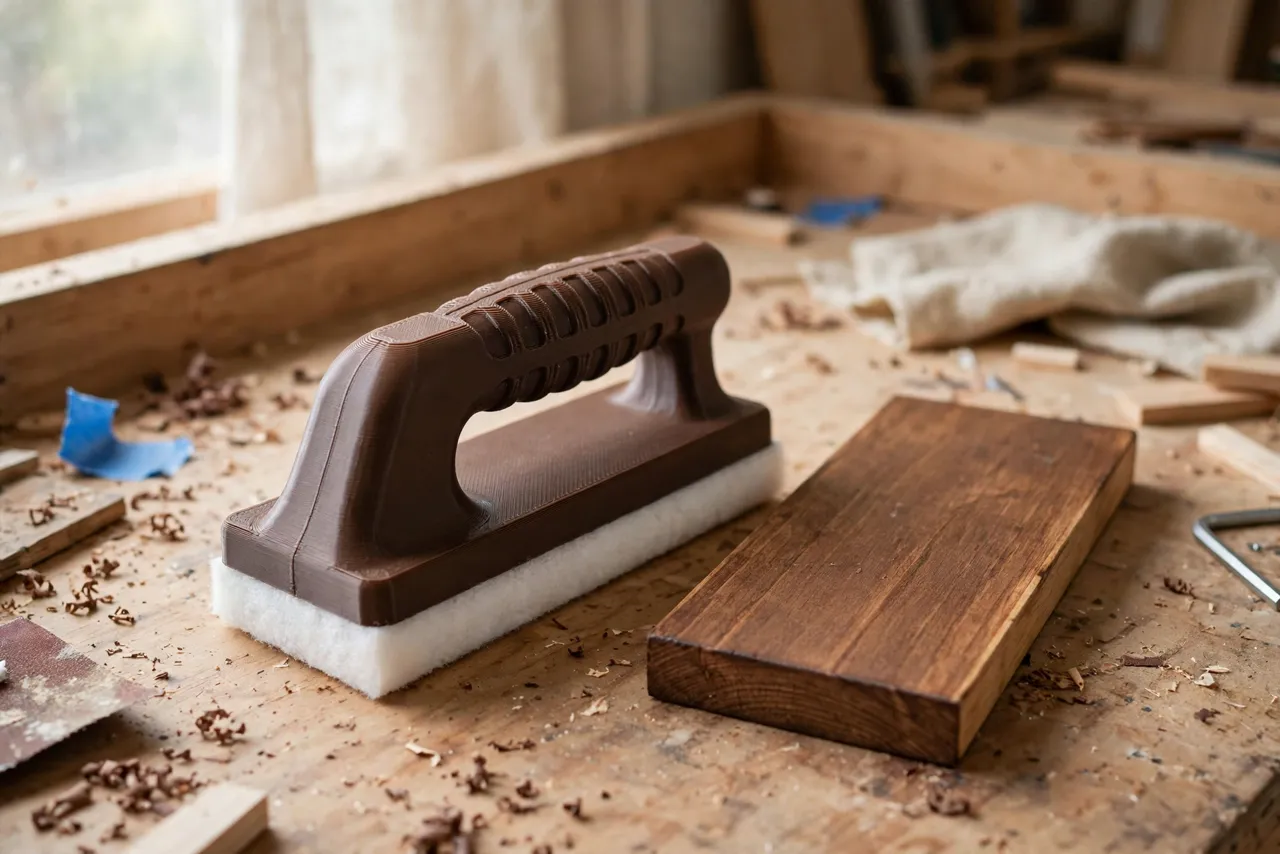
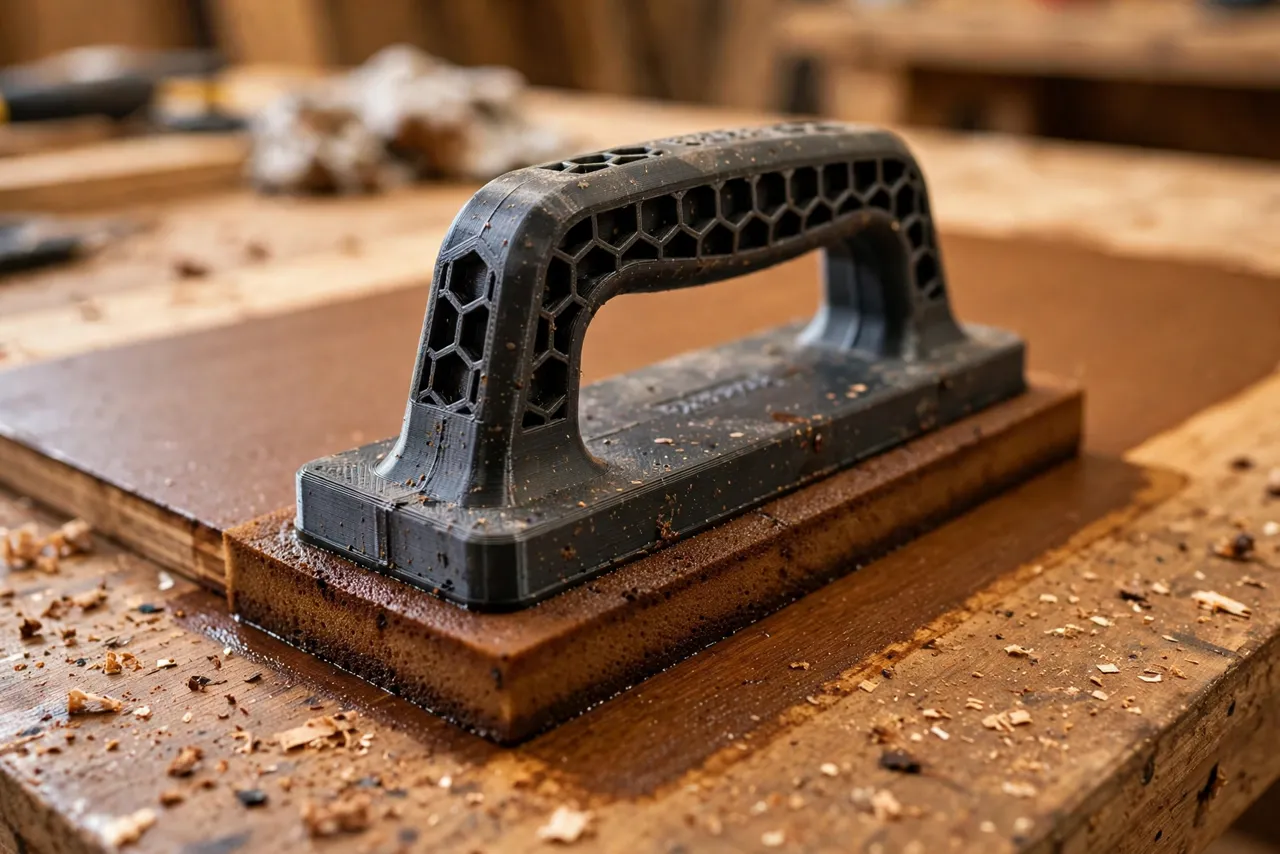
A 3D printed stain pad applicator handle solves the bunching problem. It holds a flat stain pad firmly, keeps it level against the wood, and spreads your hand pressure evenly across the whole pad. You wipe in long, steady strokes, the pad stays flat, and the stain goes on at the same rate from one end of the board to the other.
This guide covers designing, printing, and using a handle for common rectangular stain pads. Treat it as a finishing aid only — it applies stain evenly, it does not change how stain behaves on different woods, and always test on scrap first. If a piece is valuable or the finish must be perfect, practise thoroughly or choose a manufactured applicator.
What You Need
The handle is a flat, medium-sized print that suits most home printers. The pad itself is a consumable you will replace regularly.
Materials and tools
- A home 3D printer with a build area of at least 130 mm in one direction
- PETG filament for stain resistance, or PLA for a test handle
- Rectangular stain pads, plus the wood stain you plan to use
- A wooden board or offcut for testing, and a clean rag for wiping excess
- Fine sandpaper, a small file, and a pencil
- Gloves, and a ventilated workspace, as your stain maker directs
PETG is the better keeper because it resists stain solvents better than PLA and cleans up more easily. PLA works for learning the shape, but wipe it clean promptly and do not leave it soaking in stain.
Suggested print settings
- Layer height: 0.20 mm for a smooth, comfortable handle.
- Walls: 4 perimeters, for a rigid pad plate that will not flex.
- Infill: 40 to 50 percent, grid or gyroid.
- Top and bottom layers: 4 or more.
- Orientation: Print flat, pad side down, so the face that holds the pad is flat.
- Supports: None, for a simple plate-and-grip design.
Print a test handle first and try it on scrap before staining a real piece.
Design Considerations
A stain pad handle has two jobs: hold the pad flat, and let your hand guide it without pressing harder in one spot. Design both deliberately.
1. The pad plate
The plate is the heart of the tool: a flat rectangle slightly smaller than the pad, about 100 mm by 60 mm for a standard pad, and 5 to 6 mm thick. A plate larger than the pad leaves a hard edge that can mark the wood; a plate much smaller lets the pad curl at the edges. Add a shallow recess or raised rim, about 1 mm, to locate the pad, and small clips, slots, or hook-and-loop backing to hold it. Clips are simplest and work with most pads, but test them: a clip that lets go mid-stroke drops the pad into wet stain.
2. The grip
Mount a low, wide grip on top of the plate, centred so pressure spreads evenly. A bar grip about 90 mm long and 25 mm wide, standing 30 to 40 mm tall, suits most hands. Alternatively, a flat palm pad on top of the plate works well for large, flat surfaces. Round every edge, add shallow finger grooves to a bar grip, and keep the grip low: a tall grip tilts the plate when you push, and a tilted plate leaves dark edges.
3. Edge control
Add a slightly raised lip along one long edge of the plate. This lip acts as a guide when you stain near an edge or a neighbouring board, and it stops the pad sliding sideways. Keep the lip low, about 3 mm, so it guides without digging in. If you stain a lot of narrow trim, print a second, narrower plate for those pieces rather than forcing a wide plate onto them.
4. Cleaning and pad changes
Design for fast pad changes. A pad that takes a minute to swap will not get swapped, and a worn pad gives blotchy results. Clips that open with a thumb, or a simple slide-in slot, both work. Avoid deep crevices in the plate where stain can pool and harden; a smooth plate wipes clean in seconds.
Step-by-Step: Printing and Assembly
- Measure your pads. Record length, width, and thickness, and note how they attach — clips, slot, or hook-and-loop.
- Model the plate slightly smaller than the pad, with a locating recess and clips or a slot.
- Add the grip, centred, low, and rounded, plus a hanging hole if you want one.
- Print a test handle and fit a fresh pad. Check it sits flat and stays put when you press and slide it on scrap wood.
- Clean it up. Sand rough edges, clear the clips, and check no sharp corner can mark wood.
- Adjust if needed. If the pad curls, enlarge the plate slightly; if clips slip, deepen them by 0.5 mm and reprint.
- Print the keeper in PETG once the test works.
There is no assembly beyond fitting a pad.
Step-by-Step: Using the Handle to Stain Evenly
- Prepare the wood. Sand evenly, remove dust, and test the stain on an offcut from the same board. Different boards take stain differently, even from the same batch.
- Fit a fresh pad. A worn or clogged pad gives uneven colour, however good the handle is.
- Load the pad lightly. Dip or pour a small amount of stain onto the pad, and blot excess on a scrap surface. A dripping pad always leaves dark spots.
- Wipe with the grain. Hold the handle flat and draw it along the grain in long, steady strokes, overlapping each stroke slightly. Do not scrub back and forth.
- Keep the pressure even. Let the plate do the work; pressing harder in the middle darkens the middle of every stroke.
- Wipe excess promptly. After a section is covered, wipe lightly with a clean pad or rag, still with the grain, to even the colour before it sets.
- Work section by section. Finish one board or panel before moving on, so wet edges do not dry into visible lines.
Let the stain dry fully, following the maker’s instructions, before applying any topcoat. A rushed topcoat can lift stain and ruin an even job.
Tips for Better Results
- Test on scrap from the same wood. Offcuts from another board can mislead you about colour and absorption.
- Change pads often. A fresh pad is cheap; a blotchy finish is expensive to fix.
- Wipe long, not hard. Long strokes even colour out; hard pressure creates dark patches.
- Keep a spare handle ready. If one handle gets clogged mid-job, swapping is faster than cleaning.
- Store stain pads flat. A curled pad will not sit flat in the handle, however good the plate is.
Common Mistakes to Avoid
- Overloading the pad. Too much stain floods the wood and leaves dark, uneven patches. Load lightly and build colour in passes if needed.
- Using a worn pad. A pad that has gone thin or matted gives streaks. Replace it.
- Pressing on one edge. A tilted handle darkens one side of every stroke. Keep the plate flat and the grip centred.
- Staining across the grain. Cross-grain strokes show as lines. Always work with the grain.
- Skipping the scrap test. Stain colour on the tin is a guide, not a promise. Test first, every time.
Care, Storage, and When to Choose an Alternative
Wipe the handle clean after use, following your stain maker’s guidance, and store it flat away from heat. Replace pads regularly and reprint the handle if clips wear loose. For large professional finishing jobs, manufactured stain applicators with replaceable pads may be more durable. For home furniture, shelves, and trim, a printed handle that keeps a pad flat and even is accurate, cheap, and easy to customise to your pads.
FAQ
Will this handle fit any stain pad?
No. Pads vary in size and attachment, so measure yours and size the plate to it. The design approach works for most rectangular pads, but dimensions must match the pad you actually use.
Is PLA strong enough, or do I need PETG?
PLA is fine for a test handle. PETG is the better keeper because it resists stain solvents and cleans up better. Either way, wipe the handle clean promptly after use.
Can I use this handle with a brush-on stain?
It is designed for wipe-on staining with pads. Brush-on stains need a brush for application, though the handle can still help wipe excess evenly on some jobs. Use the right tool for the stain type you have.
My stain still looks blotchy. What went wrong?
Check the pad first, then your technique: an overloaded or worn pad, uneven pressure, or wood that was sanded unevenly are the usual causes. Test on scrap, load lightly, keep the plate flat, and work with the grain.
Conclusion
Even stain is mostly about keeping the applicator flat and the pressure even. A printed handle does both, without the bunching and folding that make rag staining so unpredictable.
Print one to fit your pads, test it on scrap, and your next stained shelf, frame, or tabletop will carry a colour you can be proud of.
For sanding between coats, you may also enjoy our related guide, “Contour Sanding Blocks: 3D Print Custom Blocks for Curved Trim and Furniture Repairs,” and for keeping finishes organised, see “3D Printed Paint Brush and Roller Holders: Keep Your Painting Tools Ready Between Coats.”