Introduction
Wall anchors are the fastener most likely to be grabbed wrong. They come in many types — plastic expansion anchors, sleeve anchors, toggle bolts, self-drilling anchors — and within each type, several sizes that look nearly identical. A mixed box of anchors is a guessing game, and guessing wrong means a fixing that pulls out of the wall or a hole drilled to the wrong size.
The problem is worse than with nails or bolts because the anchor must match both the screw and the wall. An anchor that works in solid brick may fail in hollow drywall, and an anchor sized for one screw will not grip another. When types and sizes mix in one box, you cannot tell at a glance what you are holding, let alone whether it suits the wall in front of you.
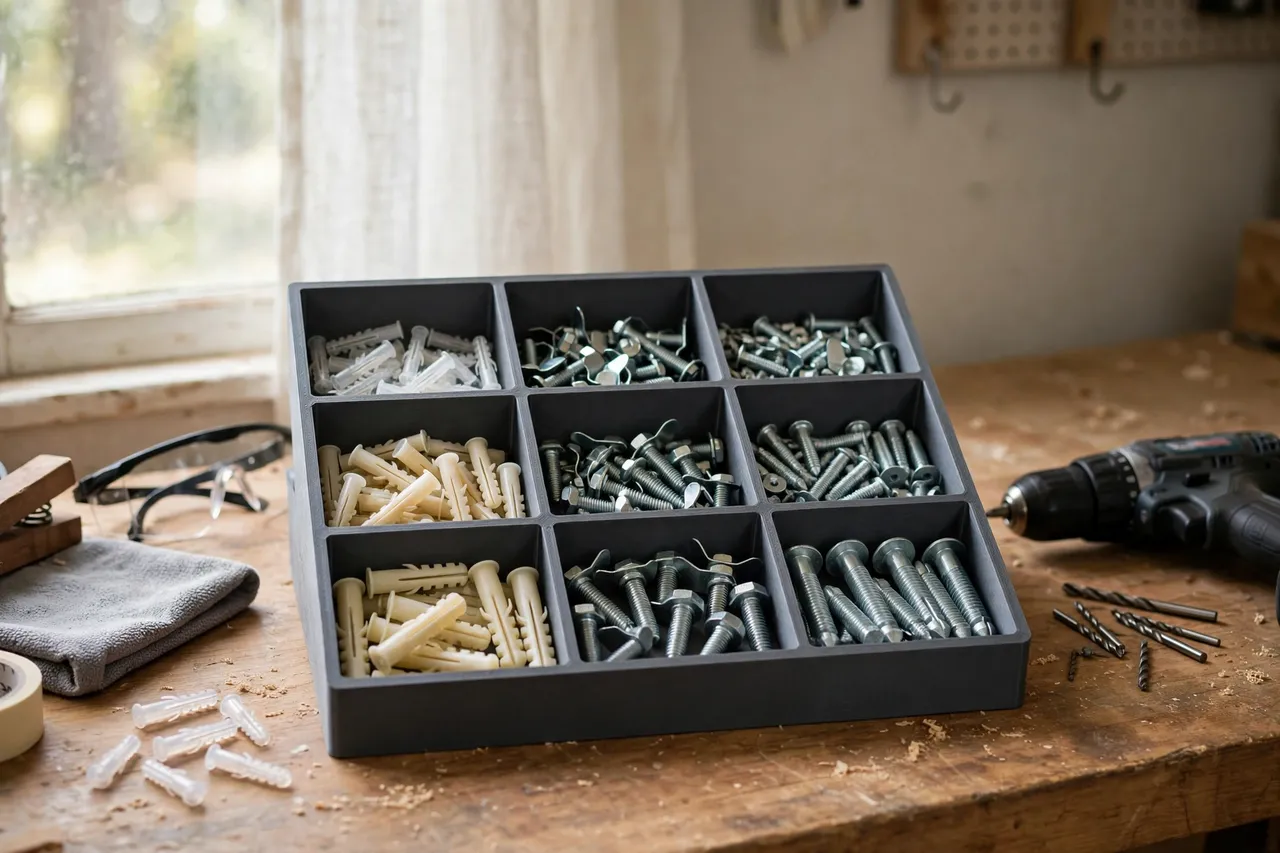
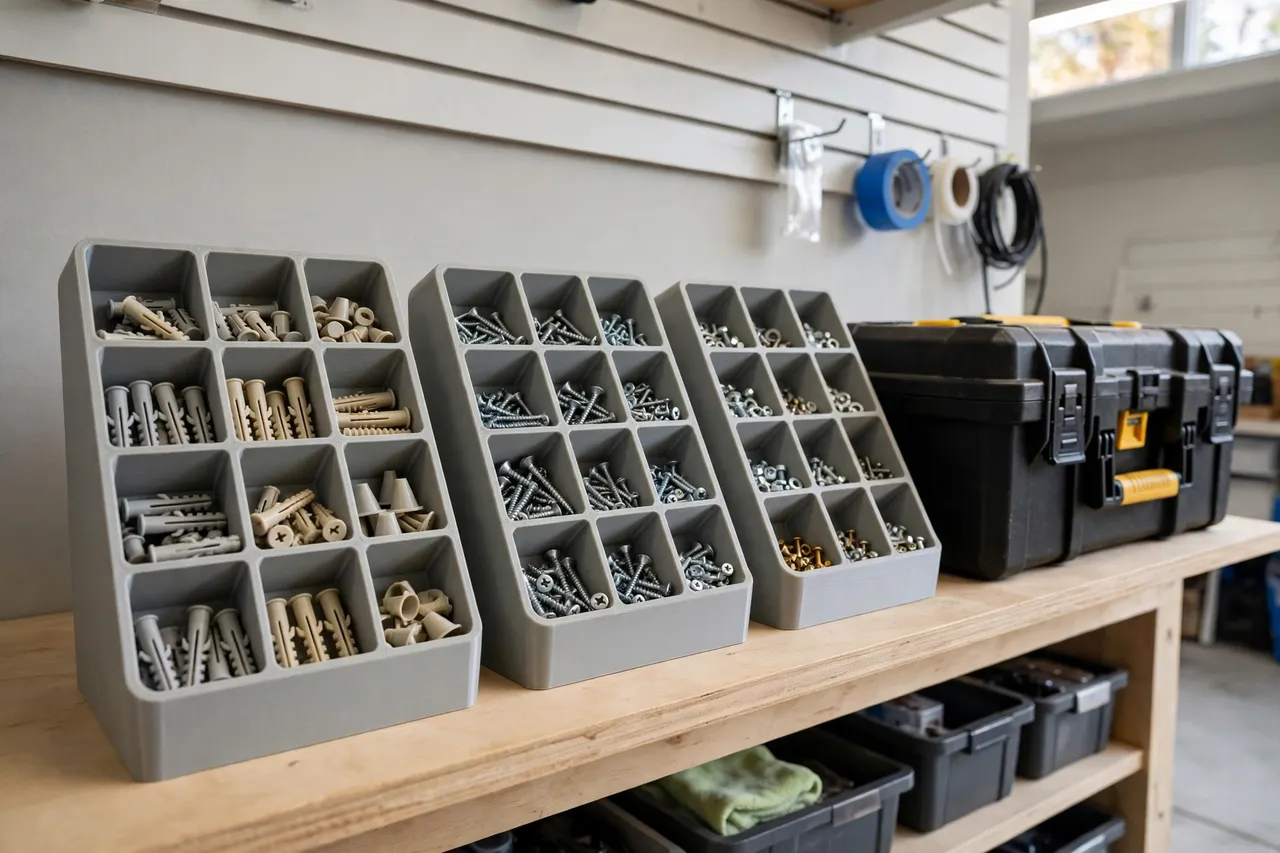
A 3D printed wall anchor organizer fixes that by keeping anchors sorted and visible: upright compartments, one per type and size, with labels you can read at a glance. Sort once, and every anchor you reach for is the type and size you meant to grab — with its matching screw size noted on the label.
This guide covers designing, printing, and using a wall anchor organizer for home workshops. It is a storage aid for small hardware — nothing structural, nothing load-bearing. The anchors themselves are used exactly as their manufacturers direct; the organizer only stores them. Always choose the anchor type and rating the manufacturer specifies for your wall material and load, and never rely on a printed organizer — or a guessed anchor — for heavy, overhead, or safety-critical fixings.
What You Need
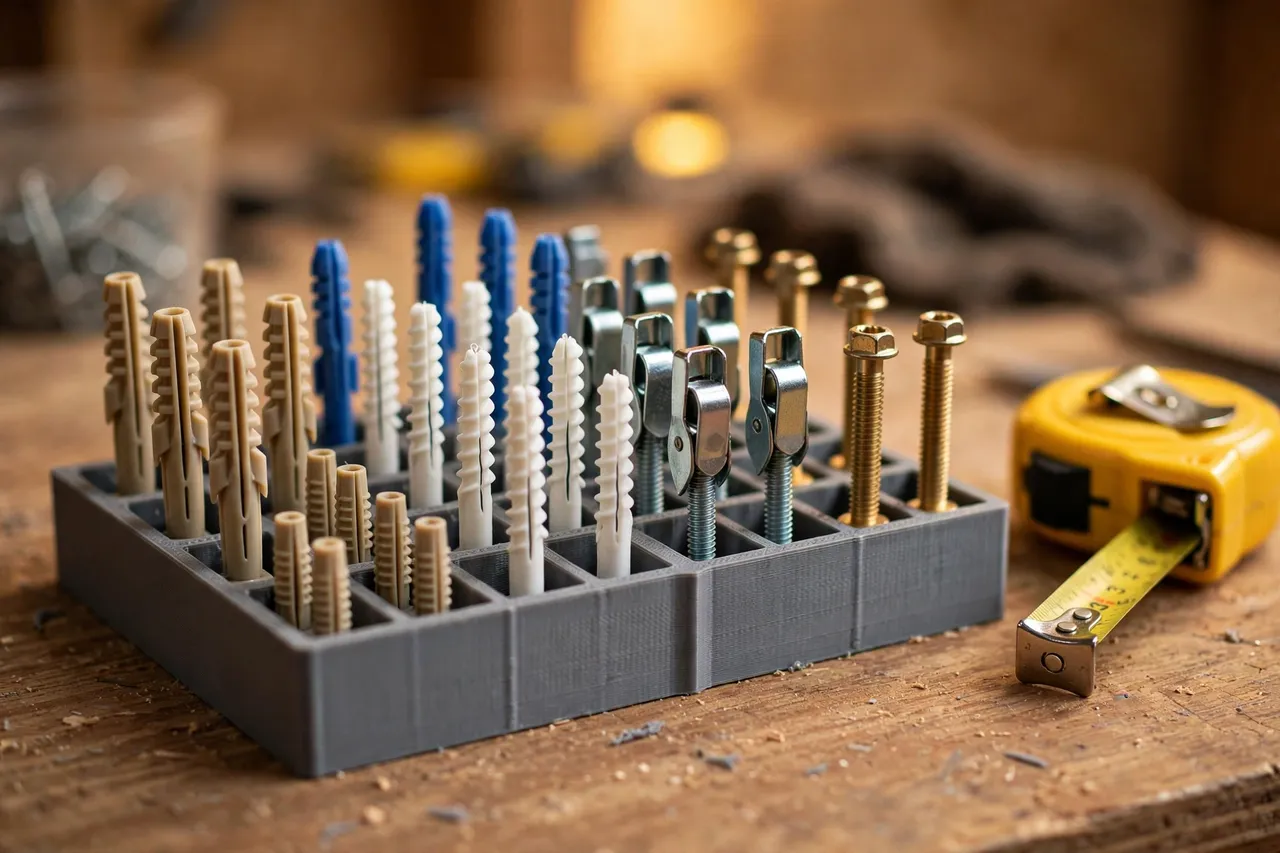
A wall anchor organizer is a tray with upright compartments, easy to print on almost any home machine. The design work is auditing your anchors and grouping them by type and size.
Materials and tools
- A home 3D printer with a build area of roughly 150 mm in at least one direction
- PLA filament for indoor organizers, or PETG for garage and workshop use
- Your wall anchor collection, sorted loosely by type and size before you design
- A tape measure or calipers, a pencil, and a small ruler
- Sandpaper or a small file for cleanup, plus labels or a paint pen
- A small scoop for moving anchors between containers
PLA is perfectly fine for a benchtop organizer: it is rigid, prints cleanly, and holds its shape indoors. PETG is the better choice for a garage, where heat and humidity are harder on PLA. Print with enough walls that compartment dividers stay upright when you press anchors into them.
Suggested print settings
- Layer height: 0.20 mm balances speed and accuracy; 0.16 mm if compartment edges look rough.
- Walls: At least 3 perimeters — dividers need to stay upright under handling.
- Infill: 20 to 30 percent, grid or gyroid, is plenty for a tray that carries only light plastic and metal anchors.
- Top and bottom layers: 4 or more, so the tray base stays flat and rigid.
- Orientation: Print flat, base down, for the flattest tray bottom.
- Supports: A good open-tray design needs none.
Design Considerations
An anchor organizer is only as good as its grouping. Sort by type first, size second, and keep the labels honest about what each anchor suits.
1. Audit your anchors first
Gather every anchor you own and sort them into piles by type — plastic expansion, self-drilling, sleeve, and toggle — and then by size within each type. Note the screw size each anchor takes and the wall material it suits, since that information belongs on the label. Count how many piles you actually use; most home workshops need eight to twelve compartments. Keep one compartment for odd strays, and never mix types in one compartment even when sizes look similar.
2. Upright, visible compartments
Anchors are easiest to identify when they stand upright and visible, not buried in a pile. Design compartments tall enough to hold anchors upright — typically 40 to 60 mm deep for common home anchors — with open tops so you can see the anchor’s shape at a glance. A slightly sloped front on each compartment lets you pinch an anchor out without tipping the tray. Toggle bolts, with their folding wings, need wider compartments than slim plastic anchors.
3. Labels that carry real information
A wall anchor label should say more than a size. Include the anchor type, the screw size it takes, and the wall material it suits — for example, “plastic expansion, #8 screw, drywall.” That turns the organizer into a reference: you read the label, match it to your wall, and grab the right anchor first time. A label slot that accepts a small paper card is the most flexible, since your collection will change.
4. Modularity and matching screws
Design trays in a standard footprint so they stack or sit side by side, and consider a companion compartment or tray for the screws that match each anchor.
Step-by-Step: Printing and Assembly
- Audit and sort your anchors into piles by type and size, noting screw size and wall material for each.
- Measure the largest anchor in each pile, and size its compartment with finger room to spare.
- Model the tray, with one upright compartment per pile plus an odd compartment, in your chosen footprint.
- Print a test tray and try it with your real anchors.
- Check the fit. Anchors should stand upright and visible, lift out easily, and stay in their own compartment when you tilt the tray gently.
- Clean it up. Sand rough edges and clear any stringing from compartment corners.
- Adjust if needed. A compartment that hides its anchors or crowds toggle wings is a quick model tweak; reprint rather than living with it.
- Print the final set, add full labels, and fill each compartment with its anchor type and size.
Sorting once, properly, is what makes the organizer pay off.
Step-by-Step: Using Your Wall Anchor Organizer
- Fill one compartment at a time, checking each anchor against the label — type, size, and screw — before it goes in.
- Place the organizer where you work. On the bench for active projects, on a shelf for storage — not both, or anchors migrate.
- Read the label before you grab. Match the anchor type to your wall material and the screw size to your screw, every time.
- Return anchors immediately after a job. The habit that keeps an organizer organized is putting leftovers back the same day, not “later.”
- Top up from bulk storage when a compartment runs low, rather than buying a new mixed box each time.
- Check labels monthly. If a compartment keeps collecting the wrong anchor, its label or position is confusing — fix the label, not the user.
- Add a tray when you outgrow one, keeping the same footprint so trays stack or sit together neatly.
The organizer works when grabbing the right anchor becomes easier than guessing from a mixed box.
Tips for Better Results
- Sort by type first, size second. Type decides whether the anchor suits your wall; size matters once type matches.
- Keep the manufacturer’s guidance with the tray. A small card noting load ratings and wall types turns the organizer into a safe reference.
- Use one color per anchor family. Plastic anchors in one color tray, toggles in another, and the bench stays scannable.
- Store matching screws alongside. A companion compartment for screws removes the second hunt.
- Pair organizers by family. Once anchors are sorted, the same system works for other hardware — our guide “3D Printed Bolt and Nut Sorting Bins: Bins That Sort Hardware” applies the same sort-once logic to bolts and nuts.
Common Mistakes to Avoid
- Designing compartments before auditing. Guessing your anchor types means compartments that fit nothing you own.
- Mixing types in one compartment. Similar-looking anchors suit different walls; keep types strictly separate.
- Skipping the screw size on labels. An anchor without its screw size is only half identified.
- Making compartments too shallow. Anchors that lie flat in a pile hide their type; keep them upright and visible.
- Overfilling compartments. A heaped compartment spills into its neighbors the first time you move the tray.
- Guessing the anchor for the wall. The organizer stores anchors; it does not choose them. Always follow the manufacturer’s rating for your wall material and load, and choose a manufactured fixing — not a guess — for heavy or overhead loads.
Care, Storage, and When to Choose an Alternative
Brush out dust, wipe trays occasionally, and reprint any tray with cracked dividers or a warped base. PLA trays in a hot garage can warp in summer; switch those to PETG.
Sometimes a different system fits better. If you carry anchors to job sites daily, a manufactured compartmented case with latches beats an open tray. If you stock hundreds of each type, small parts cabinets with drawers scale better than trays. For the home workshop — a bench, a shelf, and a collection that fits in a few trays — a printed organizer is cheaper, better fitted, and easier to extend. The same visible-sorting logic works for other small hardware too, as in “3D Printed Hook and Eye Organizer: Hooks Sorted by Size“, which sorts hooks rather than anchors by the same visible-compartment principle.
FAQ
How many compartments do I really need?
Most home workshops need eight to twelve: two or three plastic anchor sizes, two self-drilling sizes, two sleeve sizes, one or two toggle sizes, and one odd compartment. Audit your actual collection first — designing for types you do not own wastes tray space.
Is PLA strong enough, or do I need PETG?
For an indoor benchtop tray, PLA is plenty strong with reasonable walls. PETG is the better keeper for garages because it handles heat and humidity better. Divider thickness matters more than the filament brand.
My anchors keep ending up in the wrong compartment. What is wrong?
Usually the labels are unclear or two compartments hold very similar anchors. Make labels bigger and more informative — type, screw size, and wall material — and consider merging near-identical sizes into one compartment if you genuinely cannot tell them apart in use.
Can I use the organizer to choose which anchor suits my wall?
Only as a reminder, not as a guide. The label tells you what an anchor is; the manufacturer’s instructions tell you whether it suits your wall and load. When in doubt, check the manufacturer’s rating or choose a different fixing — never guess on a load-bearing or overhead fixing.
Conclusion
A box of mixed wall anchors costs you time on every job — and worse, it invites a wrong guess that can pull out of the wall. A printed organizer costs you one sorting session and a few hours of printing, and then pays you back every time you reach for an anchor and get the right type, size, and screw first try.
Audit your collection, print a test tray, and sort once, properly. The next fixing starts with the right anchor in your hand.