Introduction
Ask a room of woodworkers where mortise and tenon joints go wrong and almost nobody blames the chopping. The joint fails earlier, at the pencil lines: a mortise marked a millimeter off-center, a tenon cheek line that wanders, shoulders that do not match from one side to the other. Saw and chisel simply obey the lines they are given. A printed layout template makes the lines honest before any cutting starts.
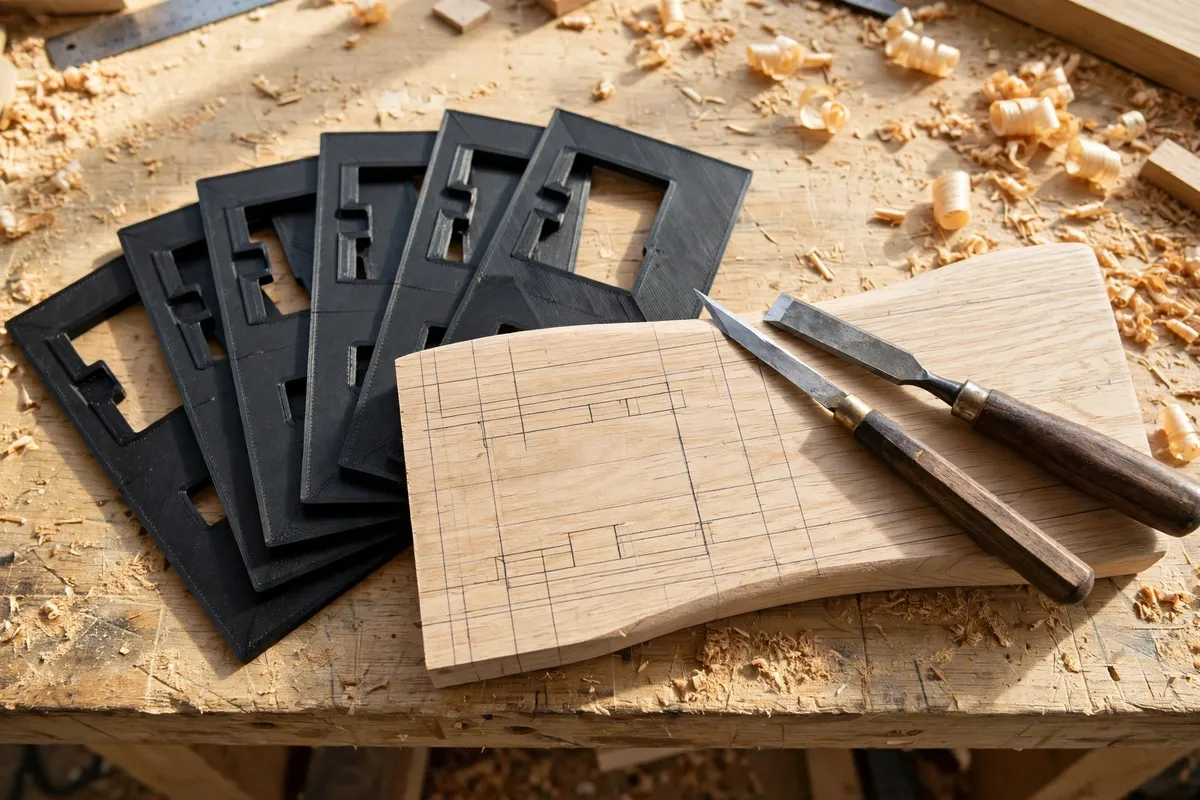
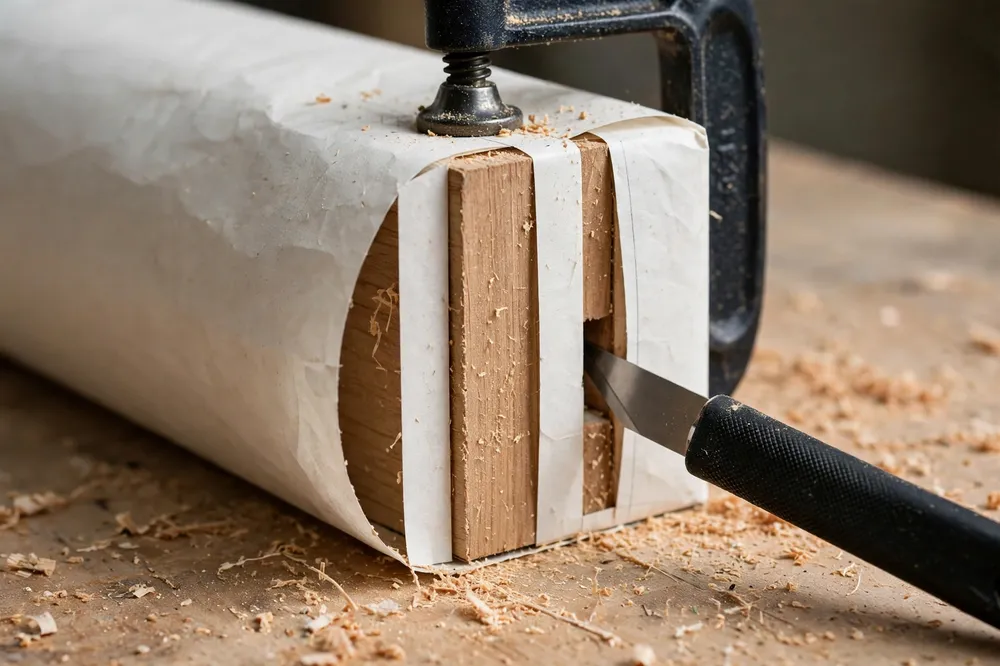
A mortise layout template is a simple flat or wrap-around guide sized to your chisels and your stock. It drops over the workpiece, centers itself, and gives your marking knife slots and edges to follow — so the mortise lands dead center, the tenon shoulders align all the way around, and the fourth leg of a table marks up exactly like the first.
This guide covers designing a small template set for the joints you actually cut, printing it accurately, and using it to mark joints that fit off the saw.
What You Need
Templates are small, quick prints, but their whole value is accuracy, so measure carefully and print them well.
Materials and tools
- A home 3D printer — build area barely matters; these are palm-sized parts
- PLA for the crispest edges indoors, or PETG if your workshop runs hot
- The chisels you chop mortises with — their exact widths drive the slot sizes
- The stock thicknesses you use most: typically 18, 20, and 25 mm for furniture work
- Calipers for measuring chisels and stock precisely
- A marking knife — templates are designed around a knife line, not a pencil
- A sharp pencil as a backup for shoulder lines
- Test offcuts in your usual stock for trial layouts
Suggested print settings
- Layer height: 0.12 to 0.2 mm — finer layers keep slot walls clean and true.
- Walls: 4 perimeters for stiffness in a thin part.
- Infill: 40 percent or print effectively solid; these parts are small.
- Top and bottom layers: Enough to make the plate fully solid-feeling, usually 5 top layers.
- Orientation: Print flat on the bed, reference face down, so the face that touches the stock is perfectly flat.
- Supports: None — design every feature in the flat plane or as a shallow wrap.
Design Considerations
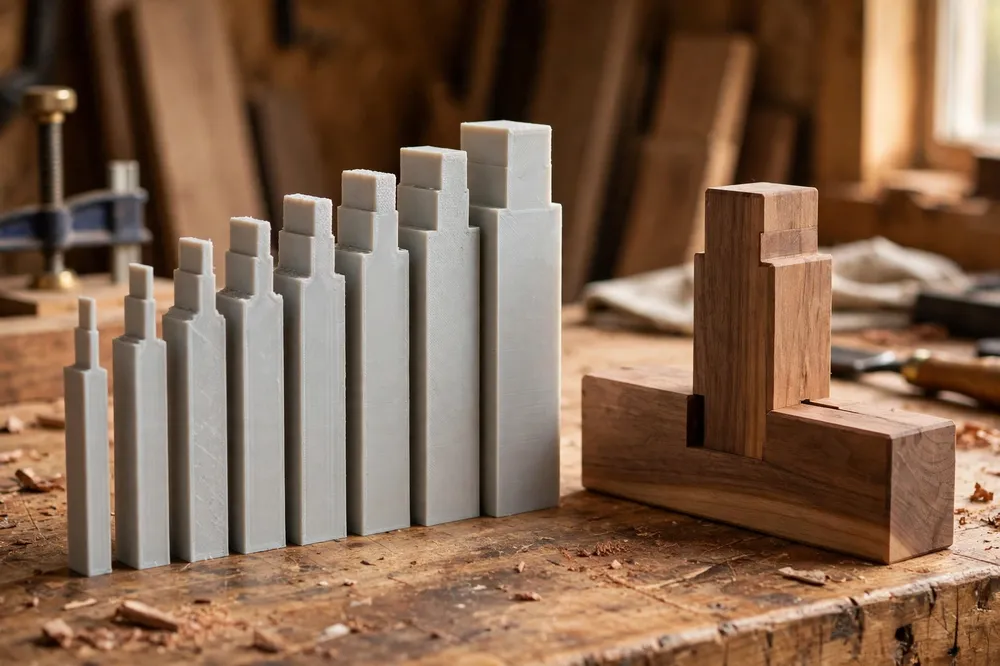
Build a family, not a single template: one plate per chisel width, each with stock-centering features for your common thicknesses.
1. Size the slots to your chisels, not to a chart
A mortise is exactly as wide as the chisel that chops it, so your template’s mortise window should match your chisel’s measured width — not the size stamped on the handle, which can be off by a few tenths. Measure each chisel across the cutting edge with calipers and model the slot at that width plus a hair of clearance, about 0.1 to 0.15 mm, so a marking knife blade can ride in the slot without binding or slopping.
Make one template per chisel you actually use — for most furniture work that is 6, 8, 10, and 12 mm — and emboss the size into the plate so the set reads at a glance.
2. Centering features for your stock thicknesses
The classic mortise sits centered on the stock, roughly one third of the thickness. A wrap-around template solves centering automatically: two side cheeks drop down the faces of the stock, spaced exactly at your stock thickness, and the mortise window between them is positioned at the centered third.
Model a cheek spacing variant for each stock thickness you use — 18, 20, and 25 mm cover most home furniture repairs. A template that self-centers removes the single most common layout error, and it removes the measuring that causes it.
3. Shoulder lines and tenon cheeks on the same plate
The matching tenon needs two kinds of lines: shoulder lines around all four faces at the tenon length, and cheek lines that set tenon thickness to match the mortise. Extend your template into a small family: the mortise plate marks the hole; a companion tenon plate, sized to the same chisel width, has a central tongue slot that straddles the end of the tenon stock and marks both cheeks in one placement.
Add end stops for common tenon lengths — 25 and 30 mm suit most furniture joints — so the shoulder line lands at a repeatable distance from the end without a ruler ever coming out.
4. Edges made for a knife, not a pencil
A marking knife leaves a line the saw and chisel can register in; a pencil line is a suggestion. Design slot edges tall enough — 2 to 3 mm of wall above the stock surface — to guide the knife blade squarely. Slightly bevel the top of each slot outward so you can see the blade meet the wood. Keep knife slots separate from any pencil-friendly wide windows: mixing the two on one edge invites using the wrong one.
Step-by-Step: Printing the Template Set
- Measure your chisels across the cutting edge and note your two or three common stock thicknesses.
- Model one plate per chisel: mortise slot at chisel width plus a whisper of clearance, centering cheeks at your stock thickness, size embossed on top.
- Model the companion tenon plates with cheek slots matching the same widths and end stops for your usual tenon lengths.
- Print flat, reference face down, at fine layer height, and let the parts cool fully on the bed before removing them — thin plates warp if peeled warm.
- Check each slot with its chisel. The chisel should just pass through the printed slot; if it binds, your printer is over-extruding slightly — adjust flow rather than reshaping the design.
- Test on offcuts. Mark a mortise and tenon in scrap, chop and saw them, and dry-fit. Adjust the design once, now, while it costs minutes.
Step-by-Step: Marking a Joint With the Templates
- Set the mortise plate over the leg or rail, cheeks snug on the faces, end stop against the reference end.
- Knife the mortise lines through the slots, pressing the blade against one consistent wall of each slot for both lines.
- Mark the shoulders on the tenon stock using the tenon plate’s end stop, knifing around all four faces in one setup.
- Straddle the tenon plate over the end grain and knife both cheek lines.
- Repeat without re-measuring. Leg two, three, and four mark up in seconds each — and identically.
- Cut to the lines, chopping the mortise to your knife walls and sawing the tenon cheeks just outside theirs, then pare to a fit.
Tips for Better Results
- Always register from the same face. Mark every part from its reference face and the templates keep cumulative errors at zero.
- Knife, do not pencil, the final lines. Pencil is fine for rough notes; the lines you cut to should be cut lines.
- Store the set on a peg or in a labeled tray sorted by size. A template you cannot find in ten seconds will not get used.
- Print a duplicate of your most-used size. Templates live a hard life around chisels; a spare costs a few grams.
- Re-check slot sizes each season if your workshop swings hot and cold — a quick chisel pass-through tells you the set is still true.
Common Mistakes to Avoid
- Sizing slots from the number on the chisel handle. Stamped sizes lie by tenths of a millimeter, and tenths are the whole game in joinery. Measure the tool.
- One universal template for all stock. A plate that sort-of centers on 18 mm and sort-of on 25 mm centers on neither. One plate per thickness.
- Slots so tight the knife binds. A binding blade tears fibers and drags the template. Keep the small designed clearance.
- Marking some parts from one face, some from the other. Mixed references double every error. Pick the show face and commit.
- Skipping the scrap test. The first joint you mark should never be the real workpiece. Offcuts are tuition; pay it cheaply.
Care, Storage, and When to Choose an Alternative
Wipe templates clean, store them flat — a thin plate stored under a heavy tool becomes a curved plate — and keep them away from workshop heaters. If a slot edge gets nicked by a careless knife stroke, reprint that plate; accuracy is the product.
Choose an alternative when you move to large timber joinery, where a full-size mortise gauge and framing layout serve better, or when you cut one unusual joint a year, where careful gauge-and-knife work is honestly fast enough. For repeated furniture-scale joints — table legs, chair rails, cabinet frames — a printed set matched to your own chisels is faster and more repeatable than re-setting a gauge for every joint.
FAQ
Do I still need a marking gauge if I have templates?
For the joints your templates cover, no — the template replaces the gauge settings with fixed, repeatable geometry. A gauge still earns its place for one-off sizes outside your set. Most makers end up using templates for their five common joints and the gauge for everything else.
How accurate can a printed template be?
Plenty accurate for joinery. A well-tuned printer holds a tenth of a millimeter, and the design trick is to verify slots against your actual chisels and adjust once. After that, the template marks the same line every time — which matters more than theoretical perfection.
Which sizes should I print first?
Start with the chisel you chop most — usually 8 or 10 mm — and the stock thickness you use most, often 20 mm. Prove the system on one size, then print the rest of the family in an evening.
Can templates help with angled or curved joinery?
Templates shine on square, repeated joints. For angled work like chair legs that splay, a template can still carry the mortise slot and centering cheeks, with the cheeks modeled at your splay angle — it is a slightly bigger modeling job, but the same system applies.
Conclusion
Great joints are marked, not rescued. A small family of printed layout templates — slots matched to your own chisels, cheeks matched to your own stock — removes measuring from the process and leaves only the satisfying part: knife lines that repeat perfectly from the first leg to the fourth.
Measure your chisels, print the set, and let the lines be right before the tools come out.
If you enjoy guides that take the measuring out of joinery, you may also enjoy our related guide, “3D Printed Doweling Jig: Make Straight, Strong Joints for Shelf and Table Repairs,” which brings the same repeatable accuracy to doweled joints.