Introduction
Rounded corners are one of those details that separate a repair that blends in from one that announces itself. Replace one shelf board, one tabletop leaf, or one cabinet door, and the new piece must match the corner radius of the originals — not approximately, but exactly, or the mismatch catches the light from across the room. Tracing a curve by hand and sanding to the line works once, slowly. A template set makes it repeatable.
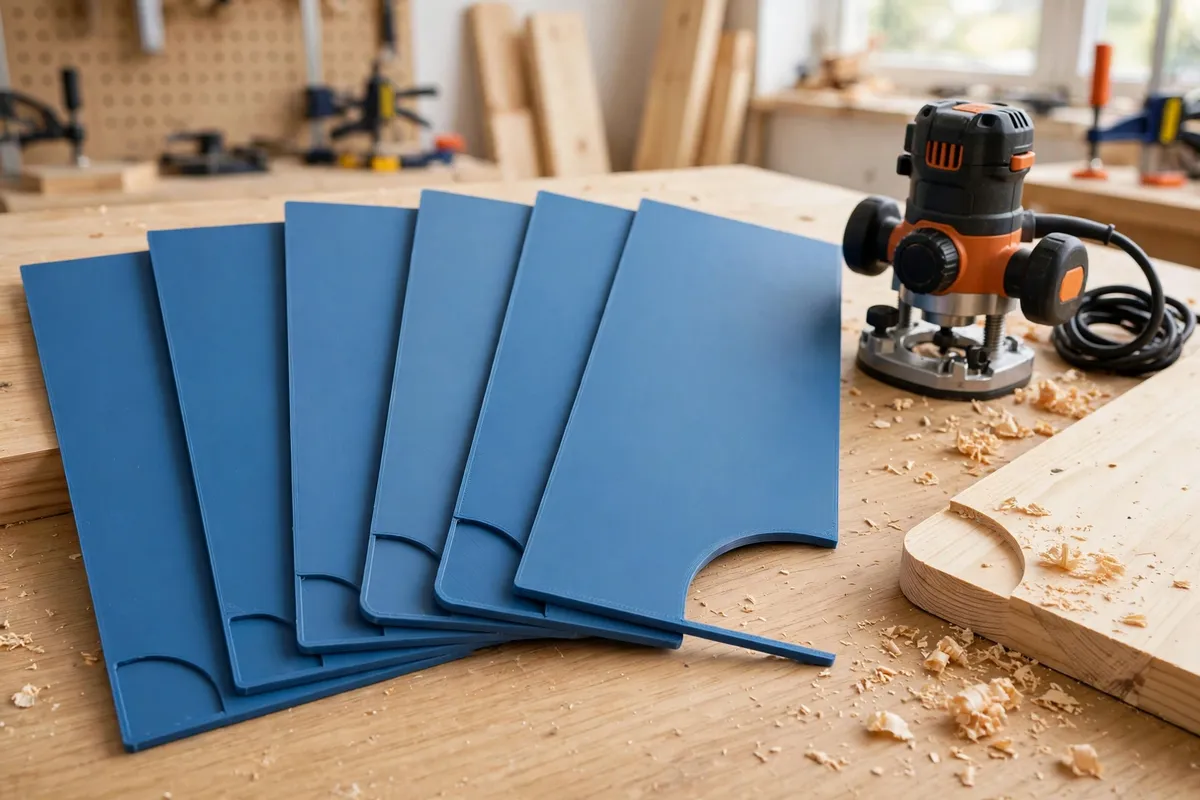
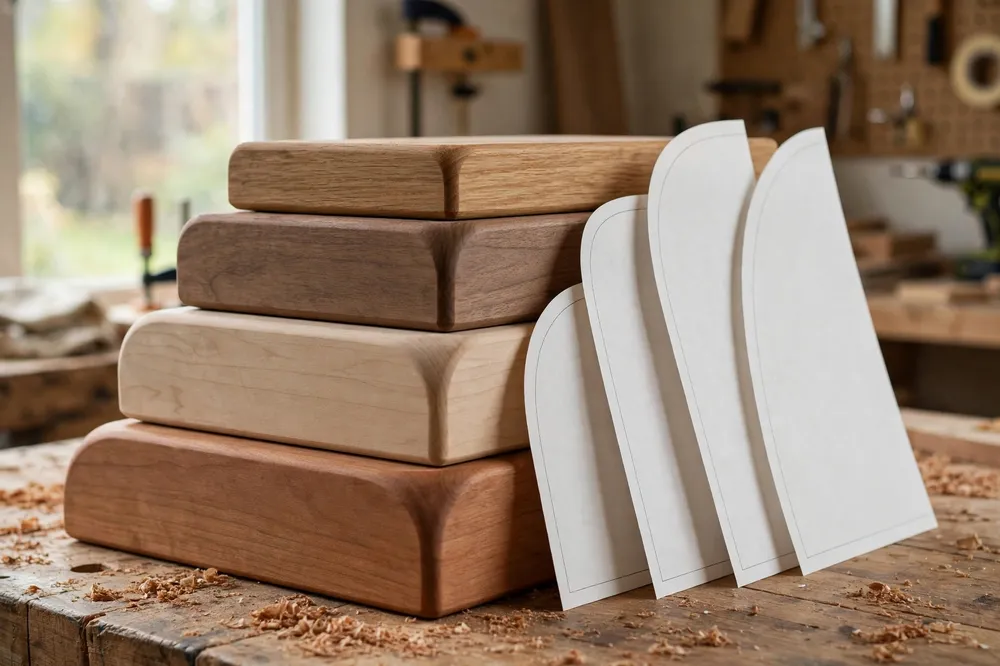
A corner radius template is nothing more exotic than a flat plate with a precise concave curve cut into it, in a known radius. You clamp or tape it to your workpiece, trace or rout against it, and the corner comes out at that radius every single time. Print a set from small to large and you own the whole vocabulary of furniture corners — and printing them means each radius costs a few grams of filament instead of a store-bought set.
This guide covers choosing your radii, designing templates that register accurately, printing them true, and using them with both a router and a pencil-and-sander workflow.
What You Need
Templates are quick, flat prints. Accuracy matters more than strength here, so a well-tuned printer setting matters most.
Materials and tools
- A home 3D printer with a level bed — flat templates show every warp
- PLA filament is ideal here: stiff, dimensionally steady, and these live indoors
- A compact router or trim router with a flush-trim or template bit and guide bearing, if you will rout to the template
- Alternatively, a jigsaw or bandsaw for roughing, plus sanding tools for the pencil-and-sand method
- Double-sided tape or small clamps to fix the template to the workpiece
- A square and a pencil for marking tangent lines
- A few offcuts of your project board to test each radius before the real piece
Suggested print settings
- Layer height: 0.2 mm. The working edge is vertical, so finer layers mean a smoother curve.
- Walls: 4 perimeters, so the curved edge is solid plastic with no infill pattern telegraphing through.
- Infill: 40 percent is plenty — these are guides, not load-bearing parts.
- Top and bottom layers: 4 or more, for a plate that resists flexing under clamp pressure.
- Orientation: Flat on the bed, working curve vertical. Never print a template standing on edge; the curve would become a staircase.
- Supports: None — a flat plate needs none, and any support scar on the edge ruins accuracy.
Design Considerations
Model each template in any basic CAD program as a flat plate, typically 6 to 8 mm thick, with one corner replaced by a concave arc of the chosen radius. The details below are what separate a useful template from a frustrating one.
1. Choose a practical set of radii
Furniture and shelving corners cluster in a predictable range. A set of R10, R15, R20, R25, R30, R40, R50, and R60 (radius in millimeters) covers nearly everything from a small box lid to a chunky tabletop. If you are matching one specific existing piece, measure it first (see the tips) and print that radius plus its neighbors — the print is cheap, and the middle one will be right.
2. Give the template straight registration edges
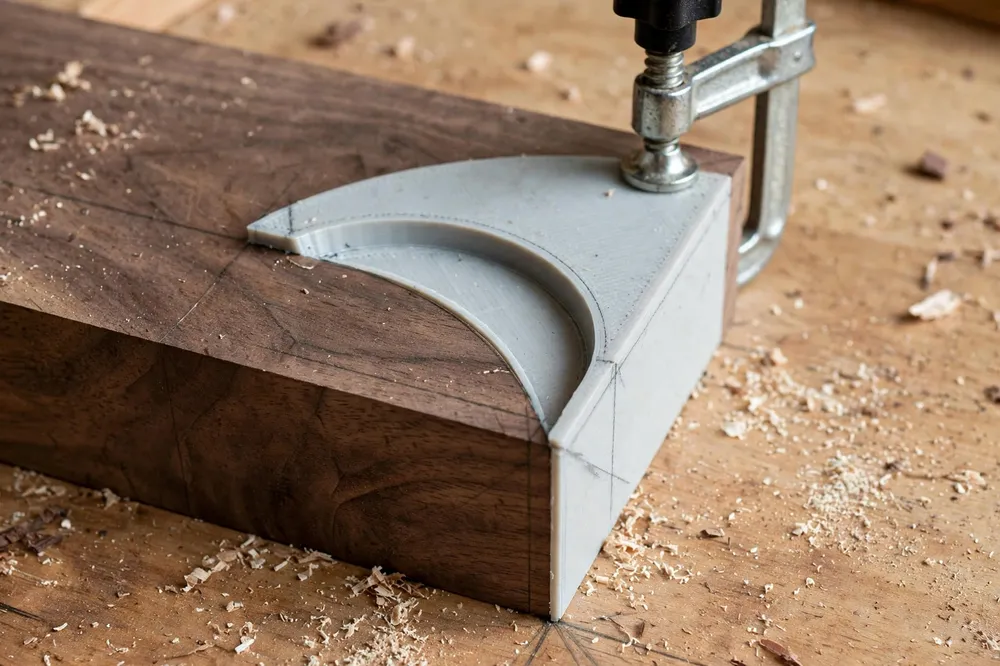
The arc must flow into two straight edges that sit flush against the sides of your workpiece. Those straights are how the template registers: push both edges tight to the board’s sides and the arc lands in exactly the right place, tangent to both faces. Extend the straights at least 40 mm beyond the arc so there is room to clamp and so the router bearing is fully supported before it reaches the curve.
3. Mark the radius into the design
Emboss or engrave the radius number into the top face of each template as modeled geometry, big enough to read at a glance. A set of eight near-identical plates without markings becomes a guessing game by the second project. Modeled-in numbers never rub off, unlike pen.
4. Add clamping room and a sacrificial mindset
Keep the plate big enough — around 100 to 130 mm square for mid sizes — that clamps land well away from the curve. And accept the nature of the tool: a router bit that kisses the template nicks it. Templates are consumables. Save your files, and reprinting a worn template is a ten-minute job, which is precisely the advantage over a bought set.
If templates are becoming your favorite trick, our guide “Router Sign-Making Templates: 3D Print Letter and Number Guides for Wood Signs” applies the same print-flat, guide-the-bit logic to lettering.
Step-by-Step: Printing and Checking the Set
- Decide your radii and model one plate per radius, with straight registration edges and the size molded into the top face.
- Print the set flat, at 0.2 mm layers, and let the plates cool fully on the bed before removing them — warm plates warp as they come off.
- Check each plate for flatness on a known-flat surface. A rocking template will not register; reprint any that rock.
- Verify each radius by standing the template against a circle you trust — a roll of tape, a tin, a hole saw of known size — and confirming the curve matches with no gaps.
- Smooth the working edge with a few light strokes of fine sandpaper only if you feel layer ridges. Sand the flat faces, never aggressively on the curve itself.
- Store the set flat, stacked or hung on a peg, so the plates stay true.
Step-by-Step: Using the Templates
- Choose the radius that matches your existing furniture or your design, and clamp or tape the template to the workpiece corner with both straight edges pulled tight to the board’s sides.
- Mark the tangent points where the curve meets each edge, and pencil the curve onto the wood.
- Rough away the bulk of the corner with a jigsaw or bandsaw, staying a millimeter or two outside the line. Never ask a small router bit to chew the whole corner away.
- Rout to the template with a bearing-guided flush-trim bit, the bearing riding the template’s edge, moving steadily and letting the bit cut rather than forcing it.
- Or sand to the line: without a router, work the roughed corner down to the pencil line with a block and coarse paper, then finish through the grits, checking against the template as you go.
- Test the match by holding the template — or the repaired piece — against the original furniture corner. The curves should disappear into each other.
A rounded corner usually wants a matching sanding profile on its faces too, which is where “Contour Sanding Blocks: 3D Print Custom Blocks for Curved Trim and Furniture Repairs” picks up where the router leaves off.
Tips for Better Results
- Measure an unknown radius with the set itself. Hold templates against the existing corner one by one; the right one sits with no rocking and no light gap along the curve.
- Use two templates for a long edge profile. Matching templates at both ends of a board keep a shaped edge consistent along its length.
- Tape first, clamp second. Double-sided tape holds the template for marking; add a clamp before routing so nothing shifts mid-cut.
- Make a thick master, thin copies. For a radius you use constantly, print one template at 10 to 12 mm thick — extra bearing surface makes routing noticeably steadier.
- Mark the odd ones. If you match a non-standard radius on an old piece, note the project on the template with a paint pen so future-you knows why R23 exists.
Common Mistakes to Avoid
- Printing the template on edge. The curve becomes steps, and every step transfers to your workpiece. Always print flat.
- Skipping the rough cut. Plunging a trim bit into a full square corner overloads the bit and can tear both wood and template.
- Clamping on the curve. A clamp pad on the working edge distorts the template’s line. Clamp the far corners of the plate.
- Trusting an unverified print. Printers scale slightly differently; check each plate against a known circle before it touches a real workpiece.
- Forcing registration. If both straight edges will not sit flush, the corner is not square or the template is warped — fix the cause, not the symptoms.
Care, Storage, and When to Choose an Alternative
Store the plates flat and out of direct sun; PLA softens in heat, and a warped template is worse than none. Check working edges for nicks before each use, and reprint any plate the router has chewed — that is the system working as intended.
For one single corner on one small box, honestly, a tin can as a tracing guide and careful sanding is faster than modeling and printing. Templates earn their keep when corners repeat — a set of shelves, a run of cabinet doors, a tabletop repair that must match three surviving corners — and when “close enough” would show. A bought acrylic or MDF template set is the alternative if you want ready-made durability, at several times the cost of printing your own.
FAQ
How do I find the radius of an existing corner I need to match?
Use the templates themselves as gauges: offer each plate up to the corner and look for the one that contacts along the whole curve with no rocking and no gap of light. If the match falls between sizes, print the in-between radius — that is the joy of making your own.
Can I use these templates without a router?
Yes. Trace the curve from the template, rough-cut close to the line, and sand down to it, checking with the template as you work. It is slower than routing but just as accurate on a single corner, and the template serves as both pattern and checking gauge.
What thickness should the templates be?
Six to eight millimeters suits most work: stiff enough not to flex, deep enough for a router bearing. Go thicker — 10 to 12 mm — for a favorite radius you rout often, and thinner only for marking-only templates.
Will the router damage the printed template?
Over time, yes — an accidental touch from the bit or heat from a bearing spinning against the edge will mark it. That is expected. Templates are cheap consumables by design; keep your files and reprint when the edge is no longer clean.
Conclusion
Matching rounded corners stops being a matter of eyesight and luck the moment you own the radius as a physical object. A printed template set — accurate curves, honest registration edges, sizes molded in — turns “that looks about right” into “that is R30, same as the others.”
Print the set, verify each plate, and let every corner come out the same.