Introduction
A drill press is built for repeatability — a fixed spindle, a depth stop, a square table — yet most home users drill one hole at a time, measuring and marking each position by hand. The result is a row of holes that is almost even, a shelf-pin line that almost lines up, and a hinge plate that almost fits. Almost is the problem.
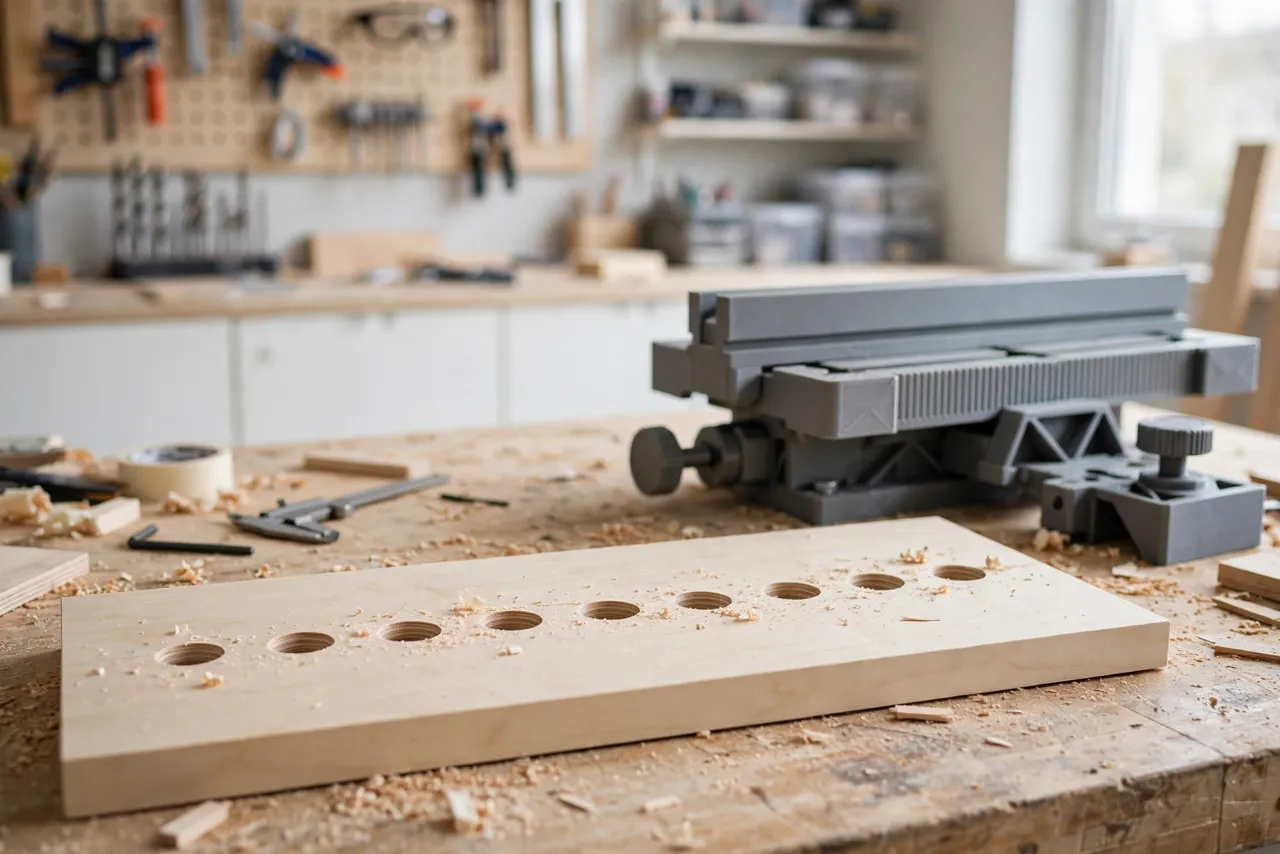
A fence and stop system changes the job entirely. The fence sets the distance from the board edge once. The stop sets the position along the board once. After that, every hole lands in the same place relative to the last, with no measuring between holes. Rows of shelf pins, drawer-slide screws, and dowel holes come out even enough that the eye cannot find the error.
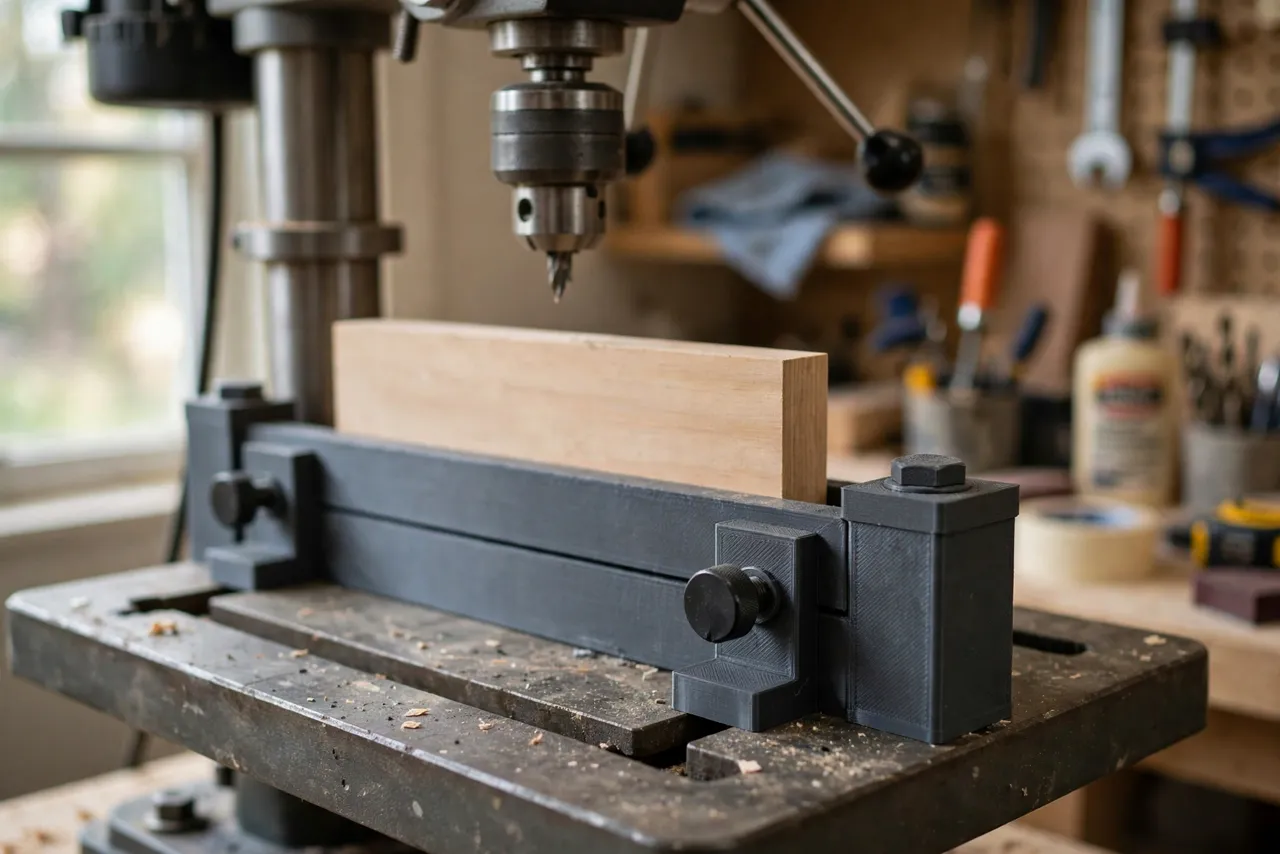
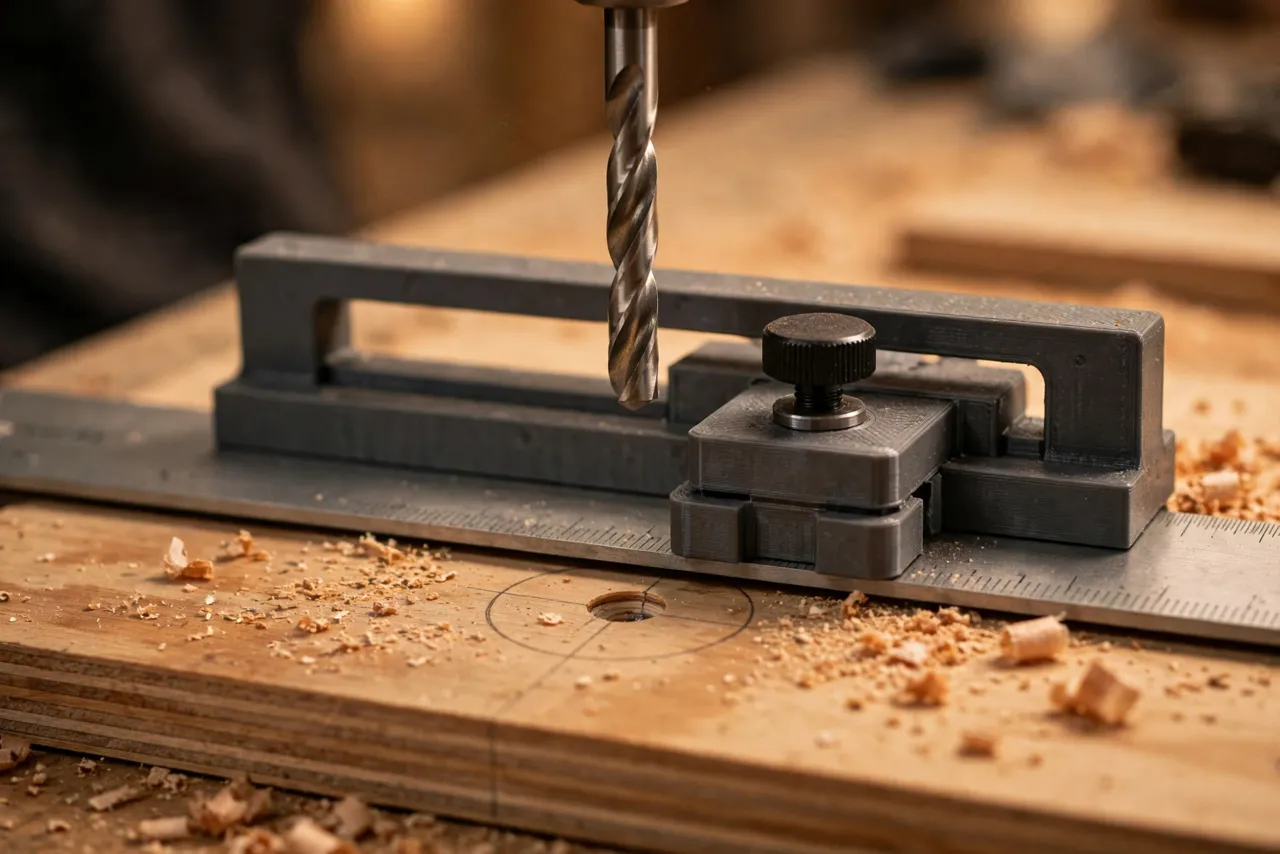
This guide covers a 3D printed fence and stop that bolts to an ordinary drill press table: printed fence sections, a sliding stop block, and clamp brackets. The printed parts are guides and stops only — they do not hold the workpiece against drilling forces on their own, and the usual drill press safety rules still apply in full.
What You Need
The fence is a hybrid: a straight fence bar plus printed brackets and a stop block. The bar must be straight; the printed parts make it adjustable.
Materials and tools
- A straight length of aluminum angle, hardwood, or plywood for the fence bar, roughly 450 to 600 mm long
- PETG filament for the printed fittings, or PLA for a first test version
- Your drill press, plus the drill bits and a depth stop for your project
- A tape measure or calipers, a pencil, a square, and sandpaper
- Bolts, wing nuts, and washers for the brackets and stop, plus small clamps
- Scrap boards for testing, matching your project thickness
PETG is the better keeper for brackets that see clamping pressure and vibration. PLA is fine for proving the layout, but replace it before heavy use.
Suggested print settings
- Layer height: 0.20 mm for strength and accuracy.
- Walls: 4 to 5 perimeters — brackets and the stop block take real force.
- Infill: 40 to 50 percent, grid or gyroid, so parts do not flex under a clamp.
- Top and bottom layers: 4 or more, for flat mounting faces.
- Orientation: Print brackets flat, mounting face down, for the flattest contact with the table.
- Supports: Only where overhangs demand them; keep mounting faces support-free.
Print one bracket first and test its fit on your drill press table slots before printing the full set.
Design Considerations
You can model these fittings in any basic CAD program. The system is simple: a fence, two mounts, and a stop.
1. The fence bar
The fence bar’s working face must be straight and square to the table. Check it with a straightedge before building. Aluminum angle is stiff and easy to drill for bolts; hardwood works too but can warp in a damp shop. Make the bar tall enough to register a board edge firmly — 40 to 60 mm is comfortable — without blocking your view of the bit.
2. Table mounts
Drill press tables usually have slots or a rim for clamping. Design printed mounts that grip those slots with a bolt and washer, or that clamp to the table edge. The mounts must let the fence slide toward and away from the bit for setup, then lock solidly. Test the lock by pushing the fence firmly by hand — if it shifts, the mount design needs more grip area or a larger washer.
3. The sliding stop block
The stop block slides along the fence and locks with a thumb screw or wing nut. Give it a flat, square stop face at least 25 mm tall so board ends register cleanly against it, and add a small pointer or notch that reads against a ruler scale stuck to the fence. A flip stop — one that swings up out of the way — is a worthwhile upgrade: it lets you drill a hole, flip the stop away, slide the board past, and flip it back for the next row without losing the setting.
4. Squaring the fence to the bit
A fence that is not square to the bit gives holes that drift as the board moves along it. Square the fence by drilling two test holes at opposite ends of a long board, then measuring their edge distances. If they differ, adjust the fence angle and re-test. A printed square reference block that registers against the table edge can speed this setup on repeat jobs.
Step-by-Step: Building the Fence and Stop
- Check the fence bar with a straightedge along its full length.
- Measure your drill press table — slot width, table thickness, and the distance from the table edge to the bit.
- Model the mounts and stop block to fit your table and fence bar.
- Print a test mount. It should grip the table firmly and slide when loosened.
- Assemble the fence on the table, mounts at both ends, stop block on the fence.
- Square the fence with the two-hole test described above, adjusting until both holes sit the same distance from the edge.
- Add the ruler scale to the fence, aligned so the stop pointer reads true against a test hole.
- Clean it up. Remove stringing, sand mount faces, and confirm every lock holds.
- Print the keeper set in PETG if your test was PLA, using the same files.
Take your time here. A fence built carefully once serves for years of shelves, cabinets, and jigs.
Step-by-Step: Drilling a Repeatable Row of Holes
- Set the fence distance. Measure from the bit center to the fence face and lock the mounts.
- Set the depth stop on the drill press, verified with a test hole in scrap.
- Set the stop block for the first hole position and lock it.
- Place the board against the fence and the stop, holding it firmly with both hands clear of the bit.
- Drill the first hole at steady speed, backing out once to clear chips on deep holes.
- Move the board to the next position. For evenly spaced holes, use the previous hole as the reference: either move the stop by the spacing, or flip the board end for end and work from a second stop.
- Check the row with a straightedge and a tape measure after the first few holes, before drilling the whole batch.
- Repeat for the matching board, using the identical fence and stop settings — that is the whole point of the jig.
Work slowly on the first board. By the second, the routine feels automatic — and that consistency is what keeps a whole cabinet’s holes lining up.
Tips for Better Results
- Clamp long boards to the fence for the first hole if they tend to pivot; a pivoting board drills an oval hole.
- Use a brad-point bit for wood: it starts on center and leaves a clean entry hole.
- Clear chips often on deep holes; packed chips overheat the bit and push it off line.
- Back the board with scrap when drilling through-holes to prevent blowout on the exit side.
- Record your settings. A note of fence distance and stop position lets you repeat a job months later without re-measuring.
Common Mistakes to Avoid
- Trusting the fence without the two-hole test. A fence that looks square can still be a degree off, and a degree shows over a long board.
- Moving the fence between matching boards. Set it once, drill all matching parts, then change it.
- Letting the stop block creep. Check its lock after the first few holes; vibration loosens weak locks.
- Drilling with a dull bit. Dull bits wander, burn, and push the board away from the fence.
- Holding small pieces by hand near the bit. Clamp small workpieces; fingers are not a workholding system.
Care, Storage, and When to Choose an Alternative
Brush off dust, store the fence flat or hung straight — never leaning where it can bow — and re-check its face with a straightedge every few months. Replace worn printed mounts rather than trusting a cracked one.
Sometimes a manufactured fence is better. If you drill on a drill press all day, work with heavy stock that punishes plastic mounts, or need a cast-iron fence with a built-in scale, metal will outlast plastic and hold tighter tolerances. For home shelves, cabinets, and repeat rows, a printed fence and stop is cheap, accurate enough, and far easier to customize to your own table.
FAQ
Will one fence fit every drill press?
Not quite. The mounts are sized around one table’s slots or rim, so a very different table may need its own mounts. The fence bar, stop block, and scale transfer easily, so adapting the system for a second press is a small job, not a rebuild.
Is PLA strong enough, or do I need PETG?
For light brackets, PLA works and is great for testing fit. PETG is the better keeper because it handles clamping pressure, vibration, and warm workshops better. Either way, generous walls and infill matter more than the name on the spool.
Can I use the fence for angled or offset hole patterns?
Yes, with care. The fence sets one edge distance; the stop sets positions along the board. For staggered patterns, record two stop positions and alternate between them, checking the first few holes before running the batch.
My holes still drift along the row. What went wrong?
Usually the fence is not square to the bit, the stop block is creeping, or the board is pivoting during drilling. Re-run the two-hole squareness test, check the stop lock, and clamp long boards for the first hole.
Conclusion
A drifting row of holes is usually not a skill problem. It is a setup problem, and that is exactly what a fence and stop solve. With the edge distance set once and the stop locked once, every hole in the row lands where it belongs, board after board.
Build one to fit your drill press table, keep it square, and the next shelf, cabinet, or jig starts with holes you can trust.
If you enjoy drilling jigs, you may also like “3D Printed Bench Dog Hole Drilling Template: Evenly Spaced Dog Holes, First Try” and “3D Printed Drawer Pull Drilling Template: Center Handles Perfectly on Any Drawer,” which pair naturally with this fence for a complete drilling setup.