Introduction
Every workshop has a drawer with loose utility blades in it. They slide under other tools, hide under rags, and turn up exactly when you reach in without looking. A fresh utility blade is one of the sharpest things in the house, and storing it loose is asking for a cut.
Commercial blade dispensers exist, but they are usually sized for one brand, hard to refill, or flimsy enough to pop open in a drawer. A 3D printed dispenser solves all three: you size it to the blades you actually buy, you make it refillable, and you print it thick enough to survive a tool bag.
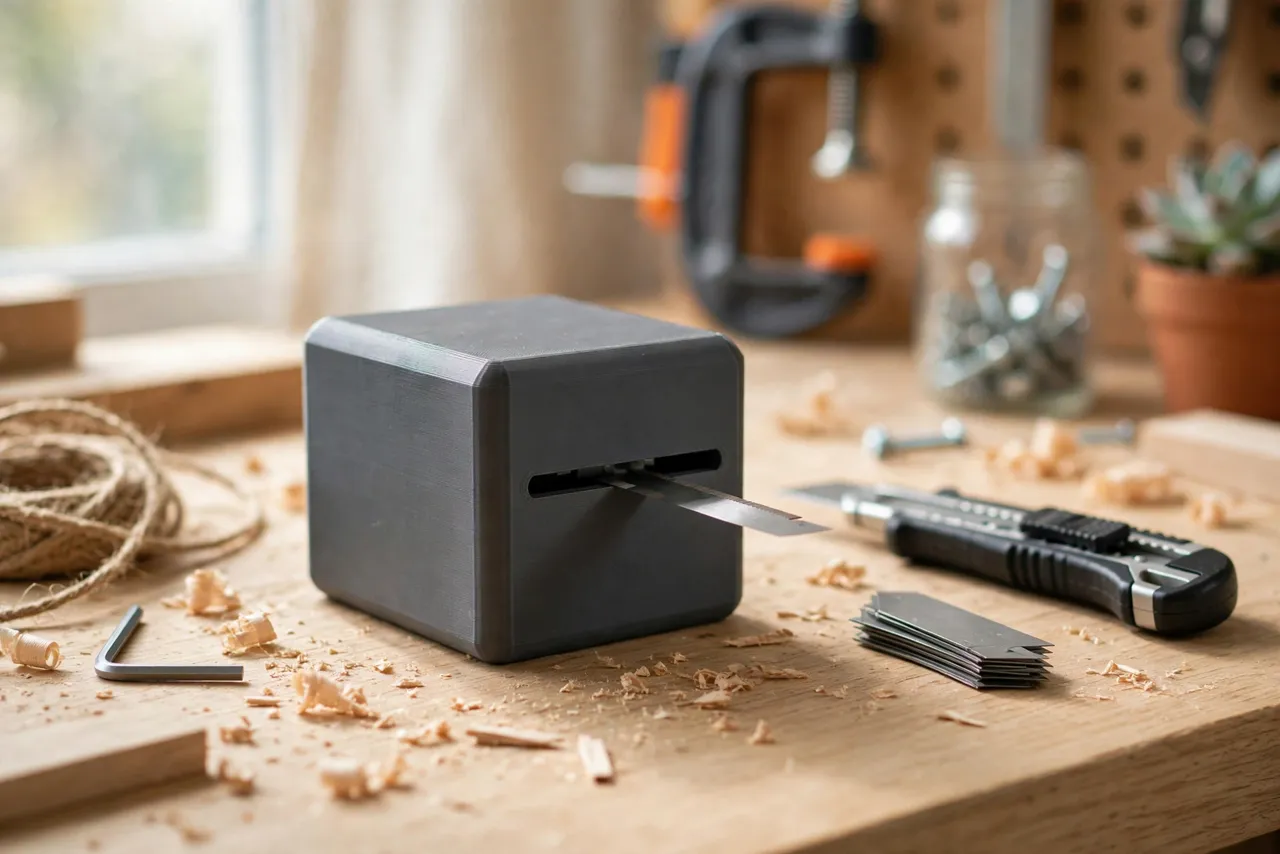
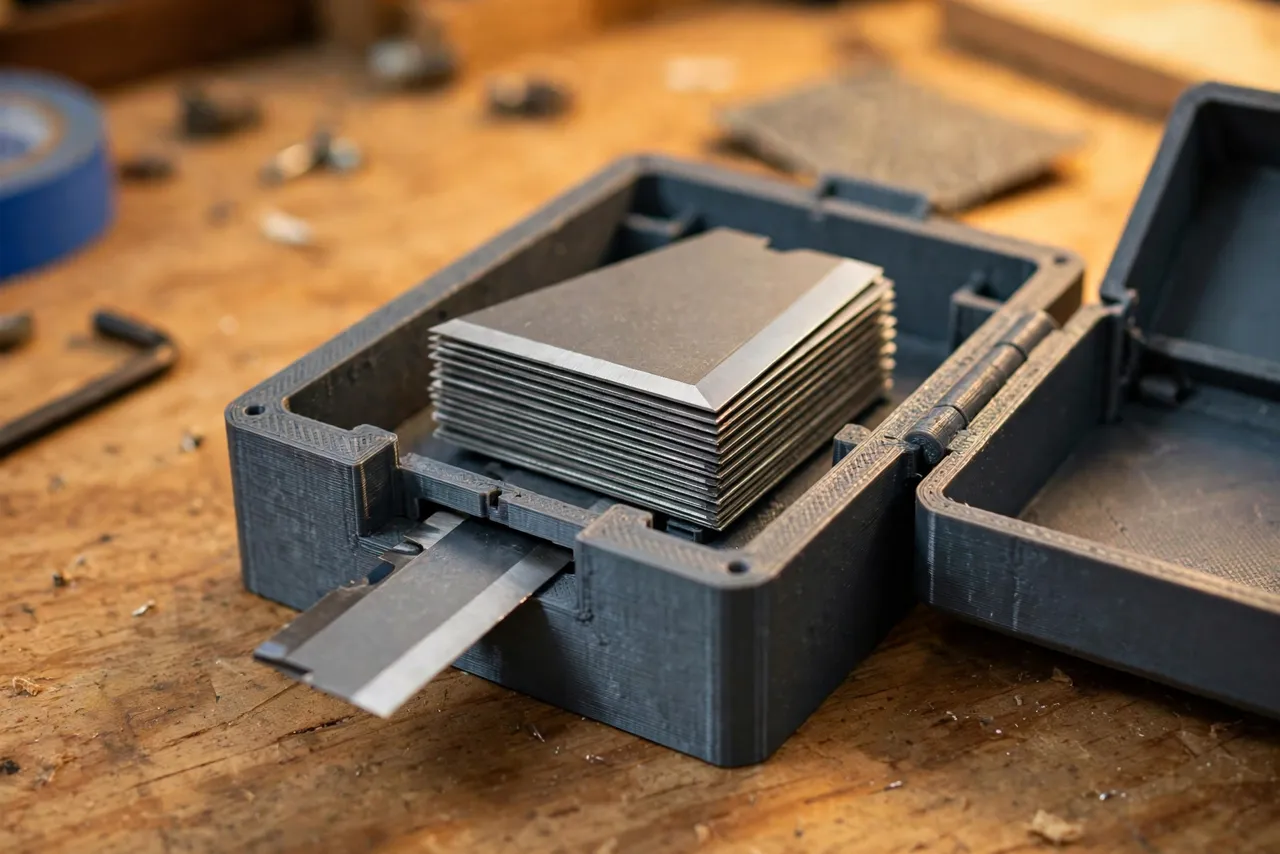
This guide covers a simple dispenser design: a closed box that holds a stack of trapezoidal blades, a thumb slot that lets you slide one blade out at a time, and a lid or end cap that keeps the rest safely inside. The dispenser stores blades only — it is not a sharpener, a blade holder for cutting, or a disposal box for used blades, though we will cover a safe used-blade idea too.
What You Need
This is a small print with no specialty parts, which makes it a great first storage project.
Materials and tools
- A home 3D printer with a modest build area
- PETG filament for a tough dispenser, or PLA for a first test
- A pack of your usual trapezoidal utility blades, for sizing
- Calipers for measuring blade length, width, and thickness
- Sandpaper for smoothing the slot and lid fit
- Optional: a small magnet to hold the dispenser to a metal cabinet, or a keyhole slot for wall mounting
Measure your actual blades. Trapezoidal blades look universal but vary by a millimeter or two between brands, and that millimeter is the difference between a blade that slides smoothly and one that jams.
Suggested print settings
- Layer height: 0.20 mm is fine throughout.
- Walls: At least 4 perimeters — the slot edges and lid rails take wear.
- Infill: 30 to 50 percent, gyroid or grid.
- Top and bottom layers: 4 or more, so the box feels solid.
- Orientation: Print the box body on its side or upright depending on your design; keep the dispensing slot’s edges clean by orienting them away from overhangs.
- Supports: None for a simple box; a sliding lid with an overhanging rail may need a little support.
Print one test body first and check blade fit before printing lids or extras.
Design Considerations
A blade dispenser has one job — give you one blade, safely — and its design should stay focused on that.
1. The blade chamber
Model the chamber to your measured blade size plus about 0.4 mm of clearance on each side. Too tight and blades jam; too loose and they rattle and can turn sideways. A stack of 10 to 20 blades is a practical capacity: enough to be useful, not so many that the stack’s weight makes dispensing stiff. Add a follower — a simple flat plate or a foam pad — that keeps the stack pressed toward the dispensing end, or design the box to be used flat so gravity does the job.
2. The dispensing slot
The slot is the heart of the design. It should be wide enough for one blade thickness plus a hair of clearance, and long enough to expose the blade’s blunt back edge for your thumb — never the cutting edge. A thumb notch in the side of the box lets you push the top blade forward and out. Round the slot edges in the model so they do not shave plastic off with every blade.
Test the slot with real blades, not just the model. If two blades come out together, the slot is too tall; if the blade sticks, it is too tight or the edges are rough.
3. The lid and refill
A dispenser you cannot refill is a disposable. Design a sliding lid, a snap-on end cap, or a hinged top that opens for refilling and closes with a positive click. The closure should need a deliberate push to open — a lid that pops off in a drawer defeats the purpose. A small finger tab on the lid makes refilling easy without tools.
4. Mounting and visibility
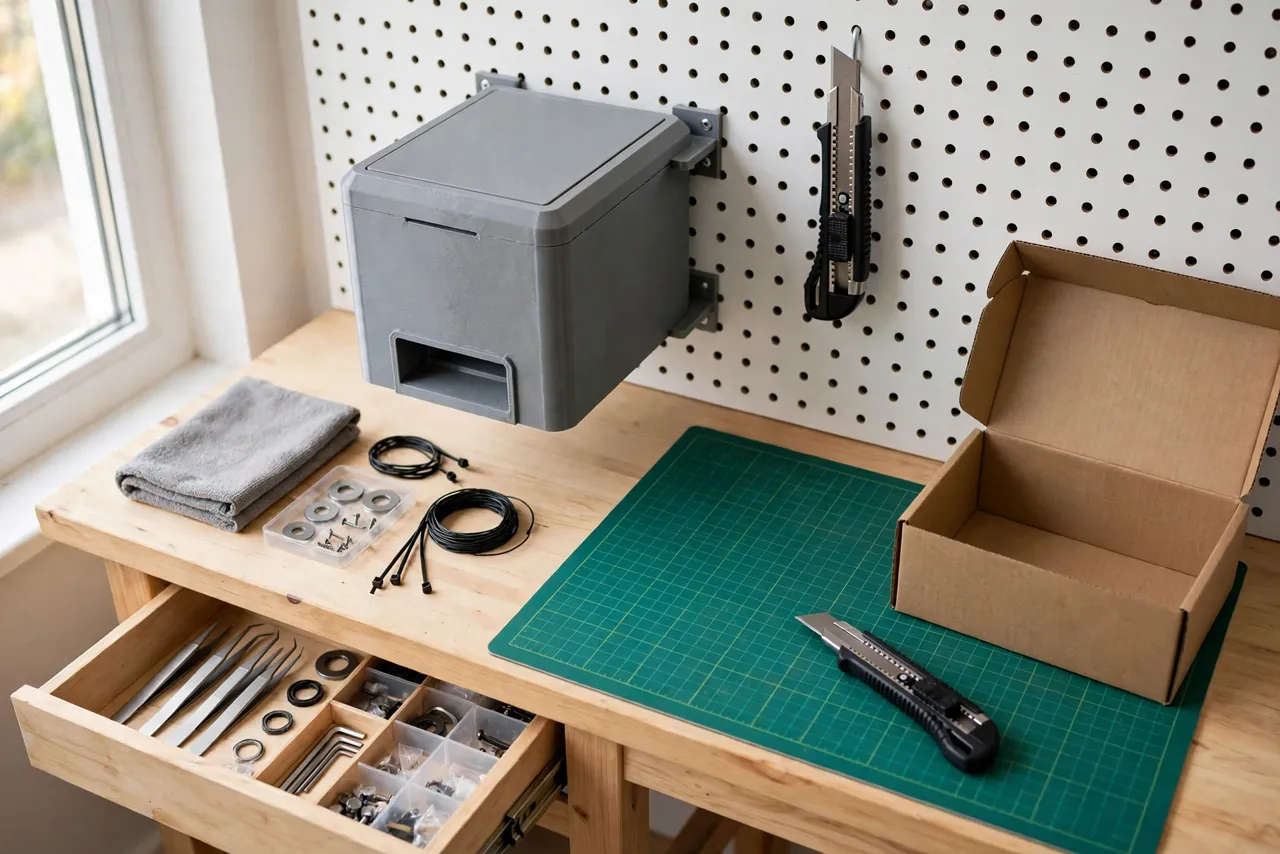
A dispenser that lives in one place gets used; one that migrates into a drawer gets forgotten. Add a keyhole slot for a wall screw, a flat back for adhesive mounting, or a magnet recess for a metal cabinet. Print it in a bright color — orange or yellow — so it stands out on a bench and nobody mistakes it for a plain box.
Step-by-Step: Printing and Assembly
- Measure your blades: length, width, and the thickness of a stack of ten, divided by ten for a true per-blade thickness.
- Model the box with chamber, thumb notch, dispensing slot, and lid rails.
- Print a test body and slide real blades in. Check that they stack flat and the top blade dispenses with thumb pressure.
- Adjust clearances — 0.1 to 0.2 mm at a time — until one blade dispenses cleanly and the rest stay put.
- Print the lid and check the closure. It should click shut and resist casual opening.
- Clean up the slot edges with fine sandpaper so blades glide without shaving plastic.
- Load the dispenser with fresh blades, close the lid, and test dispensing several times before it goes on the wall.
Step-by-Step: Using the Dispenser
- Hold the dispenser flat with the slot facing away from your body.
- Push the top blade forward with your thumb through the thumb notch, gripping its blunt back edge.
- Pull the blade clear and fit it into your utility knife immediately — do not set bare blades on the bench.
- Close the lid if you opened it for any reason, before the dispenser goes back on its hook or in a drawer.
- Refill when the stack runs low, over a bench and away from your body, with the slot pointed away from you.
- Retire dull blades safely. Keep a separate sealed container — a taped-shut tin or a printed sharps box with a narrow slot — for used blades, and never put a used blade back in the fresh-blade dispenser.
The habit that matters is simple: blades live in the dispenser or in the knife, never loose on the bench or in a drawer.
Tips for Better Results
- Print a second dispenser for used blades with a one-way slot, clearly marked, so dull blades never mix with fresh ones.
- Label the blade size on the box with a paint pen, especially if you stock more than one blade type.
- Mount it near where you cut, not across the workshop. A dispenser beside the cutting mat gets used; one in another room does not.
- Keep a utility knife nearby too. Our guide “3D Printed Utility Knife Blade Dispenser” pairs naturally with a tidy cutting station, and a printed blade sheath for other tools follows the same idea as the sheath in “3D Printed Marking Knife Handle: A Handle That Fits Your Marking Knife.”
- Check the slot after heavy use. If blades start dragging, a quick sand of the slot edges restores smooth dispensing.
Common Mistakes to Avoid
- Sizing from a photo or a guess. Measure your blades. Brand differences of a millimeter cause jams.
- Making the slot tall enough for two blades. One blade thickness plus a hair — no more.
- Exposing the cutting edge at the slot. The thumb notch must grip the blunt back edge only.
- Designing a lid that pops off easily. A dispenser that opens in a bag is worse than no dispenser.
- Mixing fresh and used blades. Dull blades in the fresh stack waste time and cause confusion; keep them strictly separate.
- Printing the box too thin. Walls under 2 mm flex, crack, and let blades poke through. Print it solid.
Care, Storage, and When to Choose an Alternative
Brush out plastic dust from the slot occasionally, replace the dispenser if the slot wears wide enough to dispense two blades, and keep it mounted where it is visible. If the lid hinge or rails wear out, reprinting takes under an hour.
A printed dispenser is ideal for home workshops and for blade sizes that commercial dispensers do not fit. For a professional site box or a toolbox that gets thrown around daily, a manufactured metal dispenser may survive longer. For a bench, a pegboard, or a cabinet door at home, a printed dispenser sized to your blades is safer, cheaper, and easier to refill.
FAQ
Will one dispenser fit all utility blade brands?
Not exactly. Trapezoidal blades are close but not identical, so size the chamber and slot to the brand you buy most. If you stock two brands, print one dispenser per brand and label them.
Can the dispenser hold hooked or specialty blades?
It can, if you model the chamber to their shape — but keep different blade shapes in separate dispensers. Mixing shapes in one chamber causes jams and makes it hard to tell which blade you are pulling out.
My blades jam halfway out. What is wrong?
Usually rough slot edges, a chamber that is too tight, or a bent blade in the stack. Sand the slot, check your clearances, and remove any blade that is nicked or bent.
Is a printed dispenser safe around children?
No storage box replaces supervision and keeping sharp tools out of reach. Mount the dispenser high, out of children’s reach, and treat it as adult workshop equipment, not a child-safe container.
Conclusion
Loose blades in a drawer are a cut waiting to happen, and the fix is a small box you can print in an evening. Size it to your blades, keep the slot to one blade thick, make the lid stay shut, and mount it where you actually cut.
Once fresh blades have a proper home, give dull ones one too — a separate used-blade box closes the loop and keeps every blade in your workshop exactly where it belongs. For another blade-handling upgrade, 3D Printed Razor Scraper Holder: Strip Paint, Stickers and Gunk Safely keeps a different sharp edge safe between jobs.