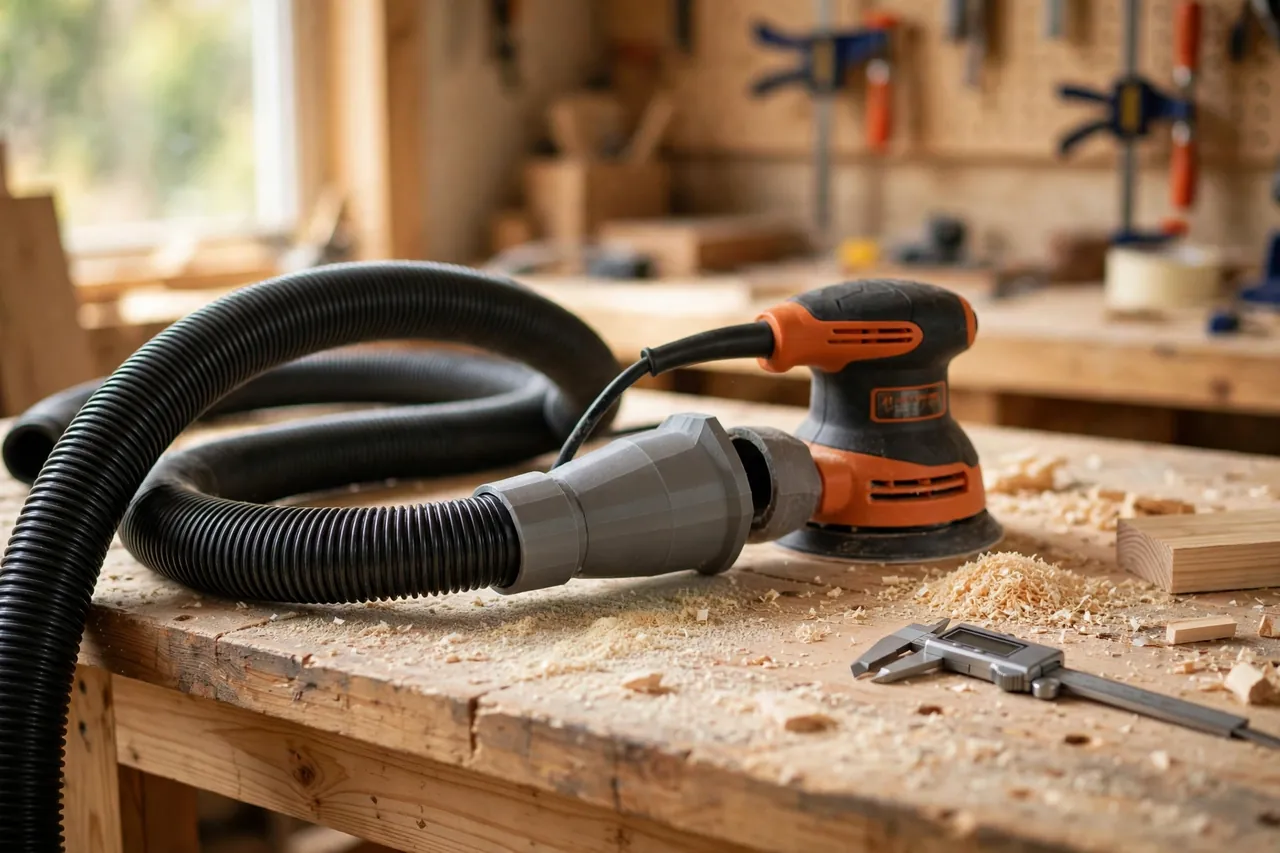
Every sander owner knows the wobble. You push the shop vacuum hose onto the sander’s dust port, it almost fits, and then it pops off as soon as you move across the board — or hangs so loose that dust escapes around the joint. A custom 3D printed shop vac adapter solves that for good, because it is made for exactly two things: your sander and your hose. No universal kit, no wrap of tape.
This guide shows you how to measure both ends, design a simple stepped adapter of your own, print a quick test ring to nail the fit, and end up with a connector that stays put through a whole session.
Why Sander Dust Ports and Vac Hoses Never Match
There is no single standard size for small dust ports, and that is the whole problem.
Every brand picked a different diameter
One sander might have a port around 27 mm across, another closer to 32 mm, and a third somewhere in between. Shop vacuum hoses are just as varied: their cuffs were designed for cleaning attachments, not power tool ports. The result is near-misses — connections 2 or 3 mm too big or too small.
Close enough is not good enough
Dust collection needs a reasonably sealed path from port to hose. A loose joint leaks air, so suction drops and dust spills around the port instead of traveling down the hose. A joint that is too tight is no better: force it, and it cracks or works itself off mid-pass. A made-to-measure adapter removes the guesswork.
Scope note: this adapter is only a friction-fit connector between a sander’s dust port and a dust hose. It is not for any pressurized system, it does not connect to or cover any live electrical component, and it involves no modification to your sander or its electrics.
How to Measure Both Ends Accurately
Good measurements are the secret here. Five careful minutes with calipers will save you three failed prints.
What you need to measure
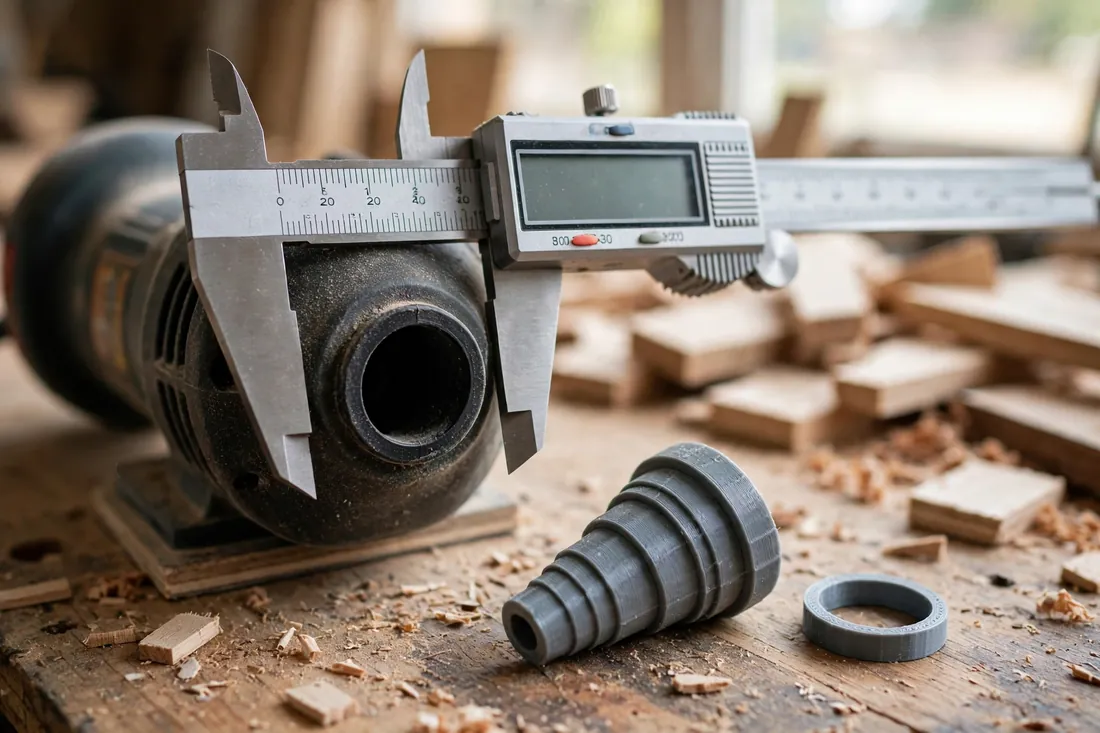
Digital or dial calipers are ideal, because you are working to fractions of a millimeter. Ports that differ by 1 mm feel completely different in use. You need up to four numbers:
- The outside diameter of the sander’s dust port — if your adapter pushes over it
- The inside diameter of the sander’s dust port — if your adapter pushes into it
- The inside diameter of the vacuum hose cuff — if your adapter pushes into the hose end
- The outside diameter of the hose cuff — if your adapter pushes over it
Most adapters push over the sander port and into (or over) the hose cuff, but design for the combination you actually have.
Measuring tips that prevent bad prints
Measure in three places around each port and average the results. Molded ports are rarely perfectly round, and one measurement across a high spot gives you an adapter that rocks. Also measure at the depth the adapter will reach — many ports taper slightly, so a reading at the lip may not match the diameter 15 mm down.
Use the large outside jaws for outside diameters and the small inside jaws for inside diameters. Keep jaws square to the port and read without squeezing, since plastic flexes and a crushed measurement prints a loose part.
Label your numbers, for example “sander port OD: 31.8 mm” and “hose cuff ID: 35.2 mm,” and note each port’s usable straight length.
What You Need
Materials
- PETG filament is the best default choice. It has a little flex, so a friction fit can go on and off without cracking, and it shrugs off workshop knocks.
- PLA filament works for a gentle life and a not-too-tight fit. It is stiff and easy to print, but can crack if forced, and softens in a very hot garage.
You will also need your sander, vacuum and hose, calipers, and a notebook.
Printer settings in general terms
- Layer height: 0.2 mm balances speed and smoothness. Smoother walls seal and slide better.
- Wall thickness: Aim for about 2.4 to 3 mm. That usually means printing mostly or entirely as perimeters, for strength in the push-and-pull direction.
- Infill: With thick walls, low infill is fine — the walls do the work. Many makers print a hollow tube shape with strong walls and no meaningful infill.
- Orientation: Print upright, tube axis vertical, for an accurate round profile.
Designing Your Own Adapter
You do not need to copy anyone’s file. A sander adapter is a very simple shape — a short tube with two different-sized ends — and designing your own from your measurements guarantees it fits your tools.
The stepped, tapered shape
Picture a short tube in three sections:
- The sander end: sized from your port measurement, with 20 to 30 mm of engagement.
- The middle step: a shoulder where the diameter changes. It gives you something to push against and stops the adapter sliding too far.
- The hose end: sized from your hose measurement, again with generous engagement so it does not work loose as the hose flexes.
Build in a slight taper for a friction fit
A straight tube matching your measurement exactly will either jam or rattle. Instead, taper each end slightly — the opening is a touch larger, narrowing by roughly half a millimeter to a millimeter over the engagement length. As you push it on, it wedges gently tighter, creating a secure, tool-free friction fit that forgives tiny measurement errors.
Add light ribbing for grip and seal
Two or three shallow ribs — thin rings standing about 0.3 to 0.5 mm proud — near each end help a lot. They compress slightly as the adapter goes on, improving the seal, and give your fingers grip when removing it. Keep ribs subtle; tall ribs make the part hard to insert.
Print a test ring first
Before printing the full adapter, model two short rings — say 10 mm tall — using the exact diameters and taper of each end, and print just those. They take minutes and tell you the truth about fit. Too loose? Reduce the diameter by 0.3 mm and reprint the ring. Too tight? Add 0.3 mm. Only when both rings push on with firm, even resistance do you print the full adapter.
Step-by-Step: Printing and Test-Fitting
- Enter your confirmed test-ring measurements into the design, keeping the step, taper, and ribs.
- Slice with 0.2 mm layers, thick walls, and upright orientation.
- Print, then let the part cool completely before removing it — warm PETG can warp out of round if pulled early.
- Trim any stringing, but avoid sanding the mating surfaces heavily; you tapered them to size.
- Test-fit the sander end first, with the sander off and unplugged or its battery removed. Push on with a slight twist. It should seat against the step with firm resistance, not force.
- Fit the hose end the same way, then tug and wiggle both joints. A good fit stays seated and does not rock.
- If one end is loose, adjust only that end by 0.2 to 0.4 mm and reprint.
Step-by-Step: Using It While Sanding
- Fit the adapter to the sander’s dust port, then connect the vacuum hose. Keep the hose on the dust port only — that is the adapter’s only job.
- Route the hose behind the work so it will not drag across the board or pull sideways on the port.
- Switch the vacuum on, then sand normally, letting the sander’s weight do the work.
- Notice how much cleaner the board and bench stay — dust goes down the hose instead of settling everywhere, making tidying quicker.
- When you finish or change grits, switch off, then twist the adapter gently to break the friction fit before pulling.
Tips for a Snug Seal
- Length is your friend. Longer engagement resists rocking and leaks better than a short, stubby connection.
- Support the hose. Loop a heavy hose over a bench edge or hook so its weight is not levering the adapter loose.
- Keep mating surfaces clean. A quick wipe removes grit that can hold the joint slightly open.
- Re-check after the first long session. If the adapter has crept, a fractionally tighter reprint of that end — or one extra shallow rib — usually ends the problem.
Common Mistakes
- Printing the full part before a test ring. The most common waste of time and filament here. Rings take minutes; full adapters take far longer.
- Ignoring taper. Straight, exact-size tubes ignore how real printed plastic behaves.
- Measuring once, in one spot. Out-of-round molded ports punish a single measurement with a rocking, leaking adapter.
- Making walls too thin. A 1 mm wall flexes, cracks at the step, and seals poorly. Build walls around 2.4 to 3 mm.
- Forcing a tight fit. If you have to lean on it, it is wrong. Adjust the number and reprint rather than risking a cracked adapter or damaged port.
Care and Alternatives
Care is minimal: shake out collected dust, wipe the adapter occasionally, and store it on the hose or sander so it does not get stepped on. If the fit turns sloppy after heavy use, reprint using your saved measurements.
Without a printer, alternatives include a universal stepped rubber reducer (workable, but rarely a great fit on both ends), tape to build up a port (temporary and messy), or a maker space or print service printing your design. The DIY version wins on fit because it starts from your tools, not a size chart.

FAQ
Which is better for a shop vac adapter, PETG or PLA?
For most workshops, PETG. Its slight flexibility suits a friction fit, it tolerates repeated fitting and removal, and it handles bumps better. PLA is fine for a lightly used adapter with a not-too-tight fit, but it is stiffer and more likely to crack if forced.
My adapter is a little loose. Can I fix it without reprinting?
Start by cleaning both surfaces — grit alone can loosen a joint. Beyond that, the reliable fix is a small design change and reprint: just 0.2 to 0.4 mm of added diameter, confirmed with a test ring, makes a surprising difference. Avoid tape or glue build-up; it peels and ruins the seal.
How long should each end of the adapter be?
Aim for about 20 to 30 mm of engagement on the sander port and a similar length in or on the hose cuff, limited by the straight, usable length you measured. Longer engagement grips and seals better, as long as the port has the depth for it.
Can I use the same approach for other tools?
Yes. The same measure, test-ring, and taper method works for other small dust ports, such as a palm router base’s dust fitting or a small benchtop tool’s outlet, as long as you are only connecting a dust hose to a dust port. Measure each tool separately; never assume two ports that look alike are the same size.
Conclusion
A sander and a shop vacuum are a great team — they just need a proper introduction. Measure both ports, design a simple stepped adapter with a gentle taper and light ribs, prove the fit with test rings, and your 3D printed shop vac adapter will stay in your workflow session after session.
For a related read, try “3D Printed Dust Hood Positioner Arm for Bench Sanders: Hold Your Extraction Hood Exactly Where You Need It” — it tackles the same tidy-workshop goal from the extraction hood side.