Introduction
Every workshop has a bit problem. Twist drills roll around in a drawer, driver bits collect in a mug, and the one size you need has vanished into a mixed tin with eleven dull duplicates. You end up buying the same bits again, or reaching for the wrong size and chewing up a workpiece.
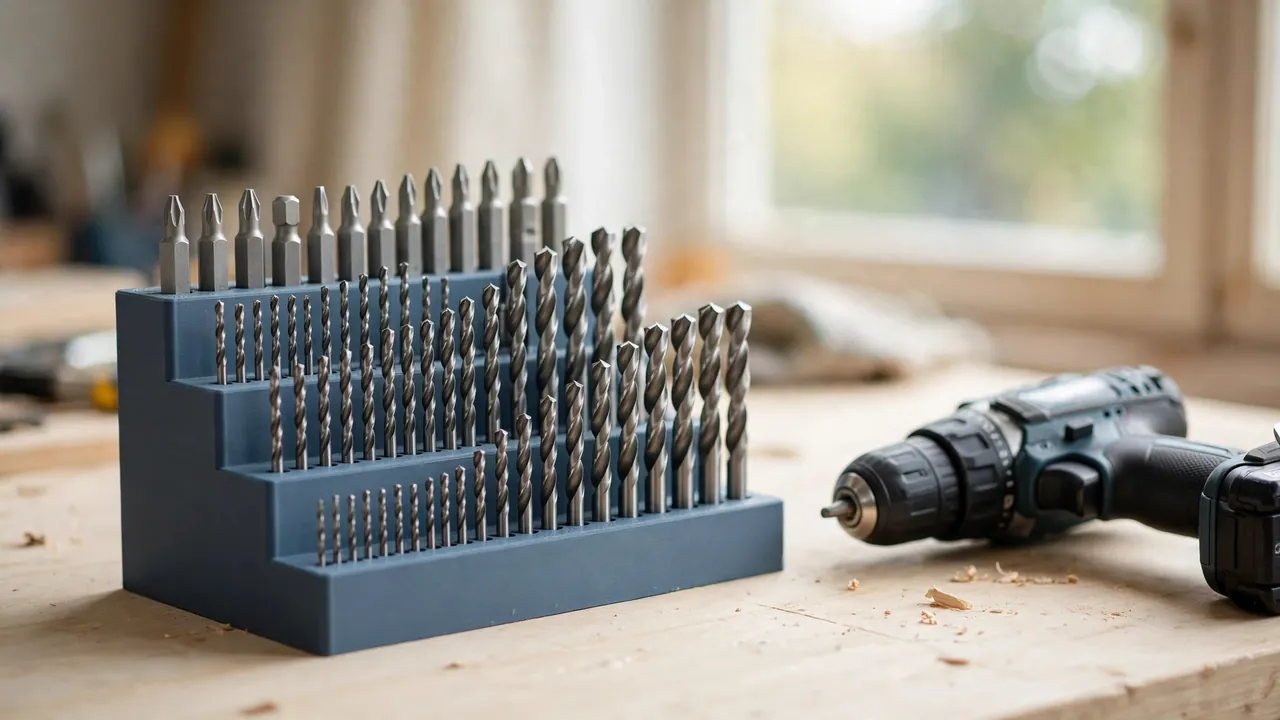
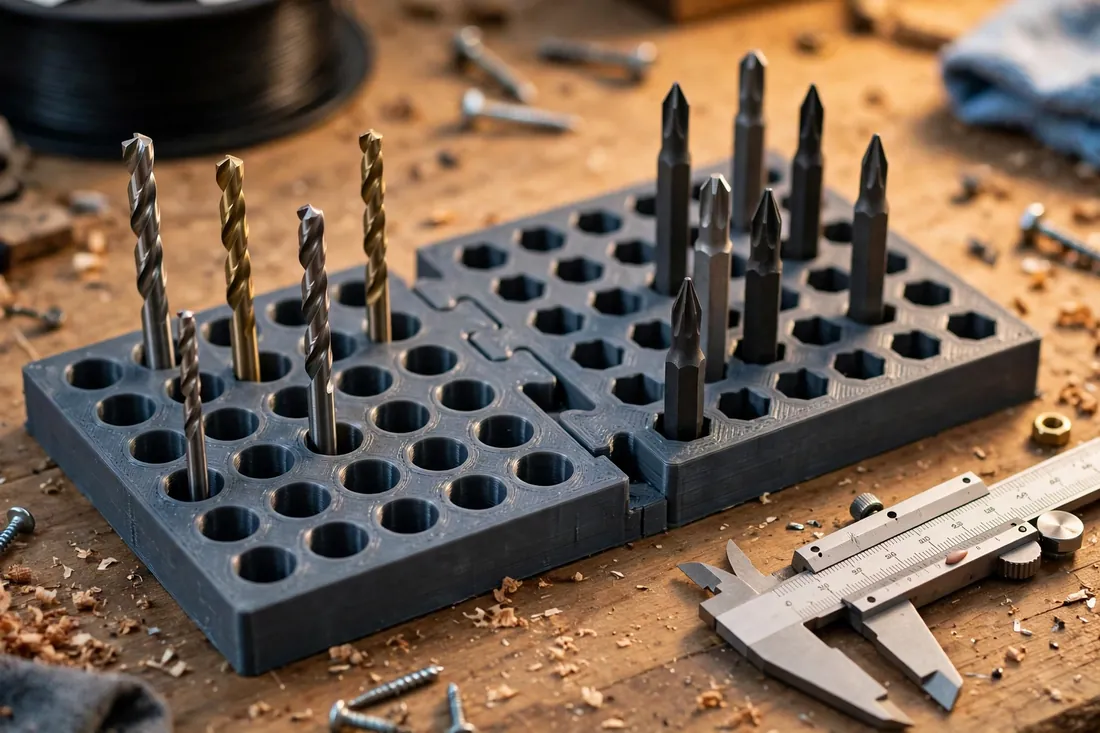
A 3D printed drill bit organizer ends that cycle with a system designed around the bits you actually own. Instead of a fixed case that suits someone else’s collection, you print tiered blocks and modular tiles with holes sized for common shank sizes, label every row, and clip on another tile when the collection grows.
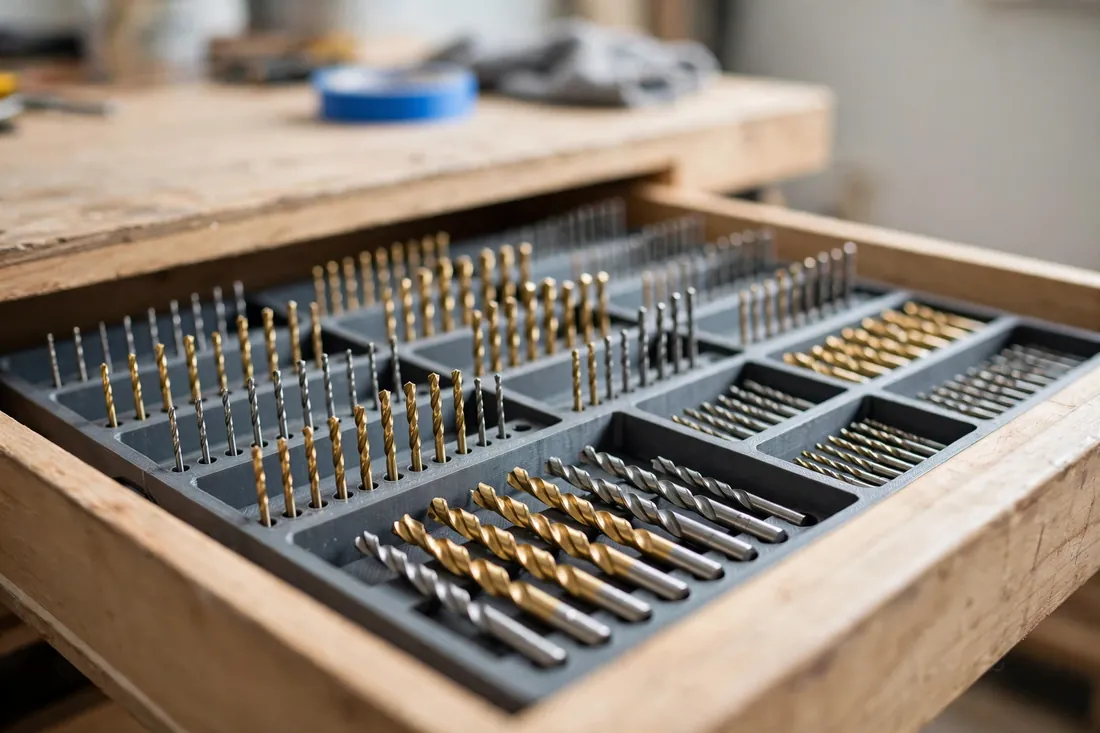
This guide covers both forms most home workshops need: a tiered bench stand where bits stand upright and visible, and a flat drawer insert where they lie low and protected. Both use the same sizing and labeling.
What You Need
An organizer block is one of the easiest prints in the workshop — no moving parts and very forgiving settings. Hole accuracy matters more than fancy materials.
Materials and tools
- A home 3D printer with a build area of roughly 150 mm in at least one direction
- PLA filament for a crisp, dimensionally stable block, or PETG if the organizer will live in a hot garage
- The drill bits and driver bits you plan to store, gathered in one place
- Calipers for measuring shanks honestly, plus a tape measure for your drawer or bench space
- A paint pen in a contrasting color for labeling sizes, or a fine marker
- A small file or sandpaper for easing any tight holes
Sort your bits before you design anything. Most collections are a modest set of twist drills, a handful of hex-shank driver bits, and a few specialty bits that deserve a row of their own.
Suggested print settings
- Layer height: 0.20 mm gives clean, round holes; drop to 0.16 mm for the tile holding your smallest bits.
- Walls: At least 3 to 4 perimeters around the block, so thin webs between holes stay strong.
- Infill: 20 to 40 percent, grid or gyroid. The top face does the work; very high infill mostly adds print time.
- Top and bottom layers: 4 or more, for a flat, durable top face that takes labels well.
- Orientation: Print with the holes facing straight up, top face last, for the roundest holes.
- Supports: None, if hole diameters stay modest and the design avoids overhangs.
Design Considerations
You can model this organizer in any basic CAD program. At heart it is a block with a grid of holes — the craft is in the sizing, layout, and how tiles join.
1. Size holes for the shanks you own
Measure each shank with calipers and group bits by their actual size, not the size printed on a worn case. A practical home set usually runs from about 1.5 mm up to 10 mm, with a few larger favorites beyond that. Give each hole about 0.3 to 0.5 mm of clearance over the measured shank, so bits drop in freely but do not rattle. Hex bits are easier: a standard quarter-inch hex socket, modeled slightly oversized, holds nearly all of them.
2. Tier the rows so every bit stays visible
A flat block hides short bits behind tall ones. Instead, step the block up like stadium seating — each row roughly 12 to 18 mm higher than the one in front — with the smallest bits at the front and the largest at the back. You can then read the whole collection at a glance and lift any bit out without disturbing its neighbors. Keep each hole’s depth around two-thirds of the shortest bit it will hold, so nothing sinks out of sight.
3. Build in labeling from the start
Unlabeled holes become mystery holes within a month. Leave a flat label strip, at least 6 to 8 mm wide, in front of every row or beside every hole. Two methods work well:
- Raised emboss: Model the numbers raised about 0.6 to 0.8 mm, then run a paint pen lightly across the raised tops. The numbers stay legible even when plain printed text would fill in.
- Recessed numbers plus paint pen: Model the numbers slightly recessed, flood them with paint, and wipe the surface. This survives handling and looks surprisingly sharp.
Label in the units you think in — metric, imperial, or both — and stay consistent across every tile.
4. Make it modular, with tiles that clip together
Design the organizer as square or rectangular tiles, each holding one family — twist drills, driver bits, spade bits — with a simple shared edge: a shallow dovetail, a tongue and groove, or matching holes for short printed pins. Tiles clip or slide together into a run as long as your bench or drawer allows. When you buy a new bit set, you print one more tile instead of reprinting the whole system. Keep footprints identical so bench and drawer versions can swap places.
Step-by-Step: Printing and Assembly
- Inventory your bits. Sort them into families, measure every shank, and write the list down in order.
- Model one tile with its holes, label strips, and clip edges, using the clearances above.
- Print a test tile with holes spanning your smallest, middle, and largest shanks.
- Test every fit. Bits should drop in under their own weight and lift out without twisting or force.
- Adjust hole sizes in steps of 0.1 to 0.2 mm where needed, then reprint the test tile if several holes were off.
- Print the full set of tiles for your stand or insert, keeping orientation and settings the same throughout.
- Clean up lightly. Ease hole rims with a file only where a bit snags; over-filing makes holes sloppy.
- Label every row using the raised-emboss or recessed paint pen method, and let the paint dry fully.
- Clip the tiles together and check the run sits flat, with no tile rocking.
Assembly is deliberately boring. If a tile needs glue to stay put, adjust the clip fit and reprint it — the system should come apart just as easily when you rearrange it.
Step-by-Step: Setting Up and Using Your Organizer
- Choose the form for the space. A tiered stand suits a bench back edge you can see and reach; a flat insert suits a shallow drawer.
- For a bench stand, stack or clip your tiles into tiers on a stable base, heaviest and tallest bits at the back.
- For a drawer insert, lay flat tiles edge to edge until the drawer floor is covered, working the layout around handles or odd corners.
- Load bits in size order, smallest at the front or left, largest at the back or right, one bit per hole.
- Leave future spots empty. If a size you own has no hole yet, do not double up two bits in one hole — add a tile instead.
- Work from the organizer, not around it. Take a bit out, use it, and put it straight back. The system only works if returning a bit is easier than dropping it on the bench.
- Review every few months. Dull or broken bits leave for sharpening or recycling, and new arrivals earn a labeled hole — or a new tile — the week they arrive.
Once the habit sets in, finding a bit stops being a search and becomes a glance.
Tips for Better Results
- Print a dedicated driver bit tile. Hex sockets in their own tile keep quick-change bits separate from twist drills.
- Color-code by family. One filament color per family makes the system readable from across the room.
- Leave deliberate empty holes. A few blanks in each row are where the next sizes you buy will live.
- Put the stand where your hand already goes. An organizer two steps away loses to the bench pile. Keep it within arm’s reach of where you drill.
Common Mistakes to Avoid
- Printing holes at exact shank size. Without clearance, printed holes come out slightly small and bits jam. Always add that 0.3 to 0.5 mm.
- Skipping the test tile. A full block with forty tight holes is a long print to throw away. Test first, every time.
- Forgetting labels to save time. You will not remember which unlabeled hole is which. Label during setup.
- Making one giant block. A huge organizer cannot grow, is slow to reprint, and rarely fits the next drawer. Small tiles win.
- Storing bits wet or dirty. Dust and grit in the holes wear both the bits and the block. Wipe bits before they go back.
Care, Storage, and When to Choose an Alternative
Blow dust out of the holes with a soft brush now and then, wipe the top face with a damp cloth, and store a PLA organizer out of prolonged direct heat so holes keep their shape. If a rim chips, that tile alone can be reprinted in under an hour.
Sometimes a different answer fits better. A steel index case is still the right home for a precision set that travels in a toolbox, and a magnetic strip suits a few driver bits at the drill press. But for a growing home collection, a printed modular system is cheaper, better fitted, and easier to expand than anything off a shelf.
FAQ
What hole clearance works best for drill bits?
Start with 0.3 to 0.5 mm over the measured shank diameter. Bits should drop in freely and lift out without wobbling enough to lean and tangle. Print a test tile with holes at a few clearances in that range and pick the fit you like — printers differ, and the test tile tells the truth.
How do I label sizes so the markings actually last?
Raised embossed numbers colored with a paint pen are the most reliable option: the numbers are part of the print, and the paint sits only on their raised tops, so wear is minimal. Recessed numbers flooded with paint and wiped clean come a close second. Plain unpainted text is hard to read under workshop light.
Can the same tiles work in a drawer and on the bench?
Yes, if you keep the tile footprint and clip edges identical. Flat in a drawer, the tiles form an insert; clipped onto a simple stepped base, the same tiles become a tiered bench stand. One tile system for both places keeps your layout consistent wherever you work.
What should I do when my collection outgrows the organizer?
Print one more tile. That is the point of the modular design: measure the new bits, model a matching tile, clip it onto the end of the run, and carry on. If space runs out, split the system — everyday bits in the drawer, specialty bits on the bench stand.
Conclusion
A good bit organizer is not a product you buy once. It is a small system that matches your collection today and expands with it tomorrow — sized holes, honest labels, and tiles that clip together instead of a case that slowly stops fitting.
Print a test tile this weekend, sort that drawer of loose bits into it, and enjoy the first project where every size is exactly where your hand expects it.
If the bit drawer was only the start of a drawer-by-drawer tidy-up, you may also enjoy our related guide, “Allen Key and Hex Wrench Holder: 3D Print a Labeled Organizer for Your Tool Drawer,” which uses the same labeled, modular thinking for the hex keys that usually share the mess.