Introduction
Repeat cuts are where tape measures betray you. You measure 400 mm, mark it, cut it — then measure again for the next piece, and the mark lands half a millimeter differently. Over ten pieces, that drift adds up to a visibly uneven run of balusters, drawer parts, or trim.
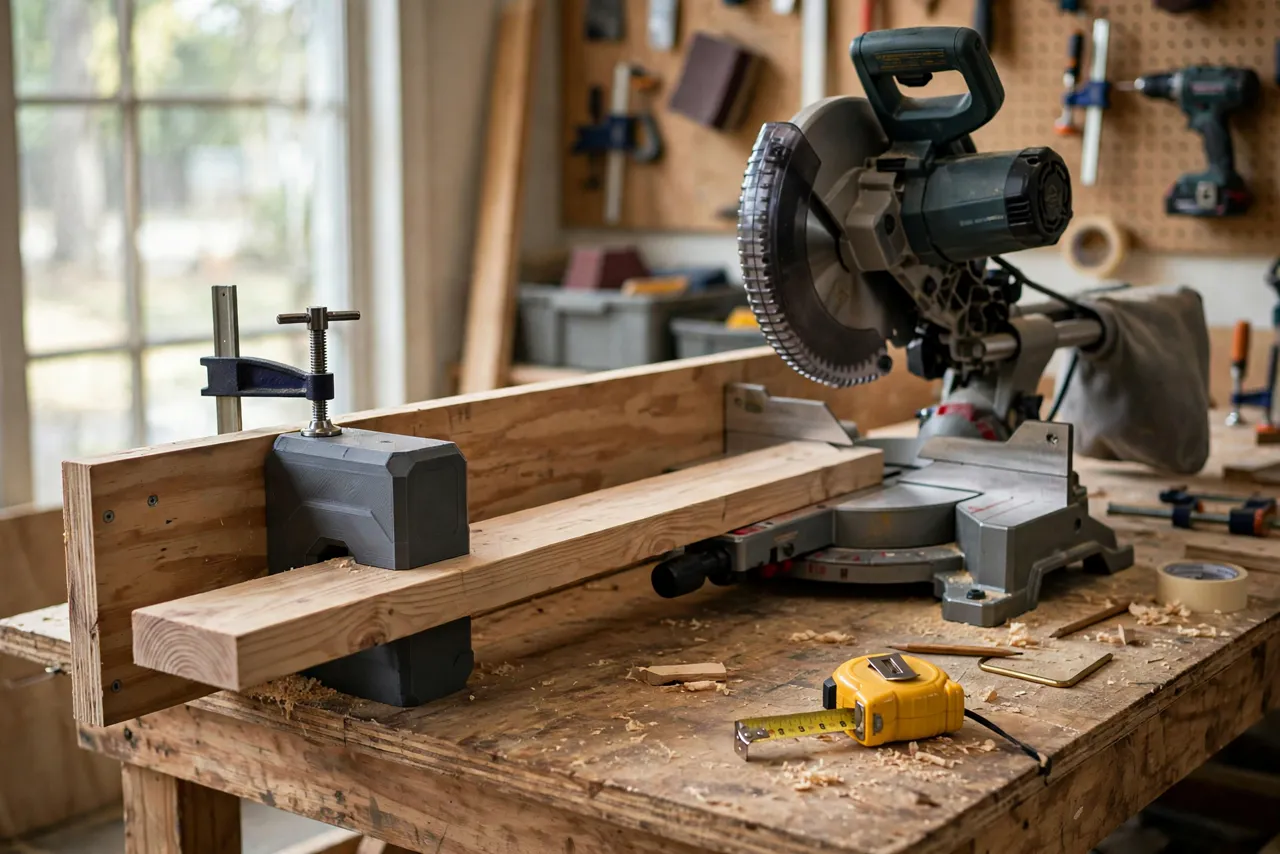
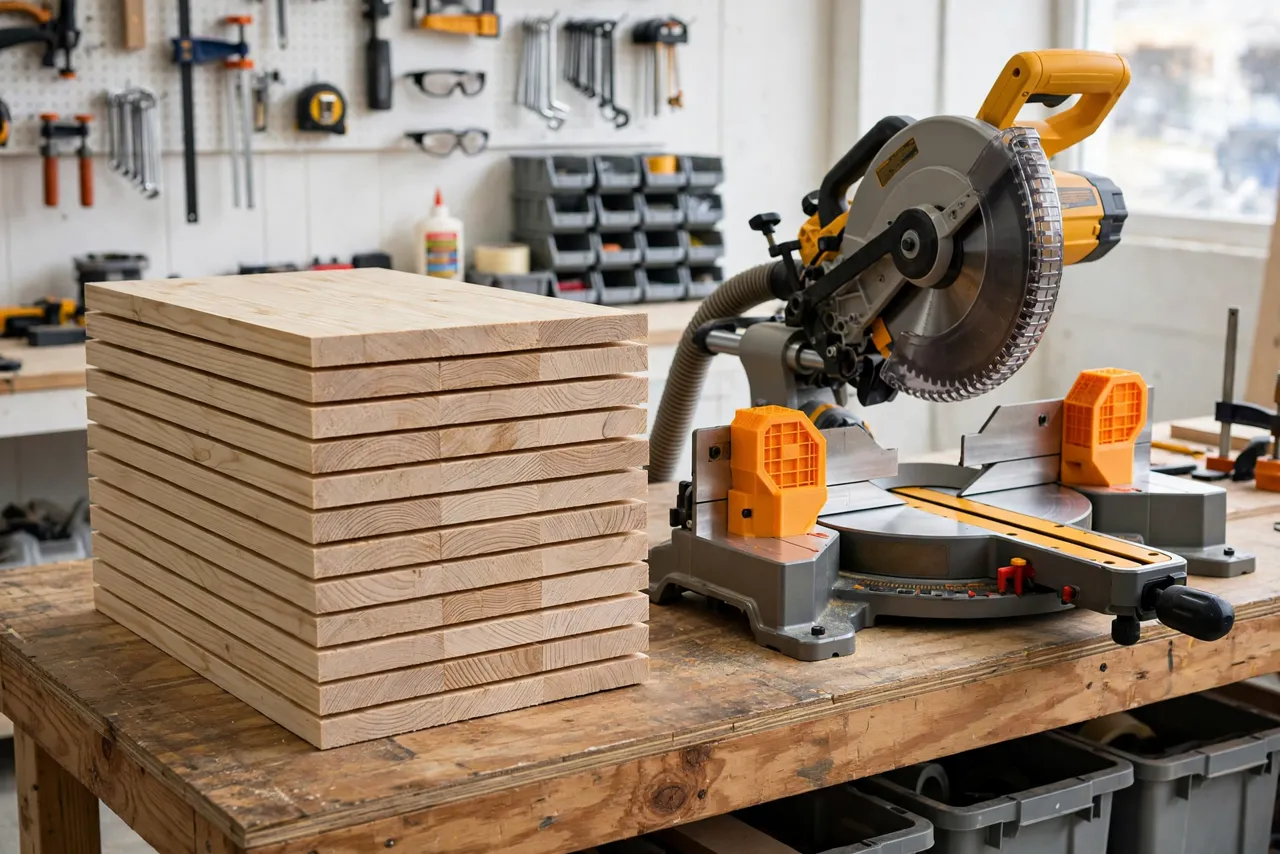
A length stop system ends the drift. You set a physical stop once, butt every board against it, and cut. Every piece comes out the same length because the same stop set every one. Miter saw fences with printed stop blocks, flip stops, and measuring scales make this cheap and easy to build for a home workshop.
Think of the printed parts as positioning aids only — they set length and hold light stock in place. They are not structural parts of the saw, and they never replace the saw’s guard, safe hand placement, or clamping long stock properly.
What You Need
The system has three parts: a fence extension, the printed stops, and a way to fix them solidly.
Materials and tools
- A straight length of plywood or MDF for a fence extension, plus screws to attach it to your saw’s fence
- PETG filament for the printed stops; it resists clamping force better than PLA
- A T-track or a simple clamping slot in the fence extension, depending on your design
- Thumb screws, T-nuts, or small clamps for locking the stops
- A tape measure and a reliable square for initial calibration
- A pencil, a drill, and safety glasses
The same repeatable-length thinking appears in “Drill Press Flip Stop: 3D Print a Repeatable Stop for Batch Drilling,” where a stop removes measuring from batch drilling in exactly the same way.
Suggested print settings
- Layer height: 0.20 mm.
- Walls: 4 perimeters minimum — stop faces take repeated impacts from board ends.
- Infill: 40 to 60 percent, grid or gyroid.
- Top and bottom layers: 5 or more.
- Orientation: Print stop blocks so the stop face is not a single weak layer boundary; a flat orientation with thick walls usually works well.
- Supports: Only where the design needs them.
Print two stops: one for each side of the blade, or one fixed and one flip stop for clearing long boards.
Design Considerations
A good stop system balances rigidity, adjustability, and clearance.
1. The fence extension
Most miter saw fences are too short for a useful stop system. Bolt a straight plywood extension to the fence, extending to the left, the right, or both, depending on your workflow. The extension must be straight, flat, and firmly fixed — a flexing extension makes a lying stop.
2. The fixed stop block
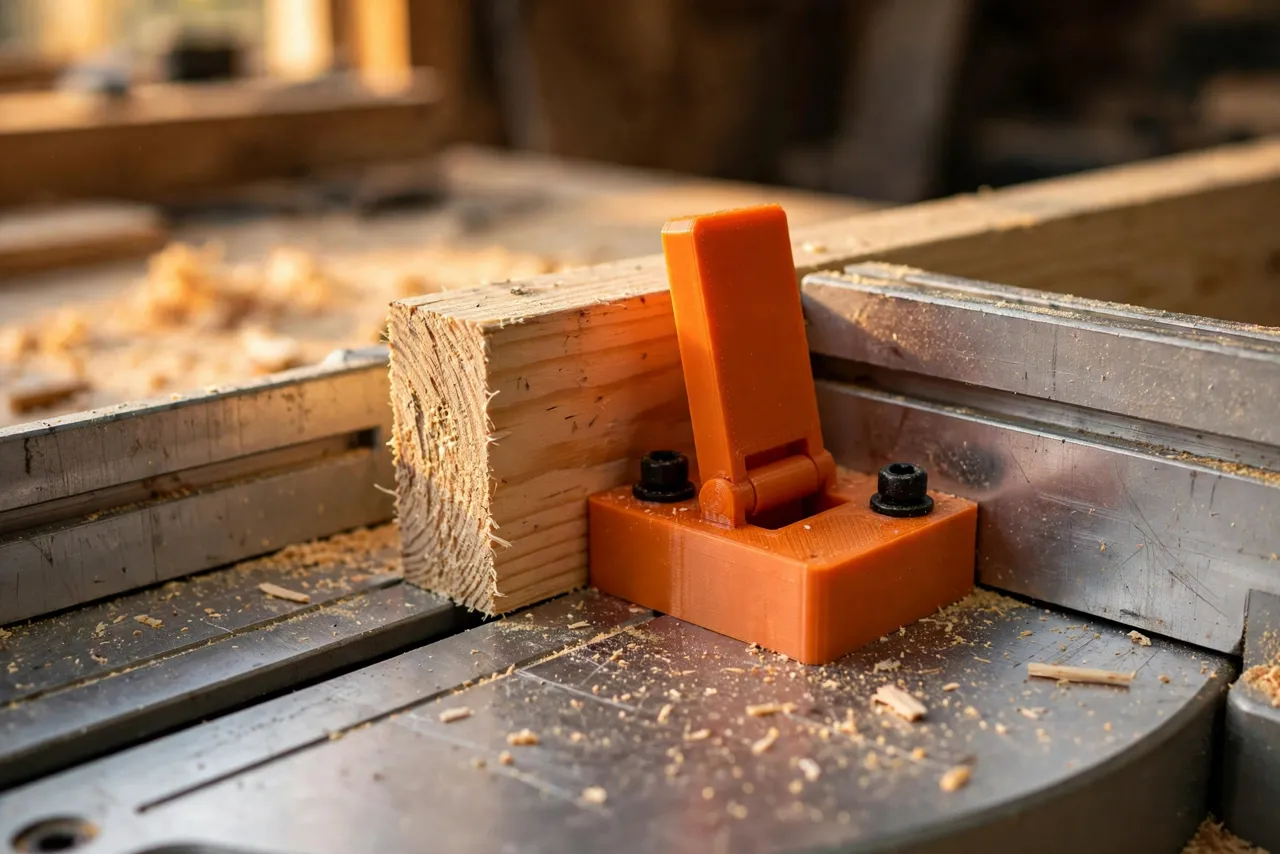
The simplest stop is a block that clamps to the fence extension at a measured distance from the blade. It is rock solid and perfect for a production run of one length. Its weakness is that you must slide it out of the way to cut a different length, then recalibrate.
3. The flip stop
A flip stop pivots up and out of the way, so you can cut a long board or a different length without moving the stop’s setting. Flip it down, butt the board, cut; flip it up, and the setting is preserved for the next batch. For most home workshops, one flip stop beats three fixed blocks.
4. A measuring scale
Add a self-adhesive measuring tape or a printed scale to the fence extension, zeroed at the blade. With a scale, you can set a stop to a new length by reading, not by measuring each time — and you can return to a previous length exactly.
Step-by-Step: Printing and Assembly
- Measure your saw’s fence and cut a straight plywood extension to suit your bench space.
- Attach the extension firmly to the fence, checking it is straight and does not flex.
- Print the stop blocks — one fixed, one flip — with the settings above.
- Fit the stops to the extension with T-nuts, thumb screws, or clamps, and check they lock without shifting.
- Calibrate: make a test cut, measure the piece, and adjust the stop or the scale zero until the cut length matches the setting exactly.
- Mark your zero on the scale and record any offset, so recalibration is a one-minute job later.
Step-by-Step: Using the Stop System
- Set the stop to the length you need, using the scale or a single careful tape measurement.
- Lock it firmly. A stop that creeps mid-batch ruins the whole run.
- Butt the first board against the stop, keeping it flat on the saw bed and tight to the fence.
- Cut, then check the first piece against your target length before cutting the rest.
- Cut the batch without moving the stop, checking every fifth piece or so.
- Flip the stop up when you need to cut a longer piece, then flip it back down to resume the batch.
- Support long stock beyond the saw table so boards do not tip or bind during the cut.
For very long boards, support the far end at table height. A sagging board changes the cut angle and can bind the blade.
Tips for Better Results
- Cut a test piece first, every time. One test piece protects a whole batch.
- Keep the stop face clean. Sawdust packed against the stop face shortens every piece by the thickness of the dust.
- Use stops on both sides when cutting pairs of equal pieces, such as drawer sides, so both sides share one setting.
- Label common lengths on the fence extension with a paint pen for jobs you repeat.
- Check the stop after any knock. A bumped stop looks identical but cuts differently.
Common Mistakes to Avoid
- Measuring from the wrong side of the blade. The stop distance is measured from the blade’s cut line, not from the fence edge — calibrate with a real cut.
- Letting the stop creep. A clamp that feels tight can still shift under repeated board impacts; check it during the batch.
- Cutting trapped offcuts between blade and stop. On the offcut side, never trap a short piece between the blade and a fixed stop — it can be thrown. Cut long pieces to length with the stop on the keeper side.
- Forgetting to support long stock. An unsupported board tips, binds, and cuts inaccurately.
- Trusting a scale that was never zeroed. Calibrate with a test cut, not by assumption.
Care, Storage, and When to Choose an Alternative
Brush off dust, store stops where they will not be crushed, and inspect the stop face for dents or wear. A dented face gives every piece the same error, so reprint when the face shows damage.
A manufactured T-track stop system is sturdier for daily production work, and a simple clamped block does the same job for a one-off cut. For a home workshop cutting repeated lengths across many projects, a printed system is inexpensive, accurate, and easy to extend.
FAQ
How accurate can a printed stop system be?
Within a fraction of a millimeter, provided the fence extension is straight, the stop locks firmly, and you calibrate with a real test cut. The stop itself is not the limit — the fence and locking are.
Is PETG strong enough for a stop block?
Yes, with thick walls and solid infill. The stop takes repeated light impacts from board ends, not heavy structural loads. Reprint if the face dents or cracks.
Can I use stops on both sides of the blade?
Yes, and it is often useful — one side for one length, the other for another. Just never trap a short offcut between the blade and a stop on the waste side.
My pieces are coming out slightly long. What went wrong?
Usually sawdust against the stop face, a stop that shifted, or a scale zero that drifted. Clean the face, re-lock the stop, and cut a fresh test piece to recalibrate.
Conclusion
Repeatable cuts are not about measuring better; they are about measuring once. A 3D printed length stop system locks that one measurement into hardware, and then every piece in the batch inherits it.
Build the fence extension, print a flip stop, calibrate with a test cut, and the next batch of identical pieces will practically cut itself.
If you do a lot of batch work, you may also enjoy our related guide, “3D Printed Small Parts Crosscut Sled: Cut Tiny Pieces Safely on the Table Saw,” which brings the same repeatability to pieces too small for the miter saw.