Introduction
Every table saw and router table cut asks the same question: how do you feed the wood firmly, evenly, and completely — while your hands stay a comfortable distance from the cutter? Fingers are the traditional answer, and they are the wrong one. A push block is the right one: a handled pad that presses the workpiece down and forward with friction, plus a heel that hooks the back edge so the stock cannot kick back or stall against the blade.
Store-bought push blocks exist, but they are one-size-fits-nobody foam pads that wear smooth and end up in a drawer. A 3D printed push block set is better in every way that matters: handles shaped for your grip, grip pads you can reprint when they wear, replaceable sacrificial heels that take the damage instead of the block, and a family of sizes — a wide block for panels, a narrow one for rips, a long one for the jointer or router table.
This guide covers designing a set that grips, printing the pads so they actually bite, and using the blocks as part of a calm, guarded cutting routine. A push block is an aid that works alongside your machine’s factory guards, riving knife, and fence — never a replacement for any of them.
What You Need
The block body wants stiffness; the pad wants grip. Plan for two materials or one clever design, and for hardware that lets worn parts swap out.
Materials and tools
- A home 3D printer with a build area of roughly 180 mm or more in one direction
- PETG filament for block bodies — tough, slightly forgiving, and stable in a workshop
- TPU filament if your printer handles it, for grip pads with real bite; otherwise thin rubber sheet or stair-tread tape to face the pads
- Short wood screws or bolts and nuts for attaching replaceable heels and pads
- A screwdriver and the usual measuring tools: ruler, square, pencil
- Your table saw, router table, or jointer, with its factory guards and fence in place and in good order
- Scrap boards for test cuts at each block size
If you cannot print TPU, print the pad as a shallow tray and glue in a rubber insert cut from an old mouse mat or drawer liner — grip is grip, whichever way it arrives.
Suggested print settings
- Layer height: 0.2 to 0.24 mm. Blocks are utility parts; speed is welcome here.
- Walls: 4 to 5 perimeters on bodies and heels — heels get chewed by design and must not shatter.
- Infill: 35 to 45 percent, gyroid or grid, for bodies that survive drops and heavy feeding pressure.
- Top and bottom layers: 4 or more; the pad face must be flat so grip material bonds evenly.
- Orientation: Print bodies upright as used, pads flat. Layer lines across a heel’s hook, not along its shear direction.
- Supports: Only for handle overhangs if your design leans; a well-shaped block prints clean without.

Design Considerations
You can model push blocks in any basic CAD program, including free browser-based tools. The set succeeds or fails on four ergonomic and mechanical decisions.
1. The grip pad: friction is the whole job
A push block controls stock because its pad grips the wood harder than the blade pushes back. Model the pad face generously — most of the block’s footprint — and texture it: a crosshatch or chevron pattern of shallow grooves gives TPU something to key with, and gives glue a mechanical bite if you are bonding a rubber insert.
Make the pad replaceable. It is a wear part: it collects cuts, glue, and dust, and its grip fades. A pad that unscrews or slides out of a dovetail channel turns a worn block back into a new one for a few grams of filament.
2. The heel: a sacrificial hook at the back
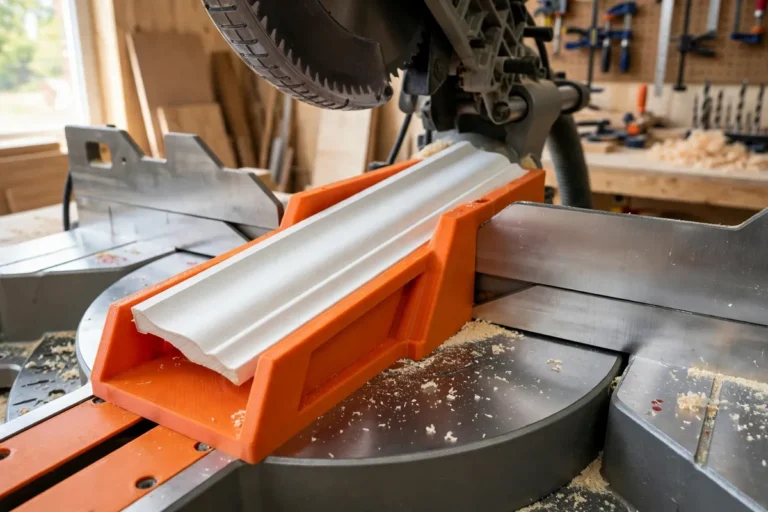
The heel is a small downward lip at the rear of the block that catches the end of the workpiece, driving it forward even if friction alone would let it hesitate. Hesitation mid-cut is what burns wood and invites trouble, so the heel matters as much as the pad.
Design the heel as a separate bolt-on piece, 5 to 10 mm proud of the pad face. It will meet the blade eventually — on a narrow rip, that is its job — so it must be cheap, tough, and replaceable, never a precious part of the main body.
3. Handles shaped for downward confidence
The handle’s work is to transmit downward and forward pressure from a relaxed hand, wrist straight, well above the stock. A closed D-handle or a tall knob both work; what matters is height — your knuckles should clear the workpiece and any fence hardware with room to spare — and a grip angle that keeps pressure centred over the pad, not behind it.
Model a slight overhang of the handle toward the front of the block. Pressure applied slightly ahead of centre keeps the front of the pad planted and the heel engaged, and it stops the block tipping backward under feed pressure.
4. A family of sizes, one language
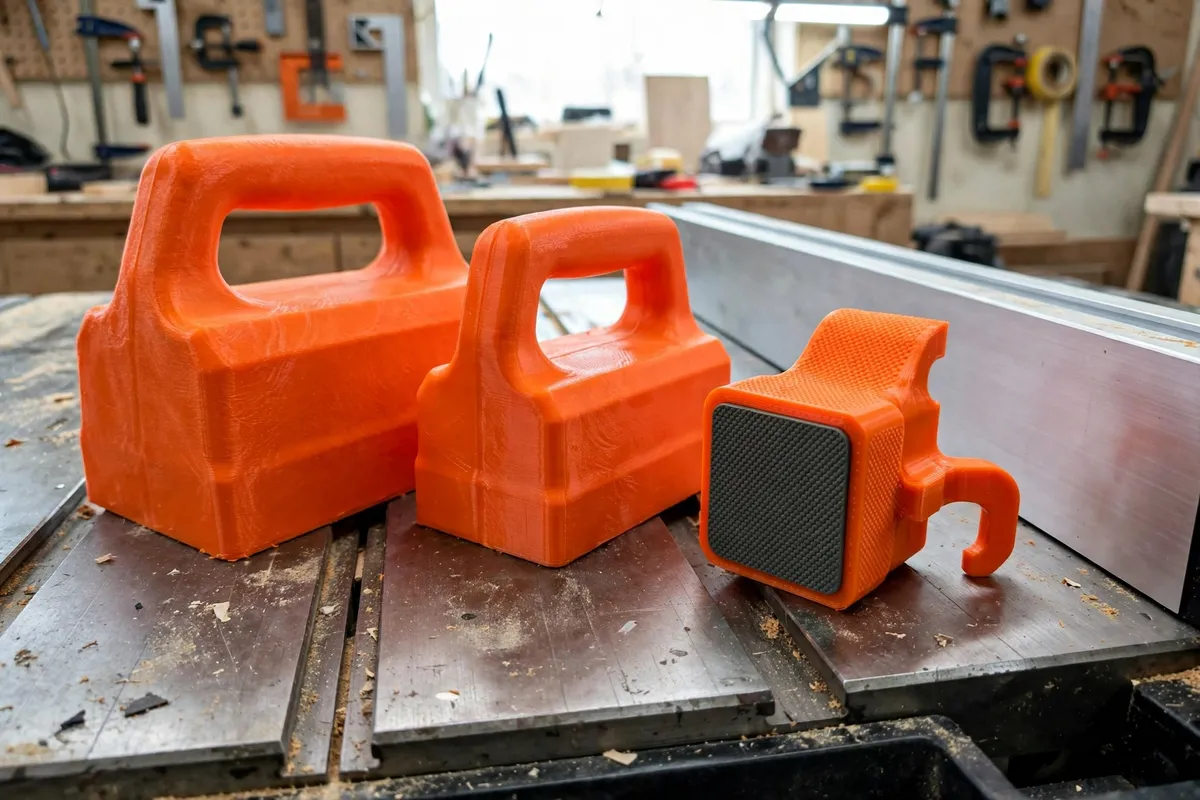
Print a set, not a block: a wide block around 130 to 150 mm for panels and jointer work, a standard around 100 mm for general table saw feeding, a narrow 60 to 75 mm version for rips between fence and blade where the block must pass safely, and a long low block for the router table where the cutter approaches from the side. Keep handles, pads, and heels interchangeable across the family so spares and habits transfer.
Every block in the set should also have a hole or hook point for hanging — a block that lives on the saw’s side or a nearby peg gets used; a block in a drawer gets forgotten at the one moment it mattered.
Step-by-Step: Printing and Assembly
- Measure your typical work and choose the set’s sizes: panel, standard, narrow, and router-table blocks.
- Model the standard block first: body, textured replaceable pad, bolt-on heel, tall closed handle with a hanging hole.
- Print one complete block in PETG (and TPU for the pad if you can), with the settings above.
- Assemble it: fit the pad into its channel or screw it down, bolt the heel on, and check the heel sits perfectly square to the pad face.
- Grip-test on scrap: press the block onto a board and pull the board by hand. The block should drag the board without skating; if it skates, deepen the pad texture or improve the rubber.
- Print the rest of the family, reusing the pad and heel designs at each width, and print spare heels and pads while the profiles are loaded — future you says thanks.
- Hang the set at the saw: a peg rail or hooks on the machine’s stand or the wall beside it, in reach of your usual stance.
Step-by-Step: Using the Blocks at the Saw and Router Table
- Set up the cut fully first: fence locked, guard and riving knife in place, blade height set as your saw’s manual directs, offcut side planned.
- Choose the block that fits the cut: the widest that runs the whole cut while keeping your hand clear of the blade path and fence hardware.
- Do a machine-off rehearsal. Walk the block and stock through the entire cut, confirming the heel engages the stock’s end, the block clears the guard, and the cut finishes with your hand still well back.
- Feed with even pressure: down through the pad, forward through the heel, one steady pace, no stopping mid-cut and no reaching over the blade at the end.
- Finish the cut completely past the blade before relaxing pressure, then move the offcut away with the block or a stick — never a hand near a spinning blade.
- At the router table, use the long block to hold stock down and against the fence past the bit, in the same spirit: pressure through the pad, travel rehearsed, guard in place.
- Inspect heels and pads after close cuts. A nicked heel did its job; swap in a spare so the set is always complete for the next cut.
Tips for Better Results
- Colour-code the family. Bright filament — orange is the classic — makes the right block findable at a glance and visible against wood.
- Keep a sacrificial mindset. Heels and pads are consumables. The moment you start protecting the block instead of the cut, the design has failed; reprint freely.
- Clean the pads. A stiff brush restores grip that dust had quietly stolen; check pads as part of setting up any important cut.
- Pair with a featherboard on wide stock so side pressure is handled and the block only manages down-and-forward.
- Store blocks at the machine, always the same hooks, so the habit of reaching for one becomes automatic.
Common Mistakes to Avoid
- Using a push stick where a block belongs. Narrow rips near the fence want a block’s downward grip once stock gets short — sticks alone let stock lift and chatter.
- A handle too low. Knuckles near the stock plane mean hesitation, and hesitation mid-cut marks the wood and risks the cut.
- One immortal heel. A chewed heel that “still works” eventually crumbles mid-feed; replace heels early and cheaply.
- Removing guards “because the block is there.” The block complements the guard, riving knife, and fence; it replaces none of them, ever.
- Feeding too fast for the pad. If stock slips under the block, stop the machine, wait for a full stop, and fix the grip — never chase a slipping board by hand.
Care, Storage, and When to Choose an Alternative
Care is a brush-down, a pad check, and a heel inspection, folded into your normal machine routine. Store the set hung at the saw in size order. Reprint wear parts as a batch whenever one runs low, and retire any body that cracks — bodies are cheap; the set’s trustworthiness is the asset.
Push blocks come into their own alongside our guide “3D Printed Featherboard for Safer, Straighter Cuts on the Table Saw and Router Table,” which handles the side pressure while these blocks handle down and forward; and when the cutting is done, “3D Printed Saw Blade Storage Case: Protect Your Circular Saw Blades Between Jobs” keeps the sharp edges as respected as the cuts they made.
Sometimes other tools lead. Very long rips of sheet goods are calmer with a helper or a track saw. Tiny parts belong in a small-parts sled with clamps, not under any hand-held block. And power feeders own the production end of the world. For the everyday home workshop spread — rips, crosscuts on a sled, router table passes — a printed set, sized to your hands and your machine, is the control upgrade you will feel on the first cut.

FAQ
What makes a push block better than a push stick?
Downward pressure over a wide, grippy area. A stick pushes one point and can let stock pivot, lift, or chatter; a block’s pad holds the workpiece flat on the table and against the fence across its whole footprint while the heel drives it forward. Use sticks as companions for narrow offcuts, blocks as the main feeder.
How often will I need to replace heels and pads?
It depends on how narrow your rips run. Heels that regularly pass close to the blade may last dozens of cuts or a handful; pads fade gradually as texture fills with dust and small cuts accumulate. That is exactly why both are designed as cheap bolt-on consumables — a spare set costs less than a single shop-bought block.
Can a push block pass over the blade safely?
The rehearsed cut is the answer: on narrow rips, a block wider than the cut zone travels beside the blade or straddles with its sacrificial heel in the blade’s path by design — never the body or your hand. If a planned cut cannot be rehearsed with the block fully clear and controlled, change the setup: sled, different block, or different method.
Is TPU essential for the pads?
No. TPU prints the grippiest integrated pads, but a PETG pad faced with glued rubber sheet, stair-tread tape, or even a coarse sandpaper disc grips wood perfectly well. What is essential is real friction plus a replaceable design, whichever material provides it on your printer.
Conclusion
Control at the saw is a feeling you can manufacture: a grippy pad, a driving heel, a tall handle, and a set that lives within reach of the cut. Printing your own push blocks turns a generic safety accessory into a fitted tool family, with wear parts you replace for pennies instead of babying.
Print the set, hang it at the machine, and let your hands stay where they belong — far from the action, firmly in charge of it.