Introduction
An inlay — a contrasting shape set flush into a board — is one of the fastest ways to lift an ordinary project into something that looks crafted. It is also one of the easiest details to ruin freehand. A router that wanders a millimeter off the line leaves a pocket with a wavy edge, and an inlay cut to match a wavy pocket never sits cleanly.
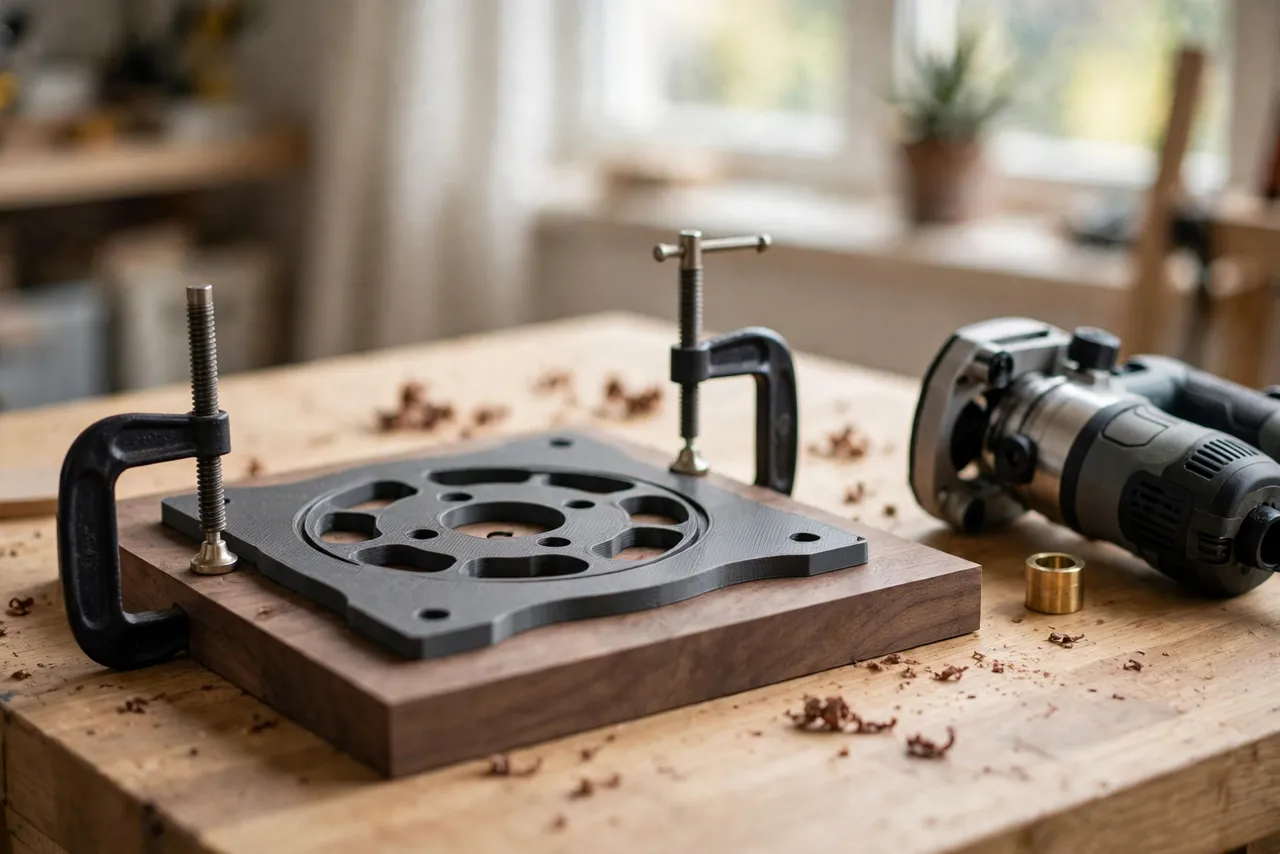
The classic solution is a guide bushing: a brass ring on the router base that follows a template edge, keeping the bit at a fixed offset from the template. Pair that with a printed template, and you get crisp, repeatable pockets — plus a matching inlay cut from a second template that accounts for the same offset. The trick is understanding the offset math once, then letting the templates do the rest.
This guide covers designing, printing, and using your own inlay templates for simple shapes — stars, hearts, circles, and letters — in an original design sized to your router, bushing, and bit. The templates are layout and cutting guides only; they do not restrain the router’s power, so the usual router safety rules still apply in full.
What You Need
Inlay templates are flat, compact parts. Most shapes fit easily on a home printer, and larger templates can be printed in sections and joined.
Materials and tools
- A home 3D printer with a build area of roughly 150 mm in at least one direction
- PETG filament for durable templates, or PLA for a first test version
- A plunge or fixed-base router, a guide bushing set, and a straight bit (6 mm or 8 mm works well)
- Two contrasting woods for practice: a dark board for the pocket and a light board for the inlay
- Double-sided tape or small clamps, a pencil, calipers, and sandpaper
- Wood glue, a small brush, and scrap boards for testing
PETG is the better keeper: it resists the bushing rubbing along its edge far longer than PLA. PLA is fine for proving a shape, but expect its edges to wear faster.
Suggested print settings
- Layer height: 0.16 to 0.20 mm — smooth template edges matter here more than print speed.
- Walls: 4 to 5 perimeters, so the bushing edge stays crisp and does not crumble.
- Infill: 40 to 50 percent, grid or gyroid, so the template stays flat under clamps.
- Top and bottom layers: 4 or more, for a smooth face against the board.
- Orientation: Print flat, board-facing side down, for the flattest contact surface.
- Supports: A flat template needs none.
Print one test shape first and check the pocket and inlay fit on scrap before cutting a project board.

Design Considerations
You can model these templates in any basic CAD program. The geometry is simple, but the offset math must be right.
1. The bushing offset
A guide bushing holds the bit at a fixed distance from the template edge. The offset equals half the difference between the bushing’s outside diameter and the bit’s diameter. For example, a 16 mm bushing with an 8 mm bit gives an offset of 4 mm: the cut edge sits 4 mm inside the template edge.
This single number drives the whole design. The bushing rides against the template edge, so the cut always lands one offset inside that edge. To cut a pocket of exactly the finished shape, the pocket template opening must be the finished shape enlarged by the offset on all sides. The inlay template works in reverse: its opening is the finished shape shrunk by the offset, so the piece cut from it ends up matching the pocket. Work through this carefully with your own bushing and bit sizes before printing — a swapped sign gives a loose or impossible fit.
2. Two templates, one shape
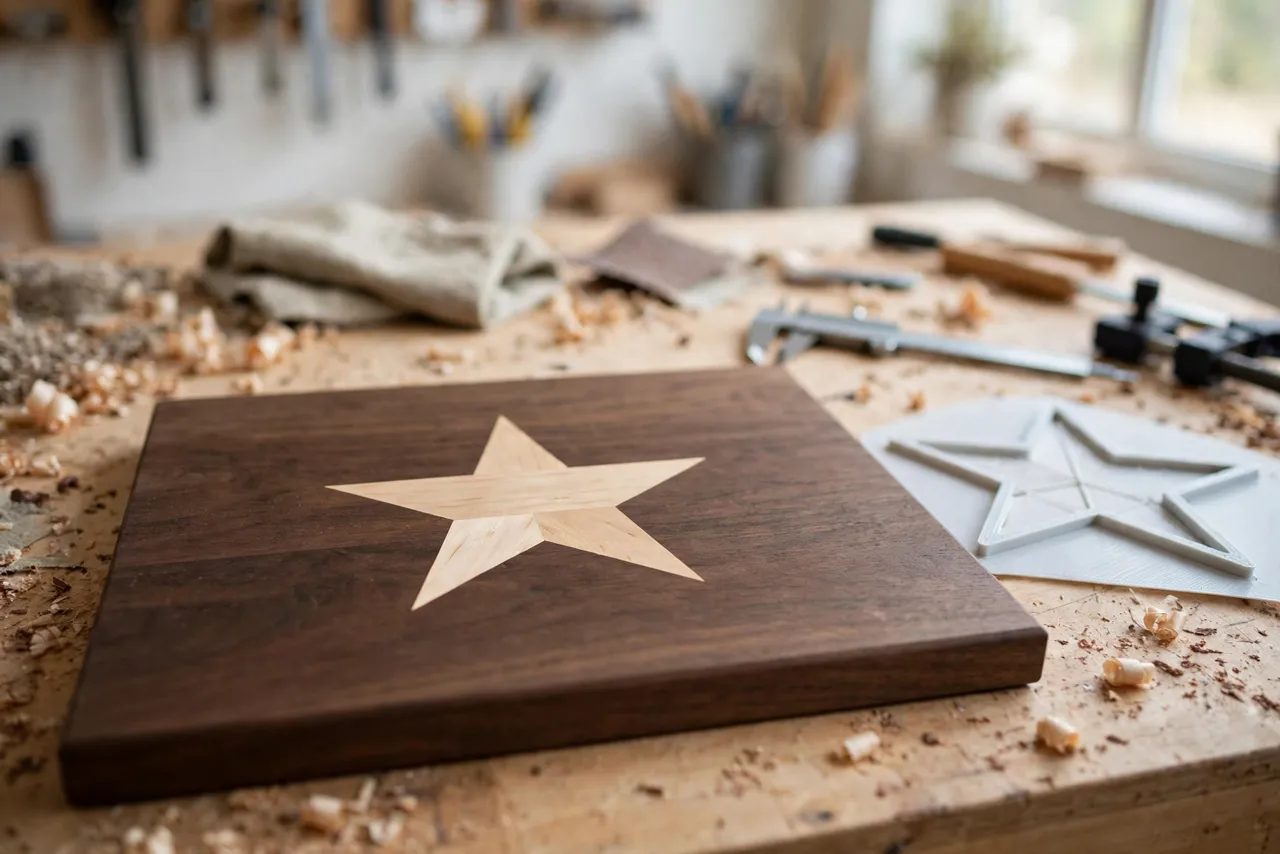
Every inlay needs a pair: a pocket template for the recess in the main board, and an inlay template for cutting the matching piece from contrasting wood. Label them clearly — pocket and inlay — with a paint pen, because they look similar and swapping them ruins both cuts. Print the pair together so they stay matched.
3. Template thickness and edge quality
Make templates 6 to 8 mm thick. Thinner templates let the bushing ride up and over the edge; thicker ones waste plunge depth. Sand the inner edges smooth after printing — any bump in the template edge becomes a bump in the pocket. For shapes with tight inside corners, remember the bit is round: corners will have a radius equal to the bit radius, so either round the design’s corners to match or square them afterward with a chisel.
4. Holding the template still
A template that shifts mid-cut ruins the pocket. Use double-sided tape for small templates — quick and very secure — or small clamps for larger ones, keeping clamps clear of the router’s path. Add a wide outer flange to the template so tape and clamps have somewhere to grip without crowding the shape.
Step-by-Step: Designing and Printing the Template Pair
- Measure your bushing and bit with calipers and calculate the offset: (bushing diameter minus bit diameter) divided by two.
- Draw the finished shape at its true size in your CAD program.
- Draw the pocket template as the finished shape enlarged by the offset on all sides.
- Draw the inlay template as the finished shape shrunk by the offset on all sides.
- Add a flange around each template, at least 20 mm wide, for tape or clamps.
- Print both templates and sand their inner edges smooth, checking for bumps or stringing.
- Test on scrap. Cut a pocket and an inlay, and check the fit dry before gluing.
- Adjust if needed. A loose fit usually means the offset was miscalculated; a tight fit can be eased by sanding the inlay edges lightly. Small iterations are normal.
Keep your offset calculation written on the templates — future you will be grateful.
Step-by-Step: Cutting a Pocket and Inlay
- Mark the inlay position on the main board and tape the pocket template firmly in place.
- Set the router depth to the inlay thickness minus a hair — about 0.2 mm shallow — so the inlay sits a fraction proud and can be sanded flush.
- Rout the pocket in two or three shallow passes, moving steadily clockwise around the template so the bushing stays pressed to the edge.
- Clean the pocket with a brush and check the depth with the inlay piece.
- Tape the inlay template to the contrasting board and rout the inlay piece the same way.
- Test the fit dry. The inlay should press in snugly with light hand pressure. Sand its edges lightly if it binds.
- Glue it in with a thin, even coat, pressing firmly and wiping squeeze-out immediately.
- Sand flush once the glue is fully cured, working through the grits until the inlay disappears into the surface.
Work slowly on the first shape. By the second, the routine feels automatic — and that consistency is what keeps a whole run of inlays looking crisp.
Tips for Better Results
- Start with simple shapes. Circles and stars forgive small errors; fine lettering does not.
- Take shallow passes. Deep single passes burn, chatter, and push the bushing off the template edge.
- Keep the router base flat. Tilting the router changes the cut depth and the offset at the same time.
- Use a sharp bit. A dull bit tears the pocket edge and frays the inlay.
- Sand the inlay’s back flat before gluing so it seats evenly in the pocket.
Common Mistakes to Avoid
- Swapping the offset direction. Pocket enlarged, inlay shrunk — get this backwards and nothing fits. Test on scrap first.
- Using a worn bushing. A scored or out-of-round bushing transfers its flaws to every cut.
- Skipping tape or clamps. A template held by hand shifts, however steady your hands feel.
- Routing the pocket too deep. An inlay sunk below the surface cannot be sanded flush — it stays a visible dip.
- Forgetting bit radius in corners. Sharp inside corners need a chisel finish; a round bit cannot cut them.
Care, Storage, and When to Choose an Alternative
Brush off dust, store templates flat in a labeled envelope or hung from a peg, and keep PLA away from hot cars and radiators. If a template edge wears or chips, reprint it — a worn edge quietly degrades every pocket after it.
Sometimes a manufactured template is better. If you cut the same inlay commercially, work in hardwoods that wear plastic edges quickly, or need brass template guides for a production run, metal templates will outlast plastic and hold tighter tolerances. For home projects, gifts, and one-off designs, printed templates are faster, easy to customize, and accurate enough.
FAQ
Can I use any router with these templates?
Yes, as long as your router accepts a guide bushing and you know the bushing’s outside diameter. Measure it with calipers — nominal sizes can differ from actual sizes by enough to matter.
Is PLA strong enough, or do I need PETG?
For a few test cuts, PLA is strong enough and great for proving a shape. PETG is the better keeper because its edges resist bushing wear far longer. Either way, generous walls and smooth sanded edges matter more than the name on the spool.
Why does my inlay fit loosely even though I followed the offset math?
Usually the bushing or bit size was nominal rather than measured, or the template edge has a bump or stringing that changed the effective offset. Measure both with calipers, sand the template edges, and re-test on scrap.
Can I inlay shapes larger than my printer?
Yes. Split the template into sections with interlocking joints or alignment pins, print them separately, and glue or tape them together on a flat board. Check the assembled template’s edges with a straightedge before cutting.
Conclusion
A sloppy inlay is usually not a skill problem. It is an offset problem, and that is exactly what a printed template pair solves. With the bushing math worked out once and two templates cut to match, pockets come out crisp and inlays drop in snug, shape after shape.
Print a pair for a simple shape, test it on scrap, and the next board you decorate gets a detail that looks far harder than it was.
If you enjoy router jigs, you may also like “3D Printed Router Circle Cutting Jig for Perfect Circles in Panels, Signs and Tabletops” and “3D Printed Router Edge Guide: Follow Any Edge Without Wandering,” which pair naturally with these templates for a complete router setup.