Introduction
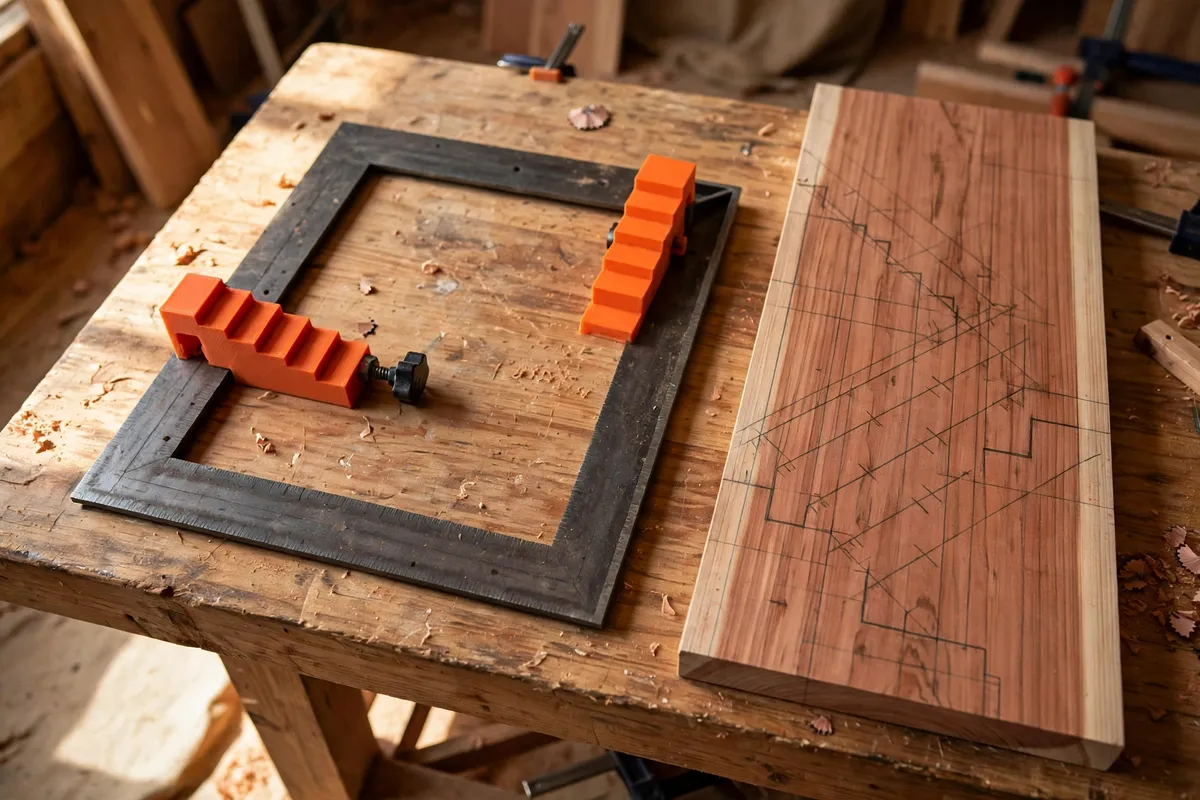
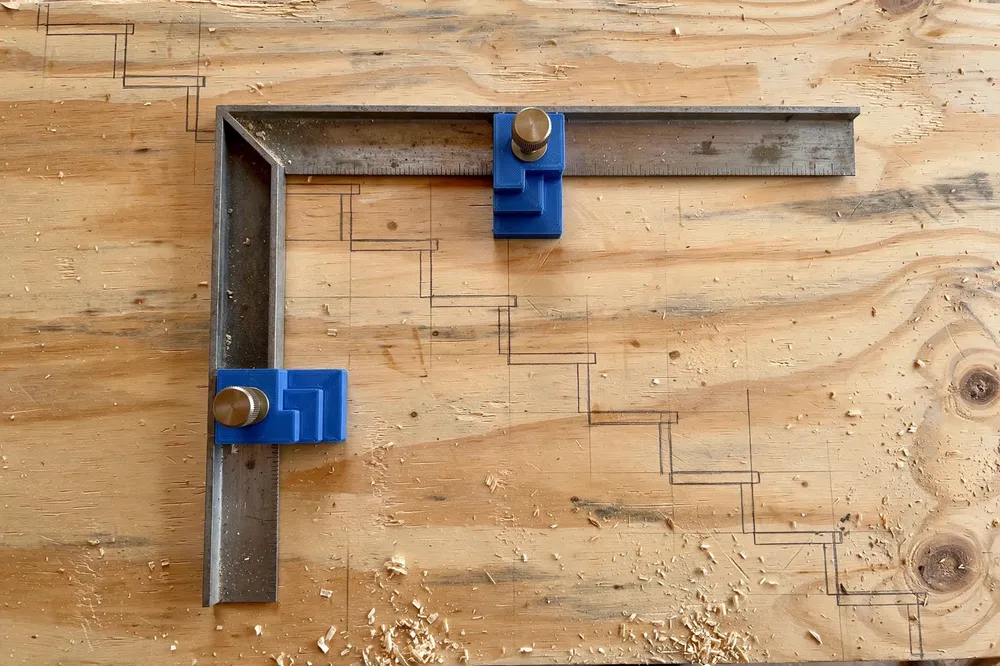
Laying out a stair stringer with a framing square is satisfying work right up until the square slips a fraction on the ninth step and every mark after it drifts. Stair gauges solve that. They are small clamps that lock onto the tongue and blade of the square at your rise and run measurements, so the square stops at exactly the same position every time you slide it along the board. Step, mark, slide, mark — the gauges turn a fiddly layout into a rhythm.
Commercial stair gauges are simple things, but they are easy to lose, and the cheap ones loosen just when you lean on them. Printing your own pair costs pennies in filament, lets you size the clamp slot to your exact square, and means a lost gauge is a twenty-minute reprint instead of a trip to the store. Because a framing square is also the classic rafter layout tool, the same pair of gauges earns its keep on roof framing, deck stairs, and even repeated shelf-notch layouts.
This guide covers designing, printing, and using a pair of printed stair gauges that grip firmly, read clearly, and stay set all day.
What You Need
This is a small, quick print. Accuracy matters more than size, so measure your square before you model anything.
Materials and tools
- A home 3D printer in good calibration — dimensional accuracy matters on this project
- PETG filament for a workshop-proof pair, or ASA if the gauges will live in a hot site box
- Your framing square, to measure the blade and tongue thickness precisely
- A pair of calipers for measuring the square and checking the printed slot
- Two short machine screws or thumb screws (M4 or M5) for the clamping bolts
- Two matching heat-set threaded inserts, or a design that uses captive hex nuts instead
- A pencil, a tape measure, and a straight board to practice your first layout on
- Your stair numbers: total rise, total run, and the unit rise and run for one step
Skip PLA for site work: a gauge left on a hot dashboard or sunny scaffold can soften and lose its grip. PETG shrugs off workshop life.
Suggested print settings
- Layer height: 0.16 to 0.2 mm for a clean, accurate slot.
- Walls: 4 to 5 perimeters — the clamp ears flex and need the strength.
- Infill: 50 percent or more, gyroid or grid. These are small parts; print them nearly solid.
- Top and bottom layers: 4 or more.
- Orientation: Print flat on the bed with the slot opening horizontal, so the clamp tightens across strong layers.
- Supports: Design the slot as a clean bridge and you should need none.
Design Considerations
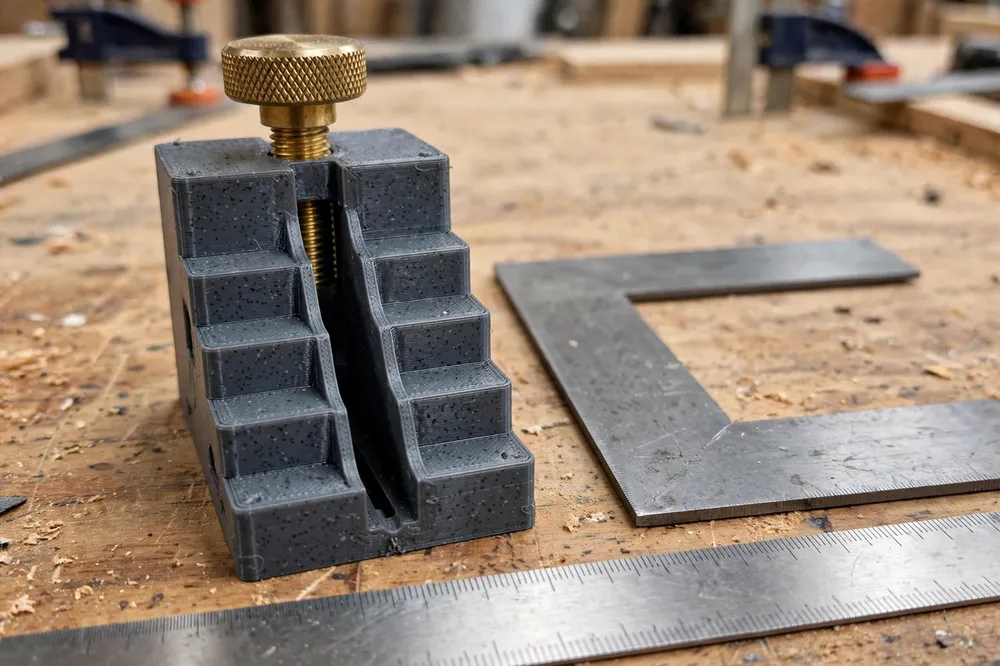
A stair gauge is basically a block with a slot that slides over the edge of the square, plus a screw that pinches the slot shut. The details below decide whether yours feels like a precision tool or a loose toy.
1. Size the slot to your actual square
Framing squares are not all the same thickness. Most steel squares run about 2 mm thick on the blade, but aluminum and worn steel squares vary. Measure yours with calipers in three places, then model the slot about 0.2 to 0.3 mm wider than the thickest reading. That clearance lets the gauge slide freely when the screw is backed off, and disappear when you clamp down.
Make the slot deep enough to swallow at least 25 mm of the blade width. A shallow slot lets the gauge rock, and a rocking gauge is a moving stop — the opposite of what you want.
2. A clamp that tightens without cracking
The classic failure of a printed clamp is a split ear. Avoid it by putting the screw close to the slot’s open end, keeping at least 4 mm of plastic around the insert, and adding generous fillets where the ears meet the body. A heat-set insert gives you metal threads that survive hundreds of tightenings; a captive hex nut pocket is a fine no-insert alternative.
A knurled thumb knob on the screw makes the gauges genuinely one-handed tools. Model the knob as part of a printed cap that presses over the screw head, or print the whole thumb screw with the thread — printed threads in PETG work surprisingly well for this light duty.
3. A long, honest reference face
The face of the gauge is what registers against the edge of your board. Make it long — 40 mm or more — and perfectly flat. A longer face resists tipping and gives you a stop you can trust when you bump the square against it. Slight rounding on the outer corners keeps the gauge from snagging as you slide the square along rough lumber.
4. Print a matched pair, and mark them
Stair gauges work in pairs, one on the tongue for the rise, one on the blade for the run. Print both in the same session with the same settings so they behave identically. An embossed dot or stripe on one gauge helps you grab the right one without thinking once they are set at different positions.
Step-by-Step: Printing and Assembly
- Measure your square. Record the blade and tongue thickness with calipers.
- Model the gauge: a block with a slot 0.2 to 0.3 mm wider than your square, a clamping ear, and a long flat reference face.
- Slice with accuracy settings — 0.16 to 0.2 mm layers, at least 4 walls, 50 percent infill.
- Print a single test gauge first. Fit it to the square before printing the second.
- Check the fit. It should slide with light finger pressure when loose and lock dead solid with a quarter turn of the knob.
- Adjust if needed. A slot that is too tight usually means your printer over-extrudes slightly; widen by 0.1 mm and reprint rather than forcing it.
- Fit the hardware. Melt in the heat-set inserts with a soldering iron on low heat, or press the captive nuts into their pockets.
- Add the thumb knobs and run the screws in and out a few times to seat the threads.
- Print the second gauge once the first fits perfectly, using the same file.
Step-by-Step: Laying Out a Stair Stringer
- Work out your numbers. Divide total rise by your target unit rise to get the number of steps, then adjust so every step is identical. Note the unit rise and unit run.
- Set the rise gauge on the tongue of the square at the unit rise figure, and clamp it snugly.
- Set the run gauge on the blade at the unit run figure.
- Position the square on the stringer board so both gauges rest firmly against the board’s edge and the rise and run marks meet the edge exactly.
- Trace both edges of the square with a sharp pencil.
- Slide the square along until the rise mark of the new position meets the run mark of the last, butt the gauges to the edge again, and trace.
- Repeat to the end of the stringer, checking every few steps that the gauges have not crept.
- Double-check the first and last steps against your totals before any saw comes out — layout is cheap, stringers are not.
The same setup serves rafter layout: set the gauges to the roof’s rise over its 12-unit run, and step off the rafter length the same way.
Tips for Better Results
- Clamp, then tug. After setting each gauge, give it a firm pull. If it moves now, it would have moved mid-layout.
- Use a sharp pencil or a marking knife. Layout accuracy dies in a fat pencil line; if you like knife lines, our guide “3D Printed Marking Gauge and Scriber Guides for Accurate Layout Lines in Wood Repairs” pairs beautifully with these gauges.
- Keep the gauges on the square. Stored clamped in place, they are never lost and always a pair.
- Print a spare set in a bright color. Small dark tools vanish in site clutter; orange gauges do not.
- Re-check calibration after a drop. A gauge that has been stepped on may have a bent screw — test it on the square before trusting it.
Common Mistakes to Avoid
- Modeling the slot from a catalog dimension. Squares vary; measure yours or the gauge will wobble or refuse to fit.
- Over-tightening the clamp. Snug is enough. Cranking the knob splits ears and bows the slot.
- Printing in PLA for site work. Heat softens it and the clamp relaxes right when you need it.
- Trusting the first layout blindly. Always check your stepped-off total against the measured total rise and run before cutting.
- Using one gauge and a fingertip for the other stop. The whole point is two fixed stops; a finger is not one.
Care, Storage, and When to Choose an Alternative
Care is minimal: brush off dust, keep the screws clean, and store the pair clamped to the square or in a small pouch. Check the slot fit each season — a worn gauge that rocks should be retired and reprinted.
If you do layout work daily in a trade setting, machined brass gauges are worth their price for sheer durability. For shop and site DIY work — stairs, deck steps, rafters, and one-off stringers — a well-printed PETG pair is accurate, dependable, and effectively disposable if lost.
FAQ
How accurate are 3D printed stair gauges compared to metal ones?
Just as accurate in use. Layout accuracy comes from the square, the stop faces, and your marks, not the gauge material. A printed gauge with a flat reference face and a firm clamp holds the square to the same position within a pencil line, every time.
What size screw and insert should I use?
M4 or M5 hardware is a good match for a typical gauge body. Use heat-set inserts for metal threads that last, or design a captive hex nut pocket if you do not have inserts. Keep the screw short so it does not poke through and scratch the square.
Can I use stair gauges for rafters as well as stairs?
Yes. Set one gauge to the unit rise of the roof pitch and the other to the 12-inch (or 300 mm) unit run, then step off the rafter the same way you step off a stringer. The gauges do not care what the layout is for.
Why do my gauges creep along the square as I work?
Either the slot is too loose a fit for your blade, the clamp is under-tightened, or the slot faces are contaminated with dust or finish. Clean the square, check the fit, and tighten snugly. If the slot has worn, reprint — it is a short print.
Conclusion
Stair gauges are one of those tiny tools that quietly remove an entire class of errors. A printed pair, sized to your own square and clamped with real hardware, makes stair and rafter layout repeatable instead of hopeful.
Measure your square, print a matched pair, and let the stops do the remembering.
If layout tools are your thing, you may also enjoy our guide “3D Printed Marking Gauge and Scriber Guides for Accurate Layout Lines in Wood Repairs,” another small print that pays for itself in accuracy.