Introduction
Drywall patches fail at the outline. A ragged hole needs a ragged patch, and a ragged patch needs layers of compound, feathering, and sanding to hide — and often still shows under raking light. A clean, regular hole, on the other hand, takes a clean, regular patch, and the repair all but disappears after one or two coats.
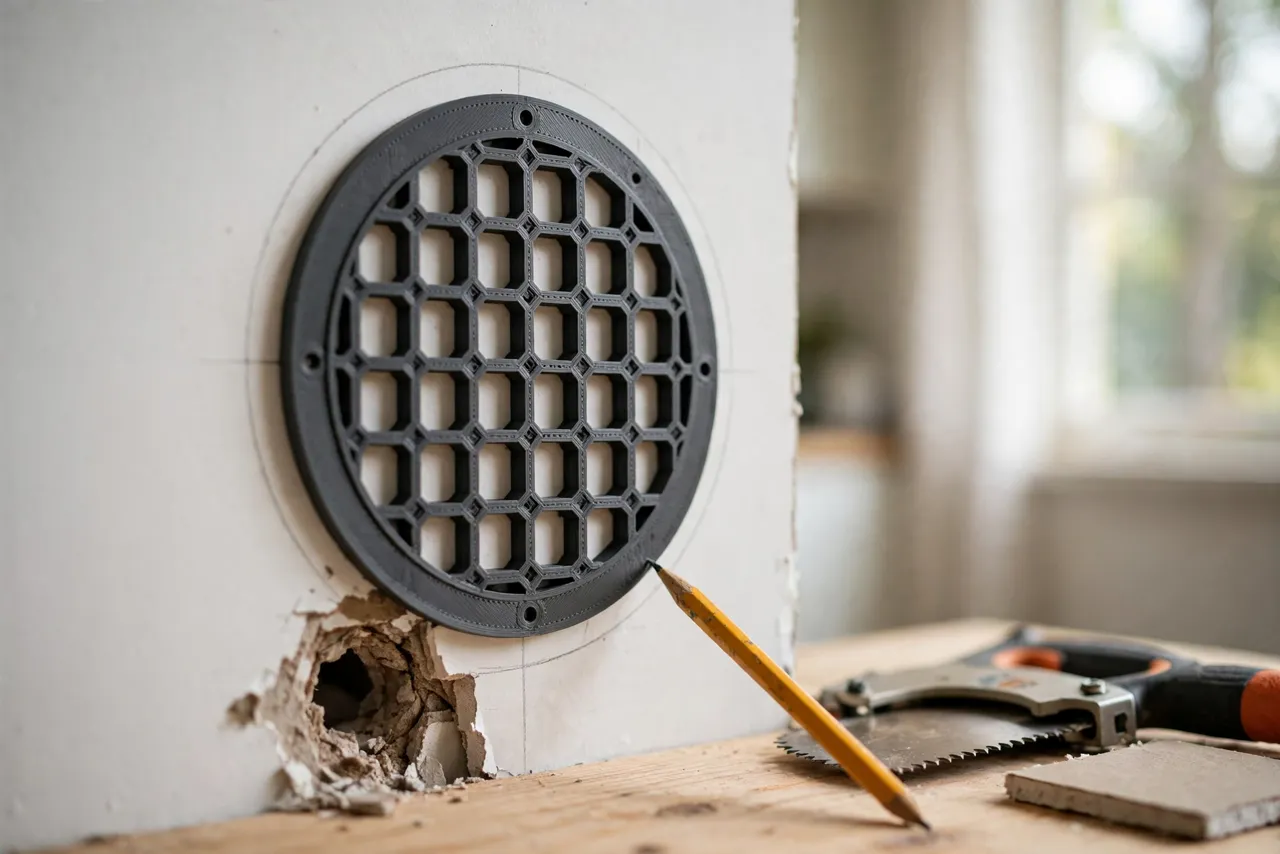
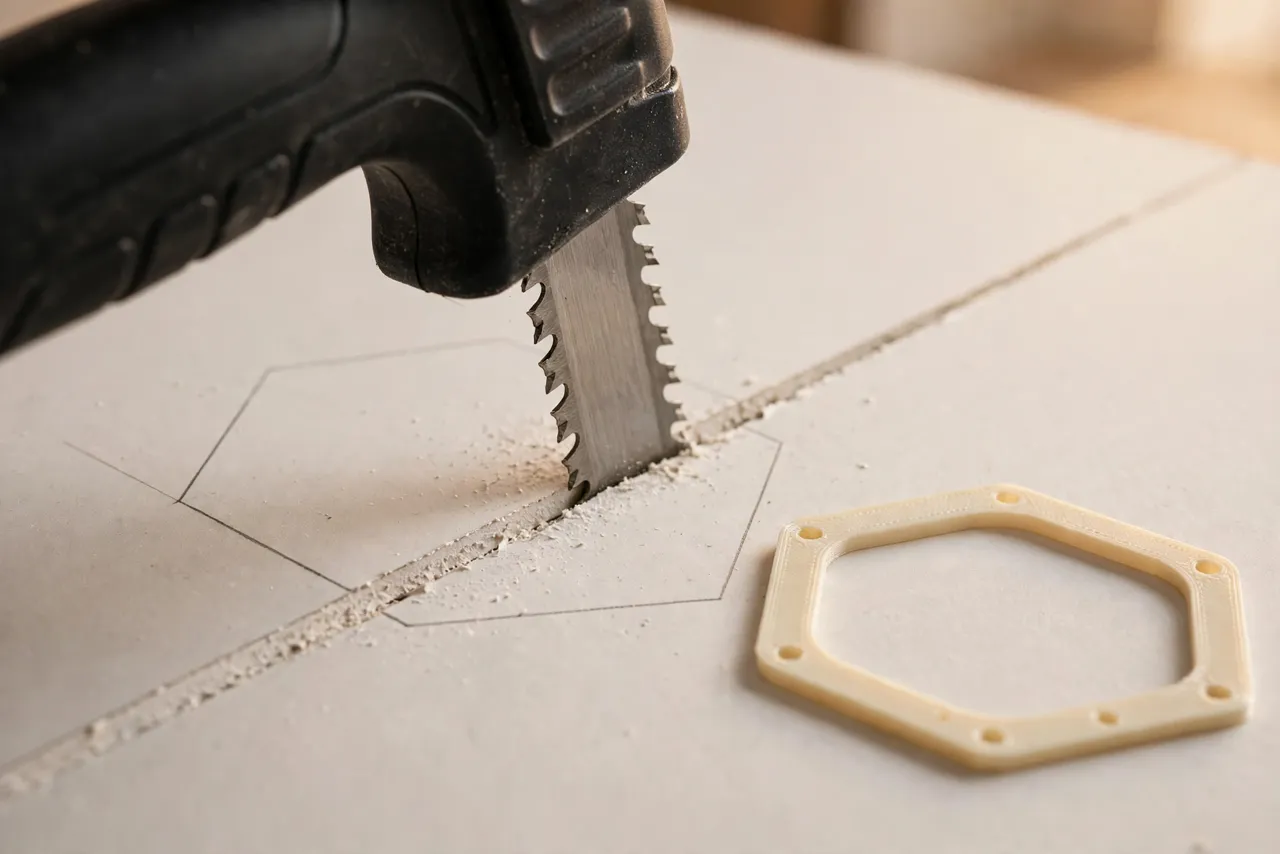
The trouble is cutting that clean hole freehand. A jab saw wanders, especially on the backstroke, and a damaged area is rarely a neat rectangle to begin with. A 3D printed drywall patch cutting template is a flat frame — rectangle, circle, or any shape you model — that you trace around the damage, cut along, and use to mark the patch piece to the identical shape. Same template, same shape, both sides of the repair.
This guide covers designing, printing, and using your own templates. It is a layout and cutting guide only. Before cutting any wall, check what is behind it — wiring, plumbing, and studs are not places to saw blindly. If you are unsure what is in the wall, stop and investigate with a stud finder and a small inspection hole first.
What You Need
Templates are flat frames, usually 150 to 300 mm across, so most printers can make common sizes; very large templates can be printed in sections and joined. You need basic drywall repair supplies alongside the template.
Materials and tools
- A home 3D printer and PLA or PETG filament (either works; the template takes no load)
- A drywall jab saw, a sharp utility knife, and a pencil
- A stud finder and a small flashlight for checking behind the wall
- A drywall offcut for the patch, plus backing strips or a patch support clip
- Drywall screws, joint compound, joint tape, a putty knife, and sandpaper
- A drop cloth, dust mask, and safety glasses
Keep the template set with your drywall tools. A template buried in a drawer does not help when a doorknob punches through the wall.
Suggested print settings
- Layer height: 0.20 mm for clean tracing edges.
- Walls: 3 to 4 perimeters.
- Infill: 20 to 40 percent, grid or gyroid — the template needs stiffness, not strength.
- Top and bottom layers: 4 or more.
- Orientation: Print flat for the flattest tracing face.
- Supports: None for a flat frame design.
Print one small template first and check that its edges trace cleanly and its corners are square before printing larger sizes.
Design Considerations
A patch template is a frame whose inner edge is the cutting line. The design choices are about shape, registration, and reuse.
1. Shape selection
Rectangles are the workhorse: they are easy to cut, easy to back with support strips, and easy to tape. Circles suit round damage like old fixture holes and need a different patch technique, usually a backing plate. For irregular damage, model a template that encloses the whole damaged area in the smallest clean shape that covers it — do not try to trace the ragged damage itself.
Keep a set of common sizes: small (about 100 mm), medium (about 200 mm), and large (about 300 mm). Three templates cover the vast majority of home patches.
2. The tracing edge
The inner edge of the frame is the line you trace and cut along, so it must be clean, square, and free of print artifacts. A wall thickness of 8 to 12 mm gives a stable edge to run a pencil along without the template flexing. Add small finger cutouts on the outer edge so you can hold the template flat against the wall while tracing.
3. Patch marking
The same template marks the patch piece. Lay it on a drywall offcut, trace the inside edge, and cut the patch to that line. Because wall and patch share one template, they share one shape — which is the entire trick. Mark the template’s orientation (a small arrow or “top” mark) so the patch goes in the same way up if the shape is not symmetric.
4. Backing and support
A patch needs something behind it to screw into. For rectangular patches, wooden backing strips screwed to the existing wall inside the hole are the standard approach. For small holes, self-adhesive mesh patches or a backing plate work. The template does not provide backing, but its clean rectangular hole makes backing strips easy to fit — straight edges take straight strips.
Step-by-Step: Printing and Assembly
- Decide your template sizes — small, medium, and large rectangles cover most repairs.
- Model each frame with a clean inner edge, finger cutouts, and an orientation mark.
- Print the small template first and check tracing quality on cardboard.
- Print the remaining sizes, cleaning up inner edges by hand if needed.
- Test the full workflow on scrap drywall: trace, cut the hole, trace the patch, cut the patch, and test the fit.
- Label each template with its size and store the set together.
If a template edge has a bump from printing, sand it flat. A bump in the template becomes a bump in every hole and patch you trace from it.
Step-by-Step: Using the Template
- Inspect the damage and the wall. Find studs with a stud finder and check for wiring or plumbing near the cut area. Keep the cut clear of both.
- Choose the smallest template that covers the damage with a margin of sound drywall all around.
- Hold the template flat against the wall over the damage and trace the inside edge with a pencil. Keep the template still — a shifting template gives a doubled line.
- Cut along the traced line with a jab saw, starting with a small starter hole inside the line. Cut steadily and let the saw do the work; forcing it tears the paper face.
- Remove the damaged piece and clean the hole edges. Trim any torn paper facing flush.
- Fit backing strips inside the hole, screwed to the existing drywall on opposite sides, so the patch has something to screw into.
- Mark the patch piece by tracing the same template on a drywall offcut, and cut it to the line.
- Test-fit the patch. It should sit in the hole with a small, even gap all around — snug, not forced.
- Screw the patch to the backing strips, then tape the joints, apply compound in thin coats, let each coat dry, and sand smooth between coats.
Thin coats are the secret to an invisible repair. One thick coat shrinks, cracks, and needs more sanding than three thin ones.
Tips for Better Results
- Cut the hole slightly larger than the damage, not just to it. Sound drywall around the patch holds screws and tape far better than crumbling edges.
- Score the paper face with a utility knife before sawing. A scored line reduces tear-out on the wall face.
- Keep the patch gap small and even. A gap under about 3 mm tapes and compounds cleanly; a wide gap needs filling first.
- Feather compound wide. A repair that is flat but has a hard edge still shows. Feather each coat wider than the last.
- Prime before painting. Joint compound absorbs paint differently from the wall face, and unprimed patches flash through the finish coat.
Common Mistakes to Avoid
- Cutting without checking behind the wall. Wiring and plumbing do not forgive a blind saw cut. Inspect first, every time.
- Tracing a wandering template. Hold it flat and still, or tape it to the wall for the tracing step.
- Forcing an oversized patch. A patch that needs hammering in crushes edges and cracks the surrounding wall. Trim it instead.
- Skipping backing. A patch screwed to nothing flexes, cracks the compound, and fails within months.
- Applying compound too thick. Thick coats shrink and crack. Thin coats, fully dry between applications, are faster in the end.
- Sanding too aggressively. Sanding through the joint tape or into the drywall paper creates a new repair on top of the old one.
Care, Storage, and When to Choose an Alternative
Brush off drywall dust, store templates flat in a set, and keep PLA versions away from heat. If an edge gets nicked, sand it smooth or reprint — a nicked template traces a nicked hole.
Sometimes a commercial patch kit is the better choice. For tiny holes, self-adhesive mesh patches are faster than a template workflow, and for very large repairs, a full sheet section with proper stud backing beats any patch method. For the common middle range — doorknob holes, medium dents, and old fixture openings — a printed template gives the cleanest hole and the best-fitting patch for almost no cost.
FAQ
What is the best patch shape?
A rectangle, for most repairs. Straight edges are easy to cut, back, tape, and compound. Circles suit round holes but need a backing plate technique, and irregular shapes are harder to tape invisibly.
How big a hole can I patch with a template?
Templates work well up to about 300 to 400 mm. Beyond that, cut back to the nearest studs on both sides and fit a proper drywall section screwed to framing, which is stronger and simpler than a giant floating patch.
The patch fits but the wall face is not flush. What went wrong?
Usually the patch drywall is a different thickness from the wall, or the backing strips sit proud. Match the patch thickness to the wall — walls are commonly 12.5 mm — and set backing strips slightly recessed so the patch face sits flush.
Can I reuse one template for many patches?
Yes, that is the point. A set of three sizes handles most of a house’s repairs for years. Replace a template only when its tracing edge gets damaged.
Conclusion
An invisible drywall repair starts before the compound comes out — it starts with a clean hole and a patch cut to match it exactly. A printed template makes both of those cuts repeatable instead of hopeful, and the finishing work gets dramatically easier as a result.
Print a small, medium, and large set, keep them with your drywall tools, and check behind the wall before every cut. If the wall job also involves trim or hardware, our related guide, “3D Printed Picture Hanging Jig: Mark Perfect Positions Every Time, No Extra Holes,” is a good companion for the finishing touches once the wall is smooth again. For the cutting itself, 3D Printed Drywall Saw Handle: A New Handle for a Jab Saw covers a comfortable grip for the saw you will use with this template.