Introduction
Ask cabinetmakers how a project went wrong and the tape measure takes most of the blame. Not because it lies exactly — but because every number you read, write down, and re-measure somewhere else is a chance to be off by a few millimeters. Read 612, write 621, cut 612 again in the wrong place, and a shelf that should have slid in now rattles or will not fit at all.
Traditional woodworkers solved this with the story stick: one plain stick per project, marked directly from the real cabinet, carrying every dimension as physical lines. No numbers to transpose, nothing to misread.
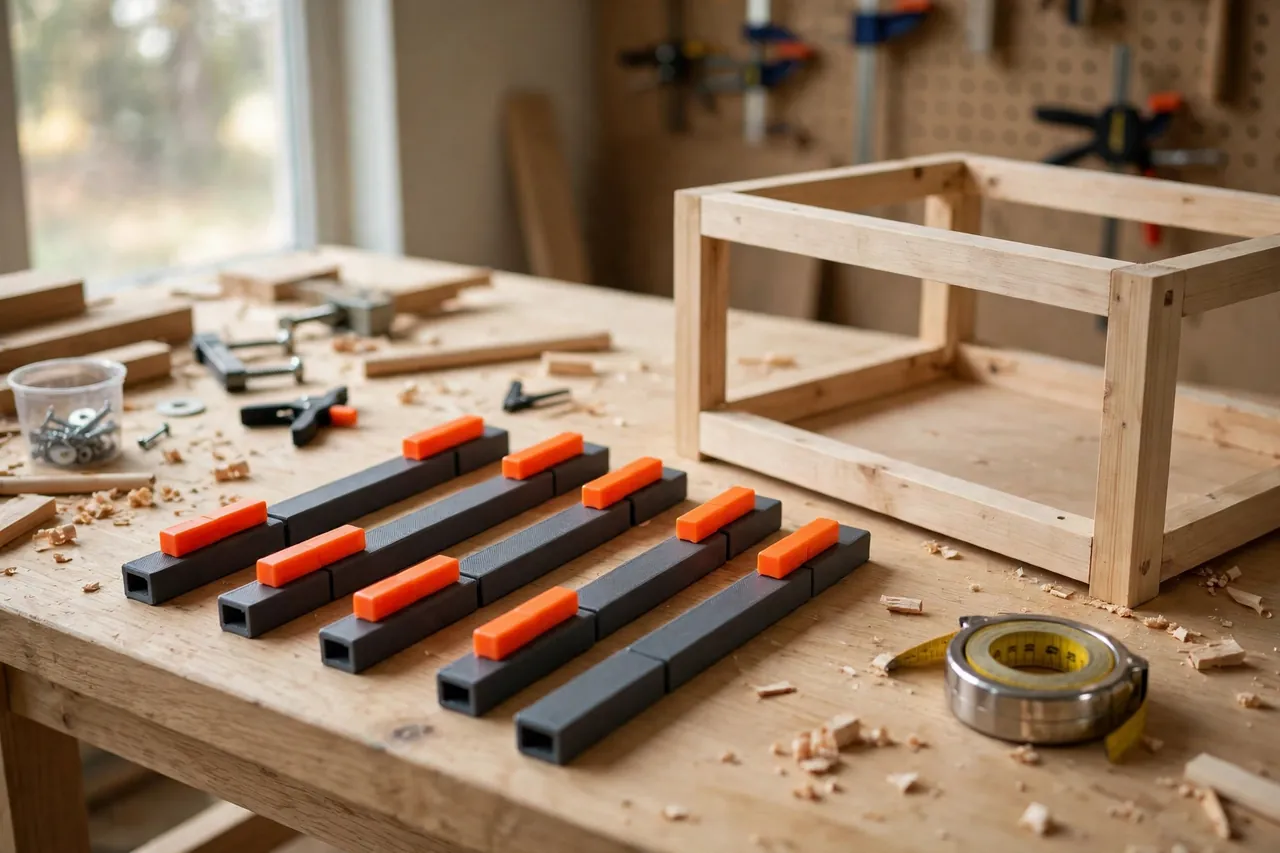
A 3D printed story sticks system takes that proven idea and makes it reusable. Instead of a new scrap stick for every job, you print interlocking segments and sliding markers once. Set the markers from the actual opening, lock them, and carry exact shelf heights, rail positions, and door reveals from the cabinet to the saw without a single written number.
This guide covers designing, printing, and using the system for cabinets, shelving, and built-ins. The sticks are measuring and transfer aids only — they carry marks, not loads — and that simple job is exactly what plastic does well.
What You Need
The system is a handful of straight segments, connectors, and markers. Print a starter kit once and it serves every cabinet project afterward.
Materials and tools
- A home 3D printer with a build area of roughly 180 to 220 mm in one direction for useful segment lengths
- PLA filament for stiff, straight segments, or PETG for a set that travels to jobs
- The cabinet or opening you are fitting, to set markers from directly
- A pencil or marking knife for transferring positions to workpieces
- A small square to carry marks across board faces
- Calipers to check segment and marker fit during test prints
- A storage tube, long drawer, or wall clips to keep segments straight between jobs
PLA is the better default: it prints straighter and stays rigid, which is everything in a measuring tool. Store the finished sticks flat or hanging straight — a stick stored leaning in a hot corner will eventually hold that lean.
Suggested print settings
- Layer height: 0.20 mm is fine; straightness comes from design, not fine layers.
- Walls: At least 4 perimeters on segments, so they resist bending and the marker channel stays true.
- Infill: 30 to 50 percent, aligned or grid. Keep infill even along the length to avoid uneven stiffness.
- Top and bottom layers: 4 or more, for a smooth reference face against the work.
- Orientation: Print segments flat and straight on the bed, long axis along the bed’s most accurate direction.
- Supports: None if you keep the profile simple. Avoid overhangs in the marker channel.
Print one segment and two markers first, test the sliding fit, and scale the rest of the kit from a proven profile.

Design Considerations
A story stick system lives or dies on straightness, marker fit, and how honestly it handles real, slightly imperfect cabinets.
1. Segments that join dead straight
Design segments around 200 to 250 mm long so they print flat without warping, with a tongue-and-socket connector at each end. The joint needs 0.3 to 0.4 mm clearance — snug enough that joined segments feel like one stick, loose enough to separate without tools. Join three segments and sight down the length; any visible kink means the connector needs another pass.
2. Markers that slide, then stay
The markers are the heart of the system: small collars or clips that slide along the stick and lock at a position. A printed flex tab, a slight taper, or a thumbscrew through a heat-set-free printed thread all work. Aim for a marker that moves with a firm push, holds under handling, and presents one crisp reference edge — a pointed or windowed edge you can align exactly and transfer exactly. Print markers in a bright contrasting color so positions read at a glance and a missing marker is obvious.
3. Two scales of work
Cabinet work needs both overall dimensions and incremental ones, like equal shelf spacing. Join enough segments to span the opening for the first. For the second, set end markers to the opening, then space middle markers by sliding and comparing, rather than doing division on a tape. Equal spacing set by comparison is almost impossible to get wrong.
4. Mark the system itself
Give each segment an embossed number and one clear reference face. Always work from the same face and the same end, and your transfers stay consistent even if a segment is a hair off perfect.
Step-by-Step: Printing and Assembly
- Print a test segment and two markers. Check the marker slide: firm, smooth, no rocking.
- Adjust the fit. If markers bind, open the channel by 0.2 mm. If they drift, tighten it or deepen the locking tab.
- Print your kit. A practical starter kit is six segments, two end caps, and eight to ten markers.
- Join and check the full length. Assemble the longest run you will need, sight for straightness, and lay it against a known straight edge or factory board edge.
- Clean every joint. Remove stringing and bed-adhesion brims completely — a whisker at a joint becomes a kink at full length.
- Number the segments if you did not emboss numbers, and mark the reference face with a paint pen line.
- Make storage. A cardboard tube, a length of pipe, or two wall clips keep the kit straight and findable.
Step-by-Step: Using Story Sticks for a Cabinet
- Assemble the carcass or measure the finished opening. Story sticks work from reality, so start from the built cabinet or the actual alcove, never from the plan’s numbers.
- Build a stick to span the interior. Join segments until the stick fits snugly between the cabinet’s sides or top and bottom, trimming the last gap with a short segment.
- Set end markers flush with each end of the interior. These are your fixed references — everything else is relative to them.
- Set working markers for shelf positions, hinge locations, or rail heights, sliding them by eye, by comparison, or from one measured dimension used once, carefully.
- For equal spacing, compare, do not calculate. Space middle markers by sliding them until the gaps match by eye, then refine with a scrap spacer block used between each pair in turn.
- Lock everything and double-check by re-offering the stick to the opening. Markers should still kiss the same points.
- Transfer to your workpiece. Lay the stick on the shelf board or door, align the end marker, and knife or pencil each marker’s edge across the work.
- Cut to the transferred marks, then offer the stick to the cut piece as a final check before assembly.
- Leave the stick set up until the cabinet is installed. If a door needs remaking next week, your dimensions are still physically stored.
Tips for Better Results
- Always transfer, never convert. The moment you turn a marker position into a number “for the record,” reintroduce the errors the system exists to kill. Photograph a set-up stick if you need a record.
- Set markers from the work, at the work. Carry the stick to the cabinet rather than measuring the cabinet and carrying numbers to the stick.
- Complement, do not replace, your square. For carrying a transferred mark around a board, you may also enjoy our related guide, “3D Printed Center Finder: Mark Exact Centers on Boards, Dowels and Panels Every Time,” which pairs naturally with stick work on doors and panels.
Common Mistakes to Avoid
- Setting the stick from plan dimensions. The plan is not the cabinet. Walls bow, carcasses rack slightly; the stick must learn from the built thing.
- Letting markers creep. Check marker positions against the opening again right before transferring. One bumped marker silently moves a shelf.
- Joining segments loosely. Sloppy connectors stack up into real error at full length. Reprint a worn connector rather than shimming it.
- Storing sticks leaning or in heat. A bent stick is worse than no stick, because it still feels authoritative. Store flat, straight, and cool.
- Mixing reference faces. Flipping a stick end-for-end or face-for-face mid-job can shift transfers. Always work from the marked face and end.
Care, Storage, and When to Choose an Alternative
Brush dust from the marker channels, keep segments stored straight, and keep PLA kits out of hot vehicles and direct sun. A segment that no longer sights straight should be retired and reprinted — the file is the permanent part of this system.
For one quick shelf, a scrap of wood and a pencil remain a perfectly good story stick. Where the printed system wins is repetition: kitchens and shelving runs where the same kit carries from cabinet to cabinet with nothing to misread.

FAQ
How accurate is a printed story stick compared with a tape measure?
More accurate in practice, because most tape errors are human — misreading, transposing, measuring from a hooked end that wobbles. A stick transfers a physical position directly, and repeats identically every time you use it.
How long a cabinet can the system span?
As long as you print segments for. Six 220 mm segments span over 1.3 meters joined. For very long built-ins, work in two overlapping sections with a shared marker position.
Can I use story sticks for drawers and doors too?
Yes — they are ideal for them. Set markers for drawer heights from the cabinet’s runners, and for door reveals from the installed carcass. Overlay doors fit better transferred from the real opening than calculated from nominal dimensions.
What if my cabinet is not square?
Then the stick is your best friend. Measure heights at the actual left and right positions with markers set at each end, transfer both, and your shelf or door will match the real, slightly imperfect opening instead of an imaginary square one. Slightly tapered parts that fit beat perfectly square parts that jam.
Conclusion
Cabinet accuracy is rarely about better measuring tools. It is about fewer chances to misread, misremember, and mis-cut — and that is exactly what a story stick removes. A reusable printed system keeps the old workshop wisdom and drops the only downside, which was making a fresh stick for every job.
Print a test segment, prove the marker fit, and build the kit. On your next cabinet, set the stick from the real opening and let the numbers stay out of it.
For the drilling that follows good layout, our guide “Shelf Pin Drilling Jig: 3D Print a Cabinet Shelf Jig for Perfectly Even Pin Holes” turns your transferred shelf heights into perfectly matched pin holes, and “3D Printed Marking Gauge and Scriber Guides for Accurate Layout Lines in Wood Repairs” will sharpen every other line you strike in the workshop.