Introduction
A track saw and guide rail will cut a beautifully straight line. What they will not do on their own is cut the same width twice. Rip six strips for cabinet sides, drawer boxes, or shelving, and the usual routine is measure, mark, align, clamp, cut — then measure, mark, align, and clamp all over again for strip two. By strip five, one of them is quietly two millimeters narrower, and you find out at assembly.
Cabinet work punishes that drift: two sides differing by a whisker rack a whole box. The cut quality was never the problem; the repeated measuring was.
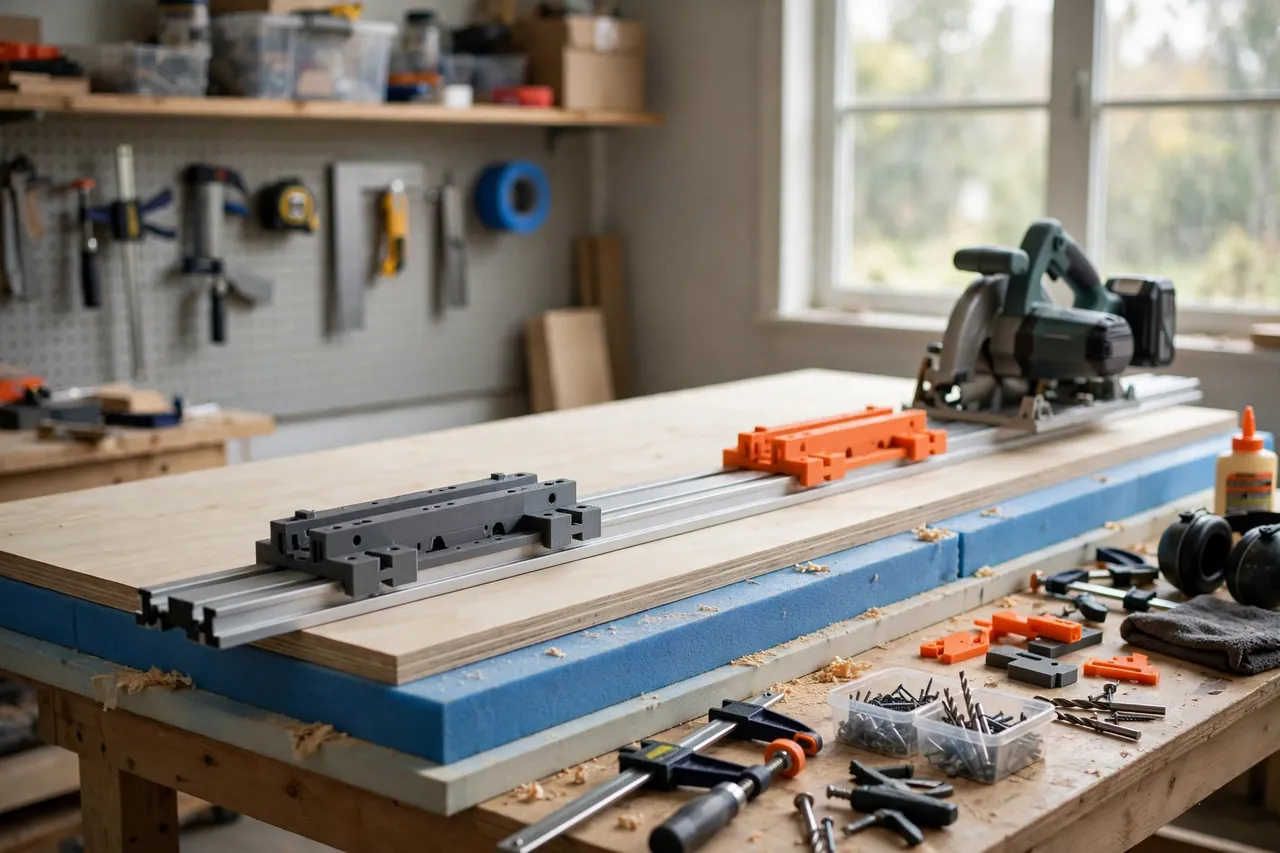
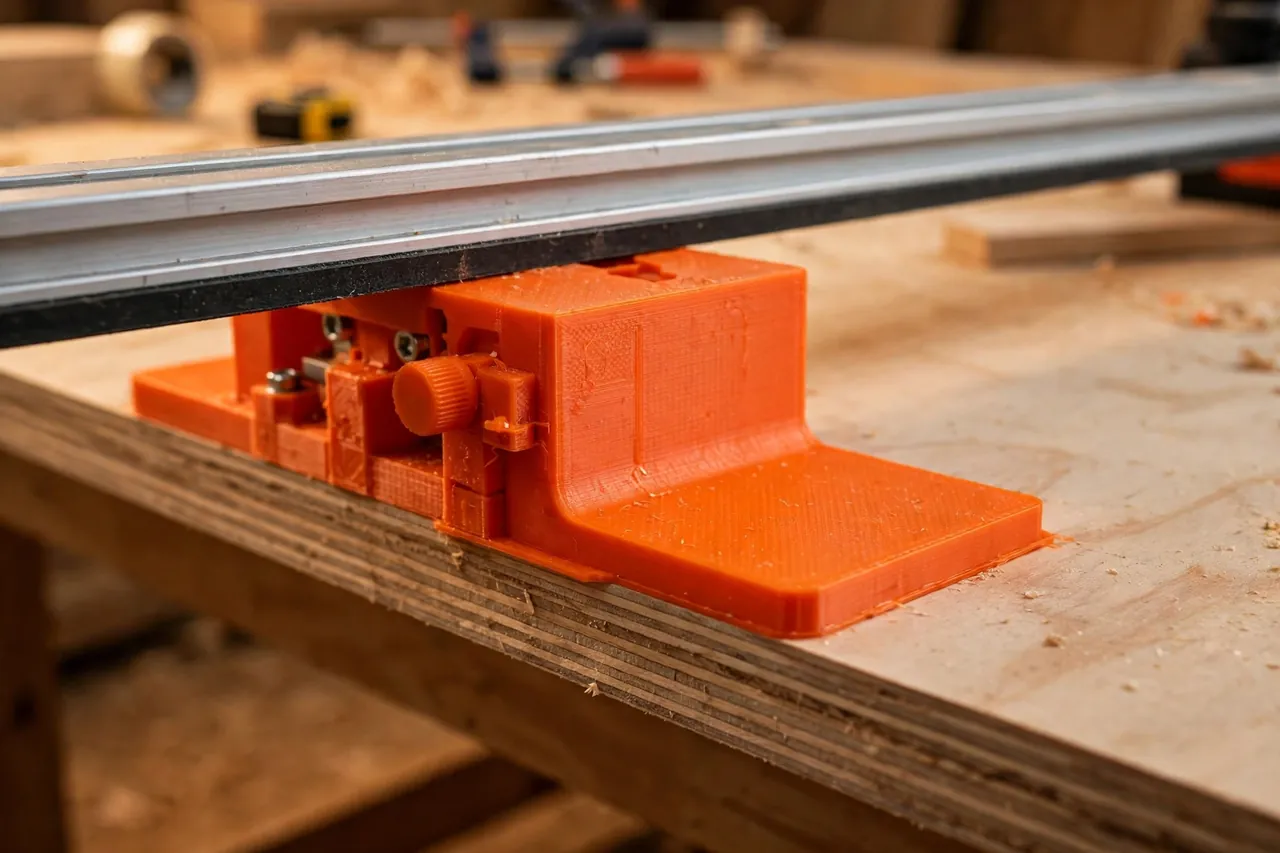
Parallel guides remove the repetition. They are a matched pair of stops that attach to your guide rail and register against the edge of the sheet, holding the rail at exactly the same offset for every cut. Set the width once, lock both guides, and then just slide, register, and cut. Strip ten comes out the same as strip one because nothing was re-measured in between.
This guide covers printing guides to fit your own rail and sheet work. They are positioning aids for a saw you control — set them carefully, keep hands well clear of the blade path, and follow your saw maker’s instructions for every cut.
What You Need
You will print two guide bodies with sliding stops, plus small fittings matched to your rail’s profile. Measure your own rail first; profiles differ between brands.
Materials and tools
- A home 3D printer with a build area of roughly 150 mm in at least one direction
- PETG filament for toughness in a working shop, or PLA for a first fit-check set
- Your guide rail, measured carefully — channel width, depth, and underside profile
- A track saw and a sheet of plywood or MDF to test on, supported on foam or battens
- Calipers for measuring the rail channel and your test cuts
- A tape measure and square for the one careful initial setup
- A pencil for test marks, plus sandpaper or a file for fitting
PETG earns its place here: guides get knocked, dropped, and clamped, and PETG shrugs that off better than PLA. PLA is perfect for the first test print to prove the rail fit.
Suggested print settings
- Layer height: 0.20 mm balances speed with a clean sliding fit.
- Walls: At least 4 perimeters — the rail-fitting tongue and stop faces take the working loads.
- Infill: 40 to 60 percent, grid or gyroid, so the body stays stiff when you register it against the sheet.
- Top and bottom layers: 4 or more, for flat faces that sit honestly on the sheet.
- Orientation: Print the body flat as it will sit on the sheet, so reference faces come off the bed true.
- Supports: Avoid them in the rail channel if you can; design the tongue to print cleanly without.
Print one guide first and test its fit on your rail through the full slide. A guide that binds or rattles on the rail will never position repeatably.
Design Considerations
Parallel guides look simple, but repeatability lives in three details: the rail fit, the stop geometry, and how you set both guides to agree.
1. Fit your rail, not a generic rail
Guide rails look alike from across the room and differ where it matters — the accessory channel’s width, depth, and lip shape. Measure yours with calipers and model the tongue to match, with about 0.3 mm clearance for a smooth slide that cannot wobble. Any rock at the rail becomes width error at the cut.
2. The stop must reference the real edge
Each guide carries an arm ending in a stop foot that hooks against the sheet’s reference edge. That foot needs a flat, square face at least 20 to 30 mm tall, so it registers fully on your sheets. Keep the arm stiff — a long, thin arm flexes as you push the rail into place, and flex is just error with better marketing. Rib or thicken long arms rather than trusting infill alone.
3. Both guides must agree
Two guides that disagree make tapered strips — the classic parallel-guide failure. Design an easy calibration: a scale, detents, or simple witness marks along each arm, plus a fine-adjust feature such as a sliding foot with a locking screw or a stepped notch system. Calibration is done against a real cut, not the printed scale: set both guides alike, cut a test strip, measure it at both ends, and nudge until both ends match. After that, the matching marks are your truth for returning to a width.
4. Stay clear of the cut
Check that at your narrowest planned width, no part of either guide sits in the saw’s path or fouls the motor housing. Narrow rips below the guides’ safe minimum belong on a different setup, not forced through a rail setup that does not fit.
Step-by-Step: Printing and Assembly
- Measure your rail channel or top profile with calipers, in three places, and note the smallest reading.
- Measure your sheets. Note the thicknesses you cut most; your stop feet must register fully on them.
- Model one guide with tongue, arm, and sliding stop foot, using clearances above.
- Print and fit-check it. Slide it the rail’s full length. It should move smoothly with no side play.
- Adjust the tongue fit in 0.2 mm steps until the slide is right, then print the mirrored second guide.
- Assemble the stops, checking each foot face is square to its arm with a small square.
- Add witness marks or a simple scale to both arms in identical positions, and mark left and right guides so they always return to the same ends of the rail.
Step-by-Step: Using Parallel Guides for Repeatable Rips
- Support the sheet fully on foam boards or battens on a flat surface, with room for the blade to pass through safely.
- Establish a straight reference edge. If the factory edge is wavy or damaged, make one straightening cut first and use that fresh edge for registration.
- Fit both guides to the rail at their usual ends, tongues fully seated.
- Set your width once. Measure from the rail’s cut line — its splinter guard edge — to each stop face, and set both guides to the same dimension.
- Make a test cut on scrap or the sheet’s waste end. Measure the strip at both ends with calipers.
- Calibrate out any taper. If the ends differ, adjust the narrower end’s guide by half the difference and re-test. Two test cuts are normal.
- Lock everything and re-check one guide setting after locking; locking can nudge a loose stop.
- Cut your strips. For each one: register both stop feet firmly against the reference edge, confirm the rail sits flat, clamp the rail if your setup allows, and make the cut following your saw’s instructions.
- Keep the offcut sequence consistent. Always register from the same reference edge of the remaining sheet, so widths stay identical strip after strip.
- Spot-check strip three or four with calipers. Catching a slipped guide at strip four is a nuisance; catching it at assembly is a disaster.
Tips for Better Results
- Cut all matching parts in one session. Same setup, same sheet, same conditions — identical widths follow automatically.
- Mark the reference edge with painter’s tape arrows so you never register from a fresh cut edge by habit mid-batch.
- Let the stops do the positioning. Register the feet, then lower the rail gently.
- Use the same thinking at the table saw. If crosscuts are your repeatability headache instead, you may also enjoy our related guide, “3D Printed Crosscut Sled Stop Blocks: Flip Stops for Repeatable Lengths,” which applies the same set-once logic across the blade.
Common Mistakes to Avoid
- Trusting the printed scale without a test cut. Scales get you close; only a measured test strip tells the truth about your rail, blade, and guides together.
- Registering from a damaged edge. A dent in the reference edge becomes a dent in every strip’s width. Straighten or replace the reference first.
- Setting guides at different marks. It sounds obvious and happens constantly. Read both arms aloud before cutting, like a checklist.
- Letting the sheet overhang unsupported. A sagging sheet tilts the rail and changes the cut. Support the full sheet, every time.
- Cutting narrower than the guides allow. If a stop crowds the saw’s path, stop and change setups. No strip is worth an improvised workaround.
Care, Storage, and When to Choose an Alternative
Store the guides clipped to the rail or in a flat drawer, out of heat and sun, and brush sawdust from the tongues before fitting. Check stop feet for dings after any drop; a burred foot registers falsely.
Machined aluminum guides are the better buy if you cut sheet goods weekly for paying work. For home cabinet projects and shelving, a well-fitted printed set delivers the same practical repeatability — matching strips within a fraction of a millimeter — sized exactly to your rail.
FAQ
Will these guides fit any brand of guide rail?
Not automatically. Rail profiles differ, which is why this guide starts with calipers, not a download. Model the tongue or clamp to your measured rail and the system works with any straight rail. If you own two brands, print a fitted set for each and mark them clearly.
How wide and narrow can I rip with parallel guides?
Wide is easy — arm length is your limit. Narrow has a hard floor set by your saw and guide clearance. Respect the minimum at which stops stay clear of the blade path, and use a different setup below it.
Why do my strips taper even with guides fitted?
The guides disagree, the reference edge is not straight, or the rail is bowing on a flexible sheet. Calibrate with a two-ended test, verify the edge with a straightedge, and support the sheet fully — one of those three is almost always the cause.
Do I still need to clamp the rail?
Follow your saw and rail maker’s guidance. Many rails cut unclamped on clean sheet goods, but clamping adds security on small pieces. If you clamp, do it after the stops have registered, without shifting the rail.
Conclusion
Straight was never your problem — same was. Parallel guides turn the track saw you already own into a repeatability tool: one careful setup, one calibration cut, and then a whole cabinet’s worth of identical strips with no tape measure in sight.
Print a test guide, prove the rail fit, calibrate once, and cut your next sheet goods project in confident batches.
If straight cuts on smaller stock are also on your list, our guide “3D Printed Miter Cutting Guide for Trim, Molding and Small Stock” covers the trim end of the shop, while “3D Printed Featherboard for Safer, Straighter Cuts on the Table Saw and Router Table” brings the same consistency-first thinking to the table saw.