Introduction
Patching a nail hole or filling a ding should be a two-minute job, yet it so often ends with a lumpy patch, filler smeared inches beyond the damage, and a sanding session that takes longer than the repair. The filler is rarely the problem. The stiff, wrong-width knife in your hand is.
Flex is the whole craft of patching. A blade that bends in a controlled arc presses filler into the hole, feathers its edges to nothing, and lifts the excess away in the same stroke. A rigid blade — or the improvised credit card and paint stick many of us reach for — bridges over holes, drags filler out, and leaves ridges that telegraph through paint forever.
Printing putty knives lets you tune that flex precisely and build a width set for your real work: a narrow knife for nail holes, a mid-width for seams and dings, a wide spreader for skim patches, each with an edge shaped and smoothed for filler rather than adapted from something else.
This guide covers designing, printing, and using an original set of knives and spreaders for wood filler, spackle, and similar repair compounds. They are light surface tools for patching — nothing structural — and with the right flex, they leave patches that nearly vanish under one coat of primer.
What You Need
Knives are quick flat prints. Material choice drives flex, so think about it before you slice.
Materials and tools
- A home 3D printer with a build area of roughly 200 mm in at least one direction for wide spreaders
- PETG filament for flexible, durable blades; PLA for stiff detail scrapers in the same set
- Your usual wood filler and spackle, plus a practice board with a few drilled holes
- Calipers to check blade thickness as printed — nominal and actual often differ slightly
- Wet-or-dry sandpaper in 320 and 600 grit for final edge finishing
- A shallow water cup for keeping spackle blades clean during wall work
- A straightedge to check blade edges against the light
PETG is the main material: its blades flex in a smooth arc, spring back flat, and shrug off the water and mild compounds used in patching. PLA blades are stiffer and can be useful where you want a firmer hand, but a thin PLA edge chips when it meets a screw head hiding under paint.
Suggested print settings
- Layer height: 0.20 mm; a finer first layers sequence helps blade smoothness.
- Walls: At least 4 perimeters — on a thin blade, walls are the working structure.
- Infill: 100 percent through the blade zone, or enough walls to make it solid.
- Top and bottom layers: 4 or more, for a surface filler cannot grip and stain.
- Orientation: Print flat on the bed so the blade face is a smooth bed-side surface.
- Supports: None — flat tools should need none by design.
Print one mid-width knife first and patch your practice board. Flex is a feel, and one test print calibrates the whole set.
Design Considerations
You can model a putty knife in any basic CAD program. Form is a handle flowing into a blade — the tuning lives in thickness and edge.
1. Blade thickness and the flex gradient
Start with a blade about 1.0 to 1.4 mm thick at its edge third for general spackle work, thickening gradually to 2.5 to 3 mm where it meets the handle. That gradient is what produces a smooth arc under pressure instead of a hinge at one weak line. Thinner blades suit wide skim work and very soft fillers; slightly thicker blades handle stiffer wood fillers without folding.
2. Widths and edge shapes
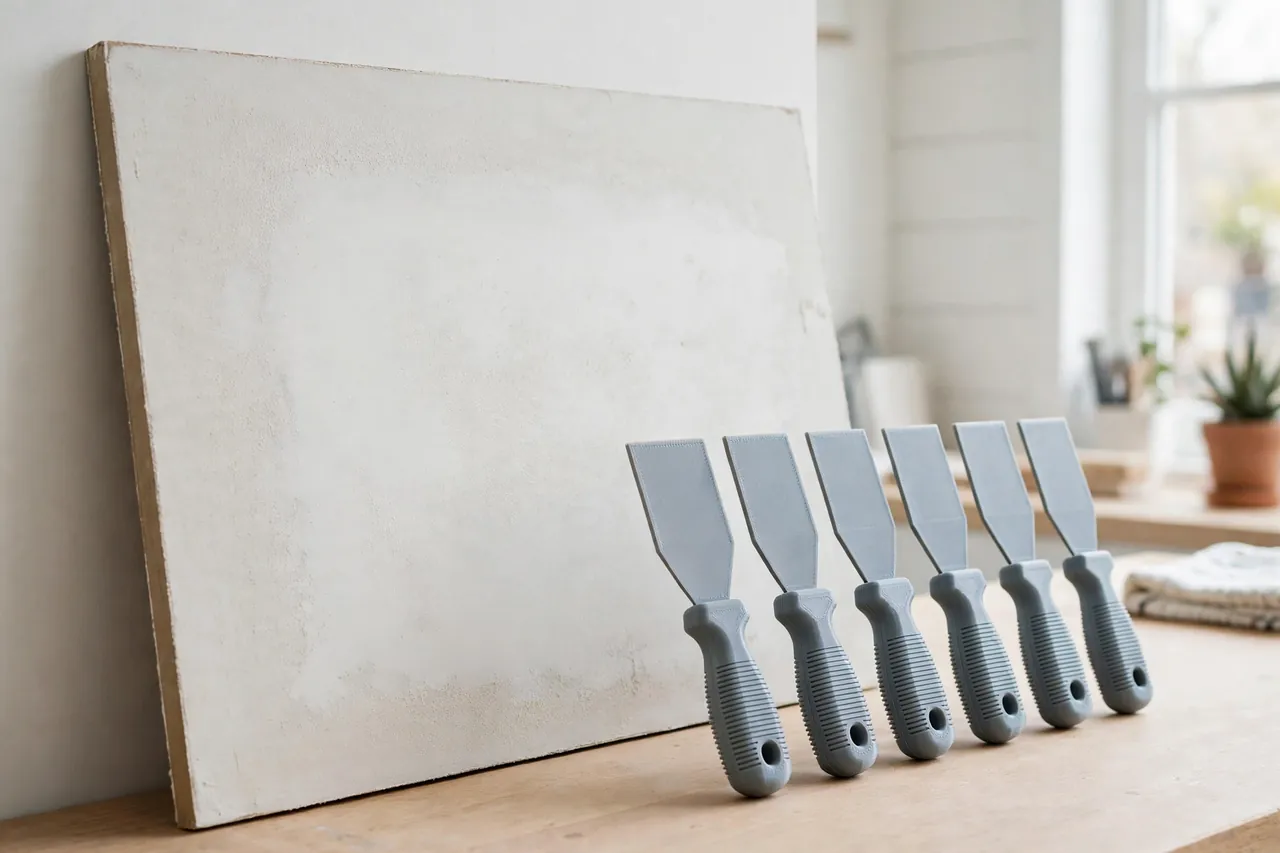
Build the family deliberately: 25 mm for holes and spot filler, 50 mm for general patching, 100 mm for seams, and 150 mm as a skim spreader. Give general knives a straight edge with very slightly rounded corners — sharp corners dig tracks into soft filler. One knife in the set can carry a pointed or notched end for digging out loose material and pressing filler into cracks, making it the set’s detail tool.
3. The handle
A putty knife handle is a continuation of the blade, not a separate grip: 80 to 100 mm of gradually thicker body, wide enough to push with the palm heel for wide tools and pinch for narrow ones. Add gentle finger scallops on narrow knives and a hanging hole in every handle.
4. Edge finishing is part of the design
Model the edge straight, then finish it by hand: draw the blade across 600-grit wet paper on a flat surface until the edge is uniformly keen but not sharp — a “butter knife” edge. Any layer-line step at the edge prints ridges into your patch, so this two-minute finishing step is where professional results actually come from.
Step-by-Step: Printing and Assembly
- Choose your widths from the repairs you actually do, and note them on a sketch of the set.
- Model the mid-width knife first with a thickness gradient from edge to handle.
- Print it solid in PETG, flat on the bed, and let it cool fully so the blade stays dead flat.
- Finish the edge on 600-grit wet paper until it passes the straightedge-and-light check without gaps.
- Patch the practice board: fill drilled holes of several sizes and judge the flex and the feathering.
- Adjust thickness by 0.2 mm if the blade folds or refuses to feather, then reprint.
- Print the rest of the set in the tuned settings, finishing each edge the same way.
- Mark each handle with its width in paint pen, and hang the set together near your fillers.
There is no hardware to assemble — a knife is finished when its edge is, and not a moment before.
Step-by-Step: Using Putty Knives for a Clean Patch
- Prepare the damage. Brush out dust, press any raised paper or paint edges flat, and wipe the area so filler bonds to a clean surface.
- Load the blade lightly. A pea-to-marble amount for holes — excess on the blade becomes excess on the wall.
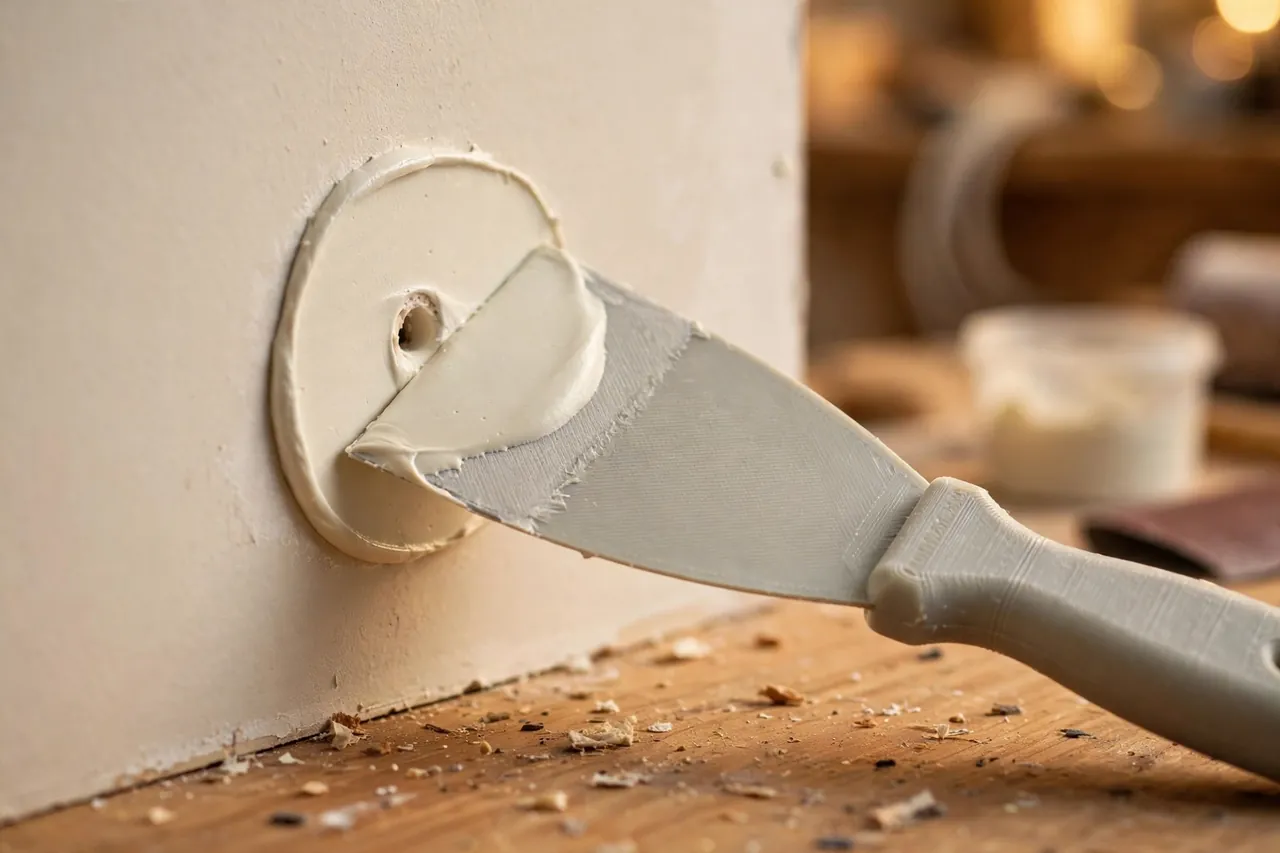
- Press filler into the hole with the blade angled about 30 degrees, pushing slightly past flush so the compound keys in rather than sitting on top.
- Draw the knife across in one smooth stroke, increasing flex so the blade wipes the surface clean and feathers the patch edges to nothing.
- Make one clean-up pass from a different direction with a nearly empty blade to lift any ridge the first pass left.
- Leave the patch a hair proud, since most fillers shrink slightly as they dry — a whisper of height sands off in seconds.
- For seams and wide patches, load the wide spreader, work from the center outward, and overlap strokes so no edge dries as a ridge.
- Wipe the blade clean between loads on the tub edge or a damp rag, so half-dried crumbs never get dragged into fresh filler.
The scraping and smoothing family fits naturally with “Caulking Helper Tools: 3D Print a Caulk Tube Holder, Cap and Smoothing Profile Set,” since a smoothed bead and a feathered patch are the same skill applied to different materials.
Tips for Better Results
- Keep a damp rag close. A clean blade feathers edges instead of smearing.
- Work in raking light to spot ridges while filler is still fixable.
- Sand with a flat block, never fingertips alone, which dish soft filler.
- Prime patches before judging them; bare filler reflects light differently.
Common Mistakes to Avoid
- Using one narrow knife for wide seams, which guarantees overlapping tracks and a wavy finish.
- Skipping edge finishing on the printed blade and sanding out its layer-line ridges from every patch instead.
- Patching over dust or loose paint, so the filler bonds to debris and pops out within the season.
- Sanding before filler dries fully, which tears the surface and doubles the work.
Care, Storage, and When to Choose an Alternative
Wipe blades clean during the job, wash them in warm water after, and let no filler dry on an edge — dried compound under the next load scores every patch. Hang the set by its holes, out of heat, and re-dress an edge on wet paper whenever it starts leaving lines. A blade that has gone permanently wavy from heat should be reprinted; flat is its whole value.
For heavy work — pushing stiff epoxy fillers, scraping floors, or prying lids — a steel putty knife is the right tool and a printed blade should not be forced into it. For spackle, wood filler, and skim patching, printed knives flex more kindly than cheap steel, cost almost nothing as a matched width set, and never rust in a damp basement bucket.
FAQ
How flexible should the blade actually be?
Flexible enough to bow into a smooth arc under moderate palm pressure and wipe a surface clean, firm enough not to fold double or flutter at the corners. Your practice-board test settles it faster than any specification.
Can printed knives handle wood filler as well as spackle?
Yes. Wood fillers are a little stiffer and grittier, so use the slightly thicker blades in your set and clean the edge more often, since dried filler crumbs score the next patch. The flex advantage matters even more on wood, where feathering filler into grain decides whether a repair disappears.
Why does my patch show a ridge at each side of the knife?
Those are corner tracks: the blade’s corners are digging because they are sharp, the blade is overloaded, or dried filler is built up at its edges. Round the corners slightly, load less, and wipe the blade constantly — the three fixes together end the problem.
Is one wide spreader enough for skim coating a rough patch?
For small rough areas, a 150 mm spreader and two thin passes do fine work. For whole walls, a wide steel taping knife covers ground far faster and stays flatter over long strokes — use the printed set for repairs and touch-ups, which is the work it was designed for.
Conclusion
A good patch is invisible, and invisible comes from flex, width, and a finished edge — all three of which you control when the knife comes off your own printer. A small tuned set covers holes, dings, seams, and skim patches with less filler, less sanding, and far less mess than a single stiff knife ever managed.
Print the mid-width knife, prove it on a practice board, and build the family around your tuned thickness. The next hole in the wall becomes a genuinely two-minute job.
If patching has you looking at tired surfaces more closely, our guide “3D Printed Razor Scraper Holder: Strip Paint, Stickers and Gunk Safely” handles the prep side, and “Contour Sanding Blocks: 3D Print Custom Blocks for Curved Trim and Furniture Repairs” finishes the curved work flat sanding cannot reach.