Introduction
Sanding belts usually live in one of three bad places: coiled tight in a drawer, tossed in a box where the edges fray, or hanging off a single nail where they slowly take a permanent curl. Then, mid-project, you dig through the pile reading worn printing on the back of each belt, trying to find the one 120-grit that is not already glazed smooth.
Bad storage quietly ruins good belts. A belt folded or kinked can crack at the joint, a curled belt thumps on the sander for its first minutes of work, and grit faces rubbed together in a box dull each other before they ever touch wood. Belts are not cheap, and most of the damage happens on the shelf, not on the workpiece.
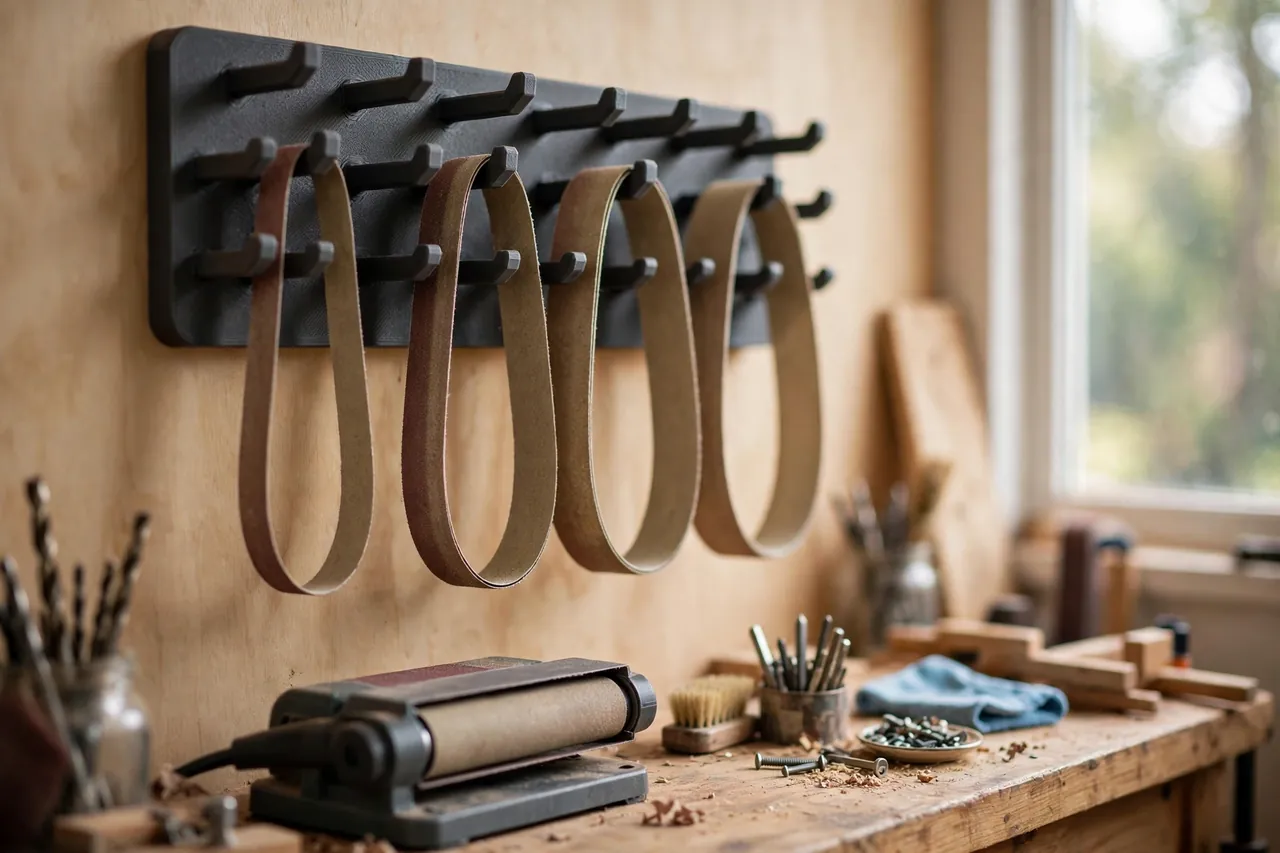
A 3D printed sanding belt rack gives every belt a flat, relaxed loop of its own. Belts hang in rows sorted by size and grit, each on a wide smooth arm that supports the loop without creasing it, so the belt you need is visible at a glance and comes away in its natural shape.
This guide covers designing, printing, and mounting a rack for the belt sizes your sander uses. It is a plain storage holder — it carries belts at rest, nothing more — and it will quietly extend the life of every belt you own.
What You Need
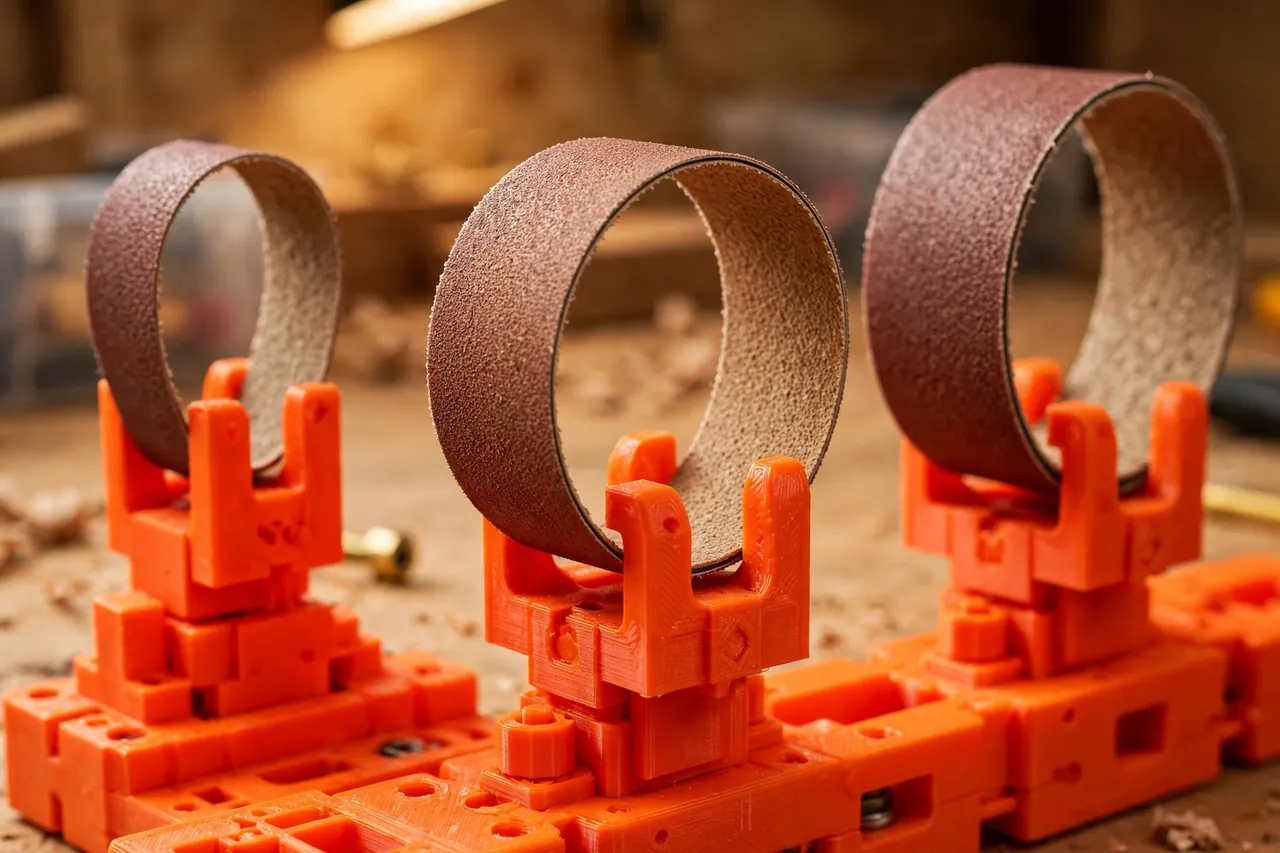
The rack is a back plate with a row of rounded arms, printed as one piece or as separate arms that slot into a rail.
Materials and tools
- A home 3D printer with a build area of roughly 180 mm in at least one direction
- PETG filament for arms that flex slightly instead of snapping, or PLA for a light-duty rack
- Your actual sanding belts, in every size you use, for measuring loop length
- A tape measure or calipers for belt width and loop sizing
- A small file or sandpaper for rounding arm edges
- Wall screws and a level for mounting, into studs or sound fixings
- A paint pen to mark grit numbers on the rack face
PETG is the better choice for the arms: a belt rack gets bumped, and PETG bends where PLA might crack. Either material works for the back plate, so print the test arm in whatever is loaded.
Suggested print settings
- Layer height: 0.20 mm is plenty for a storage rack.
- Walls: At least 4 perimeters on the arms — they carry the belts and take the knocks.
- Infill: 30 to 40 percent, grid or gyroid, for arms that feel solid without wasting filament.
- Top and bottom layers: 4 or more, keeping arm surfaces smooth so belt backing never snags.
- Orientation: Print arms flat on their side for the strongest layer direction along the arm.
- Supports: A rounded arm profile needs none; avoid sharp internal corners in the design.
Print one test arm first, hang your heaviest belt on it for a day, and check for any sag before printing the full rack.
Design Considerations
You can model this rack in any basic CAD program. The essentials are arm shape, spacing, and a back plate that mounts securely.
1. A wide, smooth arm for a relaxed loop
Each arm should be wide enough — roughly the belt’s width or a little less — and generously rounded, so the belt hangs in a smooth loop close to the shape it has on the sander. Narrow hooks concentrate the bend in one spot and invite a crease. Measure your belt’s loop: hang it over a broom handle and note the natural drape, then size the arm and its drop so the belt hangs without touching the wall or the belt below.
2. Spacing for sizes and grits
Group the rack the way you work: one section per belt size if you run two sanders, then by grit within each size. Leave about 10 to 15 mm of clear space between arms so belts slip on and off without dragging their neighbors. Shallow arms in front for narrow belts and deeper arms behind for wide ones keeps every loop visible.
3. A face you can label
Belts are hard to identify once their printing fades. Give the rack a flat front face or a small tag tab at the end of each arm, sized for a paint-pen grit number or a small label. Marking the rack — not the belt — means the information survives every belt change.
4. Honest mounting for a loaded rack
A full rack of belts is not heavy, but it is pulled on daily. Design the back plate with at least four screw holes spread wide, and mount into studs or proper wall fixings — never rely on a printed part to hold a screw in crumbly plaster alone. Keep the load framing honest: this rack stores belts; it is not a shelf for tools or cans.
Step-by-Step: Printing and Assembly
- Measure your belts — width and loop length for each size, including the longest belt you own.
- Model one arm with a wide rounded profile and a tag tab at its end.
- Print and load-test the arm with your heaviest belt for a day, checking for sag or flex.
- Lay out the rack, spacing arms by size and grit with clear gaps between loops.
- Print the back plate and arms, or the full rack in sections if it exceeds your build area.
- Clean it up. Round every edge a belt will slide over; a sharp lip shaves backing material.
- Mount it level into sound fixings and check the lowest belt clears the bench below.
If arms are separate parts, a drop of glue in each socket is optional — a snug 0.3 mm slip fit plus the screw-loaded back plate usually holds them firmly.
Step-by-Step: Using the Rack
- Sort your belts once, by size first, then by grit, discarding any with cracked joints or torn edges.
- Hang each belt on its arm in a relaxed loop, grit facing consistently outward or inward — pick one habit.
- Mark the rack face with the grit for each arm using a paint pen, large enough to read at arm’s length.
- Used belts get a tell-tale. A small pencil mark on the back of a partly worn belt separates it from fresh stock.
- Take from the rack, return to the rack. Belts that go back on their own arm never rejoin a mystery pile.
- Keep damp belts off it. A belt that got wet dries flat on the bench first; hanging it wet invites a set curl.
- Restock by the arm. When an arm stands empty, that grit goes on the shopping list — the rack shows stock at a glance.
After a month of this routine you will notice you stop buying belts you already own, because you can finally see what you have.
Tips for Better Results
- Order arms coarse to fine, left to right, so your hand learns the layout and finds grits without reading.
- Dedicate one arm to the belt on the sander when it comes off mid-project, half-used but still good.
- Hang belts grit-out if your shop is dusty; the backing takes the dust, not the working face.
- Leave one spare arm. A new size or grit will arrive eventually, and a spare slot welcomes it.
- Match the arm count to reality. Six well-used arms beat twelve mostly empty ones.
Common Mistakes to Avoid
- Narrow peg-style hooks. They crease belts at a single point; wide rounded arms are the entire point of the rack.
- Arms too close together. Belts drag on each other during removal and fray at the edges.
- No labels anywhere. Unmarked belts force the same squinting-at-printing hunt the rack was built to end.
- Mounting into weak wall material alone. A rack pulled off the wall takes every belt with it; use studs or real fixings.
- Storing folded belts “just for now.” A fold becomes a crack; hang every belt the day it arrives.
Care, Storage, and When to Choose an Alternative
Brush dust off the rack occasionally and wipe arms smooth; grit dust is abrasive and will slowly roughen any surface it sits on. Check arms for sag every few months — a sagging PLA arm in a hot garage is asking to be reprinted in PETG. Belts themselves last longest in a dry spot out of direct sunlight, which a wall rack inside the workshop naturally provides.
If you own exactly three belts for one sander, a single stout hook is honestly enough, and commercial abrasive racks exist if you do not print. The printed rack earns its wall space when you stock several sizes and grits and want each one flat, visible, and labeled. For the rest of your abrasives, you may also enjoy our related guide, “Sandpaper Organizer and Storage Box: 3D Print a Grit-Sorted System for Your Workshop,” which applies the same sort-once logic to sheet stock.
FAQ
Will hanging damage a belt’s joint?
No — hanging in a wide, relaxed loop is the gentlest way to store a belt. Damage comes from tight coils, folds, and single-point hooks that concentrate the bend. A wide arm spreads the curve the way the sander itself does.
How do I handle two different belt sizes?
Give each size its own section of the rack, with its own row of grits. Stepping the arm heights — longer loops lower or further back — keeps both sizes visible and stops a long belt draping over a short one.
What about very long belts for a floor or wide-belt machine?
This rack suits handheld and bench sander belts. Very long, heavy belts belong on a stout wooden dowel or a commercial rack — an honest case where a simple turned rail beats a printed arm.
Can the rack hold sanding sleeves and discs too?
Sleeves slip happily over a spare arm if the diameter suits. Discs deserve their own tower with separators; stacking them on an arm face-to-face dulls the grit.
Conclusion
Belts die on the shelf more often than on the workpiece — curled, creased, and mixed into an unlabeled pile. A printed rack with wide arms and marked grits ends all three problems in one afternoon of printing.
Measure your loops, print one test arm, and hang your stock properly. The right grit will be in your hand in seconds, in the shape the sander expects.
To complete the abrasives corner, you may also enjoy our related guide, “Sanding Disc Storage Tower: 3D Print a Grit-Sorted Tower for 5-Inch Hook-and-Loop Discs,” and for detail work, see “3D Printed Sanding Stick Set for Tight Corners, Grooves and Detail Work,” which rounds out a sanding setup built around this rack.