Introduction
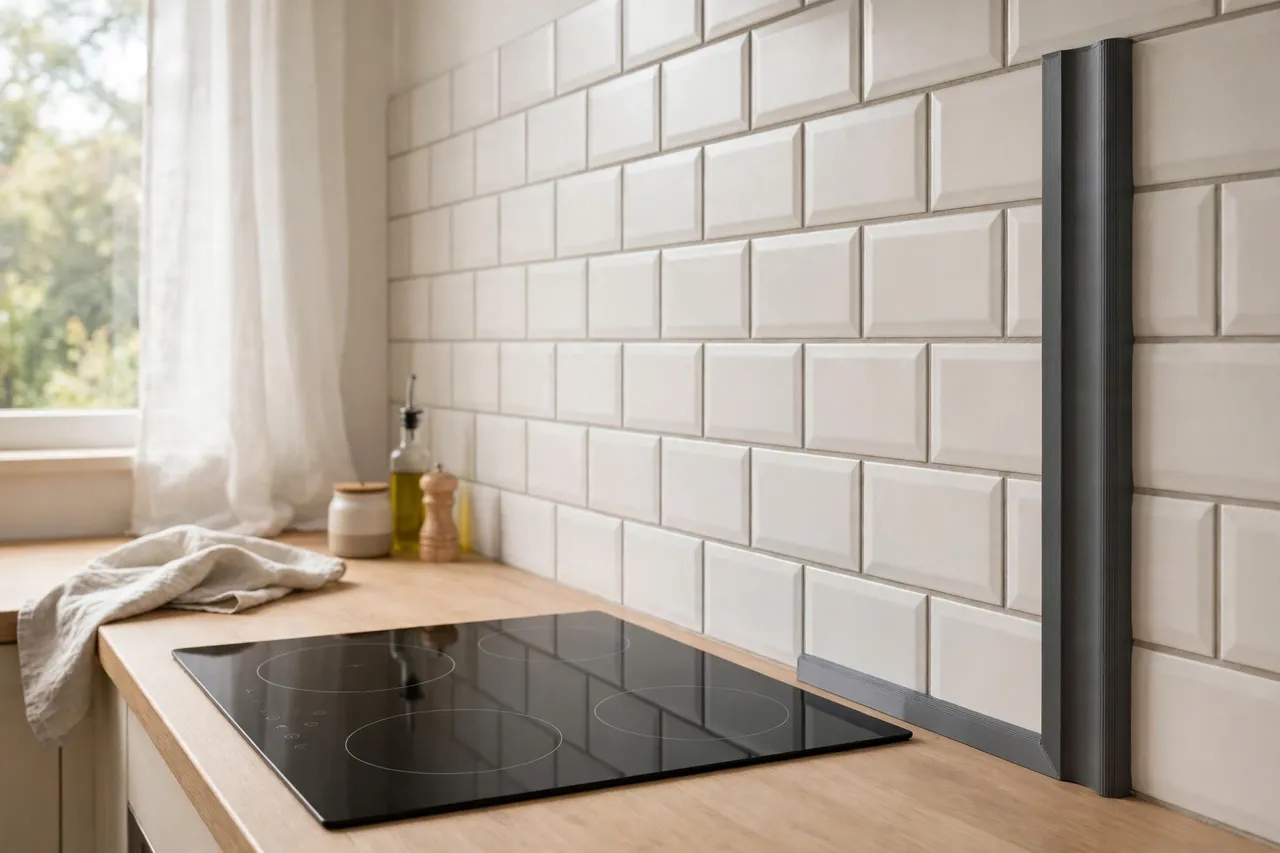
A backsplash usually ends somewhere — at the side of a cooker, at a window reveal, or simply where the tiling stops — and that exposed tile edge is where a tiling job either looks finished or looks abandoned. Raw tile edges are sharp, often slightly chipped, and they catch the eye every time you look at the wall. Traditional metal or plastic tile trims solve this, but they come in fixed sizes and finishes, and they can be hard to match to an older tile or an unusual thickness.
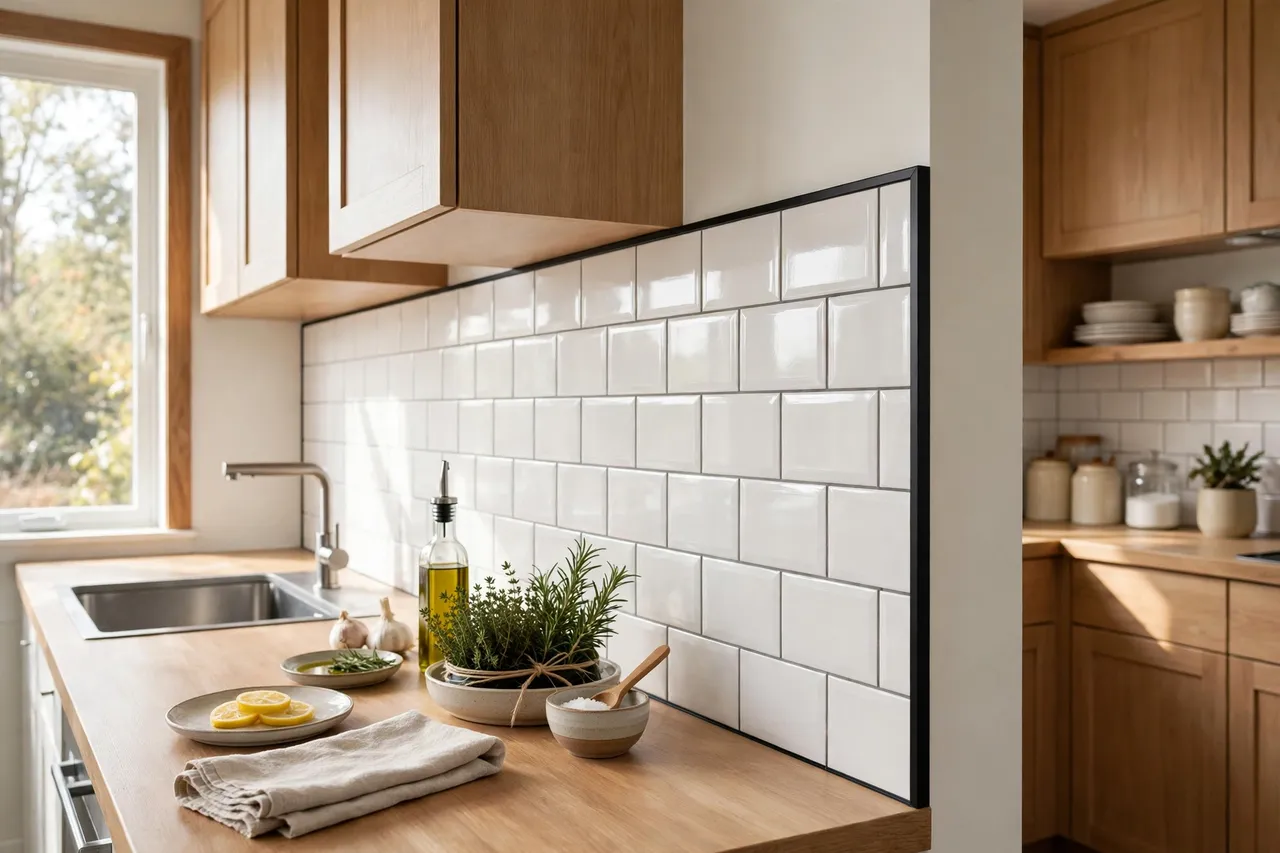
A 3D printed edge trim is a light-duty finishing strip that caps that exposed edge, covering chips and giving the end of the tiling a clean, intentional line. It is a cosmetic trim, not a waterproofing system and not a structural part: it does not seal a backsplash against water on its own, and it should never be used to cover loose, cracked, or water-damaged tiles that need proper repair. For a sound, well-fixed backsplash with an untidy exposed edge, a printed trim is a neat, custom-sized finish.
This guide covers measuring your tile edge, designing a trim that fits it, printing it in a material suited to a kitchen or bathroom wall, and fitting it so the edge looks deliberate.
What You Need
Tile trim is a long, slim part, so plan on printing it in sections, just as with other long edge parts. The tile thickness measurement is the critical one.
Materials and tools
- A home 3D printer, with a build area long enough for your chosen trim section length
- PETG for a kitchen backsplash, or ASA for a trim near a heat source; avoid PLA near a hob, where heat can soften it
- Calipers or a ruler, a pencil, and a profile gauge or card for tracing the tile edge
- A utility knife, fine sandpaper, a clean cloth, and painter’s tape
- Silicone sealant or a suitable adhesive, if you choose a stick-on design, plus a caulking gun if needed
- A spirit level or straightedge for checking long runs
PETG is the sensible default: it handles kitchen humidity and normal warmth well, prints easily, and wipes clean. Keep any printed trim well away from direct hob heat, and never use printed trim as a heat shield — if the edge is right beside a burner, a manufactured metal trim is the right choice.
Suggested print settings
- Layer height: 0.20 mm for a smooth visible face.
- Walls: 3 to 4 perimeters, so the trim’s edge channel stays crisp.
- Infill: 30 to 40 percent, grid or gyroid, is plenty for a finishing strip.
- Top and bottom layers: 4 or more, for a clean outer face.
- Orientation: Print the trim lying flat or on its side, whichever gives the smoothest visible face and the cleanest channel.
- Supports: Usually none for a simple L-shaped or channel trim.
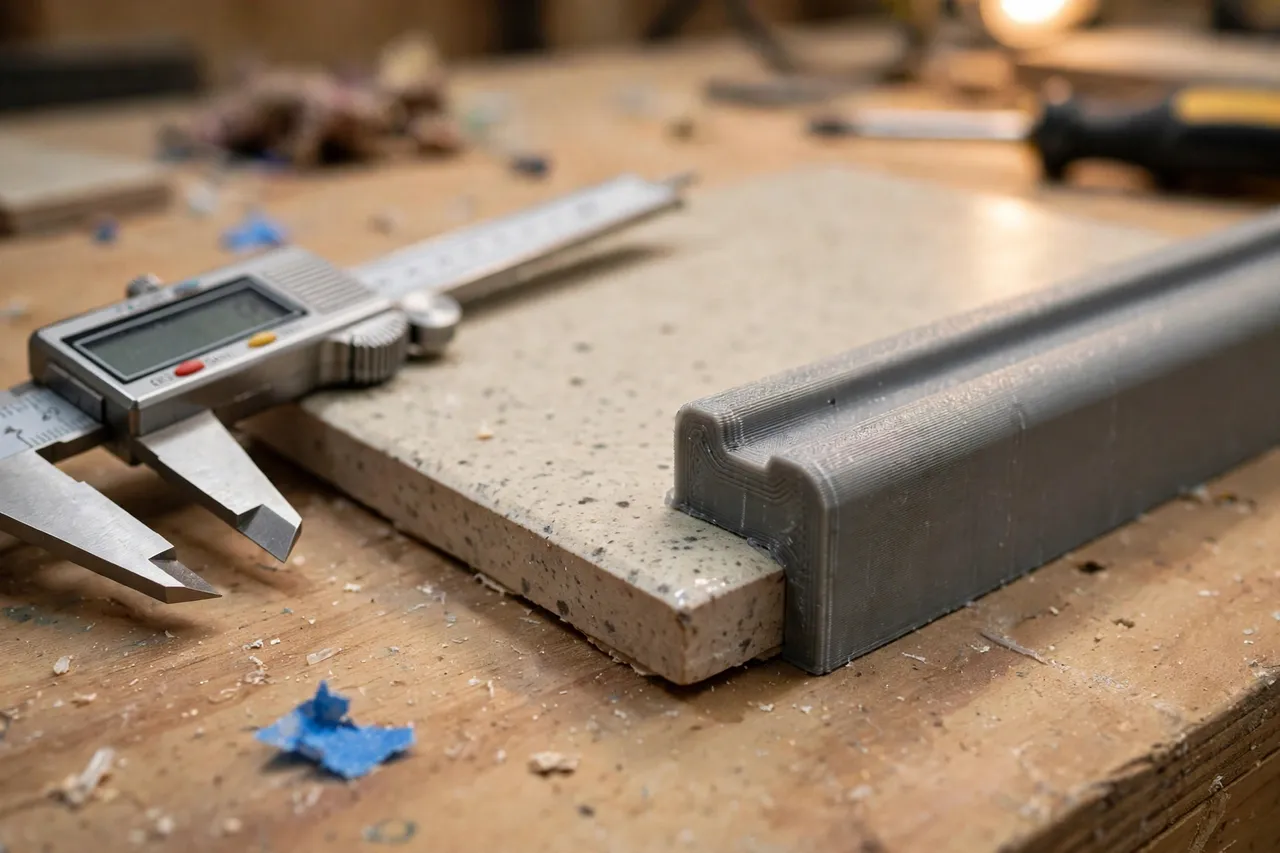
Print one short test section first and check it against the real tile edge before printing a full run. Tile thicknesses vary between batches, and a trim that fits one tile may not fit its neighbour.
Design Considerations
A tile edge trim is essentially an L-shaped or channel-shaped strip that covers the tile’s thickness and a small margin of its face. Getting the channel right is the whole project.
1. Measure the tile, not the box
Tile boxes state a nominal thickness, but real tiles vary, and adhesive beds change the effective edge thickness. Measure the actual exposed edge at several points along the run, including the tile face to the wall surface behind it. Size the trim’s channel to the largest measurement plus about 0.5 mm of clearance, so it slides on without forcing but does not wobble.
2. Cover enough face to look intentional
A trim that only just covers the raw edge can look like an afterthought. A face leg of 8 to 12 mm over the tile face gives a clean, deliberate line and hides small chips near the edge. On the wall side, a similar small return leg helps the trim sit neatly against the wall and covers any small gap between the last tile and the wall surface.
3. Choose the fixing method
A friction-fit channel that slides over the tile edge is simplest and removable, and it suits edges where the tile is firmly fixed and the trim can grip. A stick-on trim, fixed with a thin bead of silicone or adhesive along its back, suits edges where a channel cannot grip — for example, a very thin tile or an edge that meets a window frame. If you use adhesive, use one suited to the wall and tile materials, and test it on a hidden spot first. Never rely on adhesive alone to hold a trim over loose tiles.
4. Design for corners and ends
Backsplash edges meet corners, windows, and worktops, and a trim that just stops dead at a corner looks unfinished. Plan simple mitred or butt-joined ends, and print small end caps where a trim run ends in open space. A little care at the ends is what separates a trim that looks printed from one that looks planned.
Step-by-Step: Printing the Trim
- Measure the tile edge thickness at several points along the run, and note the tile face finish.
- Decide friction-fit or stick-on based on the tile thickness and the edge arrangement.
- Model a short section of trim: a channel or L-shape with an 8 to 12 mm face leg and rounded outer edges.
- Print a single test section and check it on the real tile edge for fit and appearance.
- Refine the channel. Too tight? Add 0.2 mm of clearance. Too loose? Reduce it, or switch to a stick-on design with adhesive.
- Print the full set of sections once the test fits, plus end caps and a spare section.
- Clean up stringing and lightly sand the visible face, checking section ends meet squarely.
Colour matters here more than on most printed parts, because the trim sits at eye level. White, charcoal, or a colour matched to the grout or tile usually looks best; a bright contrast colour can work as a deliberate accent, but only if you choose it on purpose.
Step-by-Step: Fitting the Trim
- Clean the tile edge thoroughly, removing grease, dust, and loose grout so the trim sits true.
- Dry-fit all sections along the edge, checking joints and corners before any adhesive is used.
- Mark section positions lightly with painter’s tape, so each section goes back in the right place.
- Fit friction-fit sections by pressing them gently onto the tile edge, working from one end to the other.
- Fit stick-on sections by applying a thin, even bead of adhesive to the back, pressing firmly, and taping in place until cured.
- Fit end caps and corner pieces, checking they sit flush and do not leave gaps.
- Seal the wall-side joint with a neat bead of silicone if the edge is in a splash zone, following the sealant manufacturer’s instructions, and leave it to cure fully.
Tips for Better Results
- Print spare sections. A damaged trim section is then a quick swap, not a new project.
- Match the grout or tile colour. A trim that blends in looks like part of the tiling, not an addition.
- Keep the trim away from hob heat. Printed plastic softens with heat; use metal trim beside burners.
- Seal splash-zone joints. A trim is not waterproofing on its own; a silicone bead at the wall joint does that job.
- Check tile firmness first. A trim over a loose tile hides a problem that will get worse; fix loose tiles properly first.
Common Mistakes to Avoid
- Trusting the tile box thickness. Measure the real edge, including adhesive and variation between tiles.
- Making the face leg too narrow. A skimpy trim looks like an afterthought and hides fewer chips.
- Using PLA near heat. A hob-adjacent PLA trim will warp; choose PETG or, better, metal for hot zones.
- Relying on trim as waterproofing. A trim finishes an edge; sealing and sound tiling keep water out.
- Forgetting end caps. A trim run that ends abruptly looks unfinished, however neat the straight sections are.
Care, Storage, and When to Choose an Alternative
Wipe the trim when you clean the backsplash, and check stick-on sections occasionally for lifting edges. Replace any section that is cracked, stained, or warped — printing a fresh one is quick and cheap.
Choose a manufactured metal or ceramic trim when the edge is beside a heat source, when the backsplash is in a constantly wet area that needs a fully waterproof system, when the tiles are loose or damaged and need proper repair, or when a high-end finish is required. Manufactured trims also suit very long, perfectly straight runs where a factory finish will look better than joined printed sections. For a sound backsplash with an untidy exposed edge, a printed trim is a practical, custom-sized finish.
FAQ
Will printed trim work on uneven handmade tiles?
Yes, with care: measure the thickest tile in the run and size the channel to it, then use adhesive to take up small variations on thinner tiles. Very uneven tiles may suit a stick-on design better than a friction-fit channel.
Can I use printed trim in a bathroom?
Yes, in PETG, provided the tiles are sound and the wall-side joint is sealed with silicone in splash zones. Keep printed trim away from direct, constant water flow, such as inside a shower enclosure, where a manufactured waterproof trim is more appropriate.
How do I remove a stick-on trim later?
Score along the adhesive line with a utility knife, work a thin scraper behind the trim gently, and clean off adhesive residue with a suitable remover. Test the remover on a hidden spot first.
My trim sections show visible joints. How can I hide them?
Keep section ends square, align them carefully, and consider a small stepped joint. Matching the trim colour closely to the tile or grout also makes joints far less noticeable.
Conclusion
A backsplash edge does not need a full re-tile to look finished — it needs a trim that fits the actual tile, covers the raw edge generously, and ends neatly at corners and ends. A printed trim, sized from real measurements and fitted with care, gives an older backsplash a clean, deliberate edge for very little cost.
If your tiling needs more attention, you may also enjoy 3D Printed Tile Spacers and Leveling Clips for DIY Floor and Wall Tiling and 3D Printed Furniture Corner Protectors and Edge Guards for Tabletops (furniture protection, not child-safety), which cover the layout and the neighbouring edges that complete a room. Print a spare section, seal the splash-zone joints, and the backsplash will look like it was finished on purpose.