Introduction
Trim reveals every mistake. A baseboard, picture frame, or small molding can look perfect along its whole length and still fail at the corner, where two cuts meet and a gap of even half a degree shows as a dark, obvious line.
A traditional miter box solves this, but many are too wide for delicate trim, too worn to be accurate, or simply not in the house when one piece of molding needs replacing on a Saturday morning. Guessing a 45-degree angle freehand rarely ends better.
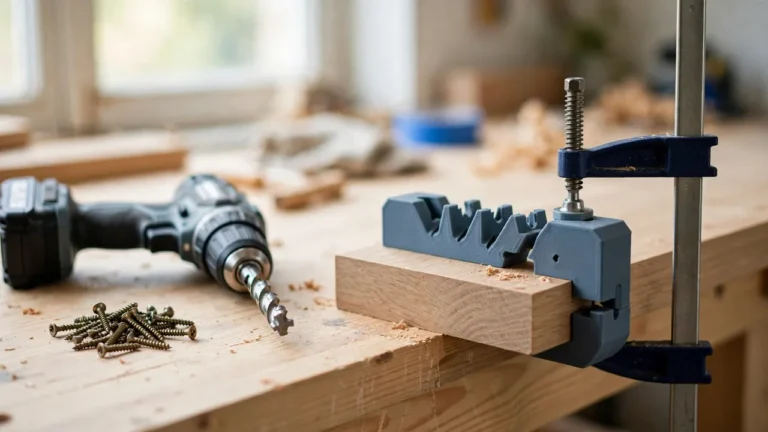
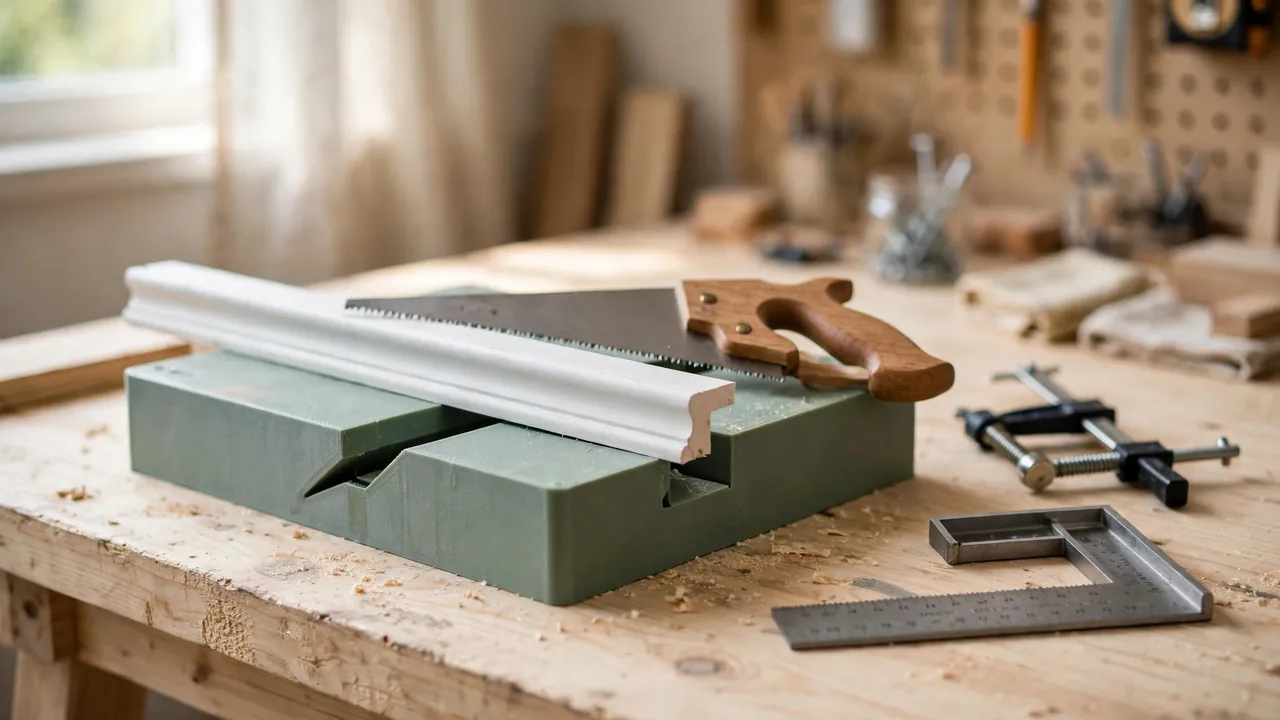
A 3D printed miter cutting guide is the small-shop answer: a compact block or open box that cradles your trim, holds it against a fence, and guides a fine handsaw at exactly 90 degrees for straight cuts and 45 degrees for miters. You size it to the trim you actually use and keep it with your saw.
This guide covers an original design with one feature that extends its life considerably: a replaceable sacrificial insert where the saw exits the cut. Build it carefully, check it honestly, and it will cut corners that look planned rather than patched.
What You Need
The guide is a chunky, simple print, larger than a typical jig but still comfortable on most home printers. If your trim is wide, check the footprint fits your build plate first.
Materials and tools
- A home 3D printer with a build area of roughly 180 mm in one direction
- PETG filament for a durable guide, or PLA for a first test version
- A fine-tooth handsaw or pull saw you will actually use with the guide
- The trim, molding, or small stock you plan to cut, for measuring and tests
- A small clamp for the guide, and a second clamp or firm hand hold for the work
- A reliable carpenter’s square or combination square for accuracy checks
- Calipers or a tape measure, a pencil, and sandpaper or a small file
- Cheap softwood or scrap trim for sacrificial inserts and test cuts
Measure your saw as carefully as your trim. Slot width is set around the blade, and a slot modeled for a thick blade lets a thin pull saw wander.
Suggested print settings
- Layer height: 0.20 mm is a good balance; slot walls benefit from even layers.
- Walls: At least 4 to 5 perimeters — slot walls and fence take saw contact and clamping.
- Infill: 40 to 60 percent, grid or gyroid, so the block stays rigid when clamped.
- Top and bottom layers: 5 or more, for a flat base that sits without rocking.
- Orientation: Print base-down, slots opening upward, so fence and base print true.
- Supports: None for a good design; avoid supports inside slots, where cleanup ruins accuracy.
Print a full test in PLA first, and check the slots with your square before committing to the keeper print.
Design Considerations
Think of the guide as three things working together: a base that sits flat, a fence that registers the work, and slots that steer the saw. Accuracy lives or dies on how square those three are to each other.
1. Block or box format, and overall size
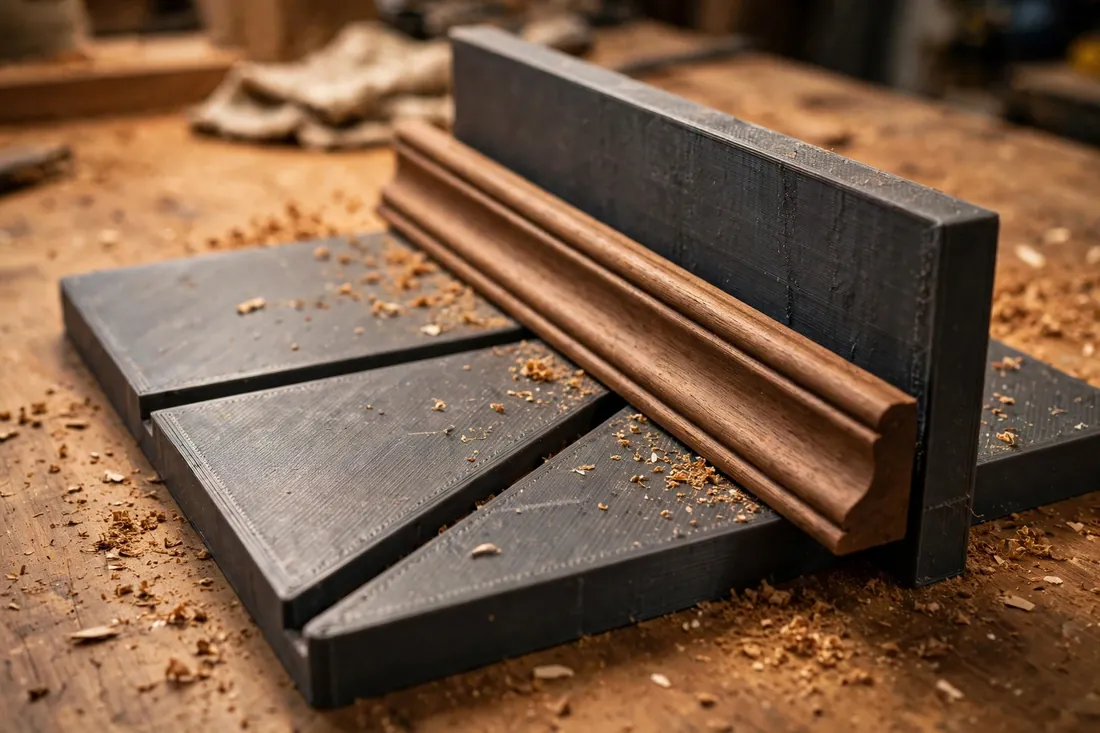
Two formats work well. A solid guide block with an open top channel is simplest and toughest — trim sits in the channel, against one fence wall. An open box, with two low walls, cradles wider molding and keeps a profiled face from rocking.
Size the channel about 2 to 3 mm wider than your widest common trim, so pieces slide in without shifting sideways. A length of 150 to 200 mm gives the saw a steady run and room to clamp. Keep wall height just above the trim’s tallest point, so the blade is supported but the saw handle clears.
2. The 90-degree and 45-degree saw slots
Add one straight slot at 90 degrees and two miter slots at 45 degrees, angled in opposite directions, so you can cut both halves of a corner without flipping stock end for end. Each slot should pass through both channel walls and stop just above the channel floor.
Size slot width to your blade plus about 0.2 to 0.3 mm. Too tight and the saw binds and chews the slot wider; too loose and the angle drifts. Mark each slot with a notch code — one notch for 90, two for 45. Keep slot edges crisp during cleanup.
3. The replaceable sacrificial insert
Where the saw exits the work, unsupported fibers tear out, and the blade eventually saws into the guide itself. A sacrificial insert solves both problems. Design a shallow pocket in the channel floor and far wall, at each slot’s exit, holding a small flat insert of softwood, cork, or a printed strip.
Make inserts cheap, identical, and finger-removable: about 3 to 4 mm thick, flush with the channel surfaces. The blade finishes into the insert instead of the guide, and a chewed-up insert swaps out in seconds. Cut or print a dozen at once.
4. Sizing for common trim profiles
Home trim falls into a few families: flat stock, baseboard and casing with one shaped edge, and small moldings like quarter-round and cove. One channel suits flat stock and most casing if the shaped edge faces the fence the same way every time.
For profiled molding that rocks, add a simple cradle: a removable channel liner with a shallow curve or step supporting the profile. Print one liner per profile and swap liners instead of printing new guides. Cap capacity at trim about 90 mm wide and 25 mm thick; beyond that, a full-size miter box or powered saw is better.
Step-by-Step: Printing and Assembly
- Measure your trim — width, thickness, and the tallest point of any profile.
- Measure your saw blade with calipers, including the slight set of its teeth.
- Model the guide — base, fence, channel, three slots, and insert pockets at each exit.
- Print a test version and let it cool fully before judging size.
- Clean it carefully. Remove stringing, but do not sand inside the slots beyond lifting a stray blob.
- Check the slots. Stand your square in each slot and against the fence; light through a gap means a reprint.
- Fit the first inserts, trimmed for a snug, flush seat with no lip the work can catch on.
- Print the keeper in PETG if the test was PLA, plus a batch of spare inserts.
- Mark the angles with a paint pen beside the notch marks.
Step-by-Step: Using the Miter Cutting Guide
- Clamp the guide to the bench, base flat, clamp clear of every slot you might use.
- Mark your trim on the face that will show, noting which side of the line is waste.
- Seat the trim in the channel, shaped face in its usual orientation, pressed against the fence along its whole length.
- Add the right insert behind the exit side of your cut line, flush and fully seated.
- Hold or clamp the work. For small pieces, a second small clamp, clear of the slot, beats a tiring hand.
- Start gently. Take two or three light pull strokes to establish a kerf before full strokes.
- Cut with long, level strokes, letting the slot steer and the saw’s weight do the work. Never force the blade sideways.
- Support the offcut near the end, so its weight cannot snap the last fibers or tear the exit face.
- Inspect the cut. Check the angle against your square, and test-fit miter pairs before cutting the full set.
Cut one practice pair from scrap whenever you change trim, saw, or insert.
Tips for Better Results
- Always cut test pieces first. Two short offcuts, cut and joined, tell you more than any measurement.
- Mark the waste side. Most bad miters are good angles cut on the wrong side of the line.
- Keep the fence spotless. One chip under the trim tilts every cut that follows.
- Let the saw work. A fine blade in a true slot cuts quickly; pushing hard only widens the slot.
- Cut slightly proud, then shave to a perfect fit with light strokes, rather than cutting short.
- Pair your cuts. Cut both halves of a corner in one session, so small errors mirror instead of adding up.
Common Mistakes to Avoid
- Modeling slots from the listed saw size instead of measuring it. Blade thickness and tooth set vary; fit the saw in your hand.
- Sanding the slots smooth. It feels like cleanup and quietly destroys the accuracy you printed for.
- Skipping the insert. Early cuts look fine; by the tenth, a chewed exit wall tears every piece.
- Changing trim orientation between cuts. Pick the reference face once and use it every time.
- Forcing a dull saw. A dull blade wanders and widens slots — change the blade, not your grip.
Care, Storage, and When to Choose an Alternative
Brush sawdust from the slots after use, check slot walls for widening, and store the guide flat with its inserts and liners in one box. Keep PLA away from hot cars and sunny windowsills; a warped guide is worse than none, because it lies confidently. Reprint when a slot fails the square test — checking takes a minute and saves a corner.
Know the guide’s place. For long baseboard runs, large crown molding, thick hardwood, or a whole room of trim, a full-size miter box or powered miter saw is faster and more accurate. The printed guide wins on single replacements, small frames, delicate profiles, and quiet indoor repairs.

FAQ
How accurate is a printed miter guide compared with a store-bought miter box?
Very close, if you print it solidly and check it. A well-made guide holds a handsaw within a fraction of a degree — plenty for painted trim, small frames, and most repairs. A worn bargain miter box is often worse. The square test, not the price tag, tells the truth.
What saw works best with this guide?
A fine-tooth handsaw or a Japanese-style pull saw with a stiff spine suits it best. Fine teeth cut cleanly, and a spine keeps the blade straight in the slot. Avoid coarse carpentry saws: their aggressive set widens slots and leaves rough faces.
My 45-degree cuts make a corner that is open at the front. What is wrong?
Usually the trim moved or was not flat against the fence, so the two angles do not add up to 90 degrees. Check for dust under the work, confirm both pieces were cut in the same orientation, and run a test pair against your square.
Can one guide handle both baseboard and small molding?
Within limits, yes. Flat baseboard and casing sit happily in the main channel, and small moldings work with a printed cradle liner supporting their profile. Very tall baseboard that rises above the guide walls, or wide stock beyond the channel, deserves a bigger tool rather than a taller, flexier print.
Conclusion
Good corners are not a talent. They are a fence, a true slot, and a saw allowed to follow both — and that is exactly what this simple printed guide provides. Size it to your trim, keep its inserts fresh, and check it with a square now and then, and small trim repairs stop being the job you put off.
Print one this weekend, prove it on scrap, and keep it with your handsaw for the next loose molding or frame.
For the cuts that come before trim work begins, you may also enjoy our related guide, “3D Printed Featherboard for Safer, Straighter Cuts on the Table Saw and Router Table,” which pairs naturally with this guide in a small, well-organized workshop.