Introduction
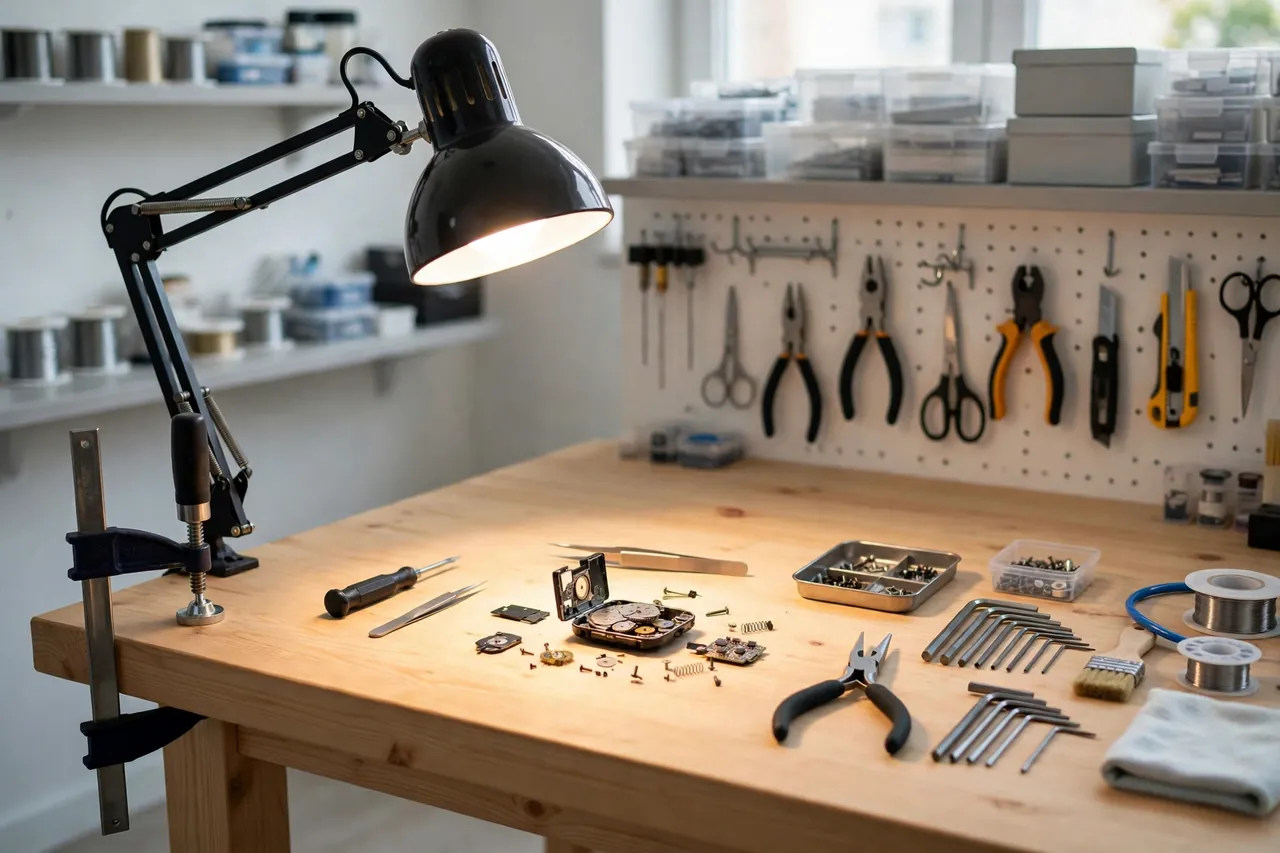
Good light is the cheapest workshop upgrade there is, and the hardest to keep in the right place. The bench lamp lives where its base fits, not where your work is: drag it closer and it tips; aim it down and it droops.
The problem is the base. Most task lamps are designed for a desk, with a heavy foot or a spring arm that expects a particular kind of edge. Your workshop has benches, shelves, pegboard frames, and machine stands — all different thicknesses, none of them where the lamp designer imagined.
A 3D printed clamp-on lamp mount bridges that gap. One end is a sturdy printed clamp that grips a bench or shelf edge you already have. The other end is a holder sized to the stem or body of the finished, sealed lamp you already own. No drilling into the bench, no permanent fixing, and the lamp moves to wherever the work is in under a minute.
This guide covers measuring your lamp and your edges, designing a clamp that grips without damage, and printing it strong. Be clear about the boundary from the start: the printed part is only a clamp and mount that holds a complete lamp. It never wires, splices, extends, or modifies anything electrical — more on that in the limits section below.
What You Need
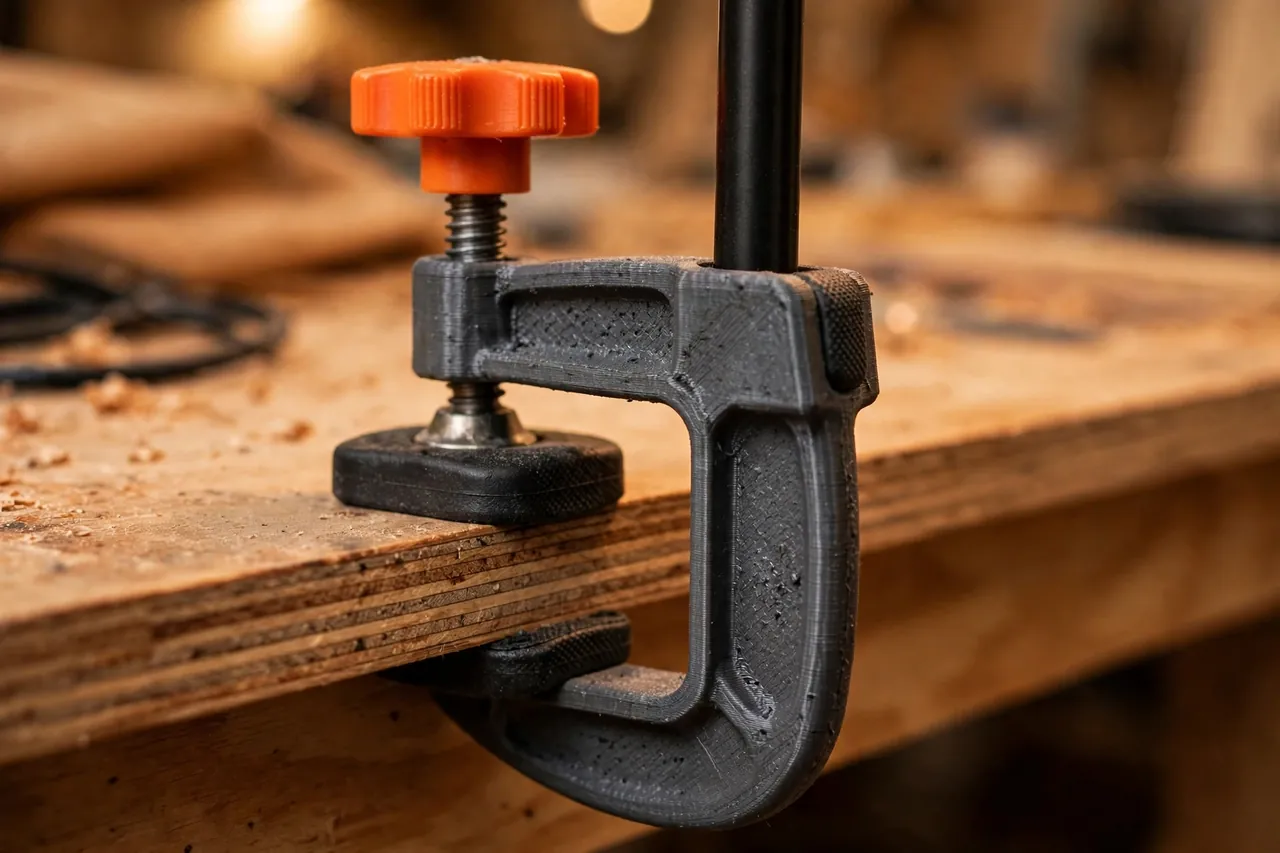
The mount has two halves: a C-clamp body with a thumb screw, and a lamp holder matched to your lamp’s stem or neck.
Materials and tools
- A home 3D printer with a build area of roughly 150 mm in at least one direction
- PETG filament for the clamp body; clamping loads punish brittle plastic
- The finished task lamp you plan to mount, measured at its stem or neck
- A large bolt or printed thumb screw for the clamp, plus a nut to match
- Thin rubber, cork, or TPU pads for the clamp jaws
- Calipers or a tape measure for stem and edge thicknesses
- Sandpaper and a file for cleaning the clamp throat
- A screwdriver for the holder’s pinch bolt, if your design uses one
PETG is the only sensible default here. A clamp lives under constant bending stress, gets knocked, and sits near a warm lamp. PETG flexes, holds its threads and nut traps well, and tolerates the warmth. PLA clamps creep loose over days and can crack at the throat — fine for a sizing test, not for the keeper.
Suggested print settings
- Layer height: 0.20 to 0.24 mm; accuracy in the throat matters more than fine finish.
- Walls: 5 perimeters on the clamp body — the throat should be nearly solid.
- Infill: 50 to 60 percent, gyroid, through the clamp spine and holder ring.
- Top and bottom layers: 5 or more for solid jaw faces.
- Orientation: Print the clamp on its side so clamping force runs across layers, not between them.
- Supports: Keep the throat open by design; a small support in the holder ring is acceptable.
Print and grip-test the clamp body on scrap before printing the holder.
Design Considerations
You can model the mount in any basic CAD program. Match the holder to your lamp and the clamp to your furniture — those two measurements decide everything.
1. The clamp throat and jaw range
Measure the edges you actually want to use: bench tops are often 25 to 40 mm, shelf boards 18 to 25 mm, and some benches have aprons that block clamping entirely. Design the throat about 10 mm deeper than your thickest target edge, and give the thumb screw enough travel to close firmly on your thinnest edge too.
Make the jaws wide — 40 mm or more of contact — so clamping force spreads out and does not dent soft bench tops. Add recesses for rubber or cork pads. Pads add grip, protect finishes, and stop the slow sideways creep that smooth plastic on smooth wood always develops.
2. The lamp holder: grip the lamp, change nothing
The holder should cradle or pinch a part of the lamp that is already strong: usually the lower stem, the neck just above the lamp’s own base joint, or a straight section of its arm. Measure that diameter precisely and allow 0.3 to 0.5 mm of clearance, closed up by a pinch bolt, or line the holder with a thin rubber strip for a friction fit.
Never design the holder to replace the lamp’s own base, shade, socket, or any part near its bulb or switch. You are holding a finished product by its furniture, the same way a hand would. If the only grip point you can find involves opening the lamp or touching its wiring, this project is the wrong approach for that lamp — use the lamp as its maker intended.
3. Angle and droop
Decide whether the holder is fixed-angle or tilting. A tilt joint with a wing knob lets you aim and lock the lamp. Design for droop: keep the holder close to the clamp and the spine thick, and test with the real lamp at full reach.
4. Keep clear of heat
Keep printed plastic well away from any part of the lamp that gets warm. Hold the lamp by its cool stem or neck only; if the whole lamp runs hot, it is not a candidate for a printed mount.
Step-by-Step: Printing and Assembly
- Measure your lamp’s stem or neck diameter and note its cool, strong grip point.
- Measure your target edges — bench, shelf, and stand thicknesses.
- Model the clamp with throat, jaw pad recesses, and a trapped-nut pocket for the thumb screw.
- Model the holder to your stem measurement with a pinch slot and bolt.
- Print the clamp body and test it on scrap: it should grip hard without cracking or flexing open.
- Print the holder, fit the pads, and assemble the two halves with their tilt bolt if fitted.
- Mount the empty clamp on your bench and tighten it firmly by hand.
- Fit the lamp into the holder, tighten the pinch bolt gently, and aim the lamp before final snugging.
Step-by-Step: Using the Mount Around the Workshop
- Choose your edge — solid, within reach of the lamp’s own cord and its existing outlet, with no strain on either.
- Open the clamp fully and slide it squarely onto the edge, pads flat.
- Tighten the thumb screw firmly by hand and give the mount a solid push test in every direction.
- Seat the lamp in the holder and tighten the pinch just enough that the lamp cannot rotate.
- Aim the lamp at the work, lock any tilt joint, and check the aim has not sagged after a minute.
- Route the lamp’s own cord loosely to its outlet, exactly as the maker intended, with no tension.
- Work under the light, re-aiming by the tilt joint rather than by twisting the lamp in its holder.
- To move the setup, support the lamp, loosen the holder first, then the clamp, and relocate both together.
Tips for Better Results
- Print the thumb screw big. A 50 mm winged knob lets you get real hand torque without tools.
- Use pads on both jaws. Top and bottom pads double the grip and fully protect the edge.
- Re-check after the first hour. New prints settle; one re-snug after the first session keeps things tight.
For a permanent bench light, see also our related guide, “Solar Work Light Mount: 3D Print a Holder for Your Sealed Solar Workshop Light,” which uses the same hold-the-finished-light approach.
Common Mistakes to Avoid
- Clamping to a weak edge. Thin hardboard backs and loose trim cannot take clamping loads; choose solid structure.
- Gripping the lamp by its shade or socket area. Hold the cool, strong stem or neck only.
- Over-tightening the pinch bolt. You are stopping rotation, not crushing the stem; snug is enough.
- Printing the clamp in low-infill PLA. It will creep, loosen, and eventually drop your lamp.
- Letting the lamp’s cord pull sideways. A taut cord is a constant sideways load on the mount; give it slack.
Care, Storage, and When to Choose an Alternative
Wipe dust from the jaws, inspect the throat for cracks before each relocation, and store the mount with pads in place and the thumb screw threaded in.
Now the honest limits, plainly. The printed mount holds a finished, sealed lamp you already own — nothing more. Never print parts that wire, splice, extend, or modify electrical components or cords. If a lamp’s cord, plug, or switch is damaged, that is a manufacturer or electrician part, not a printing project: stop using the lamp and have it repaired properly or replace it. Likewise, heavy lamps, lamps that run hot to the touch, and lights over areas where a fall could injure someone belong on manufactured metal mounts or their original bases. Within its lane — a modest, cool-running task lamp on a solid edge — the printed clamp is genuinely excellent. It also stores neatly alongside the docks in our related guide, “3D Printed Flashlight Wall Docks: A Parking Spot for Every Light,” if your workshop lighting lives in more than one form.
FAQ
What lamps suit a printed clamp mount?
Lightweight, finished task lamps with a straight, cool stem or neck to grip — typical LED desk and bench lamps in good condition. If the lamp is heavy, hot, damaged, or has no safe grip point, use its own base or a metal mount instead.
How thick an edge can the clamp handle?
Whatever you design the throat for. A throat depth around 45 to 50 mm with a long thumb screw covers most benches and shelves from about 15 mm up to 40 mm. Measure your own edges and size accordingly.
Will the clamp mark my bench?
With rubber or cork pads on both jaws and sensible hand-tight force, no. Damage comes from pad-less plastic, grit trapped in the jaw, or tool-level tightening — all avoidable.
Can I leave the lamp mounted permanently?
Yes, with periodic checks. Re-snug the thumb screw monthly, inspect the throat for cracks, and confirm the pads are still in place. Any mount holding weight deserves that ten-second inspection habit.
Conclusion
Task light belongs where the task is. A strong printed clamp, sized to your bench edges and your lamp’s stem, puts it there in a minute and moves it just as fast — no drilling, no new wiring, no compromises with a tippy desk base.
Measure carefully, print the clamp nearly solid in PETG, pad the jaws, and test the grip before you trust it with the lamp. The first time you work under light that is exactly where you wanted it, you will wonder why the lamp ever lived anywhere else.
For holding a different kind of bench helper in exactly the right spot, our related guide, “3D Printed Dust Hood Positioner Arm for Bench Sanders: Hold Your Extraction Hood Exactly Where You Need It (holder arm only),” is a natural companion project.