Introduction
Every workshop has the drawer. You open it for a 10 mm socket and perform the familiar ritual: sliding piles of tools aside, listening to everything roll, and finding the socket last week it spent in a completely different drawer. Loose drawers waste minutes on every single job.
Store-bought drawer organizers promise order and deliver approximation. Their trays are sized for average drawers that nobody owns, leaving wasted strips along the edges and compartments that almost fit your tools. Adjustable dividers flex, slip, and slowly return the drawer to chaos.
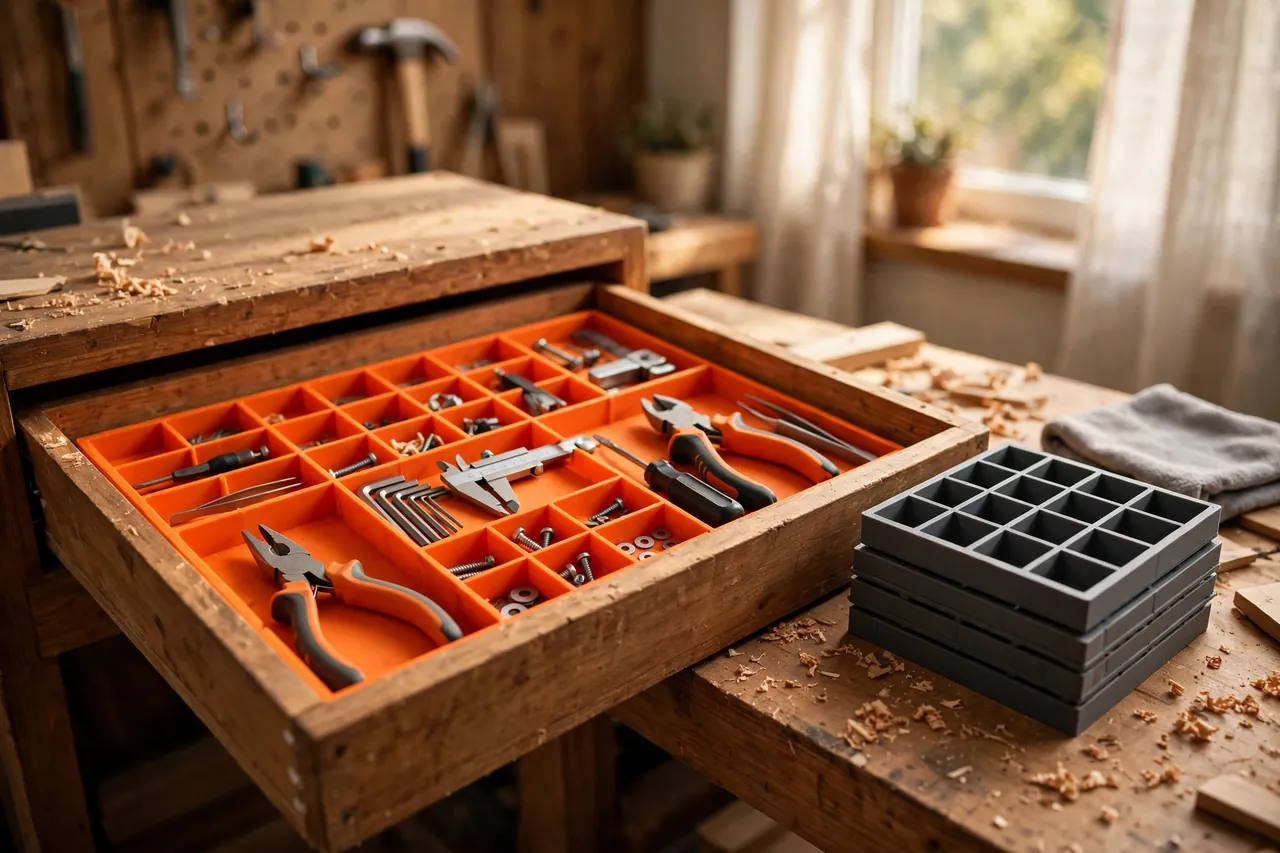
A printed divider grid is measured from your drawer and your tools, not from an average. Interlocking sections span the drawer’s exact inside dimensions, with compartment sizes you choose per tool family. When the layout stops working, you reprint one section — not the whole system.
This guide covers measuring a drawer properly, designing interlocking sections that print flat and assemble without hardware, and laying out compartments that stay useful. Dividers are organizers, pure and simple: they carry nothing but the small weight of what they separate, which keeps this project as honest as it is satisfying.
What You Need
Dividers are long, flat, friendly prints. A shallow drawer system can be produced over a couple of evenings, section by section.
Materials and tools
- A home 3D printer; longer beds help, but interlocking sections suit any size machine
- PLA filament for crisp, economical sections, or PETG for a hard-working garage drawer
- The drawer itself, emptied, cleaned, and measured
- A tape measure and calipers for inside length, width, depth, and corner details
- The tools or parts the drawer will hold, gathered for layout planning
- A small file and sandpaper for easing slot joints
- Optional thin foam or rubber liner for the drawer floor
- A notepad or simple sketch for the compartment plan
PLA is the usual winner: drawers live indoors, dividers take no real load, and PLA’s stiffness keeps long sections straight. PETG earns its place in unheated garages or drawers that get slammed daily, where its toughness shrugs off knocks PLA might chip under. Either way, this is a perfect project for using up part-spools in cheerful mixed colors.
Suggested print settings
- Layer height: 0.24 to 0.28 mm — flat utility sections print fast and clean.
- Walls: 3 to 4 perimeters; divider walls are thin, so perimeters are the structure.
- Infill: 15 to 25 percent for any solid bases; most divider walls print as pure perimeter.
- Top and bottom layers: 3 to 4 where sections have solid feet or label flats.
- Orientation: Print sections flat on the bed, standing walls up, exactly as they will sit in the drawer.
- Supports: None — design slots and joints to print cleanly without them.
Print one test section with two slots first and check its fit across the drawer’s width. Drawers are rarely perfectly square, and one test piece reveals the truth before you print a dozen sections.
Design Considerations
A grid succeeds on measurement and joints. Get those right and the layout is free to be whatever your tools need.
1. Measure the drawer like it matters
Measure inside length and width at the floor and again near the top, front and back, because drawer boxes taper and bow more than you expect. Note the corner construction: dovetails, screws, or a liner can steal millimeters at exactly the corners your grid wants to occupy. Design the overall grid 1 to 2 mm smaller than the tightest measurements, so it drops in as one piece and lifts out for cleaning. Record the usable depth too, and keep divider height 5 to 10 mm below the drawer’s top edge so nothing fouls the cabinet above.
2. Interlocking slots that stay put
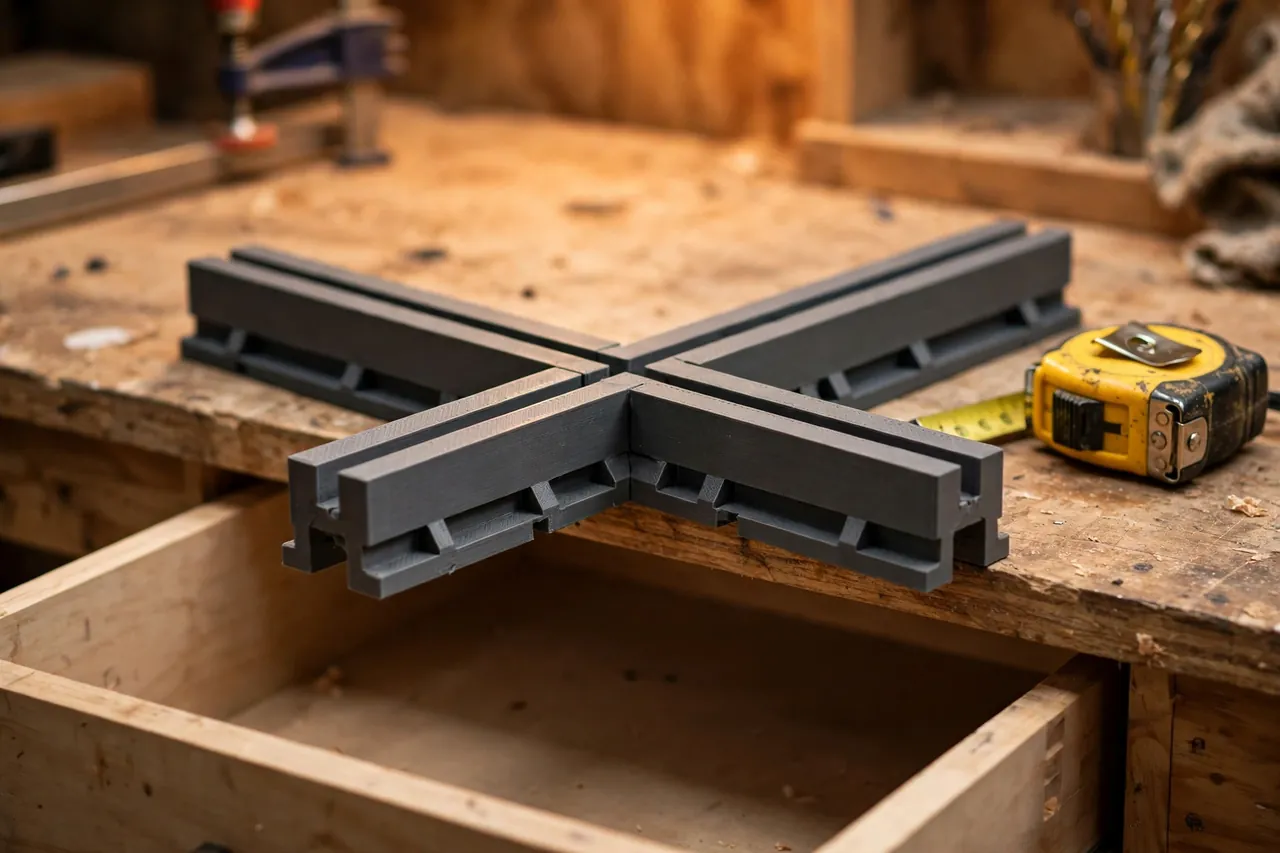
The classic joint is a half-lap slot: each section carries slots halfway through its height, alternating up and down, and crossing sections slide together into an egg-crate grid. Size slots at your wall thickness plus 0.3 to 0.4 mm of clearance, and round the slot mouths slightly so assembly is a push, not a wrestle. Wall thickness of 2.4 to 3 mm balances strength, print time, and the space compartments lose to the grid itself.
For layouts that change often, keep every section the same height and slot spacing — a modular rhythm of, say, 40 mm — so sections can be rearranged between drawers like bricks.
3. Compartments sized to real tools
Lay the actual contents out on the drawer floor before modeling a single wall. Group by how you work: drivers together, measuring tools together, the awkward long items along the back. Give frequently grabbed tools compartments near the front, sized with a finger’s width of spare room so retrieval is a grab, not a dig. Avoid a grid of identical squares unless your contents are truly identical; matched-to-content compartments are the entire advantage of printing your own, a principle our guide, “3D Printed In-Drawer Tool Trays: Custom Trays for Wrenches, Bits and Drivers,” applies in tray form for the same drawers.
Step-by-Step: Printing and Assembly
- Empty and clean the drawer, then take all inside measurements twice.
- Lay out the contents on the drawer floor and sketch the compartment plan around them.
- Model the sections with half-lap slots at your chosen spacing and clearances.
- Print the test section and check its span and slot fit against a second small piece.
- Adjust slot clearance once if the joint is stubborn or sloppy.
- Print the full set of sections, keeping colors consistent per drawer if you are doing several.
- Assemble the grid on the bench, slotting sections together squarely.
- Drop the grid into the drawer as one piece and confirm it sits flat with no rocking.
Step-by-Step: Using Your Divider Grid
- Line the drawer floor first if you use a liner, so the grid grips and tools stop sliding underneath it.
- Load tools into their planned compartments, heaviest items spread across the drawer’s stronger areas.
- Check the drawer closes with everything in place, especially tall items near the front.
- Work from the drawer for a week before changing anything; first impressions of a layout are often wrong.
- Note what migrates. An item that never returns to its compartment is asking for a better-sized one.
- Reprint single sections to fix the compartments that annoy you, leaving the working grid untouched.
- Lift the whole grid out for cleaning days — crumbs and swarf shake out in seconds over a bin.
Tips for Better Results
- Label compartments on the divider tops with a paint pen or label flats modeled into the sections; labeled homes get respected.
- Keep one flexible compartment deliberately oversized for the odd-shaped tool every drawer attracts.
- Print a matching set for the neighboring drawer while the measurements are fresh, using the same slot rhythm.
- Pair dividers with dedicated holders for small families: our guide, “Allen Key and Hex Wrench Holder: 3D Print a Labeled Organizer for Your Tool Drawer,” drops neatly into a grid compartment.
- Photograph the finished layout and keep it with your files, so a spilled drawer can be restored exactly.
Common Mistakes to Avoid
- Measuring the drawer once, at one spot. Tapered boxes make end-to-end grids bind or rattle; measure everywhere.
- Making slots too tight. Printed slots shrink slightly; a forced joint bows sections and lifts the grid off the floor.
- Designing compartments from imagination. Lay the real tools out first, or the prettiest grid will fit nothing you own.
- Filling every millimeter. A grid with no spare compartment forces the next tool purchase into the junk pile.
- Printing dividers taller than the drawer allows. A section that fouls the cabinet above makes the drawer stick and the system hated.
Care, Storage, and When to Choose an Alternative
The grid lifts out for a shake and a wipe whenever the drawer gets its seasonal clean, and individual sections reprint in under an hour if one cracks. Keep your measurement sketch with the print files; drawers outlive layouts, and the next version of the grid will thank you for the numbers.
Choose full trays, foam inserts, or a commercial system when a drawer holds very heavy tools that would flex thin divider walls, precision instruments that want padded individual nests, or when a drawer’s contents change completely every week. Those are tray jobs. For a stable collection of everyday tools in a drawer you can measure, a printed grid is the most exact organizer you will ever own — because it was never designed for anyone else’s drawer.

FAQ
My printer is too small for a full-width section. Can I still do this?
Yes — that is what the interlocking design is for. Split long sections into two shorter ones joined by an extra cross section, or overlap two sections with mating slots at the join. A grid of modest pieces is actually easier to reprint and rearrange than a few giant ones.
How do I stop tools rattling in their compartments?
A thin foam or rubber liner under the grid quiets most of it, and sizing compartments honestly — a finger’s width of spare room, not a centimeter — stops tools gathering speed. For the few items that still knock, a small printed cradle or holder inside the compartment settles them.
Should the grid be fixed to the drawer?
Almost never. A friction-fit grid that lifts out is easier to clean, rearrange, and move to a new drawer. If a very light grid slides when the drawer slams, a strip of liner underneath or two small removable adhesive dots at the back corners solve it without commitment.
Can I use the same system in a desk or craft drawer?
The method transfers perfectly — measure honestly, plan around real contents, print interlocking sections. Workshop drawers are simply where the system proves itself first, and desk drawers follow the same rules.
Conclusion
A drawer stops being a junk trap the day its dividers are measured from the drawer itself and planned around the tools that actually live there. An interlocking printed grid gives every item a home, lifts out for cleaning, and evolves one section at a time as your collection changes.
Measure twice, print the test section, and enjoy the small daily pleasure of a drawer where the thing you need is simply there.
To finish the system, you may also enjoy our related guide, “Workshop Label Holders and Bin Tags: 3D Print a Labeling System for Every Drawer,” which gives every compartment in your new grid a name worth keeping.