Introduction
A planer or jointer with knives at uneven heights announces itself in the work: one knife does all the cutting, the surface shows faint ridges, and the machine sounds rougher than it should. The fix is not sharper knives alone. Every knife in the cutterhead must sit at exactly the same height relative to the outfeed table, or the tallest knife hogs the cut while the others barely touch.
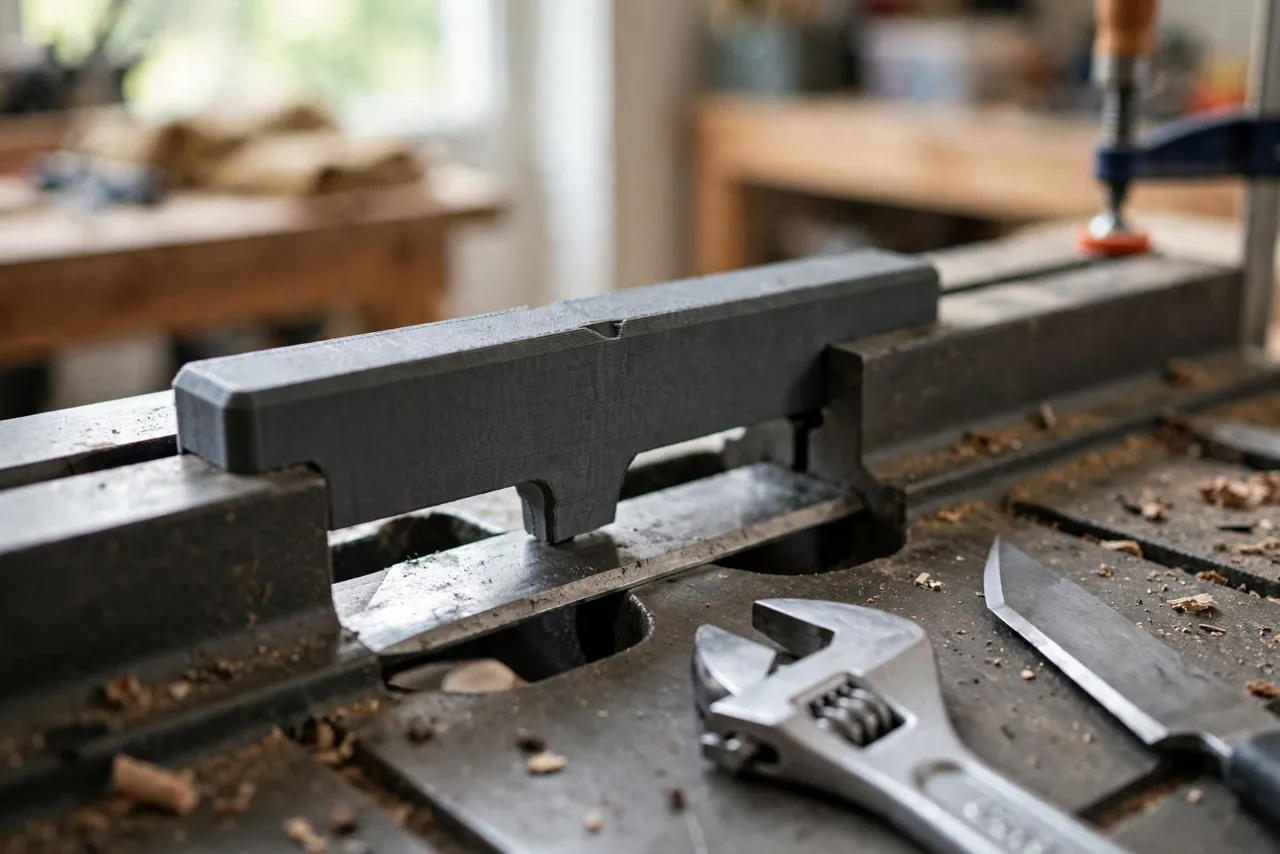
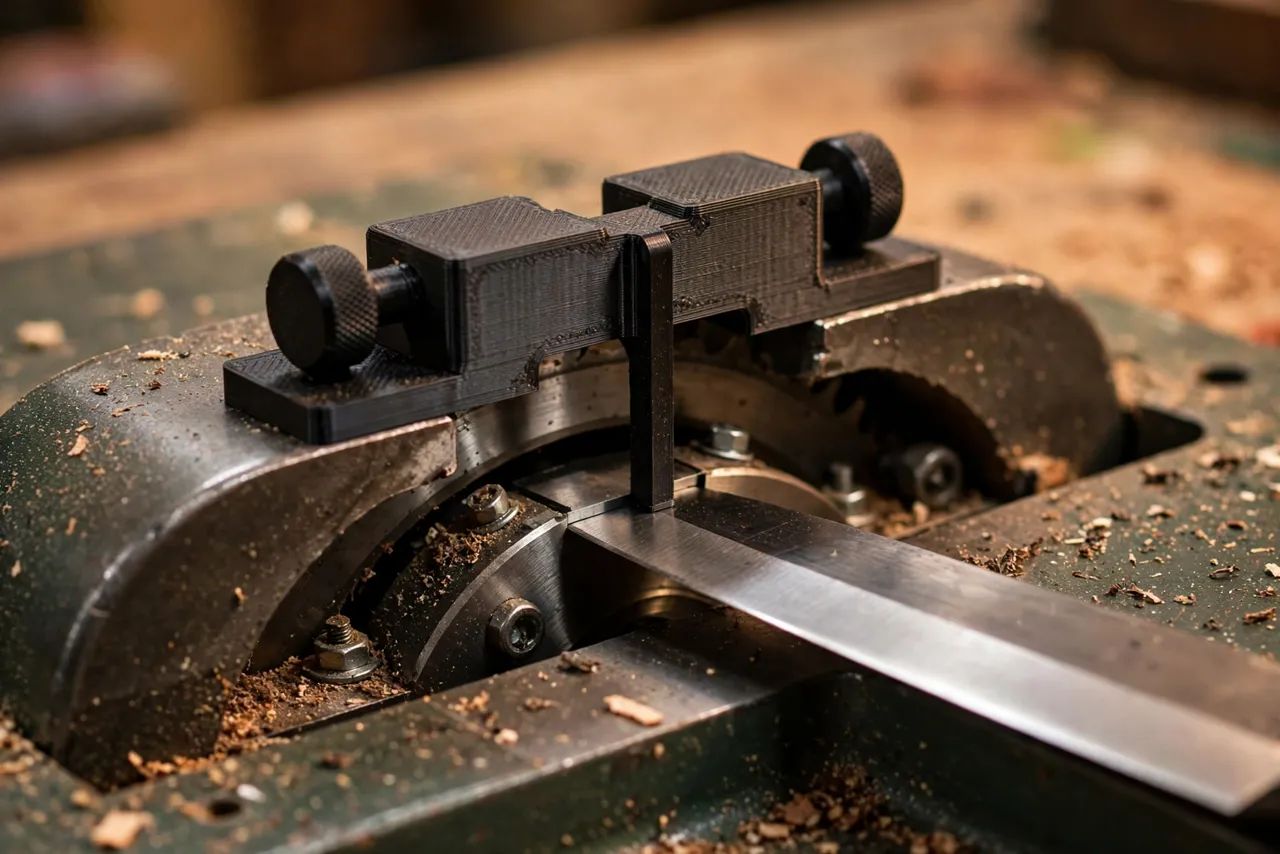
Factory setting gauges exist, but they are often model-specific, easy to lose, and awkward to use. A 3D printed knife setting jig is a simple bridge that spans the cutterhead opening and carries a reference foot down to knife height. Set one knife to the jig, then set every other knife to the same jig, and the whole set matches.
This guide covers designing, printing, and using your own jig. Read the safety framing carefully: this is a measuring aid used only with the machine unplugged and the cutterhead locked or held still. Knives are extremely sharp, the cutterhead is heavy, and a printed jig is not a guard, a holder, or a substitute for your machine manufacturer’s procedure. If your manual specifies a proprietary gauge or a different method, follow the manual. When in doubt, have a professional set the knives.
What You Need
The jig is a flat bridge, usually 150 to 250 mm long depending on your machine’s cutterhead opening. Measure your machine before modeling anything.
Materials and tools
- A home 3D printer and PETG filament for a dimensionally stable bridge
- Calipers or a steel ruler, plus a fine marker
- Your planer or jointer manual, for its knife-changing and locking procedure
- The correct wrench or screwdriver for your knife gib screws
- Cut-resistant gloves for handling knives, used only when the machine is unplugged and the head is still
- A clean rag, a small brush, and a flat reference straightedge
PETG is preferred because the bridge must stay flat and true. A warped bridge gives every knife the same wrong height, which defeats the purpose. Print slowly and cool the part flat.
Suggested print settings
- Layer height: 0.20 mm, or 0.16 mm for a cleaner reference edge.
- Walls: 4 or more perimeters — the bridge must not flex when you press it to the table.
- Infill: 40 to 60 percent, grid or gyroid.
- Top and bottom layers: 5 or more, so the feet sit flat on the table.
- Orientation: Print flat, table-facing side down.
- Supports: None for a flat bridge design.
Print a short test foot first to confirm the reference edge prints cleanly and measures true against a straightedge.
Design Considerations
The jig is essentially a bridge with two feet and a gauge tab. Each feature has one job, and each job matters.
1. The feet and span
The two feet rest on the outfeed table (and, on some designs, one foot on the infeed table) while the bridge spans the cutterhead opening. They must be wide enough to sit stably — about 20 to 30 mm each — and their undersides must be flat and coplanar. A foot that rocks gives a different reading every time you set the jig down.
Measure the opening on your machine and add enough span to clear it with margin. On a jointer, the bridge typically rests on the outfeed table and reaches across the cutterhead toward the infeed side; on a planer, it may rest on the bed or a reference surface your manual identifies.
2. The gauge tab
The gauge tab hangs from the bridge and its lower edge is the reference height. The classic approach: set the tab so its edge sits exactly at outfeed-table height, then raise each knife until it just touches the tab. Some makers add a small notch or step in the tab so a knife edge seats repeatably in the same spot.
Keep the tab short and thick — a thin, flexible tab bends under finger pressure and lies to you. About 4 to 5 mm thick with a clean, square lower edge works well.
3. Fitting your knife style
Knives differ: straight knives held by gibs, indexed disposable knives, and helical heads all set differently. This jig suits traditional straight-knife heads where each knife’s height is adjusted by screws. If your machine uses indexed knives that seat in fixed pockets, height is set by the pocket, not by a jig — do not try to shim or adjust those against this guide.
Also confirm how your cutterhead locks. Some heads rotate freely and need a locking pin or a block; others hold still under their own weight. Never rely on friction alone while your fingers are near the knives.
4. One jig, one machine
Cutterhead openings, table heights, and knife widths vary widely, so a jig is machine-specific. Print the model for your machine, label it with the machine name, and do not lend it to a different model expecting the same readings.
Step-by-Step: Printing and Assembly
- Measure the cutterhead opening and the distance from the table surface to the knife circle on your machine.
- Decide the reference method your manual recommends — knife flush with the outfeed table is the common jointer standard.
- Model the bridge, feet, and gauge tab to your measurements.
- Print a test foot and tab and check flatness against a straightedge.
- Print the full bridge, cool it flat, and lightly sand the feet until both sit without rocking.
- Verify the tab height by setting the jig on a flat surface and measuring the tab edge against a ruler.
- Label the jig with the machine name and the date printed.
If the bridge rocks, sand the high foot a little at a time and recheck. Do not shim a rocking foot with tape — the shim compresses and changes readings.
Step-by-Step: Using the Jig
- Unplug the machine. Lock out the switch if your shop allows it. This entire procedure is power-off work.
- Lock or block the cutterhead per your manual so it cannot rotate while you work.
- Clean the tables and the cutterhead area. Chips under a foot throw every reading off.
- Remove or loosen the first knife per your manual, handling it by its back edge and only with gloves on.
- Set the jig in place, feet flat on the reference table, bridge over the cutterhead.
- Raise the knife until its edge just touches the gauge tab along its full length. Tighten the gib screws gradually, alternating from the center outward, and recheck after tightening — screws can pull a knife slightly as they seat.
- Rotate the head to the next knife (still unplugged, still locked between moves), and repeat with the same jig in the same position.
- Recheck the first knife after all are set. If one moved during tightening, reset it and recheck the rest.
- Remove the jig, double-check nothing is left in the machine, unlock the head, and rotate it slowly by hand to confirm nothing rubs.
Take your time. Knife setting is slow, fiddly work, and rushing it is how edges get nicked and screws get overtightened.
Tips for Better Results
- Set knives in the same jig position every time. Mark the table position with tape so the jig lands identically for each knife.
- Check along the full knife length. A knife that touches at one end and gaps at the other is tilted, not set.
- Tighten in stages. Snug, check, then final-tighten, checking again after each stage.
- Keep a spare set of sharp knives. Setting is much easier when you are not also compensating for dull or nicked edges.
- Test on scrap. Plane a scrap board after setting and look for ridges, snipe, or a stepped surface before running good stock.
Common Mistakes to Avoid
- Working with the machine plugged in. Unplug it first, every time, without exception.
- Setting knives by eye against the table edge. Eyes lie at these tolerances; the jig exists so you do not have to guess.
- Overtightening gib screws. Stripped screws and distorted knives cost more than the time saved.
- Forgetting to recheck after tightening. Screws move knives. The post-tightening check is part of the job, not optional.
- Using the jig on an incompatible head. Indexed and helical heads do not set this way; forcing the method can damage the head.
- Leaving the jig or a tool in the machine. Do a final visual sweep before restoring power.
Care, Storage, and When to Choose an Alternative
Store the jig flat, labeled, and away from heat and dust. Wipe the feet clean before each use, and reprint if a foot gets nicked or the bridge warps. A jig that no longer sits flat is worse than no jig, because it gives confident wrong answers.
Sometimes the manufacturer’s gauge or a commercial magnetic setting jig is the better choice. If your machine’s manual specifies one, if you change knives weekly, or if your head design makes a printed bridge awkward, a purpose-built metal gauge will be faster and more durable. For occasional home knife changes on a straight-knife machine, a printed jig is accurate enough — provided you respect the power-off rule and the manual at every step.
FAQ
Will this jig work on a helical cutterhead?
No. Helical heads use indexed inserts seated in fixed pockets; their height is set by the head design, not by adjustment. This jig is for traditional straight knives with adjustable gibs.
How do I know the knives are truly even?
Plane a test board and inspect it. Even knives leave a smooth surface with no single-knife ridge lines. If one ridge persists, that knife sits high; recheck it with the jig before changing anything else.
Can I set knives without removing them all first?
Usually you adjust one at a time, loosening only the knife you are setting. Follow your manual — some heads require all gibs loose before any knife moves, and fighting that sequence can distort the head.
My jig rocks slightly on the table. Is that a problem?
Yes. A rocking bridge gives a different height every time it lands. Sand the high foot until both feet sit flat, or reprint. Do not shim it and hope.
Conclusion
Even knives are the difference between a planer that sings and one that chatters, and evenness is a measurement problem. A printed bridge jig turns “close enough” into a repeatable reference every knife can match, in an afternoon of careful, power-off work.
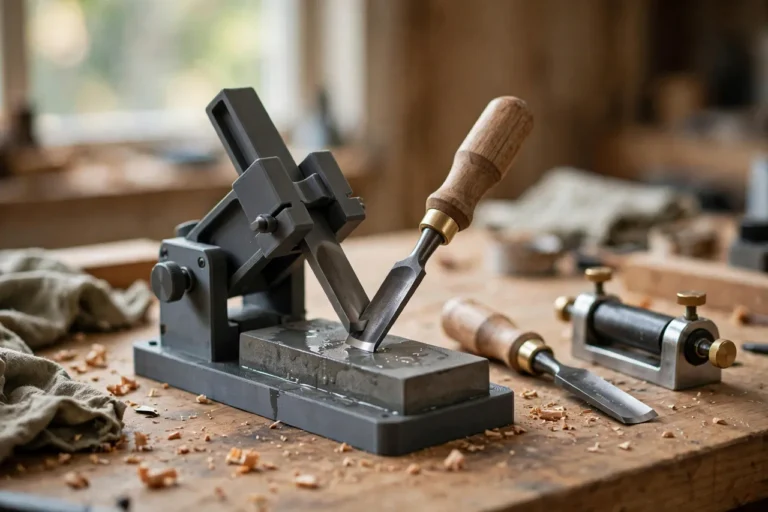
Print one for your machine, label it, and keep it with your knife wrenches. And if you are tuning up the whole sharpening side of the shop as well, our related guide, “3D Printed Honing Guide Blocks: Set Exact Chisel and Plane Iron Angles Without Expensive Jigs,” covers the hand-tool side of the same habit: measure, set, and check, rather than guess. Pair it with 3D Printed Table Saw Alignment Gauge: Check Blade and Fence Parallel in Minutes before you start, since a well-aligned saw makes every jig work better.