Introduction
Anyone who has run a long bolt in or out with a ratchet knows the tedious part: the first dozen turns, when the fastener spins freely and the ratchet clicks back and forth for no reason. A ratchet is made for tightening, not for spinning. For the free-spinning stage, you want a tool you can twirl with one hand while the other holds the work.
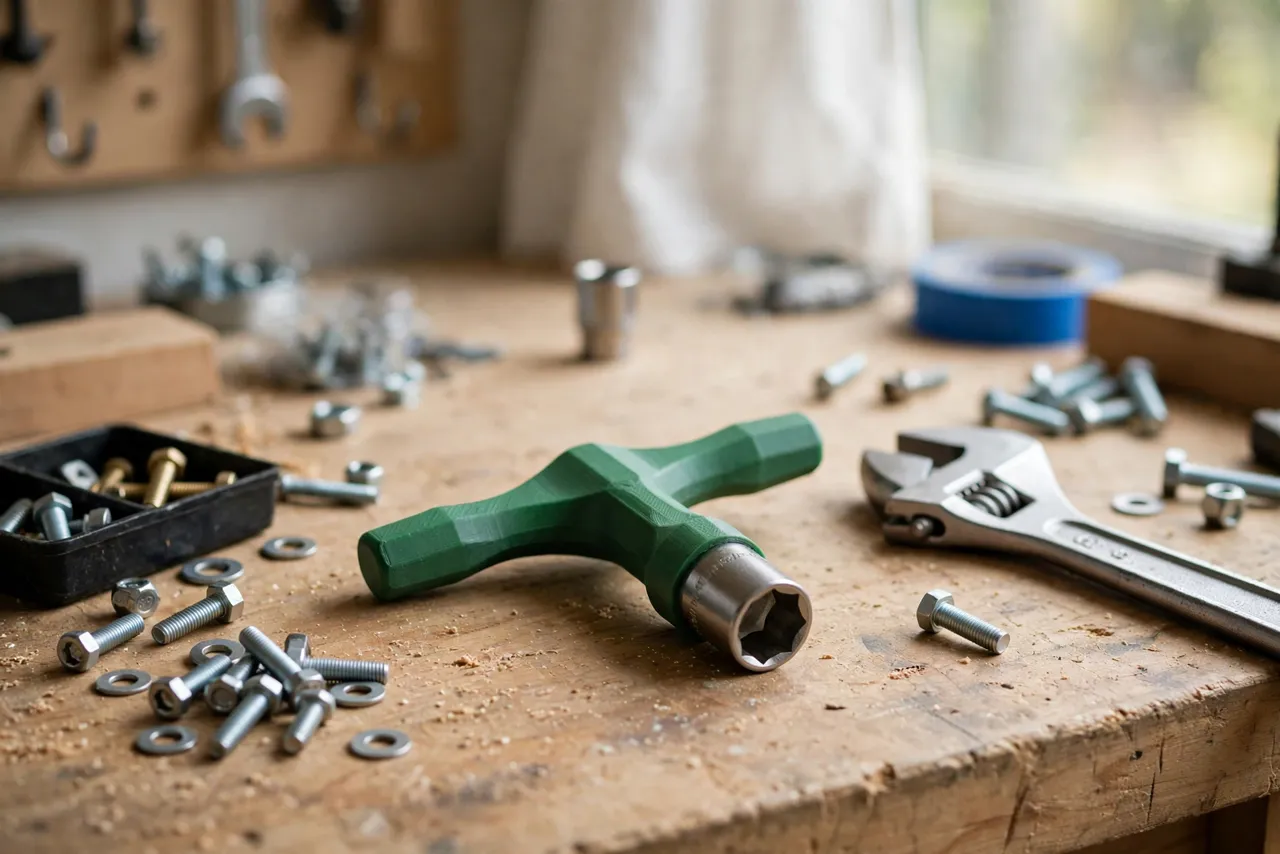
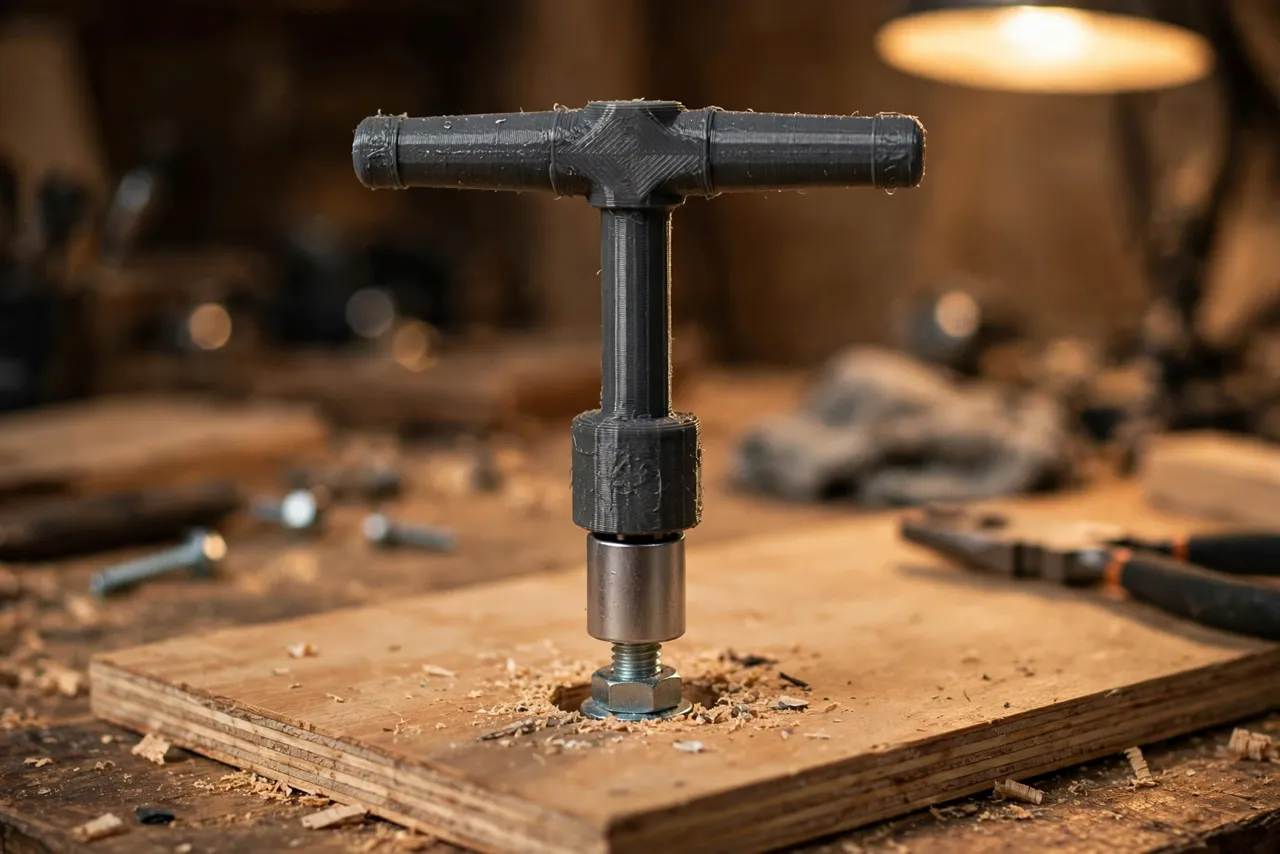
A 3D printed socket spinner T-handle does exactly that. It is a light T-shaped handle with a socket drive at its centre: you press a socket on, twirl the handle between your fingers, and the fastener spins on or off in seconds. When resistance builds, you switch to a ratchet or wrench for final tightening. The spinner saves time, not torque.
This guide covers designing, printing, and using a spinner for common 1/4-inch and 3/8-inch sockets. Treat it as a light-duty spinning aid only — it runs fasteners in and out while they turn freely, it does not apply final torque, and it must never be used to force a stuck, rusted, or cross-threaded fastener. If a bolt resists, stop and use the proper tool for that job.
What You Need
The spinner is a small print, ideal for a first TPU or PETG project. The key part is the drive: either a printed square drive or a metal adapter that the printed handle holds.
Materials and tools
- A home 3D printer with a modest build area
- PETG filament for a rigid spinner, or PLA for a test
- Sockets in the sizes you use, plus a metal socket adapter if your design uses one
- Calipers or a ruler, a pencil, and fine sandpaper or a small file
- A ratchet or wrench for final tightening, and bolts and nuts for testing
- A small magnet, optional, for holding the socket on the drive
PETG is the better keeper because it flexes slightly instead of cracking and survives workshop handling. PLA is fine for a test spinner and for very light use, but it wears faster at the drive. Either way, the drive fit matters most: a loose drive lets the socket wobble and fall off mid-spin.
Suggested print settings
- Layer height: 0.20 mm, or 0.16 mm for a smoother grip.
- Walls: 5 perimeters, since the handle takes twisting force.
- Infill: 50 to 60 percent, grid or gyroid, for a solid handle.
- Top and bottom layers: 5 or more.
- Orientation: Print flat, drive face down if possible, so the drive stays true.
- Supports: None, for a simple T-handle; a small support may help an overhanging finger disc.
Print a test spinner first and check the socket fit before printing a keeper.
Design Considerations
A spinner must spin freely, hold its socket, and feel comfortable twirled between your fingers. Each feature serves one of those goals.
1. The drive
There are two good approaches. The first is a printed square drive, sized to your socket set: about 6.3 mm across for 1/4-inch drive, or 9.5 mm for 3/8-inch drive, with a small detent ball or bump to retain the socket. Print it slightly undersized — about 0.2 mm smaller — and test the fit, since a drive that is too large will not enter the socket at all. The second approach is a metal adapter: a short square-drive adapter whose round shank is glued or pressed into a printed handle. The metal drive lasts longer and holds sockets more securely, and it is the better choice if you spin sockets daily.
2. The T-handle
The handle is a T: a central stem holding the drive, with two arms you twirl between thumb and fingers. Make the arms about 90 to 110 mm across in total, with rounded ends and a comfortable oval cross-section, about 18 mm wide and 14 mm thick. Add a shallow finger disc or knurled ring at the centre, which gives your fingers something to spin against without slipping. Keep the handle light and balanced: a heavy, lopsided spinner wobbles and tires your fingers.
3. Socket retention
A spinner that drops its socket every few turns is useless. Add retention: a small spring ball, a magnet recess behind the drive, or a tight friction fit with a detent bump. Test by spinning the tool upside down over a tray: the socket should stay on through several spins, but still come off with a firm pull when you want to change sizes. If it falls off easily, tighten the drive or add a magnet.
4. One-hand use
Design for one hand from the start. The spinner should be short enough to twirl without hitting the work, and the arms should be smooth enough to roll between fingers without catching. Avoid sharp edges, deep grooves, or protruding screws on the spinning parts. A spinner that snags is a spinner that gets left in the drawer.
Step-by-Step: Printing and Assembly
- Measure your sockets. Record the drive size and check whether you want a printed drive or a metal adapter.
- Model the T-handle with a central drive, rounded arms, and a finger disc.
- Print a test spinner and check the socket fits firmly but comes off with a pull.
- Clean it up. Sand sharp edges, clear the drive, and check the handle spins true without wobble.
- Fit the adapter or magnet if your design uses one, securing it as the maker directs.
- Adjust if needed. If the socket wobbles, tighten the drive by 0.2 mm; if it will not fit, loosen it by the same amount.
- Print the keeper in PETG once the test spins well.
There is little assembly beyond fitting an adapter or magnet, if used.
Step-by-Step: Using the Spinner
- Start the fastener by hand if you can, to avoid cross-threading. A spinner cannot feel a crossed thread the way fingers can.
- Press the socket onto the drive and check it is seated and retained.
- Spin with one hand. Hold the work with the other hand, and twirl the T-handle between thumb and fingers. The fastener should run freely.
- Switch tools when resistance builds. As soon as the fastener starts to tighten, or if it sticks at any point, stop spinning and finish with a ratchet or wrench.
- Reverse to remove. For removal, break the fastener loose with a wrench first, then spin it out with the spinner once it turns freely.
- Change sockets easily. Pull the socket off firmly, press the next size on, and continue. Keep sockets organised so size changes stay quick.
Work patiently on the first few fasteners. By the third, the twirl feels natural, and long bolts that used to take a minute of ratcheting take seconds.
Tips for Better Results
- Break fasteners loose first. A spinner is for free-spinning, not for breaking torque. Use a wrench for the first turn.
- Keep sockets organised. A spinner saves time only if the next socket is easy to find.
- Test retention upside down. If a socket survives upside-down spinning over a tray, it will survive real use.
- Use the right drive size. A 1/4-inch spinner for small fasteners, 3/8-inch for larger ones. Forcing a mismatch damages sockets.
- Clean the drive regularly. Dust and grit in the drive wear it and loosen the fit.
Common Mistakes to Avoid
- Trying to tighten with the spinner. It is not a torque tool. Final tightening always needs a ratchet or wrench, and forcing the spinner can crack it.
- Forcing a stuck fastener. If a bolt will not turn freely, stop. Forcing it risks cross-threading, snapping, or stripping.
- Using a loose drive. A wobbling socket rounds fastener corners and falls off. Fix the fit before use.
- Starting fasteners with the spinner alone. Start by hand where possible, so a crossed thread is felt early.
- Printing too thin. A flimsy handle flexes and snaps under twisting. Use thick walls and high infill.
Care, Storage, and When to Choose an Alternative
Wipe the spinner clean, store it with your sockets, and keep it away from heat. If the drive wears loose, reprint the handle — the file is already proven. For heavy mechanical work, daily professional use, or high-torque jobs, a manufactured spinner handle with a steel drive is the durable choice. For home assembly, furniture, and light mechanical jobs, a printed spinner that turns free-spinning drudgery into seconds is a genuinely useful tool.
FAQ
Will one spinner fit every socket?
No. Spinners are sized by drive: 1/4-inch or 3/8-inch are the common home sizes. Print one for each drive size you use, and label them clearly.
Is PLA strong enough, or do I need PETG?
PLA is fine for a test and for very light spinning. PETG is the better keeper because it tolerates twisting and handling better. Either way, a correct drive fit matters most, and a metal adapter drive lasts longest.
Can I use the spinner to tighten bolts fully?
No. Use it only while fasteners turn freely, then finish with a ratchet or wrench. A printed spinner cannot apply controlled torque, and forcing it risks damage to the tool and the fastener.
My socket keeps falling off. What went wrong?
Usually the drive is too small, there is no retention feature, or the drive has worn. Tighten the drive by 0.2 mm, add a magnet or detent bump, and test upside down over a tray before use.
Conclusion
Long, free-spinning fasteners should not eat your time. A printed T-handle spinner, fitted with the right drive and a retained socket, runs them on and off in seconds with one hand, leaving the ratchet for the tightening it was made for.
Print one for each drive size you use, keep it with your sockets, and the next assembly job will move noticeably faster.
For keeping those sockets sorted, you may also enjoy our related guide, “Socket Organizer Rails: 3D Print a Drawer and Wall System for Every Socket You Own,” and for a full workshop setup, see “The Complete 3D Printed Home Repair Toolkit: Every Jig, Clamp and Organizer to Print Next.”