Installing drawer slides sounds simple: screw one part to the cabinet, one part to the drawer, and slide them together. In practice, it is one of the fiddliest jobs in cabinet work, and the one most likely to leave you with a drawer that binds, tilts, or rubs on one side. A 3D printed drawer slide jig changes that. Instead of holding a floppy metal slide level with one hand while you mark, drill, and drive screws with the other, the jig holds the slide for you, at exactly the right height, while you work.
One important point: this jig is purely an installation aid. It supports the slide only while you fit it, then comes out and goes back in the toolbox. The metal slide itself, properly screwed to solid cabinet wood, carries all the load of the finished drawer. The printed part never becomes part of the drawer, and should never bear weight in use.
Why Drawer Slides End Up Crooked
Working Inside a Cabinet
A cabinet interior is cramped and shadowy. You are often kneeling, reaching in at an angle, trying to read a tape mark you can barely see. Positioning a slide accurately is hard. Keeping it there is harder.
Nothing to Rest the Slide On
A drawer slide is a long, thin, slightly flexible strip of metal. Inside a frameless cabinet there is nothing underneath it — no shelf, no ledge, no reference surface. You have to hold it at a set height, parallel to the cabinet floor and square to the front, perfectly still.
You Are Always One Hand Short
Count the jobs: one hand to hold the slide, one to hold a level, one to mark, and one to drive the screw. Most of us have two. So we tape the slide in place or ask someone else to hold it and hope they do not move. A shift of a sixteenth of an inch becomes a drawer that sticks on one side and gaps on the other — then you must repeat it at exactly the same height on the opposite side. The jig solves this by giving the slide something solid to sit on.
What You Need
For the jig:
- A desktop 3D printer with a build plate roughly 6 inches square or larger
- PLA filament for a basic shop jig, or PETG for a tougher version that handles knocks and a hot garage better
- Optional: a few small round magnets for the printed pockets, plus a drop of cyanoacrylate glue if the fit is loose
- Optional: a small bubble level or combination square
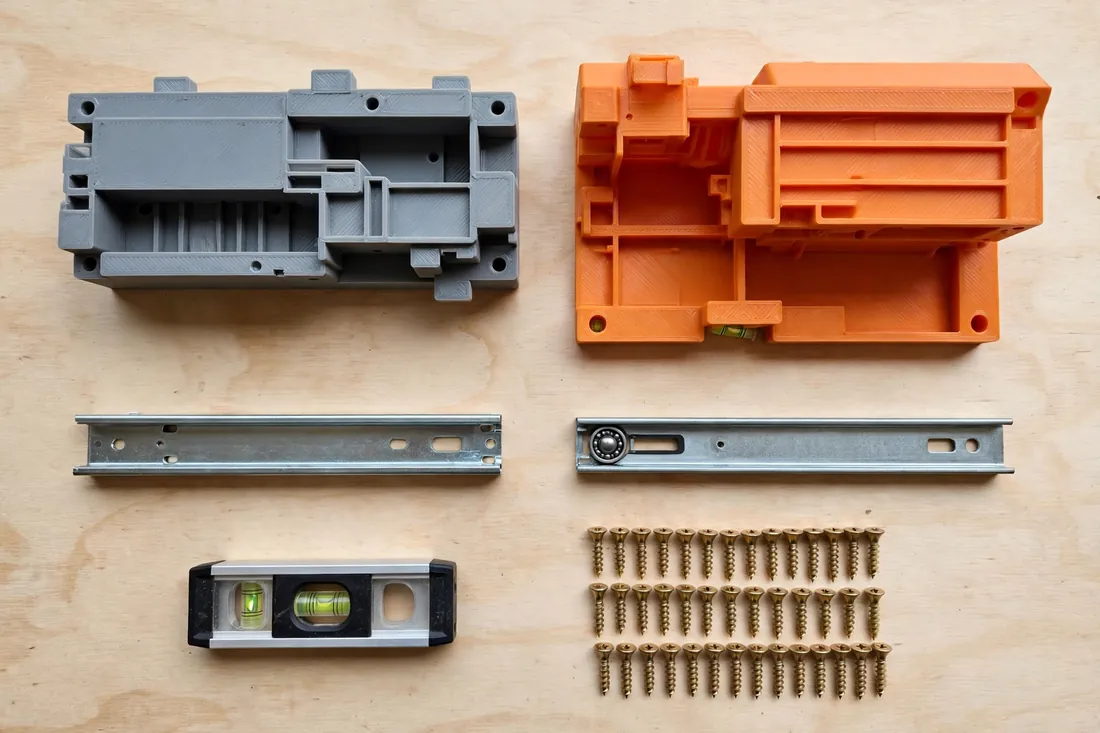
For the installation: a pair of side-mount ball-bearing or roller slides sized to your cabinet depth, the screws supplied with them, and a drill/driver with a small pilot bit, pencil, tape measure, and square.
Printer Settings
This is a shop tool, not a display piece, so prioritize strength and accuracy over finish.
- Layer height: 0.20 mm balances speed and strength; 0.16 mm gives a crisper ledge edge.
- Walls: 3 to 4 perimeters, so the ledge stands up to knocks.
- Infill: 25 to 40 percent, grid or gyroid. Solid infill is unnecessary.
- Orientation: Print flat on the largest face, with layer lines running along the ledge.
- Supports: Little or none; a face-frame hook may need light support.
- Material: PLA is genuinely fine — stiff and true to size, which is what a holding tool needs. Choose PETG for heat or heavy abuse.
Design Considerations
A Support Ledge at a Set Height
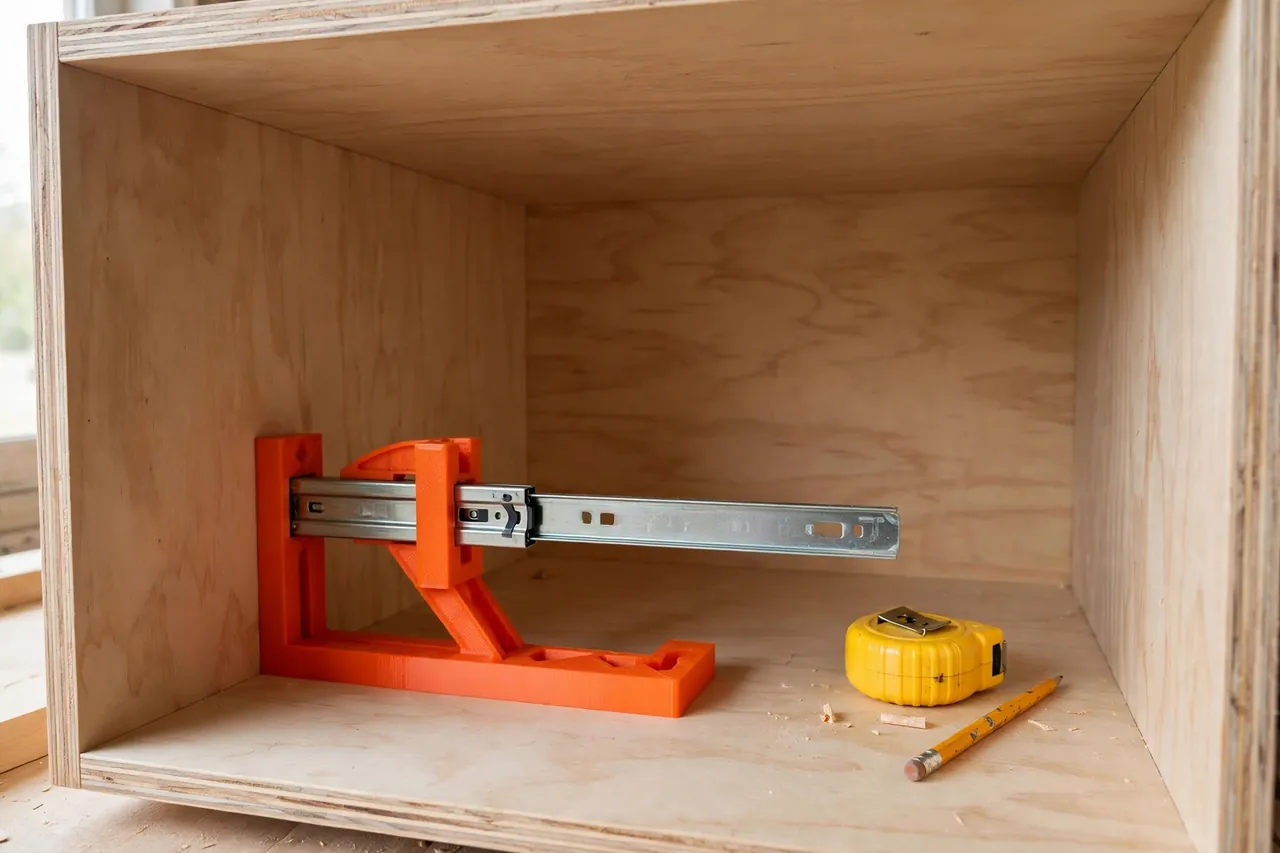
The heart of the jig is a flat, horizontal shelf that the bottom edge of the slide rests on. When the base sits on the cabinet floor or the opening’s lower rail, that ledge is at a fixed, repeatable height. Place the slide on it and the height is set, level front to back, with no measuring while you hold it.
Useful versions include two or three ledges at different heights, or a stepped side, so one jig covers common drawer box heights. The ledge should be about 1/2 inch wide and dead flat.
A Body That Stays Put
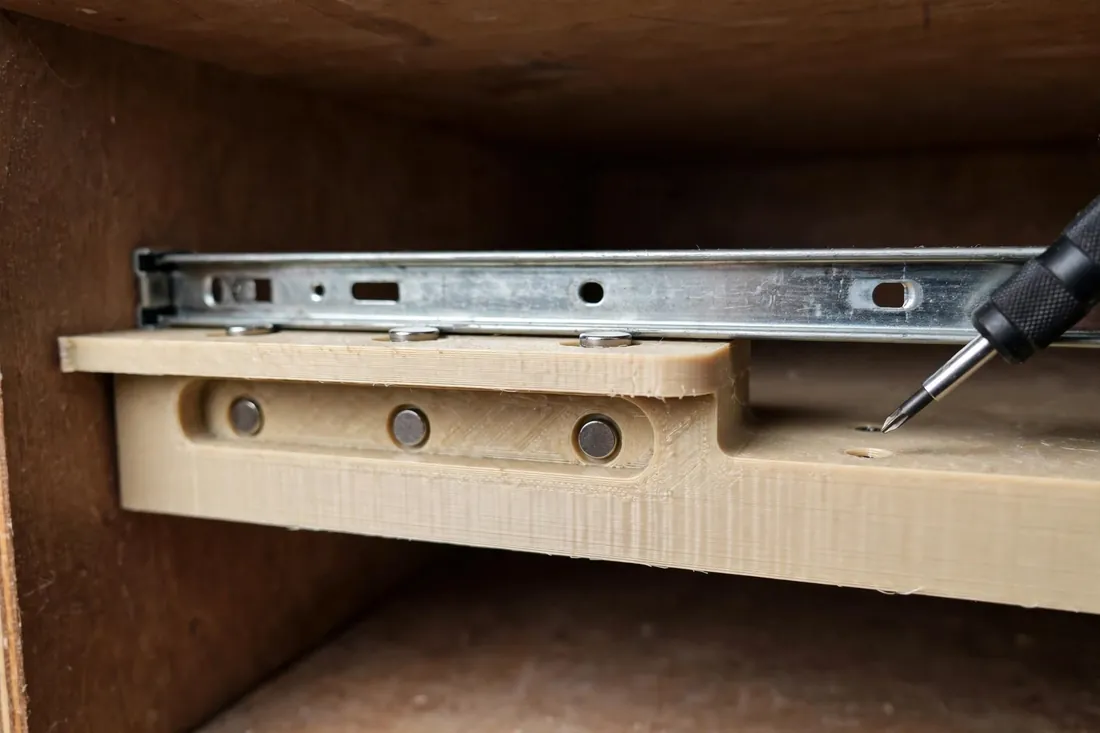
- Optional magnets: Small pockets in the face accept little round disc magnets, press-fit or glued. Because slides are steel, the magnets gently hold the slide against the body while you mark and drill. They are not structural — just a third hand. Recess the pockets so the faces sit flush.
- Clamp-friendly shape: A flat, chunky body with straight edges gives a spring clamp something to grab, locking the jig to the cabinet side or face frame.
Two Ways to Reference the Cabinet
- Floor-sitting version: A flat base sits on the cabinet floor or a divider. Best for frameless cabinets and lower drawers.
- Frame-hooking version: An L-shaped hook drops over the front face frame or cabinet side, hanging the ledge below it. Best for upper drawers, and self-locating: push it to the front, and the height is set.
Reversible for Left and Right
A symmetrical jig you flip over gives you left and right tools in one print, removing a classic error: two different setups ending up a fraction off.
Step-by-Step: Printing and Assembling the Jig
- Measure your slides first. Note the cabinet member’s width and mounting height.
- Slice with the settings above. Check the preview for a clean ledge and open magnet pockets.
- Print and let it cool fully before removing it. Pulling a warm PLA part off early can warp the base, and a flat base is the whole point.
- Clean up the ledge with a craft knife or sandpaper. The slide must sit with no rocking.
- Check flatness on a known-flat surface. Sand the base lightly if it wobbles.
- Fit the magnets, if using them. Press each into its pocket; a drop of glue holds a loose one.
- Dry test on the bench. The slide should sit flat, stay in light contact, and lift away cleanly.
A typical jig prints in two to four hours; assembly takes five minutes.
Step-by-Step: Installing a Pair of Slides
Work on the cabinet members first, then the drawer members.
- Separate the slides. Most ball-bearing slides pull apart into cabinet and drawer members with a small release lever. Set the drawer members aside with the drawer box.
- Decide your slide height. Choose a height that centers the slide on the drawer box side, and match the jig ledge to it — on the floor, hanging from the frame, or raised on a scrap block.
- Position the jig on the first side. Set the cabinet member slightly back from the front edge, following the slide maker’s instructions.
- Rest the slide on the ledge, front end toward the cabinet front. Let the magnets hold it, or add a clamp. Both hands are now free.
- Check level and square with a small level. Nudge the jig, not the slide.
- Mark the screw holes through two or three slotted holes, one near the front and one near the back. Slotted holes allow final adjustments.
- Pilot and drive. Drill shallow pilot holes, reposition, and drive screws through the slotted holes. Do not fully tighten yet.
- Repeat on the other side. Flip the jig and repeat at the same height and setback.
- Fit the drawer members level and at a consistent height on the box sides, flush with the front of the box unless the instructions say otherwise. A spacer block on the bench helps.
- Test the drawer. Slide it in slowly. It should roll smoothly, close fully, and show even gaps. If it binds, loosen one side’s slotted screws, nudge it, and retest. Only then drive screws through the fixed round holes to lock everything in place.
Tips for a Perfect Result
- Work in pairs. Finish one pair and test with the actual drawer before starting the next.
- Transfer, do not re-measure. Once the first slide is right, use the jig or a story stick to transfer the height.
- Keep the jig in place while screwing, not just while marking. Holding the slide during fastening is its real value.
- Use an awl. A punched starter point stops the pilot bit wandering on plywood or melamine.
- Check the drawer box. If level slides still misbehave, the box itself may be out of square or twisted.
Common Mistakes to Avoid
Mixing Up Left and Right Members
Slides are handed, and drawer parts must match cabinet parts. Fit a pair wrong and the levers end up inaccessible, or the members will not engage. Lay both pairs out, labeled with tape, before you start.
Not Checking the Cabinet Is Square
Old cabinets settle, and even new cabinets can be racked out of square. Measure the opening diagonally both ways first. If it is out, fix the cabinet, or split the difference when fitting the front. Level slides in a crooked opening still give a crooked-looking front.
Driving Every Screw Immediately
Fill the slotted holes first, test, adjust, and only then drive the fixed screws. Driving everything at once locks in mistakes.
Different Setbacks on Each Side
If one slide sits farther back, the drawer twists as it closes. Reference both sides from the same front edge with the jig.
Care, Storage, and Alternatives
Brush off dust, keep a PLA jig out of prolonged sun and hot cars, and check flatness occasionally. Store it on a peg hook — and if you fitted magnets, keep it away from the loose screw pile, or it will come out wearing them.
No printer? A small L-shaped scrap-plywood block with a ledge at the right height does the same job, and commercial metal brackets are another fine option. The printed version wins on being exactly sized to your slides, cheap to replace, and easy to tweak.
FAQ
Will PLA hold up as a drawer slide jig?
Yes. It only supports the slide’s own weight for a few minutes during installation, and it is not part of the finished drawer. PLA’s stiffness suits a holding tool well. Pick PETG only for extra toughness against drops or heat.
Does this jig work with undermount slides?
Not directly. Undermount slides fit beneath the drawer box with completely different geometry. This jig suits standard side-mount ball-bearing and roller slides, the most common choice for DIY cabinet work.
How do I adapt it for different drawer heights?
Use a stepped-ledge version, or raise a single-ledge jig on a flat spacer block of known thickness, such as plywood. Use the same block on both sides and accuracy holds.
Do I really need the magnets?
No. They are a convenience, not a requirement. The ledge plus your hand, or a small clamp, holds the slide perfectly well. Magnets just make the one-person job smoother.
Conclusion
A 3D printed drawer slide jig gives that floppy strip of metal a flat, level, repeatable place to sit, frees both hands, and makes left and right sides match without extra measuring. It prints in an afternoon, costs little filament, and pays you back on every drawer afterward.
For a companion project, see the related article “DIY Corner Clamp: 3D Print a Right-Angle Clamp for Frames, Drawers and Cabinet Repairs” — another simple printed tool that helps frames and drawer boxes come together square.