Introduction
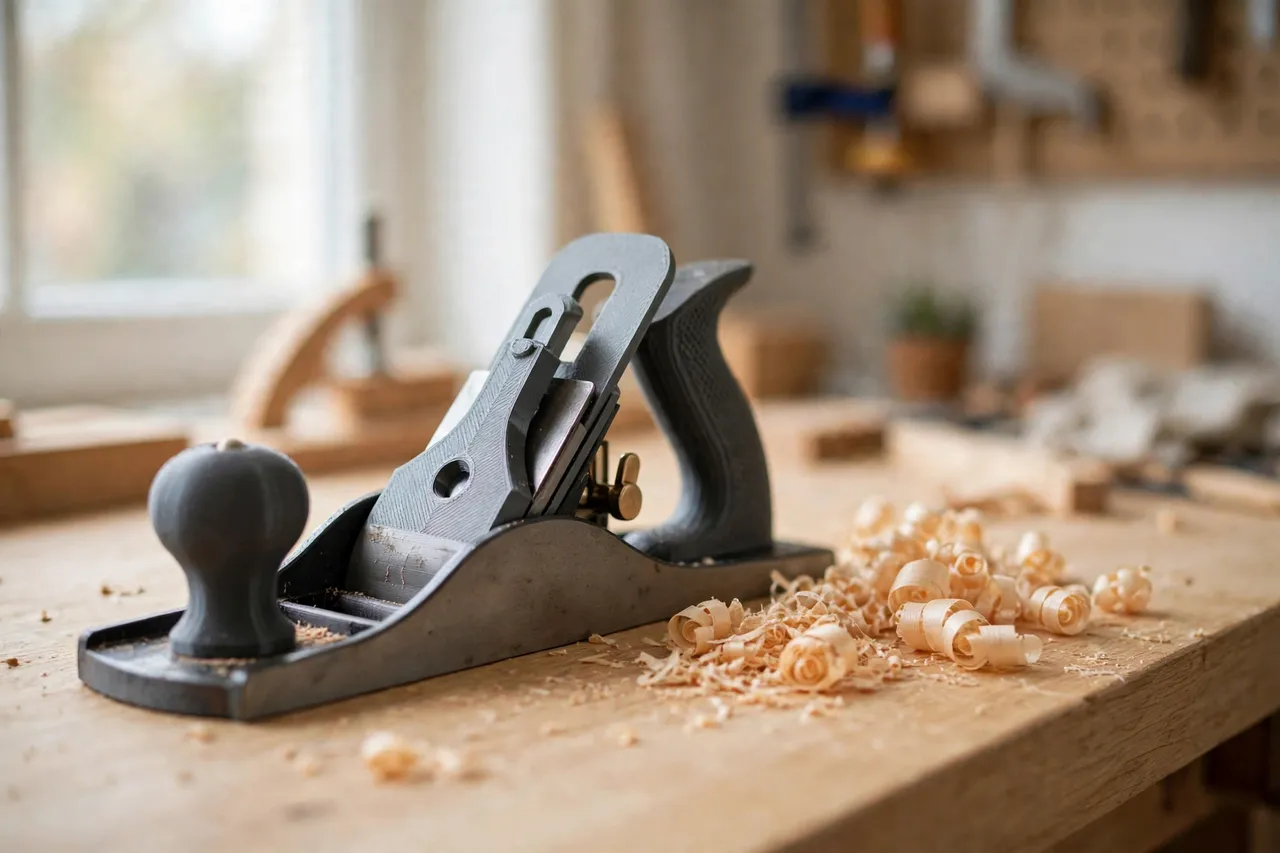
A hand plane is only as good as its grip. The tote at the back and the knob at the front are the two points where your hands meet the tool, and they control everything: the pressure on the blade, the angle of the cut, and the steadiness of each pass. When a tote cracks, a knob splits, or either one goes missing, a perfectly good plane becomes awkward to use, and it often ends up at the back of a shelf.
Original wooden replacements exist for some planes, but they can be expensive, hard to find for older models, and rarely matched to your hand. A 3D printed tote and knob offers a practical alternative: you model them around your plane’s actual fittings, shape them to a comfortable grip, and print them in an evening. The result is not a collector’s restoration, and it does not pretend to be one. It is a working grip for a working plane.
What You Need
A bench plane has two grips: the tote, a closed or open handle at the rear that your dominant hand holds, and the knob, a rounded mushroom-shaped grip at the front that your other hand guides. Both attach with screws or bolts through the plane body, and both need to fit their mounting points exactly.
Materials and tools
- A home 3D printer with a build area of roughly 150 mm in at least one direction
- PETG filament for tougher grips, or PLA for first test versions
- The hand plane, with its old tote and knob removed and their mountings measured
- Calipers or a ruler, a pencil, and sandpaper
- A drill and small bits, a screwdriver, and stainless screws, bolts, and nuts to suit your plane
- Optional: a thin rubber or cork liner for the tote grip
PETG is the better keeper for plane grips. It handles workshop knocks, warm garages, and the repeated pressure of planing better than PLA, and it flexes slightly instead of cracking. Print tests in PLA first if you want to check the shapes cheaply, then print the keepers in PETG.
Suggested print settings
- Layer height: 0.20 mm for general parts; 0.16 mm if you want a smoother grip surface.
- Walls: 5 to 6 perimeters, since the tote takes the full pushing force of every planing stroke.
- Infill: 50 to 70 percent for the tote, 40 to 60 percent for the knob, gyroid or grid.
- Top and bottom layers: 5 or more.
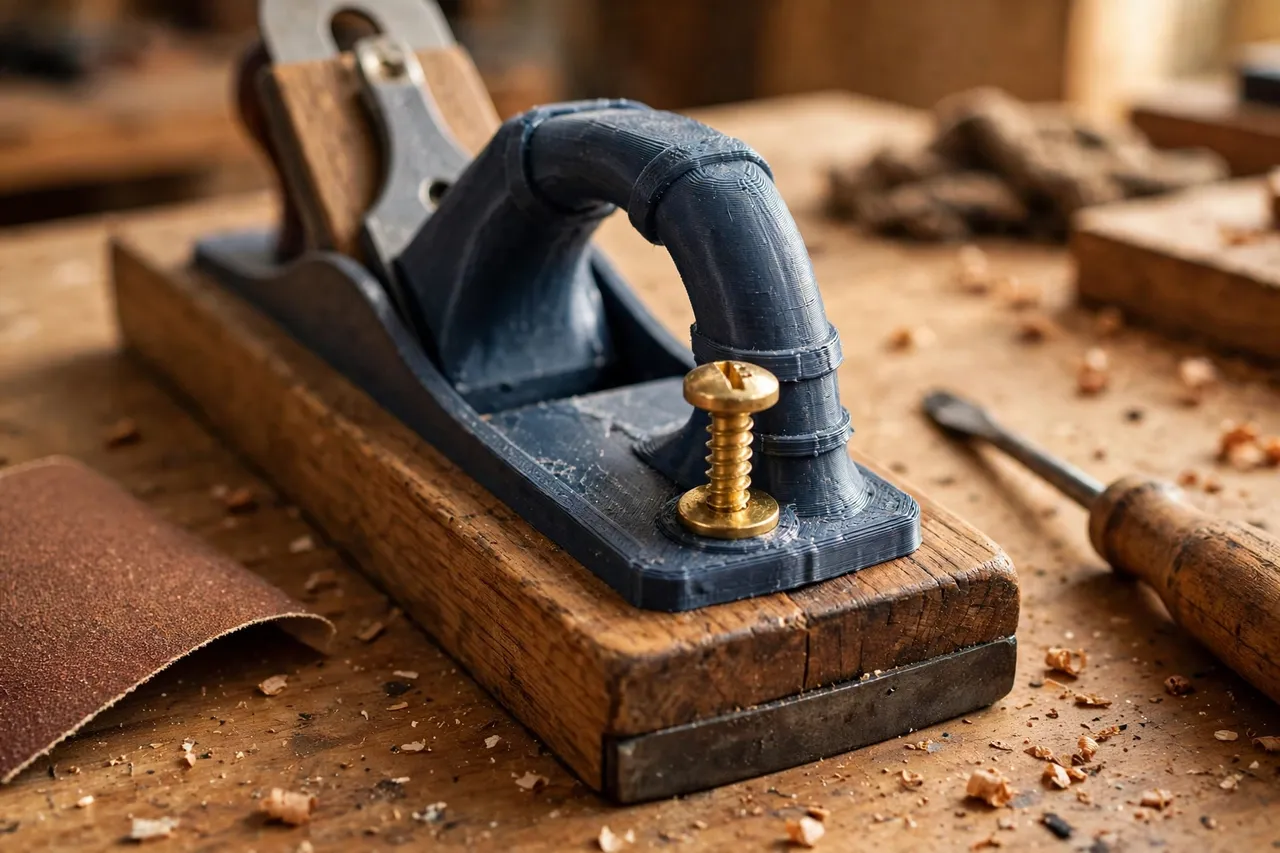
- Orientation: Print the tote flat on its side, so layer lines run along the grip rather than across it, which is stronger in use. Print the knob upright or in two halves, depending on your design.
- Supports: For the inside of a closed tote loop, if your design prints the loop as one piece. Alternatively, print the tote in two halves and bolt them together.
Printing the tote in two halves is often the easier route: it avoids supports inside the loop, and it lets you sandwich any mounting hardware between the halves.
Design Considerations
A plane’s grips have to balance comfort, control, and the mechanics of planing. Get them wrong and the plane feels awkward no matter how sharp the blade is.
1. Measure the plane mountings
This is the most important step. Measure the tote mounting: the position and size of its screw hole or stud, the shape of the base where it meets the plane body, and the angle at which it sits. Measure the knob mounting the same way: its stud or screw size, and the diameter of its base. Planes vary widely between makers and models, and even between sizes from the same maker, so never assume one plane’s fittings match another’s. Design each grip around the plane you own.
2. Shape the tote for pushing
The tote is the power grip. It should fill the hand comfortably, with a shape that lets you push forward without your fingers cramping or slipping. A slightly oval cross-section, with a flattened inner face, works well. The loop, if your plane uses a closed tote, should be generous enough for a gloved hand. Keep the tote’s angle matched to the original: changing the tote angle changes how pressure reaches the blade, and a tote that leans too far forward or back makes the plane hard to control.
3. Shape the knob for guiding
The knob is the guiding grip, not the power grip. It should be a comfortable rounded shape that your front hand can cup and steer without gripping hard. A classic mushroom profile — a rounded top on a narrower stem — works well, and it is easy to print. Keep the knob’s height similar to the original: a knob that is too tall makes the plane top-heavy, and one that is too short gives your front hand nothing to hold.
4. Strength where it counts
The highest stress in a plane tote is at its base, where it meets the plane body and where the mounting screw passes through. Make this area thick, with generous fillets rather than sharp corners, and use a metal screw or bolt through the original mounting point. The knob takes less force, but its stem still needs solid walls, since it is the part most likely to be knocked. If your design uses two halves for the tote, add screws along the grip as well as at the base, so the halves cannot separate under pushing force.
Step-by-Step: Printing and Fitting the Tote and Knob
- Remove the old grips. Unscrew the tote and knob carefully, and keep the screws and any washers as size references.
- Measure both mountings. Record screw sizes, hole positions, base shapes, and tote angle.
- Model the tote. Build a closed-loop or open handle around those measurements, with the mounting hole aligned to the plane body.
- Model the knob. Build a rounded mushroom grip around its mounting measurements.
- Print test versions. Check the fit on the plane and the feel in your hands before printing the keepers.
- Clean up the prints. Sand the grips smooth, round sharp edges, and clear the mounting holes.
- Test the grips in use position. Hold the plane as if planing, and check that both hands fall naturally and the plane feels balanced.
- Adjust and reprint if needed. Small changes to tote thickness, loop size, or knob height make a big difference in comfort.
- Assemble the keepers. Fit the tote and knob to the plane, add the original or replacement screws, and tighten snugly without crushing the prints.
- Check for movement. Neither grip should rock, twist, or shift on the plane body. If one does, shim the base or tighten the fit and reprint.
- Test on scrap. Plane a scrap board, checking comfort, control, and shaving quality, before using the plane on a real piece.
A dab of thread-locking compound on the mounting screws, or a washer under each screw head to spread the load, keeps fasteners from loosening under planing vibration.
Tips for Better Results
- Print the tote in two halves. It avoids supports, makes mounting easier, and lets you replace one half if it cracks.
- Round every edge that touches skin. A sharp printed edge becomes painful after many planing strokes.
- Match the original tote angle. Changing the angle changes how the plane feels and cuts.
Common Mistakes to Avoid
- Designing from a photo instead of your plane. Plane fittings vary, and grips modelled on a different plane will not fit yours.
- Printing walls too thin. A plane tote takes real pushing force. Thin walls crack at the base.
- Changing the tote angle. A tote that leans differently from the original changes the plane’s balance and feel.
- Making the knob too tall or too small. Either extreme makes the front hand’s job harder.
- Over-tightening screws. Crushing the printed walls around a bolt creates cracks that grow with use.
- Fitting grips to a failing plane. A cracked body, a warped sole, or a missing frog is not fixed by new grips. Restore or replace the plane itself.
Care, Storage, and Alternatives
Wipe the grips clean after use, store the plane on its side or on a shelf where the blade is protected, and keep it out of direct heat. Check mounting screws occasionally, since planing vibration loosens fasteners over time. If a grip cracks at a screw hole, reprint it with thicker walls around the fastener rather than gluing a cracked grip.
Sometimes a manufactured grip is the better choice. If the plane is a valuable antique, proper wooden tote and knob replacements preserve its value far better than printed grips. If you plane professionally every day, factory hardwood grips will outlast any print. For a good plane with broken grips, a plane you use for home repairs, or a hand size that standard grips do not suit, printed grips are a fast, cheap, and genuinely satisfying restoration. They also complete a hand-tool setup nicely: for truing edges with your restored plane, you may also enjoy our related guide, “3D Printed Shooting Board for Hand Planes: Square Edges With a Hand Plane,” which shows how to guide that plane to square edges. And for another grip restoration at a different scale, “3D Printed Hand Saw Handle Replacement: A New Handle for an Old Saw” covers the same fitting approach for saws.
FAQ
Will printed grips fit any hand plane?
Not automatically. Grips are sized to a specific plane’s mountings, so you need to measure the plane you own. Once you have a model for one plane, adapting it to a similar plane is usually a small edit, but never assume two planes share fittings.
Is PLA strong enough for a plane tote and knob?
For testing the shapes, yes. For keepers that will see regular planing, PETG is the better choice because it flexes instead of cracking and handles workshop conditions better. Generous walls and infill matter more than the filament brand either way.
Can I print a closed tote in one piece?
Yes, with supports inside the loop, but printing in two halves is usually easier and stronger. Two halves also make it simpler to fit mounting hardware and to replace a damaged half later.
Check the tote angle and the grip thickness. An angle that differs from the original, or a grip that is too thin or too fat for your hand, will feel wrong even if the mounting is perfect. Adjust the model in small steps and reprint a test.
Why does my tote feel uncomfortable even though it fits?
Check the tote angle and grip thickness. A wrong angle or a grip too thin or fat for your hand feels wrong even with a perfect mounting.
Conclusion
Fit them properly, test them on scrap, and keep the screws tight. The next time a board needs smoothing or an edge needs truing, that old plane will be the one you reach for — not because it is new, but because it fits your hands and cuts the way it always did.