Introduction
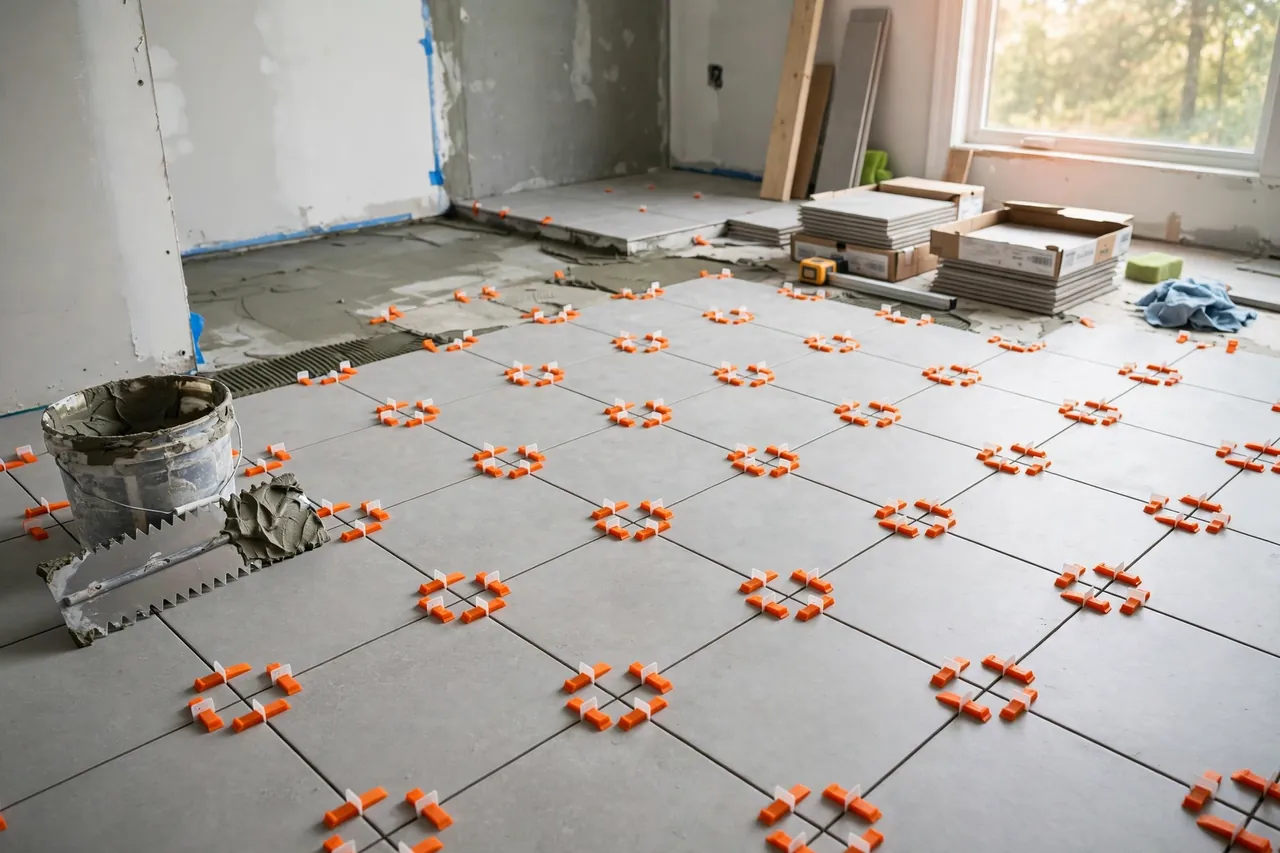
Good tiling is mostly decided before the grout goes on. If joints wander by a millimeter, or one tile sits a fraction higher than its neighbor, your eye finds the fault every time you enter the room. Spacers and leveling clips stop that happening while the adhesive is still forgiving.
Store-bought spacers are cheap, until you run out mid-job, need an in-between size, or find the bag does not match the joint width you planned. That is where 3D printed tile spacers earn their shelf space: print crosses and T-spacers in exactly the widths you need, print simple wedge clips to tame lippage, and run another batch overnight instead of driving to the store.
This guide covers sizing spacers for common grout lines, designing a simple wedge clip, printing in bulk without losing accuracy, and checking prints against a steel ruler before trusting them on a floor or wall. The designs are original and simple on purpose — small tools for layout and leveling only.
What You Need
Spacers are among the smallest useful things you can print, perfect for using up spool ends. Wedges are slightly larger but still quick. Accuracy matters more than exotic materials.
Materials and tools
- A home 3D printer with a flat, well-calibrated bed
- PLA filament — stiff, accurate, easy to print in bulk — or PETG for a little more flex in the clips
- Your tiles, tile adhesive, a notched trowel, and a grout float
- A steel ruler and calipers for checking printed sizes
- A level, a long straight edge, and a rubber mallet
- A bucket of water and a sponge for wiping adhesive off spacers to reuse
- A small tray to keep sorted spacers within reach
Print and check a test batch before adhesive day. Tiling rewards preparation.
Suggested print settings
- Layer height: 0.20 mm for speed on bulk batches.
- Walls: 3 to 4 perimeters — small spacers should be mostly solid wall, which keeps arms stiff.
- Infill: 60 to 100 percent for wedges tapped with a mallet; spacers can be fully solid.
- Orientation: Print flat, largest face down. Grout width is defined in the flat plane, where printers are most accurate.
- Supports: None. Both designs print support-free.
Print one plate at a time and check the first plate carefully before running more.
Design Considerations
A spacer looks too simple to get wrong, which is why small design choices matter. A soft or uneven spacer quietly ruins the grid it was meant to protect.
1. Cross spacers and T-spacers, and when to use each
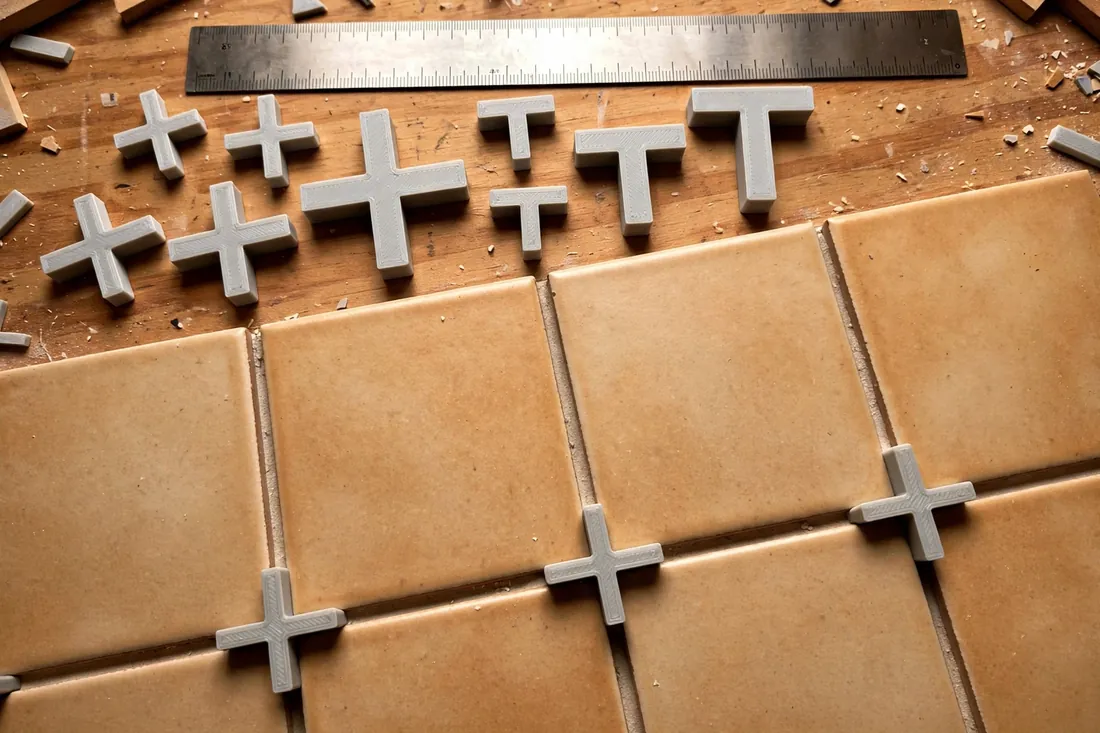
The classic cross spacer sits where four tiles meet and sets joint width in both directions — the fastest choice for a regular grid. A T-spacer has three arms and suits brick-bond and offset layouts, where a joint meets the middle of a tile edge. Print both; T-spacers save cutting arms off crosses.
2. Grout widths in common sizes
Size the arms to the joint you want. A practical set is 2 mm for fine wall joints, 3 mm as the everyday all-rounder, 4 mm for a bolder floor joint, and 5 mm for rustic tiles. Model the width exactly, then expect the printer to add about 0.1 to 0.2 mm from extrusion spread. Print one, measure it, and adjust the model once. Keep each width in a different color so you can tell them apart at a glance.
3. Spacer thickness and tile depth
A spacer should be thick enough to stay put, but thinner than the tile so it does not poke through the surface. For most ceramic and porcelain tiles, 3 to 4 mm tall works well. Place spacers upright between edges so you can pull and reuse them once adhesive firms, and make one arm a touch longer for an easy grip.
4. Simple wedge leveling clips for lippage
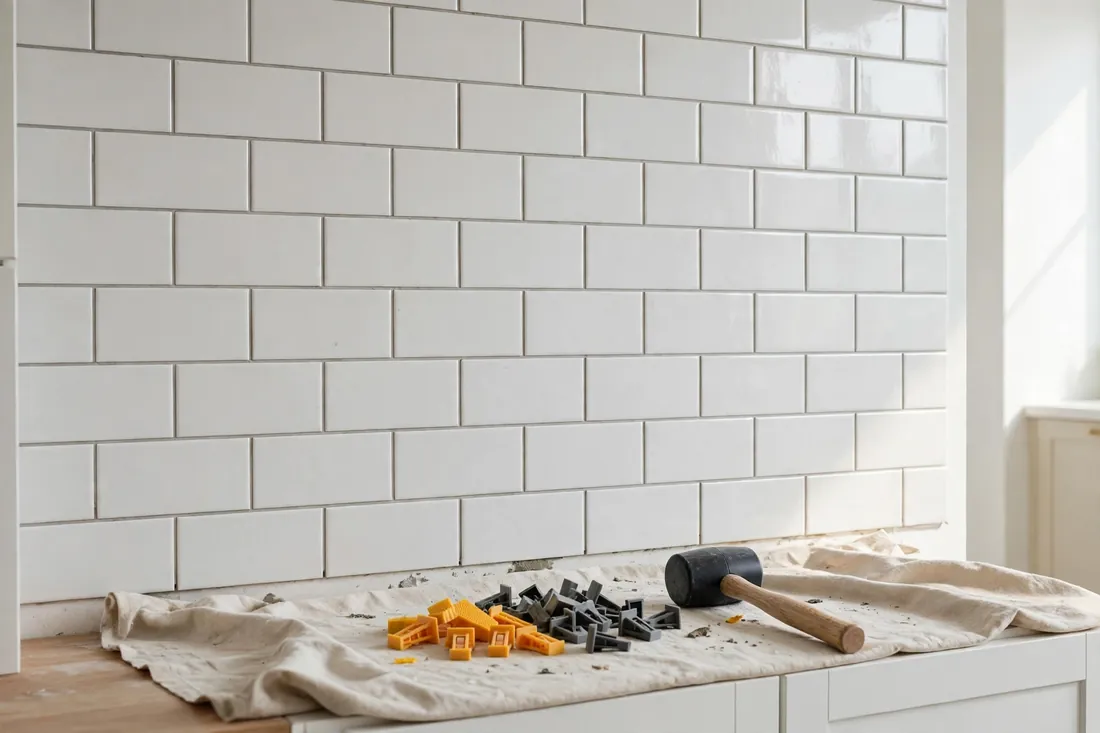
Lippage is the step you feel — and see — when one tile edge sits higher than the next. A simple system has two parts: a flat clip base under two neighboring tiles, with a post rising through the joint, and a wedge that slides over the post and presses on both faces. Tapping the wedge home pulls the faces level. Keep the slope gentle, the post strong at its base, and the feet wide and smooth so they do not mark glazed tile. Printed clips are a light-duty aid: they hold alignment while adhesive cures, but do not replace a flat substrate or proper coverage.
5. Break points and removal
Clips must come out cleanly once adhesive has set. Give the post a narrowed break point above the base, below the tile surface, so a sideways tap snaps it off below the grout line. Test a spare first: it should snap with a firm tap, not bend.
Step-by-Step: Printing and Assembly
- Choose your grout width — 2 mm, 3 mm, 4 mm, or 5 mm — and model crosses and T-spacers at that width.
- Model one wedge and clip set if leveling: a flat base, a post with a narrowed break point, and a gently sloped wedge.
- Print a small test batch — ten spacers and two clip sets — before a full plate.
- Measure the test spacers against a steel ruler and with calipers, and adjust the model if arms are consistently over or under size.
- Print in bulk once size is proven, in a tidy grid with a little space between parts.
- Let the plate cool, then lift parts off carefully so thin arms do not bend.
- Sort and inspect. Discard any spacer with a blob, short arm, or warped face — one bad spacer throws four tiles off line.
- Count generously. Print at least a third more than your layout needs; corners and cuts eat spares.
A labeled tub for each width turns setup on tiling day into a non-event.
Step-by-Step: Using the Spacers and Clips for Tiling
- Dry-lay first. Set out a section with no adhesive to confirm the grid fits, cuts land sensibly, and the spacer width looks right at full scale.
- Check accuracy against a steel ruler. Line up ten spacers end to end: ten 3 mm spacers should span 30 mm. An error multiplied by ten is easy to see — and far easier to fix now than in set adhesive.
- Spread adhesive for a manageable area — what you can tile in about fifteen minutes — and comb it at a consistent angle.
- Set the first tile firmly with a slight twist and check it with a level. Every later tile copies the first, so take your time here.
- Place spacers as you go. Push a cross into each corner, or stand spacers upright between edges to reuse them. Use T-spacers at offset joints.
- Fit leveling clips on long joints. Slide bases under the tile edge at intervals, set the next tile, then tap wedges snug until faces feel flush.
- Check faces constantly. Run a straight edge across each new tile. If one is sinking, lift it and add adhesive rather than forcing the clip harder.
- Keep joints clean. Wipe squeezed-up adhesive out of grout lines as you work; dried lumps show through grout.
- Let the adhesive set per its instructions, then remove upright spacers, snap posts with a sideways mallet tap, and collect wedges for reuse.
- Inspect before grouting. Sight along every joint, confirm lines are straight and faces flat, then mix grout.
Work in small sections. Patient laying is what makes grouting feel easy.
Tips for Better Results
- Color-code by width. One color per grout width ends mid-job squinting at nearly identical spacers.
- Use the ten-spacer ruler test on every new spool. Different filaments print at slightly different sizes on the same printer.
- Print wedges in a bright color. Vivid wedges are easy to spot, count, and retrieve.
- Keep a removal tray beside you. Spacers pulled into a tray stay clean and survive to tile the next room.
- Save proven files with the width in the name. Later, you will know exactly which file printed true at 3 mm.
Common Mistakes to Avoid
- Trusting the model size without measuring. A batch that prints 0.3 mm wide per joint drifts noticeably across a room.
- Mixing widths in one grid. One stray 4 mm spacer among 3 mm spacers creates a jog that draws the eye forever.
- Forcing wedges to fix a bad adhesive bed. Clips align faces; they cannot fill a hollow under a tile. Lift and re-bed hollow tiles instead.
- Removing spacers and clips too early. Pulling them before adhesive firms lets tiles creep. Follow the maker’s timing.
- Leaving spacer arms above the tile surface. A corner above the face can leave a pale speck in the joint. Seat spacers below the surface.
- Printing clips too thin. A post that bends instead of clamping wastes more time than the filament you saved.
Care, Storage, and When to Choose an Alternative
Rinse adhesive off spacers and wedges the same day, dry them flat, and store each width in a labeled tub away from heat. Discard bent or pitted spacers — their whole value is accuracy. Wedges serve for many rooms; clip posts are single-use, since they are meant to snap.
Choose a heavy-duty alternative when the job demands it. Very large or heavy tiles, strongly uneven handmade tiles, or thick stone may need commercial systems and stronger spacers than a home print. Printed spacers and clips shine on a typical DIY bathroom, splashback, and modest floor: standard tiles, a sensible pace, and the exact width you need, printed tonight.
FAQ
What grout widths should I print first?
Start with 3 mm, the most versatile width for home floors and walls, and add 2 mm for large wall tiles with fine joints. Print crosses for grids and T-spacers for offset patterns, in a color you use for no other width.
How accurate do printed spacers need to be?
Within about 0.1 to 0.2 mm of the intended width, and — just as important — consistent from spacer to spacer. Use the ten-in-a-row ruler test to reveal small errors, measure a sample with calipers, and adjust the model once if the batch runs wide or narrow.
Can printed leveling clips handle large floor tiles?
They help with small and medium tiles on a reasonably flat floor, holding two faces flush while adhesive sets. For very large or heavy tiles, or an uneven floor, fix the substrate first and consider a heavier-duty commercial system — no clip levels a tile over a hollow or a hump.
Should I leave spacers in and grout over them, or remove them?
Removing them is the better habit: you can wash and reuse them, and nothing shows through pale grout. Seat them upright between edges for an easy grip, remove once adhesive has firmed, and fill the joints fully with grout.
Conclusion
Tiling looks like a skill of the hands, but it is really a skill of small, consistent references — precisely what a printer makes well. A tub of accurate 3D printed tile spacers, plus a handful of wedge clips to hold faces flush, turns a nerve-wracking layout into steady, checkable work: set, space, level, check, repeat. Print them in bulk, prove them against a steel ruler, and the grid takes care of itself.
When the tiling is done and grouted, you may also enjoy our related guide, “Caulking Helper Tools: 3D Print a Caulk Tube Holder, Cap and Smoothing Profile Set,” which covers the neat finishing touches that make a freshly tiled room look truly complete.