Introduction
Router work is won or lost before the motor starts. A groove a millimeter too deep weakens a joint; a roundover a millimeter too shallow looks timid; and a bit height that was perfect yesterday is a guess again today because nothing recorded it. So you make test cuts, adjust, test again — burning offcuts and patience on setup instead of making the part.
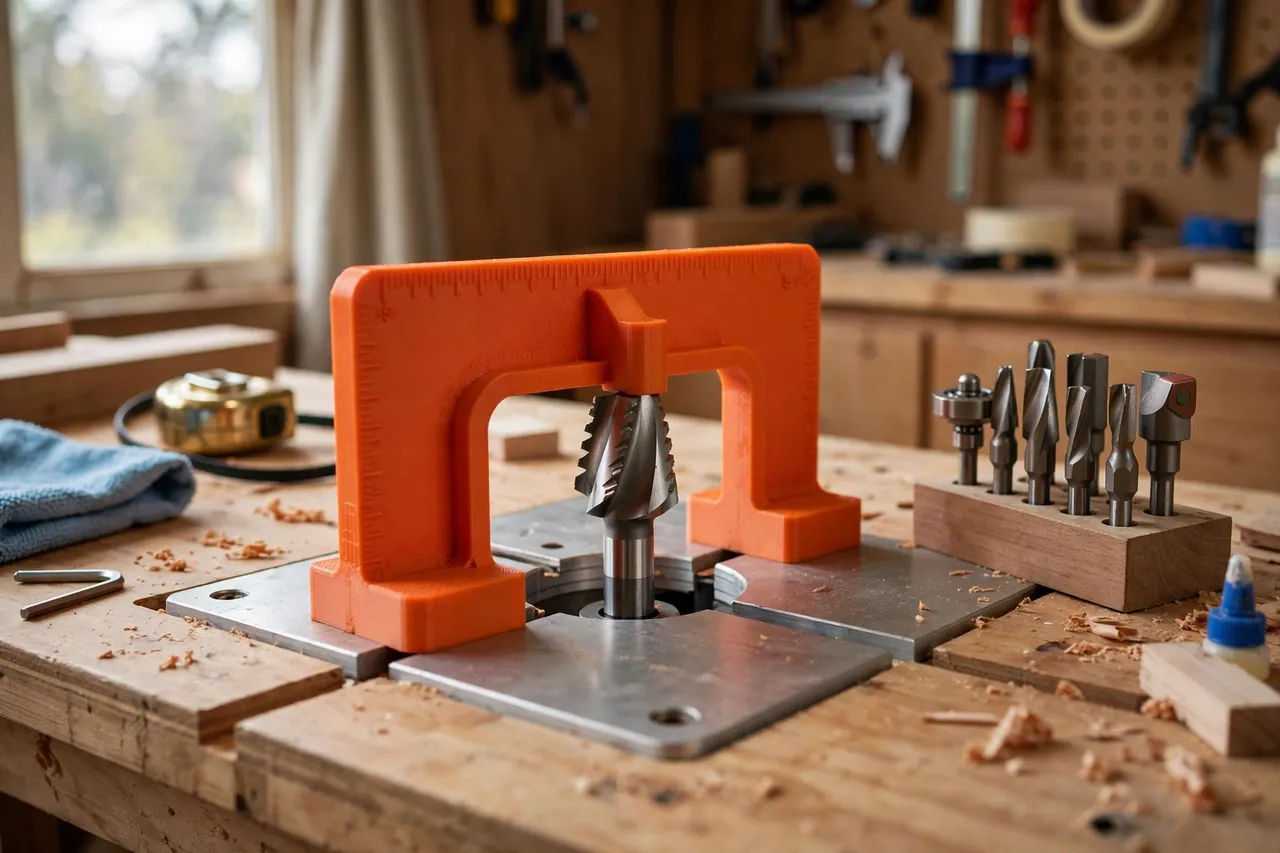
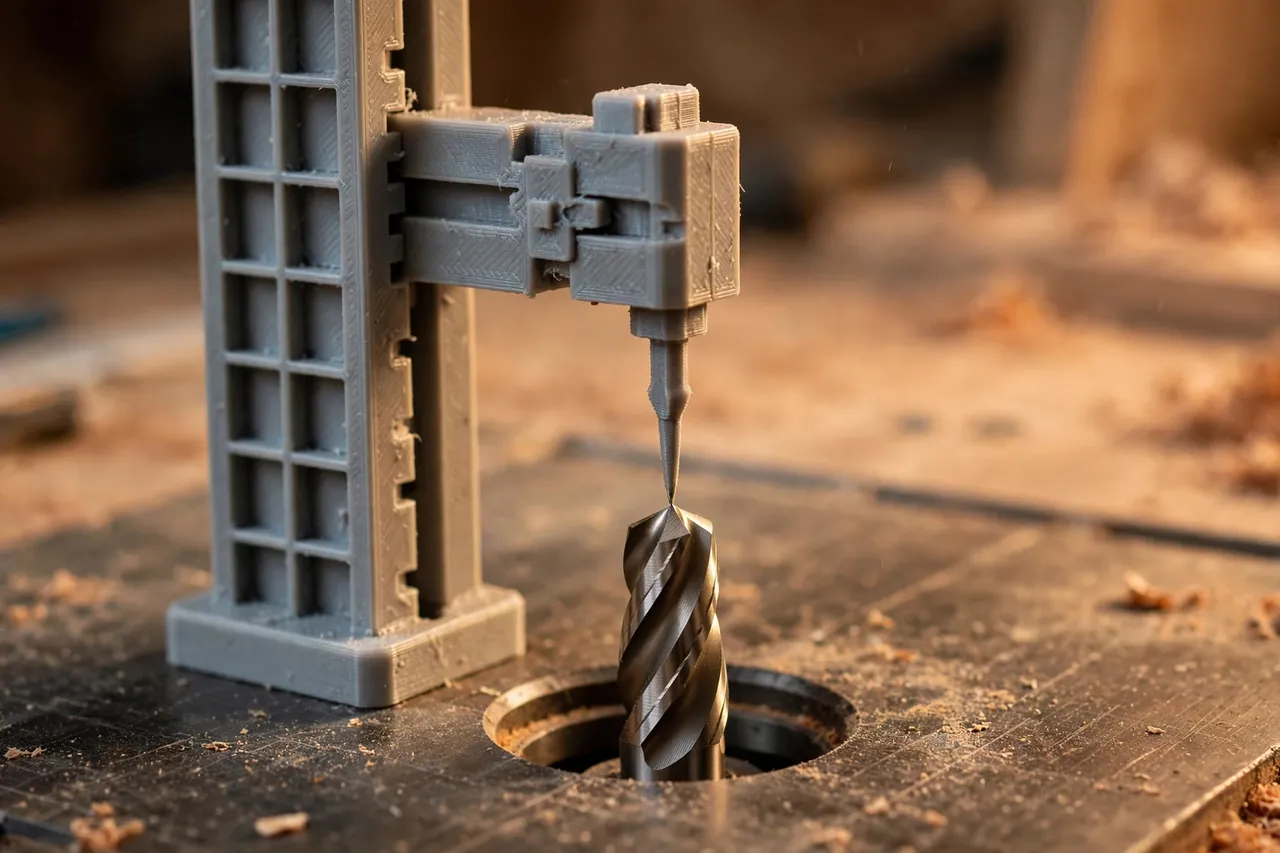
Machinists solved this long ago with height gauges: a bridge that spans the cutter, feet that rest on the machine surface, and a pointer that reads the cutter’s height directly. The same idea in printed plastic transforms router setup. Set the pointer to your target height, drop the gauge over the bit, raise the bit until it just kisses the pointer, lock the router — done, first time.
A 3D printed router depth gauge is a small bridge with a sliding or stepped pointer, sized for router tables and, with care, for handheld work on a flat workpiece. It is a measuring tool only — always set heights with the router unplugged, and never let any gauge near a spinning bit.
This guide covers designing, printing, and using your gauge so setups become fast, recorded, and repeatable between sessions.
What You Need
The gauge is small and quick to print: a bridge, two feet, and a pointer that moves in fine steps or slides with a lock.
Materials and tools
- A home 3D printer with a build area of roughly 150 mm
- PETG filament for a stable keeper, or PLA for a crisp test version
- Calipers to verify printed steps and to measure your bits
- A flat reference surface — your router table top or a known-flat plate
- A steel ruler or setup blocks to cross-check your first settings
- A fine marker and notebook, or a phone, for recording heights that worked
- The router unplugged for all setting work, plus its wrenches
- Sandpaper or a small file to true the gauge’s feet
PETG is the better keeper because the gauge lives in a dusty drawer of metal tools and gets handled with shop hands daily. PLA prints the sharpest steps for a first version and is perfectly serviceable if kept flat and cool; either way, accuracy comes from flat feet and honest verification.
Suggested print settings
- Layer height: 0.16 to 0.20 mm — clean steps and a smooth pointer slide matter.
- Walls: 4 perimeters around the pointer channel and feet for stiffness.
- Infill: 40 to 50 percent, grid or gyroid, so the bridge cannot bow under finger pressure.
- Top and bottom layers: 4 or more, with feet printed as true flat surfaces.
- Orientation: Print feet-down so the reference faces come off the bed flat.
- Supports: Design the bridge to span without supports over the bit opening.
Print a test gauge first and verify its steps against calipers and a real setup before trusting it on a project.
Design Considerations
Depth gauges come in two friendly forms: stepped and sliding. Both beat guessing. Choose by how you work.
1. Stepped gauges for common heights
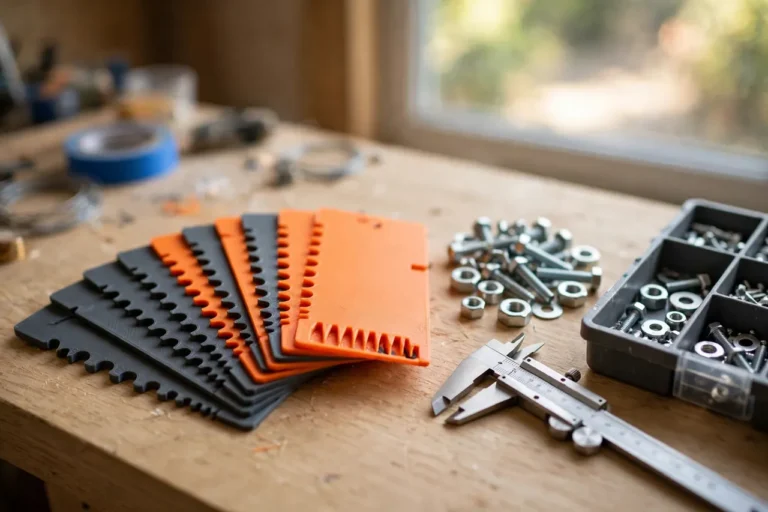
One design uses a row of fixed steps — say 3, 5, 6, 8, 10, 12, 15, and 18 mm — each a small ledge at an exact height above the feet. You rest the ledge you want on the bit, or check the bit against it, and set accordingly. Steps are fast and foolproof, but only at the heights you printed.
2. Sliding-pointer gauges for any height
The bridge-and-pointer design spans the bit with a vertical slider you set from a printed scale, or better, set directly from calipers or from an existing sample groove. A thumb screw locks the slider. Print scale marks coarsely and use them for recall only — for precision, set the pointer against a ruler or a known sample. Include a fine, positive lock: a pointer that creeps while you reach for the router lock gives you yesterday’s problem back.
3. Feet that span and sit truly flat
Feet must be wide enough to bridge the table insert’s throat opening around the bit and sit on the table surface with no rocking. Two separate feet with a clear span of 80 to 120 mm suit most tables; a wide single base with a central opening suits handheld use on flat stock.
4. Clearance for tall and wide bits
The bridge opening must clear your largest bits — panel-raisers and big roundovers need height and width. Give the opening generous clearance while keeping the bridge stiff, and if you use very tall bits, print a taller riser version rather than stacking blocks under the feet, which multiplies error.
Step-by-Step: Printing and Assembly
- Choose your type — stepped for a few favorite heights, sliding for full range — or print both; they share a drawer happily.
- Measure your table — throat opening size and bit heights you use most — so feet span and steps suit your work.
- Model the gauge with bridge, feet, pointer or steps, and a locking screw if sliding.
- Print a test version. Check feet for flatness and rocking on your table surface.
- Lap the feet flat on abrasive over a flat plate, a few light strokes, then re-check.
- Verify every step or the slider scale with calipers; mark corrected values on the gauge with a fine pen if printing scaled them slightly.
- Assemble the slider and lock, confirming the pointer moves smoothly and locks without shifting.
- Print the keeper in PETG if tests were PLA, and repeat the verification — keepers earn trust the same way tests do.
Step-by-Step: Using the Gauge on a Router Table
- Unplug the router. Every step below happens with the machine dead. No exceptions, no “just a quick spin.”
- Clean the table and bit. Dust under a foot or dust on the bit adds exactly the error you built this tool to remove.
- Decide the target height from your plan, a sample, or your notebook of proven settings.
- Set the gauge. For a stepped gauge, choose the step; for a slider, set and lock the pointer, verifying with calipers or against your sample.
- Bridge the bit. Stand the gauge over the bit, feet flat on the table, pointer or step directly above the bit’s highest cutting point. Rotate the bit by hand — unplugged, by its collet or shaft — so a cutting edge is at top dead center.
- Raise the bit slowly until it just touches the pointer or step. Feel for the lightest contact; rocking the gauge slightly tells you when both feet still sit true and the bit is truly there.
- Lock the router height firmly, then re-check with the gauge after locking — locking mechanisms often shift height by a fraction as they bite.
- Make one test cut in scrap of the project’s actual material and measure the result. Adjust by the measured difference, re-set with the gauge, and record the final pointer value in your notebook.
- Run the workpieces with confidence, spot-checking height with the gauge whenever you change material thickness or after any knock.
- Store the setting. A photo of the gauge on the bit, plus the notebook entry, turns next month’s repeat job into a two-minute setup.
Tips for Better Results
-
Record heights that worked, with bit name, material, and date. Your future setups become lookups, not experiments.
-
Clean the bit before setting. Pitch on the cutting edge adds false height the gauge will faithfully read.
- Set height in small rises. Sneak up on the pointer rather than overshooting and backing down.
- Label gauges by router if you own two — bases and inserts differ enough to matter.
Common Mistakes to Avoid
- Setting height with the router plugged in or, worse, running. Gauges and spinning bits must never meet. Unplug, set, verify, then power.
- Trusting printed scale numbers blindly. Printers scale slightly; verify steps and scales with calipers once and correct them in ink.
- Measuring to the bit’s body, not its cutting edge at top. Rotate the bit by hand so the highest cutting point is what the pointer meets.
- Skipping the test cut. The gauge makes setup fast and repeatable, but one measured test cut in real material is still the proof — keep the habit.
Care, Storage, and When to Choose an Alternative
Store the gauge flat in a drawer, feet clean, slider locked loosely. Before important work, give the feet a quick flatness check on the table and a wipe. If a step chips or the slider wears loose, reprint — the verified file is the durable part of the tool.
A machined metal height gauge with a dial or digital readout is better for production shops setting bits many times a day, or for work demanding hundredths of a millimeter. For home routing — grooves, rebates, roundovers, and repeat batches — a verified printed gauge is fast, honest to a fraction of a millimeter, and always the right price.
FAQ
How accurate can a printed gauge really be?
With flat feet and caliper-verified steps, within about a tenth of a millimeter in careful hands — finer than wood moves with the weather, and finer than most router work requires. The test cut remains your final referee.
Can I use it for a handheld router, not just a table?
Yes. Set the bit’s projection from the base using the gauge on a flat surface, with the router unplugged and resting so the bit clears the bench edge, then verify on scrap. The principle — feet on the reference, pointer on the cutter — is identical.
What if my bit is wider than the gauge opening?
Print a wider-bridge version, or set height from one foot on the table and the pointer arm extended over the bit. Do not balance the gauge on the insert ring or fence; feet belong on the true table surface.
Should I buy setup blocks instead?
Metal setup blocks are excellent single-height standards and pair well with this gauge: blocks verify the gauge, the gauge handles heights no block matches. Many workshops happily run both.
Conclusion
Setup stops being the slow part of routing once height becomes a number you set, verify, and record instead of a feeling you hunt. A small printed bridge and pointer bring that discipline to any router table.
Print one, verify it honestly, keep the notebook — and your second, third, and tenth matching groove will take minutes to set up, not a fresh round of test-cut roulette.
For routing work that builds on accurate setups, you may also enjoy our related guide, “3D Printed Router Circle Cutting Jig for Perfect Circles in Panels, Signs and Tabletops,” which assumes exactly this kind of careful bit setting. And to keep the bits themselves sorted between jobs, our guide “Router Bit Storage Case: 3D Print a Labeled Case That Keeps Bits Sharp and Sorted” gives each cutter a labeled home.