Introduction
Every home has a few screws that laugh at a normal driver: the hinge screw painted into place, the flat-pack bolt torqued by someone over-enthusiastic, the outdoor fitting that has weathered five winters. A straight screwdriver gives your wrist a poor lever, so you squeeze harder, the tip cams out, and both the screw head and your knuckles suffer.
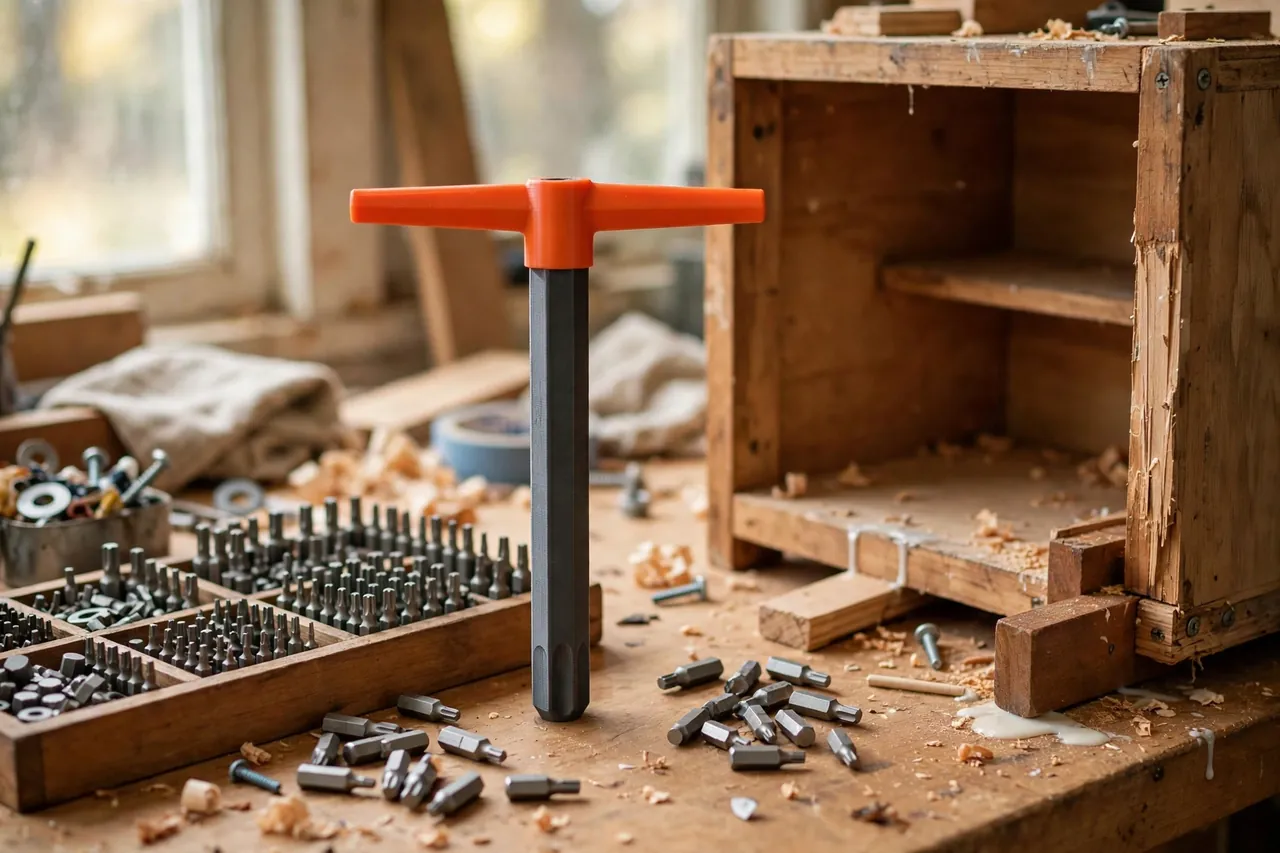
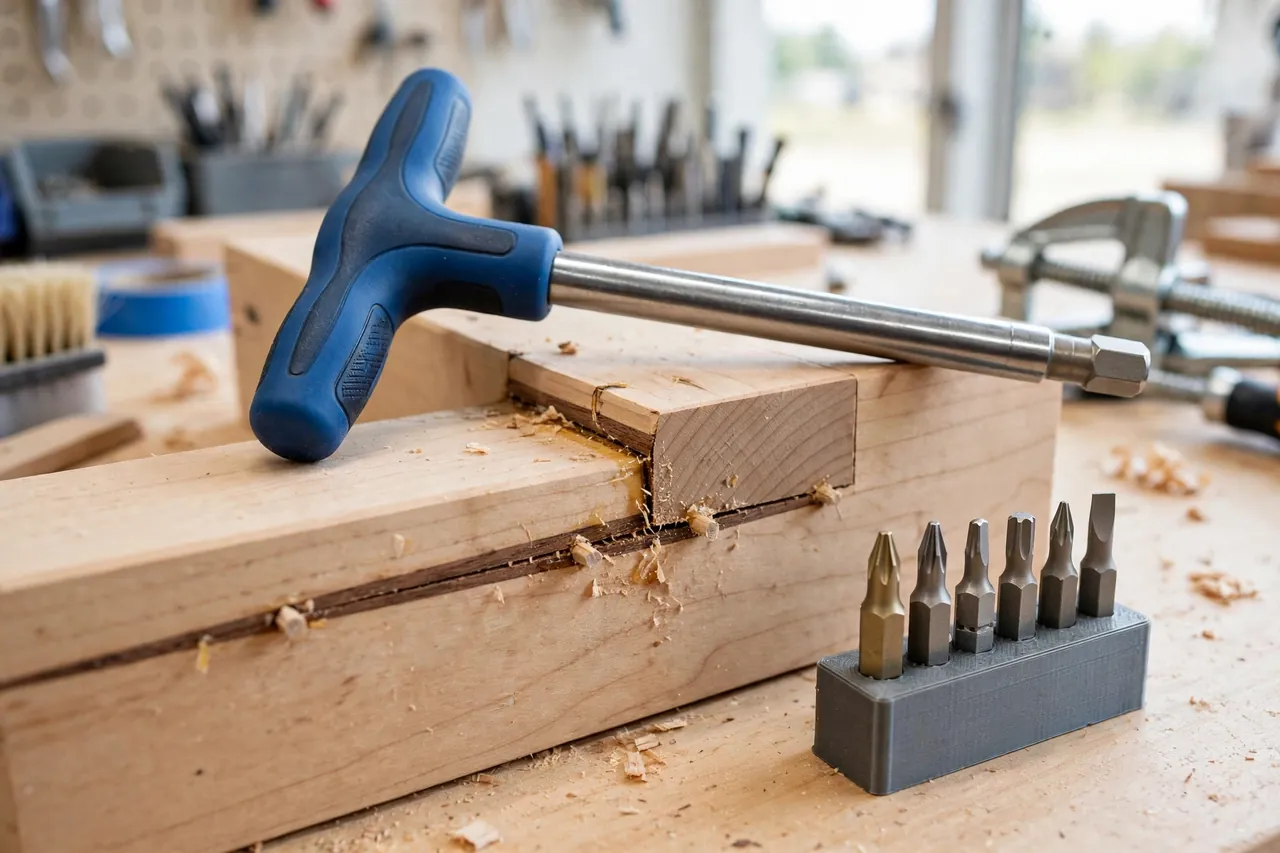
Torque is leverage, and leverage is shape. A T-handle turns your whole hand into the lever — both sides of the bar share the twist, your palm pushes down the axis at the same time, and the bit stays seated instead of wobbling out of the head under side-load.
Printing the handle makes this classic tool personal and practical. You set the bar width to your hand, shape the grip where your fingers wrap, and build in a proper metal insert so standard quarter-inch hex bits click in and out like any good driver.
This guide covers designing, printing, and using an original T-handle driver for standard hex bits, for manual work only. It is a hand driver — not a pry, not a powered tool accessory — and used within that honest scope, it delivers a surprising amount of controlled force.
What You Need
The printed body does the gripping; a small metal insert does the bit-holding. Do not skip the insert.
Materials and tools
- A home 3D printer with a build area of roughly 180 mm in at least one direction for the crossbar
- PETG filament for the handle body — torque and plastic demand its toughness
- A standard quarter-inch hex bit holder insert or a short magnetic bit-holder extension to embed
- An assortment of ordinary quarter-inch hex bits — Phillips, slotted, hex, and Torx as your home needs
- Calipers to measure your insert’s outside diameter and your preferred bar width
- Two-part epoxy to lock the insert permanently into the printed body
- Sandpaper for cleaning the insert pocket, and a vise to hold the driver during curing
PETG is non-negotiable for the keeper. A T-handle exists to be twisted hard, and PLA bodies can split along layer lines at the neck under exactly that load. PETG flexes a little, survives the twist, and tolerates the knocks of a tool drawer. Print a PLA version only to trial the bar width in your hand before the real print.
Suggested print settings
- Layer height: 0.20 mm for a strong, accurate insert pocket.
- Walls: At least 5 to 6 perimeters around the neck and insert pocket.
- Infill: 70 to 100 percent in the neck zone; 60 percent is acceptable in the bar ends.
- Top and bottom layers: 5 or more where your palm presses on the center cap.
- Orientation: Print with the shaft axis horizontal or upright per your model, keeping layer lines from ringing the neck like a tear line.
- Supports: Modest supports under a horizontal crossbar; none for an upright print with a chamfered base.
Design Considerations
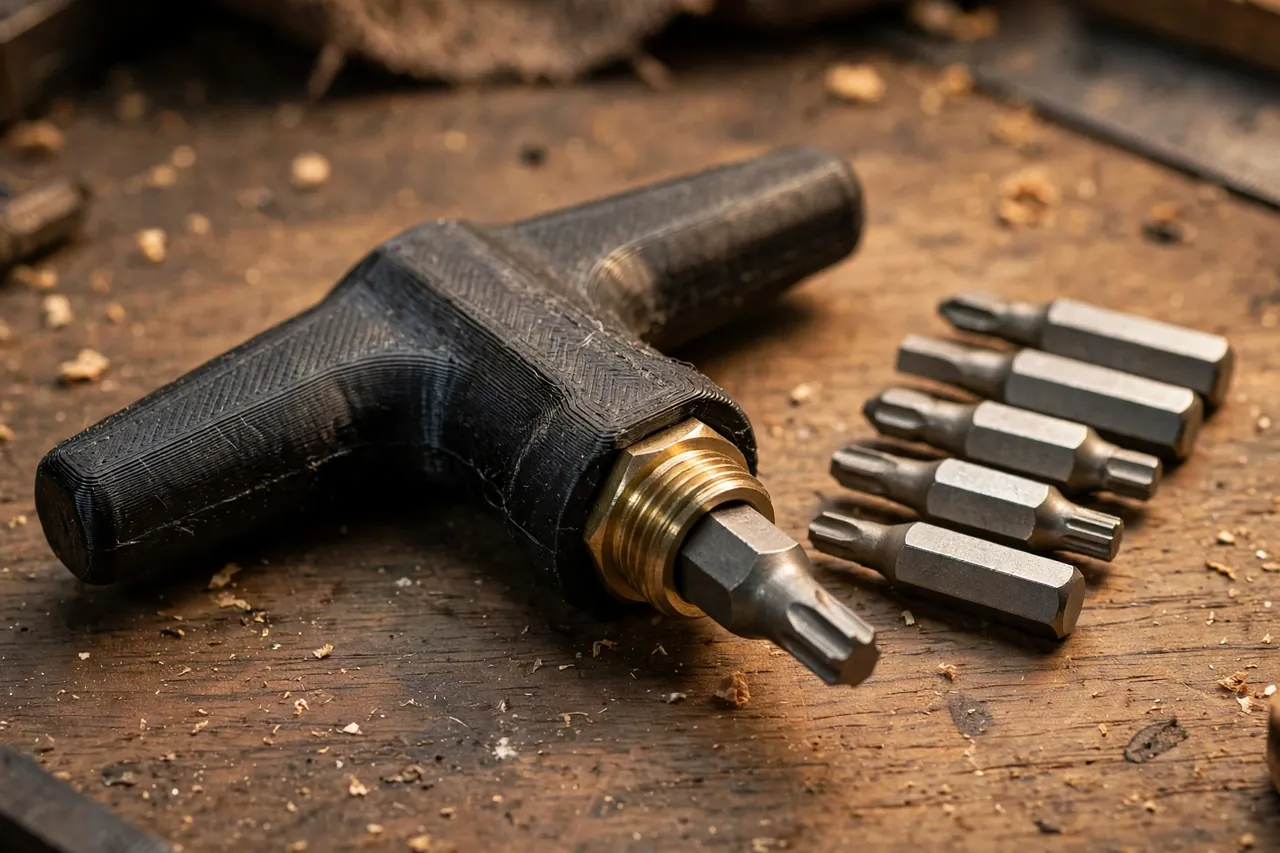
You can model the driver in any basic CAD program. It is a crossbar and a neck around a metal heart, and each element earns its shape.
1. The metal insert: the honest core
A printed hex socket alone will round out — plastic cannot hold bit corners against real torque for long. Instead, design the body around a standard short magnetic bit holder or a plain quarter-inch socket insert, seated deep in the neck with its hex mouth flush at the tip. Model the pocket about 0.3 to 0.4 mm over the insert diameter, add shallow flats or knurl-matching texture if your insert has it, and let epoxy plus shape — not friction alone — keep it from rotating.
2. Bar width and grip shape
A crossbar 100 to 120 mm wide suits most hands: wide enough for real leverage, narrow enough for cabinet interiors. Make the bar 24 to 30 mm in diameter where fingers wrap, with a gentle palm swell at the center and slightly flattened undersides where your fingertips land. Round the bar ends fully — you will push against them with your palm heel more often than you expect.
3. Neck length and clearance
The neck sets how deep into a recess your knuckles can follow. A working length of 90 to 120 mm from bar to bit tip covers furniture, appliances, and most fixtures. Longer reaches deep housings but flexes more under torque; shorter is stiffer but keeps your hand far from the work.
Step-by-Step: Printing and Assembly
- Measure your insert — diameter, length, and any flats — and your hand’s comfortable bar width.
- Model the body with an insert pocket, a solid neck, and a rounded crossbar shaped to your grip notes.
- Print a neck test section and fit the insert to confirm pocket size and epoxy gap.
- Twist-test the sample with a bit in scrap material; any insert rotation means a tighter or better-shaped pocket.
- Print the full body in PETG with heavy walls and high neck infill, and let it cool slowly.
- Clean the pocket, dry-fit the insert to full depth, and confirm the bit mouth sits square to the neck axis.
- Epoxy the insert in place, wiping squeeze-out immediately, and clamp or vise the driver upright while it cures.
- Cure completely, then load-test progressively — easy screws first, then a genuinely stubborn one in scrap — before trusting it on a repair that matters.
Step-by-Step: Using the T-Handle for Stubborn Screws
- Choose the exact bit for the screw head and seat it fully in the insert until the magnet or detent holds it.
- Clean the screw head with a pick or brush — paint and grit in the recess are the top cause of cam-out, not lack of force.
- Seat the bit fully in the head and press down the axis with your palm centered over the screw line.
- Turn the bar with both hands, one on each side, keeping downward pressure steady so torque goes into rotation, not lifting the bit.
- For a screw that will not start, use small rocking turns — a few degrees each way — to break the bond before committing to full rotation.
- Once it moves, keep pressure on and turn smoothly out; most cam-out damage happens in the last, careless turns.
- To drive a firm screw home, press and turn together, and stop at snug — the T-handle’s leverage can strip wood or snap small screws if you lean on it like a wrench.
- Wipe the bit and head clean before storing the driver, so the next stubborn screw starts with a grippy bit, not a polished one.
If screwdrivers are getting a full revival in your shop, our guide “Replacement Screwdriver Handles: 3D Print a Grip Shaped for Your Hand” restores your straight drivers to match, while this T-handle covers the screws those drivers should never have been asked to move.
Tips for Better Results
- Press first, turn second. Axial pressure keeps the bit seated and the head safe.
- Keep bits sharp and exact. A worn bit destroys heads faster than a weak handle.
- Use a stubby version in cabinets, where a wide bar cannot swing.
- Re-seat at the first chatter; one clean attempt beats three grinding ones.
Common Mistakes to Avoid
- Printing a bare plastic hex socket and expecting it to survive torque — embed the metal insert.
- Twisting with one hand on the bar end, which side-loads the bit and walks it out of the head.
- Leaning your full weight through the bar on small screws, snapping them flush in the hole.
- Skipping the epoxy cure time and twisting the insert loose on the first real screw.
- Using the driver as a pry or chisel — the neck is built for rotation, and side force will find its layer lines.
Care, Storage, and When to Choose an Alternative
Brush grit from the insert mouth, check bits for wear each time you store the driver, and keep it in a drawer or hanging where the bar cannot be cracked under heavier tools. Inspect the neck occasionally under good light: any whitening or hairline at the insert pocket means retire the body, salvage the insert, and reprint — the insert will outlive several handles, which is the economics of the design.
Honest limits matter here too. Never use a hand driver — printed handle or not — on live electrical work; for anything electrical, the tool must be a properly rated insulated driver, and this is not one. For lug-scale torque, rusted structural bolts, or fasteners that defeat firm two-handed effort, the right step is a ratchet, a breaker bar, or an impact driver, not more force on a printed neck. Within manual household torque, though, a well-printed T-handle surprises everyone who tries it.
FAQ
How much torque can a printed T-handle really take?
With a metal insert, heavy PETG walls, and a solid neck, it handles honest two-handed household torque — painted-in hinge screws, furniture bolts, weathered outdoor fittings. It is not a substitute for a ratchet on structural fasteners. Your scrap load-test tells you your own print’s limit better than any number here.
Why not just use an impact driver for stubborn screws?
Impact drivers are excellent — and easy to overdo on furniture, hinges, and anything threaded into wood or soft metal, where one burst strips the hole or snaps the screw. The T-handle gives you feel: you sense the screw break free, move, and seat, which is exactly the feedback delicate repairs need.
Can I print the bar longer for more leverage?
A little, yes — up to about 130 mm is still handy. Beyond that, the bar flexes, knuckles hit cabinet sides, and control drops. If a screw needs more than a 120 mm bar and firm pressure can give, it needs penetrating patience or a different tool class, not a longer handle.
What if the insert starts to rotate in the pocket?
Remove it, clean out the failed epoxy, and refit with a slightly rougher pocket surface and fresh epoxy, or add a mechanical lock — a cross pin through a widened neck section, if your insert tolerates it. A rotating insert is a fit problem; solve the fit, and the torque returns.
Conclusion
Stubborn screws are a leverage problem wearing a torque costume. A T-handle sized to your hand, built around a proper metal insert, turns the screws that used to mean chewed heads and skinned knuckles into controlled, almost calm work.
For organizing the bits this driver multiplies, you may also enjoy our related guide, “Magnetic Bit Rail: 3D Print a Rail and Dock for Driver Bits That Stays Put,” and “3D Printed Drill Bit and Driver Bit Organizer: A Workbench Storage System That Grows With You” keeps the whole bit collection as ready as the driver itself.