Introduction
A flashlight is only useful if you can find it in the dark. In most homes the lights live a nomadic life: one rolls around a kitchen drawer, one hides under the bench, and the good one is wherever the last power cut left it — which nobody remembers.
The irony is that flashlights are the easiest tools in the house to store. They are light, they are roughly the same shape, and they do not care which way up they wait. All they lack is a dedicated parking spot that the whole household actually uses.
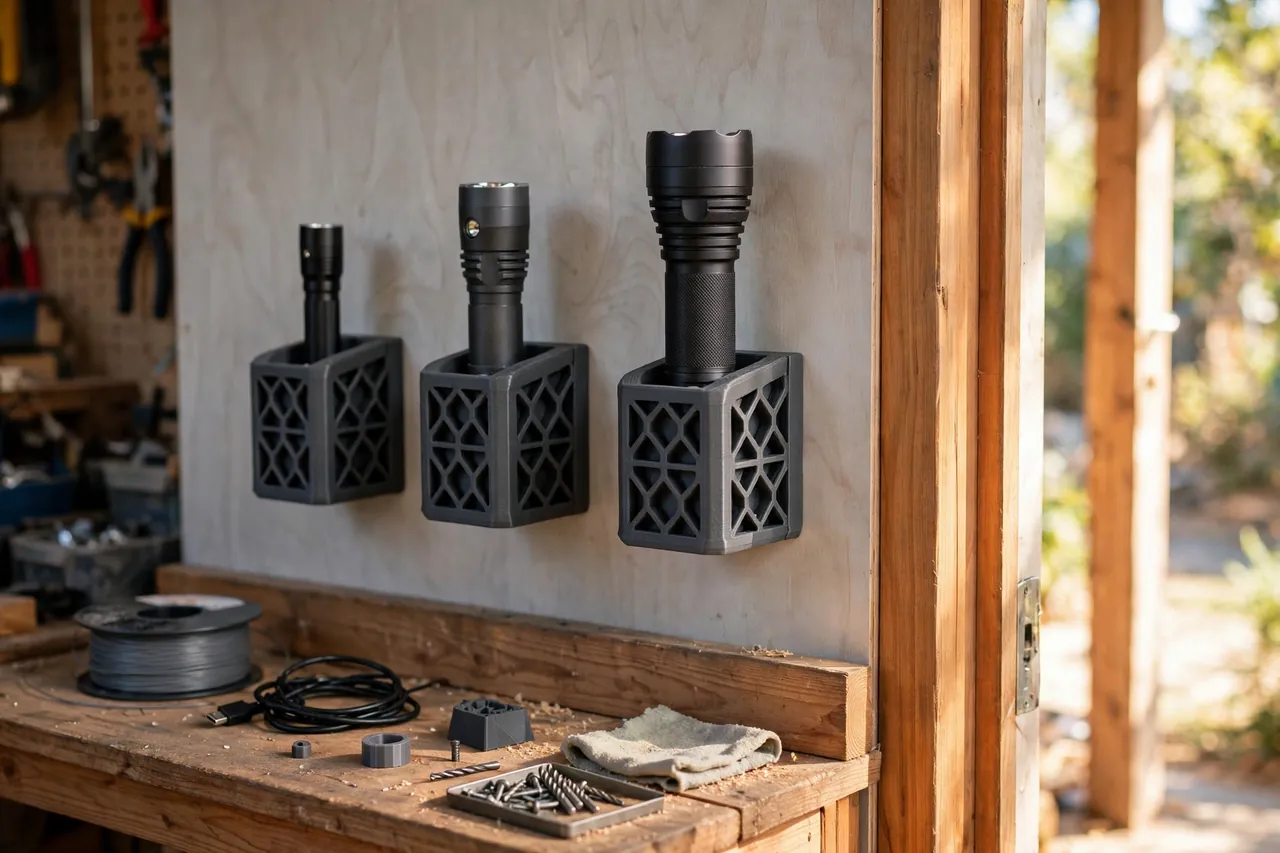
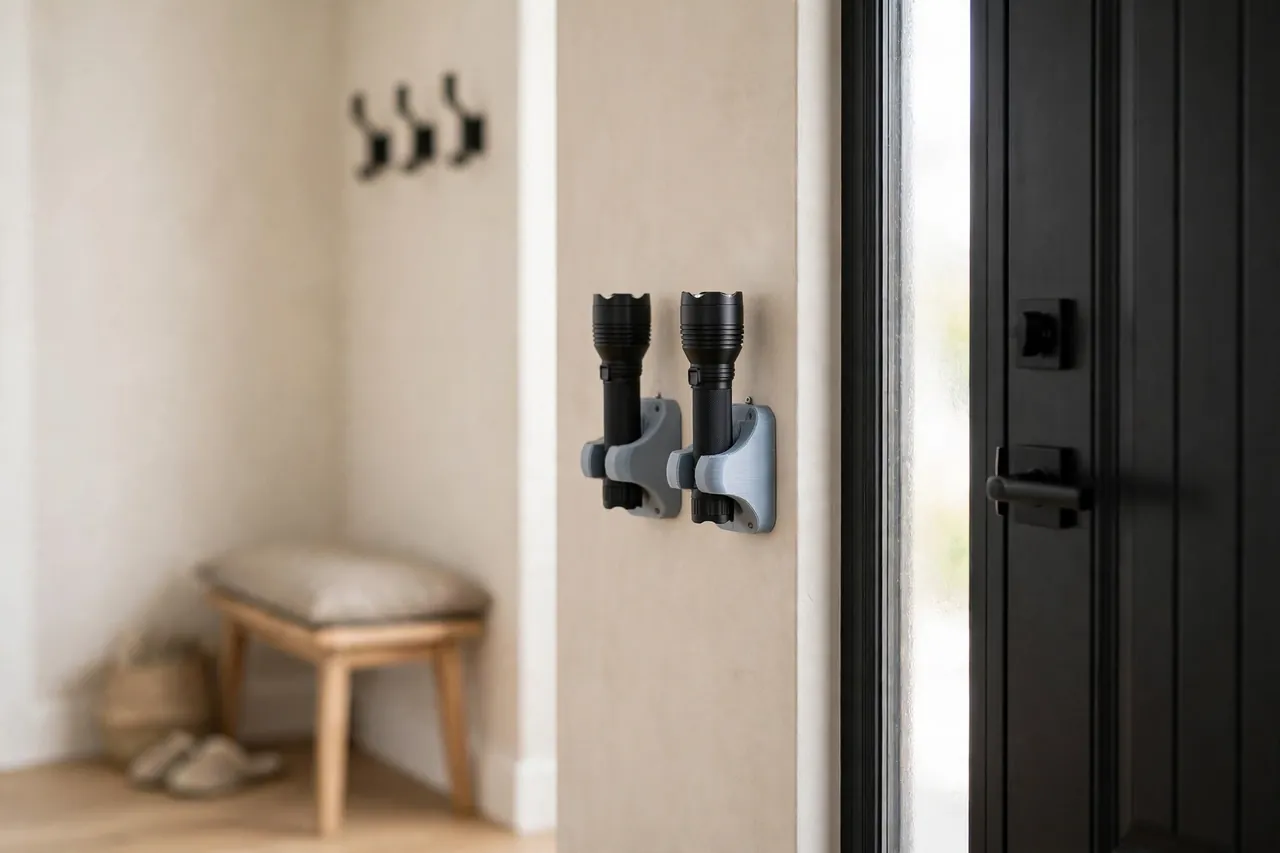
3D printed flashlight wall docks provide exactly that. A dock is a simple printed ring or cradle, screwed to the wall by the door, the bench, or the fuse box, that a finished flashlight clicks into and lifts out of. It is a passive parking dock for finished flashlights — a holder only, with no wiring or charging parts of any kind.
This guide covers measuring your lights, designing a dock that grips without scratching, printing it tough, and placing a small fleet of docks where they will genuinely be used.
What You Need
Flashlights vary more in diameter than in any other dimension, so this project starts, as always, with the actual lights you own laid out on the bench.
Materials and tools
- A home 3D printer — docks are small and print quickly
- PETG filament for a flexible, knock-resistant dock, especially for garage and entryway locations
- The finished flashlights you plan to dock, gathered together for measuring
- Calipers for body diameters, including any switches or clips that stick out
- Wall screws and suitable anchors, a drill, and a level
- A screwdriver and pencil for marking fixing positions
- Optional: a thin strip of self-adhesive felt to line a dock for a polished light
PETG is the standout choice here. A good dock flexes slightly as the light clicks in, thousands of times, and PETG’s give-and-spring-back character suits that perfectly. PLA docks work but grow brittle and can crack at the flex point in a cold garage.
Suggested print settings
- Layer height: 0.20 mm for a clean ring; these are small parts, so quality is cheap.
- Walls: 4 perimeters — the ring is all wall, and its spring comes from those perimeters.
- Infill: 40 percent or more in the mounting plate so screw heads bear on solid material.
- Top and bottom layers: 4 or more on the plate face.
- Orientation: Print the dock plate-flat on the bed, ring opening upward or sideways per your design, so layer lines run around the ring, not across its flex direction.
- Supports: A C-shaped open ring design should need none.
Print one dock, click your most-used light in and out twenty times, and only then print the fleet.
Design Considerations
The dock has one moving idea — grip — and it has to be tuned to each light. Too loose and the light rattles; too tight and nobody bothers docking it.
1. Design around the body’s grip diameter
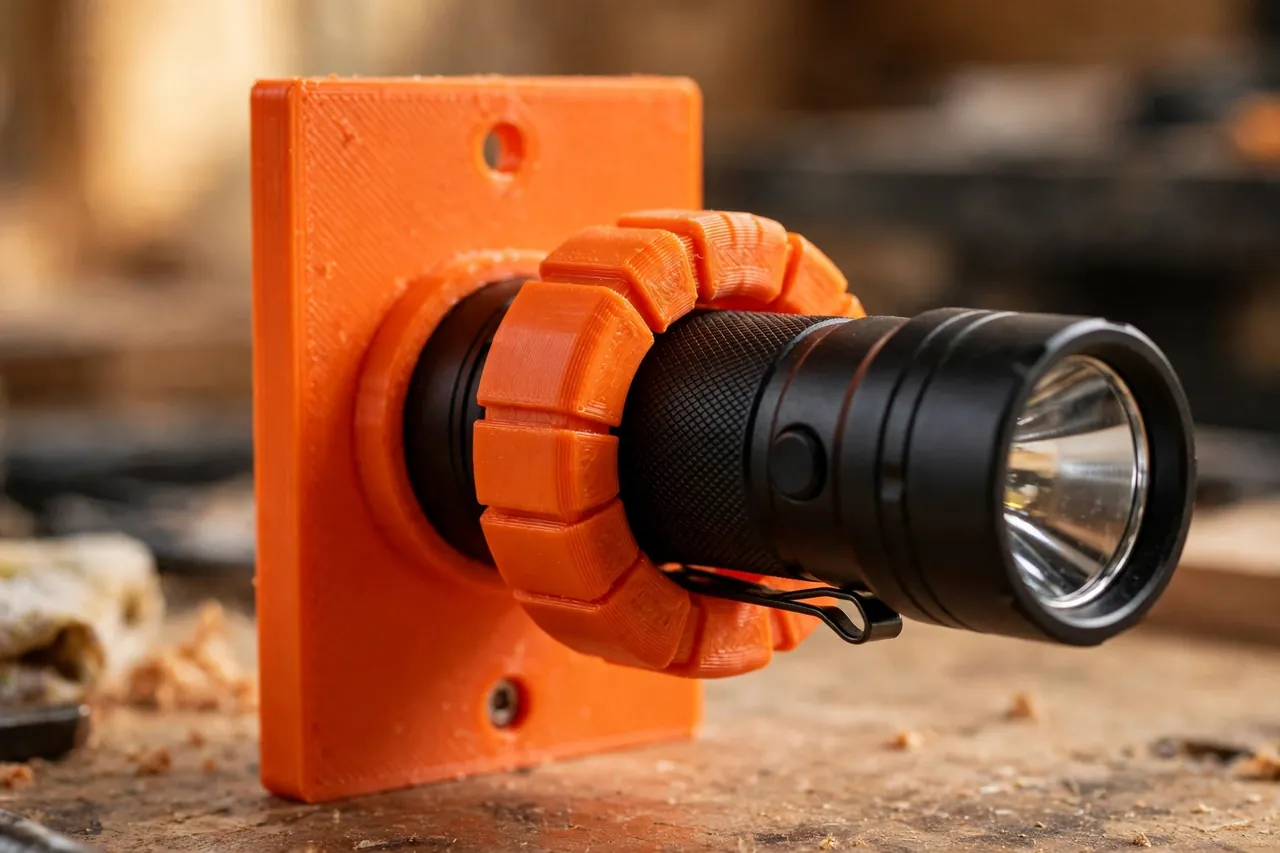
Measure the flashlight body where the dock will hold it, usually the straight section behind the head. Avoid gripping over a side switch, a pocket clip, or a knurled charging cover — pick a clean cylinder. For a clip-in ring, size the inside diameter about 0.3 to 0.5 mm under the body diameter so the ring flexes open and springs back. For heavier lights, a cradle-plus-lip design that carries the weight from below grips less and holds more.
2. Open the ring so docking is one-handed
A full closed ring forces you to thread the light through it, which needs two hands and a moment of attention. An open C-ring, with a gap of roughly a quarter of the circumference, lets you press the light in sideways with one hand and pull it straight out in the dark. Chamfer the gap edges generously so the light finds its way in by feel — this dock will be used most when the lights are out.
3. Give the mounting plate real strength
The plate takes every docking shove. Make it at least 4 mm thick, use two screws spaced vertically, and fillet the joint where the ring meets the plate — that inside corner is where docks crack. Countersink the screw holes so heads sit flush. On plasterboard, use proper anchors; a dock that pulls off the wall once will never be trusted again.
4. Park lights lens-down or lens-up — deliberately
Decide per location. Lens-down protects the lens from dust and knocks and keeps a stray switch press from lighting up the wall, but some lights stand less stably that way in a cradle. Lens-up shows at a glance which light is docked. Either is fine in a passive dock — there are no charging contacts to align, because the dock contains no wiring or charging parts at all.
Step-by-Step: Printing and Assembly
- Measure each flashlight at its grip section, noting switches and clips to avoid.
- Group similar diameters. Lights within about 2 mm of each other can often share one dock size.
- Model the dock — a C-ring or cradle on a two-screw mounting plate, with chamfered entry edges and a filleted plate joint.
- Print one test dock and click the matching light in and out repeatedly. It should hold firmly and release with a straight pull.
- Adjust the ring by 0.2 to 0.3 mm if the grip is harsh or sloppy, and reprint the test.
- Print the fleet once the fit is proven, in one color per location if that helps the household routine.
- Line any dock meant for a polished or anodized light with a thin felt strip if you want zero marking risk.
Step-by-Step: Using the Flashlight Wall Docks
- Choose locations people already pass — beside the main door, by the fuse box, and at the end of the workbench beat a single dock in a cupboard.
- Fix each dock at a comfortable grab height, around chest height, into a stud or rated anchors, and check it with a firm pull.
- Dock each light in its matching dock, and confirm it clicks home and lifts out one-handed.
- Walk the household through it once. A parking system only works if everyone knows the big light lives by the door now.
- Keep the rule simple: a light taken out comes back to the same dock. The empty dock is your reminder.
- Add docks as lights arrive. The model is saved; a new size is a quick diameter change and a short print.
For the bench light you reach for during jobs, this system sits well alongside our related guide, “Solar Work Light Mount: 3D Print a Holder for Your Sealed Solar Workshop Light,” which gives a sealed work light the same always-in-the-same-place treatment.
Tips for Better Results
- Print a dock for the car or caravan only if it can be screwed down properly — a loose light in a vehicle becomes a rolling nuisance.
- Make the entryway dock the biggest and easiest, since that is the one grabbed in a genuine hurry or a blackout.
- Use glow-friendly placement, not glow filament. A dock by a light switch or door frame is findable by touch; that matters more than novelty filament.
- Dock the light you lend by the door too, so borrowed-and-returned lights land back in the system.
- Check grip seasonally. A dock in a cold garage tightens slightly; if winter docking gets stiff, open the ring a fraction in the next print.
Common Mistakes to Avoid
- Gripping over the switch. A dock that holds a light on, or prevents it being switched on for a check, has been sized to the wrong body section.
- One dock size for every light. A fleet spans diameters; forcing a big light into a small dock cracks rings and tempers alike.
- Screwing into plasterboard alone. Always use a stud or rated anchors — docking is a repeated sideways shove, not a static hang.
- Adding charging ideas to the dock. The dock is a passive holder for a finished flashlight. Charging stays with the light maker’s own sealed system, elsewhere.
- Hiding the docks. A dock inside a closed cupboard defeats the purpose. Visible and by the door is the whole point.
Care, Storage, and When to Choose an Alternative
Dust docks with the wall around them, and give each ring a flex-check now and then. A ring that has gone slack or shows a white stress line at the plate joint should be reprinted — the print takes under an hour and the model is already saved. Keep spare docks unprinted rather than stored; diameters change as lights are replaced.
A commercial alternative wins in a couple of cases. If you need to store lights in a vehicle or boat that moves, a locking marine or automotive holder is built for that motion. And if a light is part of a maker’s wall-charging system, use the maker’s own dock for that unit. For ordinary finished flashlights around the home and workshop, though, the simple printed parking dock does the whole job.
FAQ
Can one dock design fit all my flashlights?
Not exactly, but close. Group lights by grip diameter, and print one dock size per group. Most households end up with two sizes covering the whole fleet.
Should flashlights be stored with batteries in them?
Follow the light maker’s advice for its own cells and storage. The dock itself is only a holder — it does not charge, connect, or change anything about the light.
Where is the single best place for a dock?
Beside the door you use most, at chest height, where your hand can find it in the dark. The second-best place is by the fuse box, for the same reason.
Will the ring scratch my flashlight?
A correctly sized PETG ring on a smooth body section will not. For a prized polished light, line the ring with a thin felt strip. You may also enjoy our related guide, “3D Printed Clamp-On Lamp Mount: Put Task Light Exactly Where You Need It,” if what your bench really needs is fixed light rather than a parked torch.
Conclusion
Every home has enough flashlights. What it lacks is a place they belong. A row of simple printed docks by the door and the bench turns a scattered collection into a system: grab one in the dark, park it when you are done, and spot the missing one at a glance.
Measure your lights, tune one dock until the click feels right, then print the fleet. For the tiny bits that also vanish around the bench, our related guide, “Magnetic Bit Rail: 3D Print a Rail and Dock for Driver Bits That Stays Put,” applies the same dock-it-where-it-lives thinking at a smaller scale.