Introduction
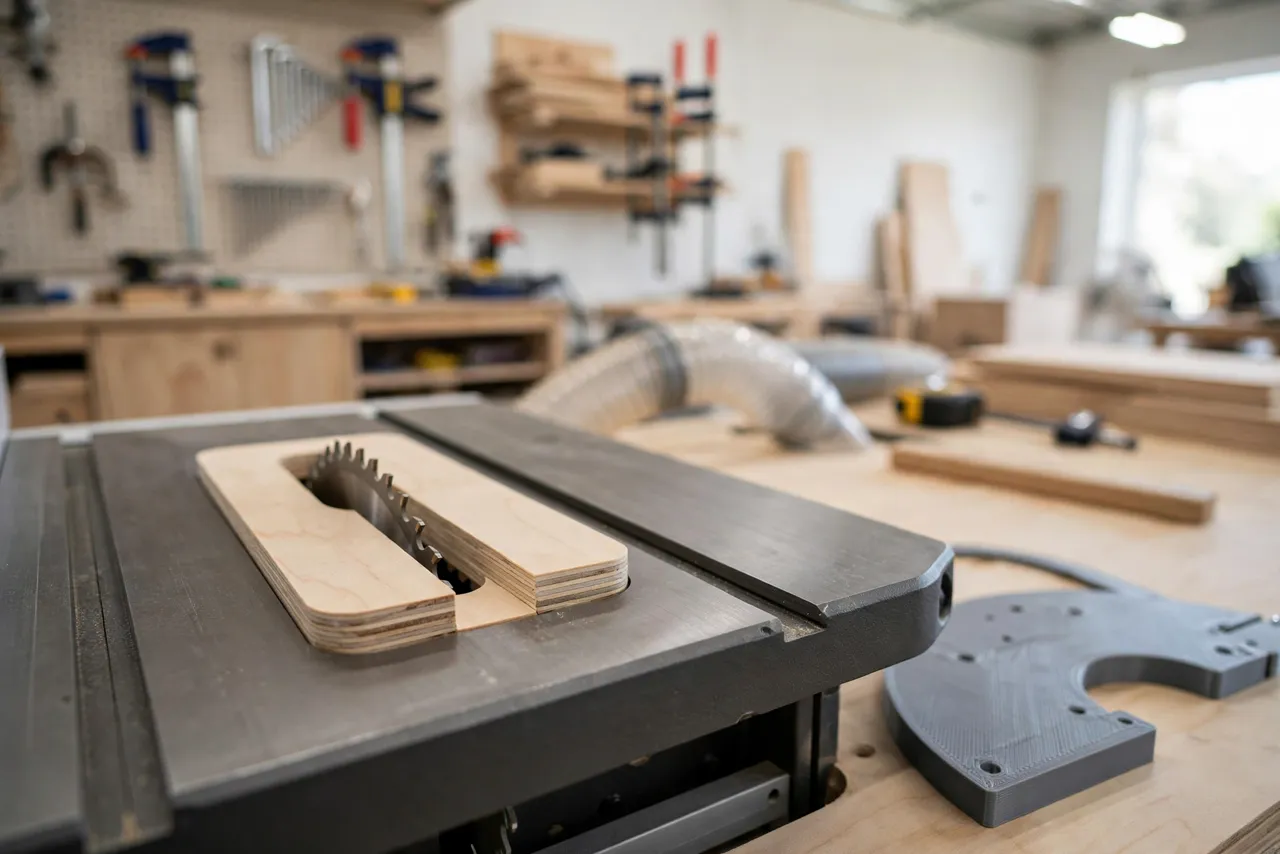
A zero-clearance insert is one of the highest-value upgrades for a table saw. The stock throat plate leaves a wide gap around the blade; thin offcuts drop into it, small pieces tip into it, and the unsupported wood fibers at the cut tear out. A zero-clearance insert closes that gap to the blade’s own kerf, supporting the workpiece right up to the cut and leaving a far cleaner edge.
The catch is fit. An insert must match your saw’s throat opening exactly — its outline, its thickness, its leveling tabs — or it rocks, sits proud of the table, or will not drop in at all. Tracing the factory plate by hand works, but it is fiddly, and every insert you make repeats the same fiddly tracing.
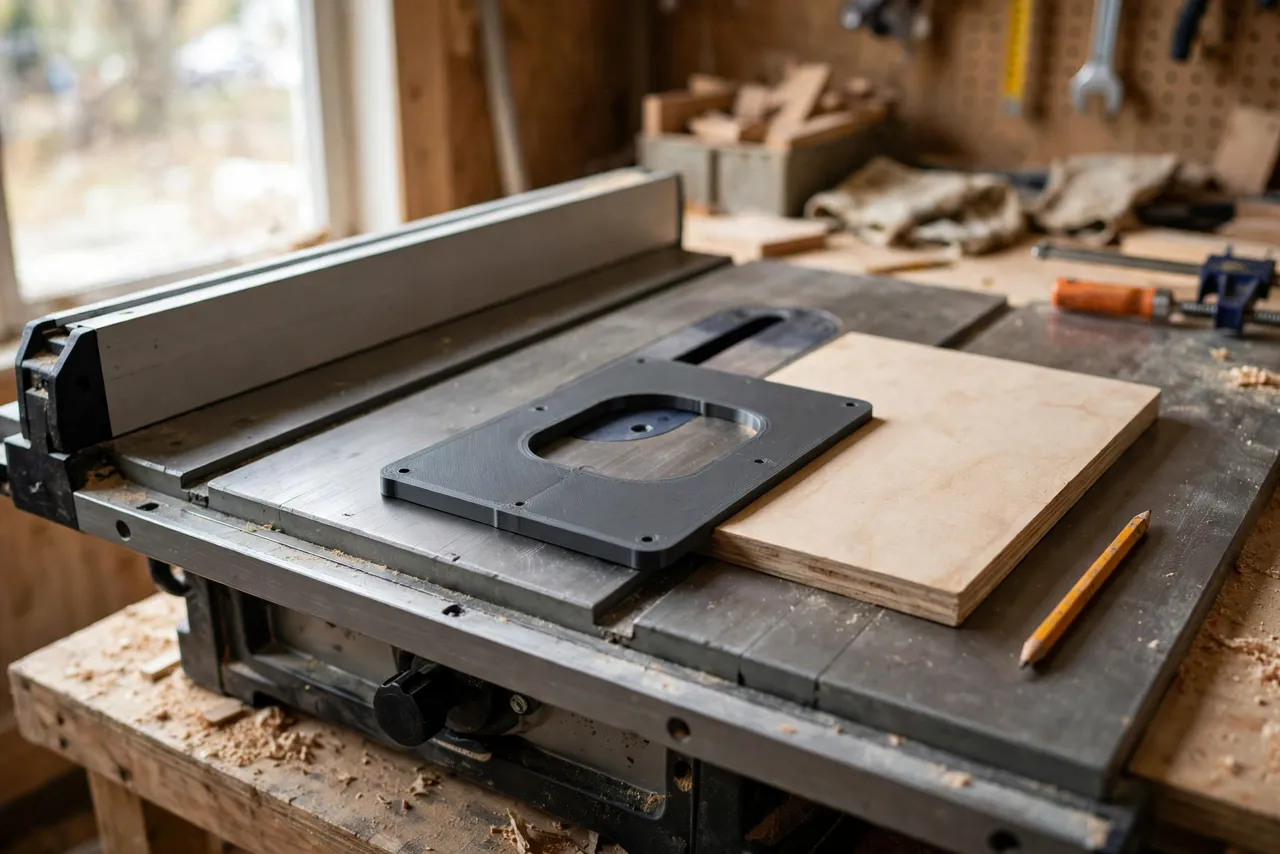
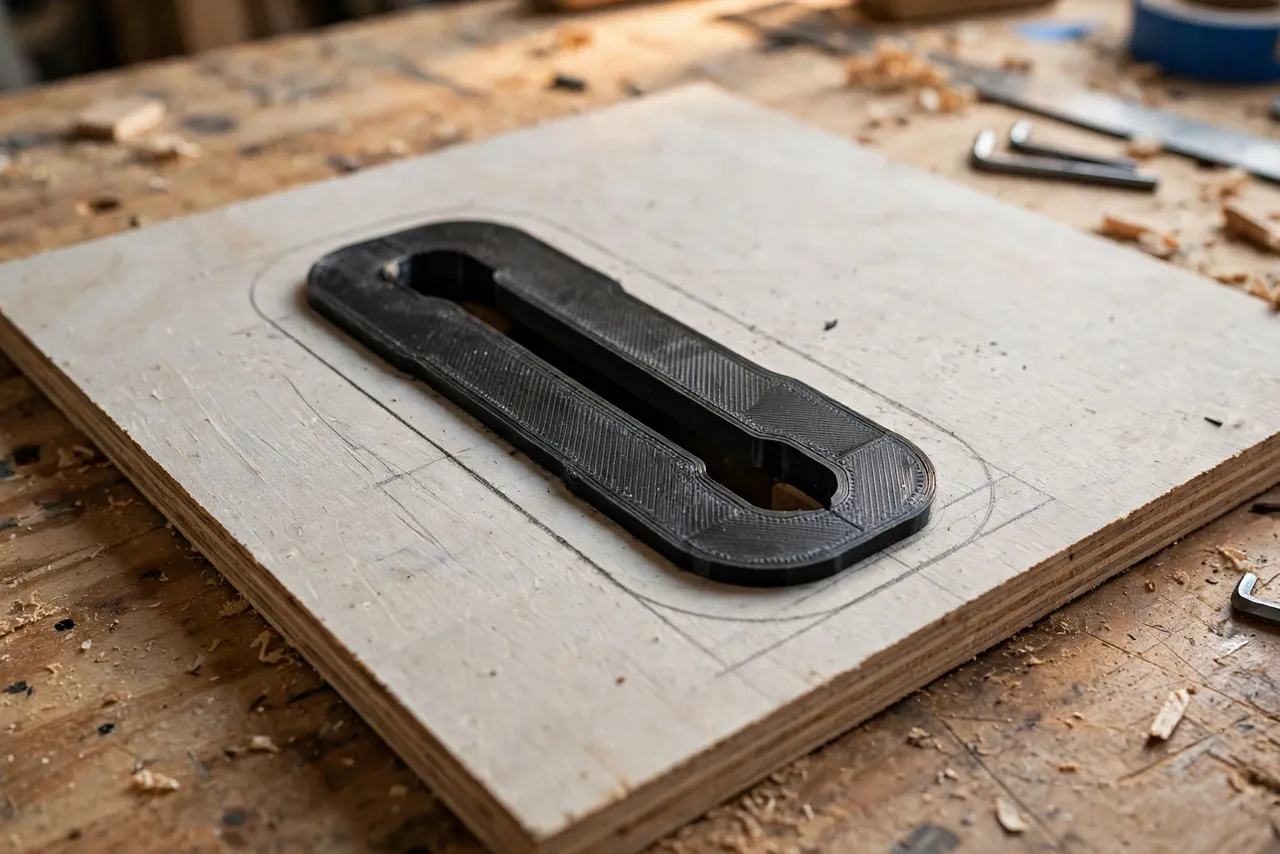
A 3D printed template solves the repeatability. You print a template matched to your saw’s throat opening once, then use it to trace, rout, or cut every future insert from plywood or MDF quickly and identically. Important framing: the template is a pattern for making inserts from wood-based material. The finished insert itself should be plywood, MDF, or a manufactured plate — not a 3D print — because an insert sits in the table, takes workpiece pressure, and must not flex, melt, or break apart near the blade. The printed part is the guide; the insert is the real material.
What You Need
The template is a small print; the inserts are shop-made from sheet material.
Materials and tools
- A home 3D printer with a build area large enough for your saw’s throat plate outline (measure first)
- PLA or PETG filament for the template
- Plywood or MDF blanks for the inserts, matched to your throat plate’s thickness
- A router with a pattern bit or a bandsaw and sander for cutting inserts to the template
- A pencil, calipers, and a drill for finger holes and leveling screws
- Your saw’s factory throat plate, for measuring
The pattern-and-trace approach here is similar to “3D Printed Center Finder: Mark Exact Centers on Boards, Dowels and Panels Every Time,” where a printed reference makes a layout job repeatable.
Suggested print settings
- Layer height: 0.20 mm.
- Walls: 3 to 4 perimeters.
- Infill: 30 to 50 percent, grid or gyroid.
- Top and bottom layers: 4 or more.
- Orientation: Print flat for the most accurate outline.
- Supports: None needed for a flat template.
If your throat plate is larger than your printer’s build area, print the template in two halves with alignment pins and glue them together on a flat surface.
Design Considerations
A good template captures everything that makes the factory plate fit.
1. The exact outline
Trace or measure the factory plate’s outline precisely, including any notches, rounded corners, and tabs. The template’s outline is the insert’s outline, so an error here is an error in every insert. Measure twice, and test the template against the throat opening before cutting any insert.
2. Thickness and leveling
The template itself does not set insert thickness — the blank material does. But include leveling-screw positions in the template if your saw uses them, marked as drill points, so every insert gets its leveling screws in the same places.
3. A finger hole position
Mark a finger hole or lifting notch position on the template. You will need to remove the insert for blade changes, and a finger hole in the same place every time is a small convenience that adds up.
4. Blade slot handling
The template carries no blade slot — the slot is cut into each insert by raising the blade slowly through the blank after it is fitted, following your saw manufacturer’s procedure, with guards and safety steps respected. Never pre-cut a wide slot in an insert and call it zero-clearance; the slot must be cut by the blade itself.
Step-by-Step: Printing and Assembly
- Remove the factory throat plate and measure its outline, thickness, notches, and leveling-screw positions.
- Model the template to that outline, with leveling-screw drill marks and a finger-hole mark.
- Print the template (in halves with alignment pins if needed) and test-fit it in the throat opening — it should drop in and sit flush, like the factory plate.
- Adjust and reprint if the fit is off; small outline tweaks are normal on the first version.
- Sand the template edges lightly so it traces cleanly.
Step-by-Step: Using the Template to Make an Insert
- Cut a blank from plywood or MDF to roughly the throat plate size, matching the factory plate’s thickness.
- Trace the template outline onto the blank with a sharp pencil.
- Cut the blank to the outline with a bandsaw, jigsaw, or router with a pattern bit, staying just outside the line.
- Sand or rout to the line until the insert drops into the throat opening and sits flush with the table, without rocking.
- Drill the finger hole and leveling-screw holes at the template’s marked positions.
- Fit the insert and level it so it is flush with the table surface all around.
- Cut the blade slot by raising the blade slowly through the insert, following your saw manufacturer’s procedure, with the fence positioned so the insert is fully supported and your hands are clear.
- Test the insert with a scrap cut, checking for rocking, lifting, or tear-out, before using it on real work.
Make several inserts at once — one for the standard blade, one for the dado stack if you use one, and a spare. The template makes batching them easy.
Tips for Better Results
- Match the blank thickness exactly. An insert even slightly thicker than the factory plate sits proud and catches workpieces; a thinner one dips and lets pieces tip.
- Label each insert with the blade or stack it was cut for, so you never mix them up.
- Keep a spare blank cut to outline but without a slot, ready for the next blade change.
- Check level after every blade change. An insert that was flush can shift when removed and refitted.
- Replace an insert when its slot widens from blade changes or wear — a widened slot is no longer zero-clearance.
Common Mistakes to Avoid
- Making the insert itself from printed plastic. A printed insert can flex, crack, or soften near the blade. Use plywood, MDF, or a manufactured plate for the insert; the print is only the template.
- Cutting the blade slot before fitting. The slot must be cut by the blade after the insert is fitted and leveled, or it will not be true zero-clearance.
- Skipping the level check. A rocking or proud insert is worse than the factory plate it replaced.
- Forgetting the finger hole. An insert with no way to lift it out will be pried out, damaging the throat or the insert.
- Using one insert for every blade. Different blades have different kerfs; each blade deserves its own insert.
Care, Storage, and When to Choose an Alternative
Store the template flat with your saw accessories, and keep inserts labeled and stacked flat. A worn template edge can be sanded once, then reprint.
Manufactured zero-clearance inserts are available for many popular saws and are the simplest option if one exists for your model. For saws without a manufactured option, or for dado and specialty setups, a printed template plus shop-made inserts is the practical route — and it costs a fraction of custom plates.
FAQ
Can I just print the insert itself?
No — that is the one thing this guide recommends against. The insert sits in the table under workpiece pressure near a spinning blade. Plywood or MDF is the right material for the insert; the print is the template that shapes it.
What if my throat plate is bigger than my printer?
Print the template in two halves with alignment pins, glue them on a flat surface, and check the joined outline against the factory plate before tracing.
How do I cut the blade slot safely?
Fit and level the insert first, then raise the blade slowly through it following your saw manufacturer’s procedure, with the fence supporting the insert and your hands clear. The blade cuts its own slot at exactly its kerf.
My insert rocks in the throat. What went wrong?
Usually the outline is slightly off, the blank is the wrong thickness, or a leveling screw is mis-set. Re-check the outline against the template, confirm the blank thickness, and re-level.
Conclusion
Zero-clearance inserts are a small upgrade with a big payoff in cut quality and small-piece safety. A 3D printed template turns making them from a fiddly one-off tracing job into a repeatable shop routine — and because the inserts themselves are plywood or MDF, they are safe, cheap, and easy to replace.
Print the template for your saw, batch out a few inserts, and every cut from now on will have the support it deserves.
If throat-plate work has you thinking about saw setup more broadly, you may also enjoy our related guide, “3D Printed Saw Blade Storage Case: Protect Your Circular Saw Blades Between Jobs,” which keeps the blades those inserts serve in good order.