Introduction
Freehand circles look like freehand circles. Whether the job is a round tabletop, a circular sign blank, a speaker recess in a panel, or a lazy-Susan disc, the eye forgives a wobbly straight cut far sooner than a wobbly curve. A router guided by a fixed pivot, though, cannot wander: the bit travels at one constant distance from a centre point, and the circle comes out true every single time.
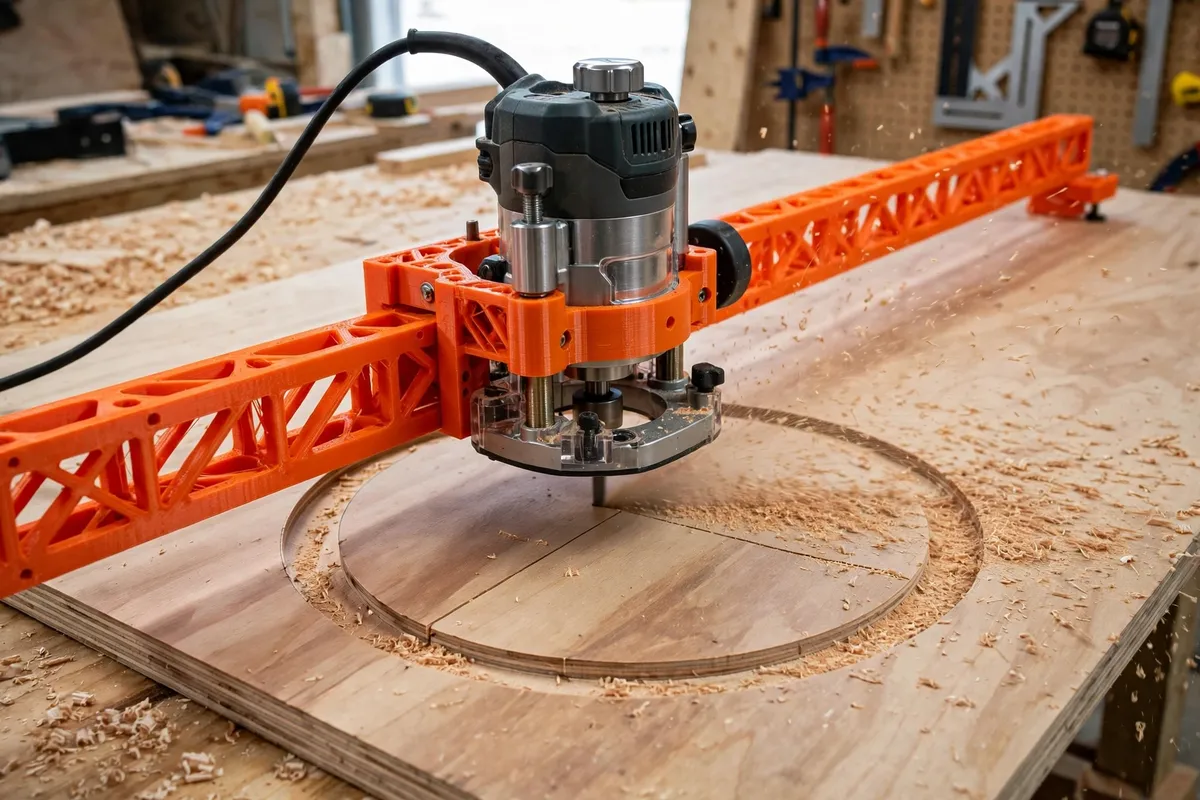
A 3D printed router circle cutting jig gives you that pivot in an afternoon. It is a base plate that mounts under your router, an arm that reaches out to your chosen radius, and a sliding pivot pin that drops into a tiny centre hole in the workpiece. Print it to fit your router’s base screw pattern, slide the pivot to size, and swing the router in shallow passes until the disc drops free.
This guide covers designing, printing, and using a circle jig that handles everything from small coasters to full tabletop diameters — and the honest limits of a printed arm.
What You Need
This jig works hard sideways, so stiffness in the arm matters more than raw bulk. Plan for a rigid print and sharp bits.
Materials and tools
- A home 3D printer with a build area of roughly 220 mm or more in one direction for a one-piece arm, or any size if you print the arm in joining sections
- PETG filament for a stiff, slightly forgiving arm (PLA is stiffer still and works well indoors)
- A plunge or fixed-base router whose base plate screw pattern you can measure
- The screws that fit your router base, usually the ones holding its factory sub-base
- A sharp straight or spiral upcut bit in your usual diameter, commonly 6 mm or 1/4 inch
- A steel pivot pin, nail, or drill bit shank of about 4 to 6 mm for the centre
- A tape measure, a pencil, an awl or centre punch, and calipers if you have them
- Workpiece material: plywood, MDF, or solid timber panels, plus scrap for test cuts
Spiral upcut bits clear chips from a deepening groove far better than straight bits and leave a cleaner wall; they are worth it for through-cuts.
Suggested print settings
- Layer height: 0.2 mm. A good balance of strength and print time for a long flat part.
- Walls: 5 to 6 perimeters. The arm resists bending through its walls.
- Infill: 40 to 50 percent, gyroid or cubic. A flexing arm makes oval circles.
- Top and bottom layers: 5 or more on the base plate so router screws clamp solidly.
- Orientation: Print the arm flat on the bed, so its length runs in the plane of the layers.
- Supports: None if you keep pockets and slots vertical-walled.

Design Considerations
You can model this jig in any basic CAD program, including free browser-based tools. Think of it as a base, an arm, and a pivot that must agree with each other to a fraction of a millimetre.
1. A base plate matched to your router
The jig starts at the router. Trace your router’s removable sub-base, note the screw hole pattern and the centre opening, and model a printed base plate about 6 to 8 mm thick with the same holes countersunk. The bit must pass through the opening with clearance, and the plate must sit dead flat so the router does not rock mid-swing.
Routers differ, so this part is always custom. That is the real advantage of printing: the jig fits your exact machine instead of a “universal” pattern that fits nothing quite right.
2. An adjustable pivot: sliding carriage or hole row
The radius is set by the distance from bit centre to pivot pin, so the arm needs fine, repeatable adjustment. Two approaches work well. A sliding carriage clamps anywhere along a slotted arm and locks with a knob and bolt — infinitely adjustable, ideal if you cut many sizes. Or a row of holes at fixed increments — 5 or 10 mm steps — accepts a pin at preset radii: simpler, bombproof, and easy to return to a favourite size.
If you print the hole-row version, model the holes to fit your pin snugly and mark your common radii in the design notes. For the slider version, add a pointer edge on the carriage and a modelled scale channel so a steel rule can sit against it for setting.
3. Arm length, stiffness, and sectional prints
Radius is reach: a tabletop of 900 mm diameter needs the pivot 450 mm from the bit. A single printed arm that long exceeds most beds, so design the arm in sections that overlap and bolt together with two screws per joint, keeping holes aligned across the joint lines. Overlaps of 40 mm or more keep the assembled arm straight.
Stiffness falls quickly as arms lengthen. Deepen the arm section — 12 to 15 mm tall with a rib along its length — rather than widening it, and for the biggest circles support the workpiece well and take shallower passes so side loads stay low.
4. The pivot point and waste-side thinking
The pivot pin drops into a small centre hole, about 1.5 to 2 mm deep is unnecessary — drill it 4 to 6 mm into waste, or all the way through if the back face will not show. Model the pivot hole in the carriage to hold the pin vertically and firmly: a tilting pin walks the radius off as you swing.
Think about which piece is the keeper. The bit’s kerf removes material, so the radius to the pin sets the size of one edge of the cut, not both. Decide whether your target diameter describes the disc or the hole you are cutting into a panel, and offset the pivot by the bit radius accordingly.
Step-by-Step: Printing and Assembly
- Measure your router base. Record the screw pattern, opening size, and screw thread from the factory sub-base.
- Model the base plate and arm with your chosen pivot system, sizing the arm for the largest circle you realistically plan plus a margin.
- Print a short test arm section and check the pivot holes and carriage fit before the long print.
- Print all parts in PETG or PLA with the settings above, keeping parts flat and the bed clean.
- Assemble the arm sections with bolts through the overlap joints, checking the assembled arm against a straightedge.
- Mount the base plate to the router using its base screws, snugged evenly. Fit your bit and check it clears the plate opening all around.
- Set a trial radius on scrap: pin in, router swung in a full circle with the machine off, and confirm the bit’s path clears clamps, bench edges, and your cord.
Step-by-Step: Cutting a Circle With the Jig
- Mark the centre of your circle on the workpiece and drill the pivot hole to suit your pin.
- Support the workpiece on a sacrificial board so the through-cut does not chew your bench, and clamp the panel, not the disc, where you can.
- Set the radius: measure from bit edge to pin centre and adjust the pivot until the measurement matches your plan, remembering the kerf offset.
- Set a shallow depth — 3 to 4 mm per pass in plywood or MDF — and lock the plunge.
- Start the router with the bit clear of the wood, plunge to the pass depth, and swing slowly and steadily in the direction your router’s manual recommends for guided cuts, keeping gentle pressure toward the pivot.
- Repeat passes, deepening each time and vacuuming or brushing chips from the groove so the bit is not re-cutting dust.
- For the final pass, support the disc from below or leave three or four tiny tabs of material and finish with a knife and sanding, so the disc cannot drop, shift, and scar its own edge.
- Ease the edge with sandpaper or a small roundover bit, and check the diameter across several axes — a true circle measures the same everywhere.
Always let the bit stop completely before lifting the router, and keep the factory guard and your usual dust mask and eye protection habits exactly as they are for any router work. The jig guides the cut; it changes nothing about treating the machine with respect.
Tips for Better Results
- Make a test circle in scrap first whenever you change radius or material; it confirms the kerf offset with zero risk.
- Keep the groove clean. Packed chips cause burning and a wandering wall on deep passes.
- Swing at an even pace. Pauses burn the wood in arcs; steady motion leaves a smooth wall.
- Drill the pivot hole with a brad-point bit so the pin seat is crisp and the centre does not drift.
- Note your settings. A line in a notebook — radius setting, bit, passes — makes repeat circles identical months later.
Common Mistakes to Avoid
- Cutting full depth in one pass. The bit overloads, the arm flexes, and the “circle” comes out oval or burned.
- Forgetting the kerf. Measuring to the bit centre when you needed the edge loses a bit-radius from your diameter, twice over.
- A loose pivot pin. Any rock in the pin prints itself directly into the circle as wobble.
- Clamping where the arm must swing. Rearranged plans mid-cut usually mean reaching across a spinning bit. Set the swing path first, machine off.
- Flexing a long arm by leaning on the router. Let the bit cut; your hands guide, they do not push the circle into existence.
Care, Storage, and When to Choose an Alternative
Care is simple: brush the jig clean, check the pivot holes for wear and the arm joints for tightness, and store it flat or hung by its base hole so the arm cannot creep into a curve. A bent or worn jig reveals itself on a scrap test cut long before it can ruin real work, so test before important cuts.
If you cut circles often, routers pair naturally with the letter and number guides in our guide “Router Sign-Making Templates: 3D Print Letter and Number Guides for Wood Signs” — round sign blanks from this jig are the perfect starting stock for those templates.
Sometimes another tool wins. A bandsaw with a simple circle sled is faster for thick solid timber. A hole saw is quicker for single small holes under about 150 mm. And for one huge architectural curve, a trammel made from a strip of plywood does the same job with no printing at all. For the everyday spread of discs, tabletops, and panel cutouts, though, the printed jig earns its drawer space.
FAQ
What size circles can a printed jig cut?
As small as the base plate allows — usually from about 60 mm diameter up — and as large as your arm reaches. Sectioned arms commonly cover tabletops of 900 to 1,200 mm. Very large radii flex more, so take shallower passes on the biggest cuts.
Why did my circle come out slightly oval?
Oval circles almost always trace back to flex: a bending arm, a rocking pivot pin, or side pressure from pushing too hard. Stiffen the arm, snug the pin fit, slow down, and cut in more, shallower passes. Check with the router off first — if a dry swing wobbles, the cut will too.
Should the pivot pin go all the way through the workpiece?
Only if the back face will not be seen or the hole will be covered. A blind hole 4 to 6 mm deep holds the pin fine for most work and leaves the show face clean. For thin stock, drill through into the sacrificial board instead and let that hold the pin.
Can I cut circles in solid timber, or only sheet goods?
Both work. Sheet goods cut easiest because they are uniform. In solid timber, expect the bit to behave differently cutting with and across the grain as it travels the circle; shallower passes and a sharp spiral bit keep the wall clean in both directions.
Conclusion
A circle is a promise: one radius, held from start to finish. A printed pivot arm keeps that promise mechanically, turning the router you already own into a compass that cuts. Base matched to your machine, pivot set by measurement, passes kept shallow — and round work stops being the job you avoid.
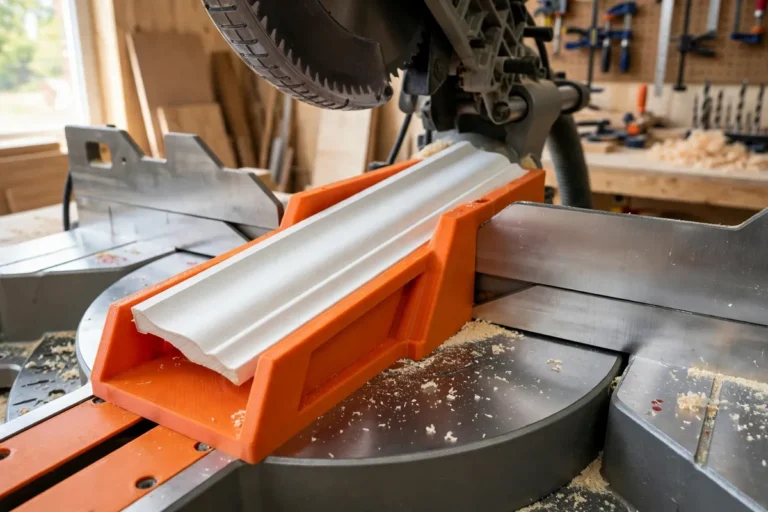
For the straight-edged partners to these round projects, our guide “3D Printed Miter Cutting Guide for Trim, Molding and Small Stock” covers the angles; between the two jigs, panels, signs, and tabletops are all within reach.
Measure from the edge, swing it steady, and enjoy the disc dropping free.