Introduction
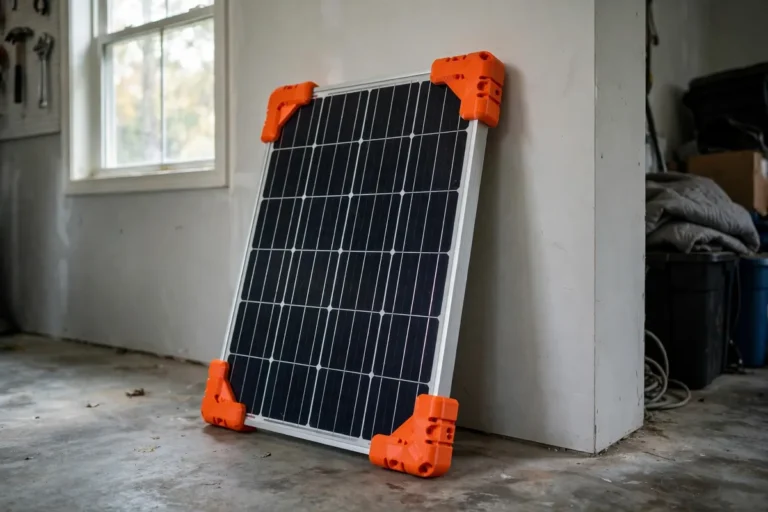
A portable solar panel lying flat on the ground is a solar panel working at half capacity. Panels produce their best power when sunlight strikes them close to square-on, and flat on the grass at most times of day, the sun arrives at a glancing angle that costs you a third or more of the panel’s potential. That is why the good portable panels ship with kickstand legs — and why the legs on cheaper panels, often two flimsy wire bails or nothing at all, are the first thing to bend, snap, or go missing.
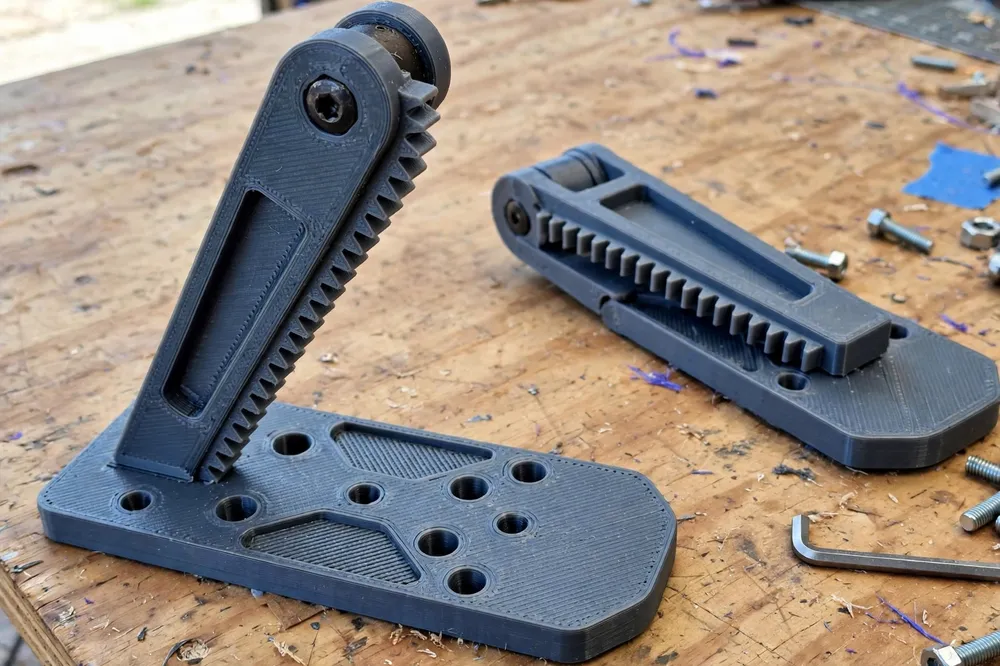
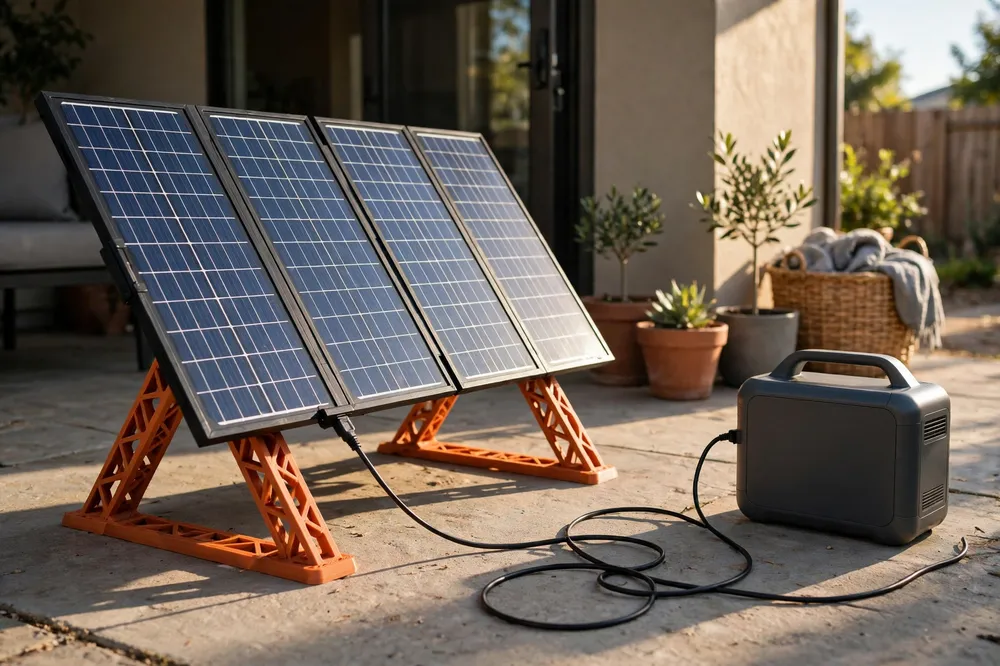
3D printed solar panel kickstand legs fix the weak point with a purpose-built ground-frame accessory: two sturdy legs that clamp or bolt to the panel’s frame rail, swing down to indexed tilt angles, plant wide feet on the ground, and fold flat against the panel for carrying. They turn “prop it against a cooler and hope” into a repeatable setup you can aim in a minute.
One scope note, stated plainly: the legs are a mechanical stand accessory only. They touch nothing electrical — no wiring, no connectors, no panel modifications, no opening of junction boxes, ever. Your panel’s own cable plugs into your power station exactly as it did before; the legs only decide the angle the panel sits at while it does so. If any part of a solar project involves wiring or electrical installation, that is work for qualified people with rated equipment, not for printed parts. This project is a stand, and proudly only a stand.
What You Need
Materials and tools
- A home 3D printer with a build area of about 200 mm or more — legs print in two or three sections if your bed is smaller
- ASA filament for the best outdoor strength and sun resistance; PETG is a workable second choice for occasional use
- A portable folding solar panel with an aluminum frame rail — measure its thickness and width before modeling
- A tape measure and digital caliper for the frame dimensions
- Stainless bolts, wing nuts, and washers in M5 or M6 for the hinge and clamp hardware
- A screwdriver and small wrench for assembly
- A smartphone sun-position app or a simple shadow check to aim the panel
- Optional: rubber pads or stick-on feet for hard surfaces
Check what your panel already offers. Some frames have threaded holes or accessory channels the clamp can use; others take a simple friction clamp over the rail. Either way, the connection must be to the panel’s frame — never drill, cut, or modify the panel itself or anything electrical on it.
Suggested print settings
- Layer height: 0.24 to 0.28 mm — structural parts, sensible speed.
- Walls: 6 perimeters. Legs carry a panel that catches wind; walls are their strength.
- Infill: 50 to 60 percent gyroid. Do not economize here — a portable panel is a sail with a glass face.
- Top and bottom layers: 5 or more.
- Orientation: Print legs flat on their side so layer lines run along the leg’s length and bending loads cross the layers.
- Supports: Design hinge knuckles and clamp jaws with chamfers to print cleanly without supports in the pivot area; a binding pivot helps no one.
Design Considerations
1. Indexed angles instead of friction guesswork
A friction hinge set “about right” by eye creeps, slips, and differs between the two legs — and a panel held at two different angles twists against its own frame. Model a toothed index: a fan of positive notches at sensible tilts — say 25, 35, 45, and 60 degrees from horizontal — that a cross-bolt or a sprung tab locks into. Both legs click into the same notch number, the angle is repeatable in seconds, and a card in your panel’s carry case noting the best notch per season turns aiming into a lookup.
As a rule of thumb, tilt roughly equal to your latitude is a good year-round compromise, steeper in winter, shallower in summer. Our guide “3D Printed Angle Gauge for Setting Solar Panel Tilt on Ground-Level Frames” is the perfect companion here: the gauge verifies the angle the legs claim, and the legs hold the angle the gauge approves.
2. Feet that plant, not skate
A kickstand ending in a narrow point skates on patio slabs and sinks in soft ground. Give each leg a wide, flat foot — 60 mm or more across — with a slight rocker so it self-seats on uneven grass, and model in a hole or slot for a tent peg on soft ground. A pegged foot transforms wind behavior: the panel stops being a kite waiting for a gust. On hard surfaces, a recess under the foot takes a stick-on rubber pad for grip.
3. A frame clamp that respects the panel
The clamp wraps the panel’s aluminum frame rail with a padded jaw — model a shallow recess for a strip of rubber or a few printed TPU pads — and tightens with a wing nut you can work with cold fingers. The clamp must grip the frame’s structural rail only, clear of the panel’s glass, backing sheet, cables, and junction box. Design the geometry so it is physically impossible for the clamp to contact anything but the rail; that constraint, designed in, beats care exercised forever.
4. Fold-flat travel manners
The legs must fold parallel against the panel’s back, adding minimal thickness, with a clip or the index tab holding them from rattling loose in transit. Round every outward corner — a leg that snags the carry case every trip is a leg that gets left at home. Total added weight for two legs should stay under a few hundred grams; portability is the panel’s whole point.
Step-by-Step: Printing and Assembly
- Measure the panel’s frame rail: thickness, depth, and where a clamp can sit without touching glass, backing, or cables.
- Model the clamp and one leg with its index teeth and foot, sized to your rail.
- Print a single leg assembly and fit it to the panel indoors: clamp on, swing the leg through its notches, fold it flat. Check clearances at every position.
- Test the index lock by pressing down on the panel’s top edge as wind would; the locked notch should hold without creeping.
- Print the second leg, assemble both with stainless hardware, and do a full patio setup: legs down, same notch both sides, pegs or pads as the surface demands.
Step-by-Step: Setting Up Outdoors
- Choose firm, level-ish ground with an unobstructed view of the sun’s path for the hours you will be charging.
- Swing both legs down into the same index notch — check the number on each side; matched angles are the whole system.
- Aim the panel square to the sun: the panel’s shadow should fall directly behind it, or use your angle gauge and a sun app for the session’s ideal tilt.
- Secure the feet: peg them on grass or soil, rubber pads on slabs, and if wind is gusty, add a sandbag or a guy line to a frame corner — through the frame’s own eyelets, never through printed parts under tension they were not designed for. When in doubt about wind, lay the panel flatter and peg it; a slightly wrong angle loses watts, a blown-over panel loses everything.
- Connect the panel’s own cable to your power station as the manufacturer intends, with the power station resting in shade — batteries charge happier cool — and leave the cable with slack, never routed under a leg where it can be pinched.
- Re-aim every couple of hours if you are chasing maximum harvest; the indexed legs make each adjustment a ten-second job.
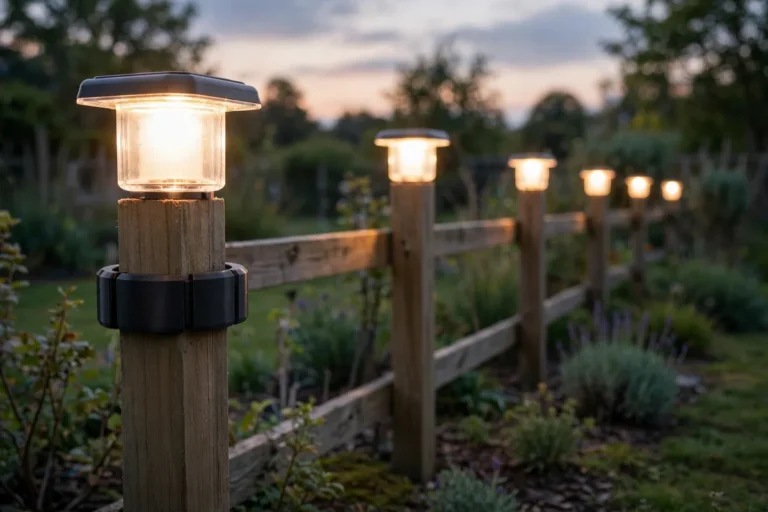
The repair-and-accessory spirit here is the same as in “3D Printed Brackets for Solar Garden Lights: Repair Broken Stakes and Mounts the DIY Way” — printed parts as the mechanical support act, while the electrical side stays factory-made and untouched.
Tips for Better Results
- Make both legs and all spares from the same model so notches, clamps, and hardware interchange perfectly. Print one spare leg before a big trip; it weighs nothing and saves expeditions.
- Mark the index notches with a paint pen — season numbers on the teeth turn setup into a glance.
- Carry a small kit in the panel case: spare wing nut, two pegs, rubber pads. The legs are only as field-ready as their smallest hardware.
- Rinse grit from the index teeth after beach or dusty use; sand in the notches makes locks sloppy.
- Store the panel with legs folded and latched, and never stack heavy gear on the folded package — the legs are strong in their working direction, not as a shelf for the toolbox.
Common Mistakes to Avoid
- Mismatched leg angles. One leg in notch three, the other in notch four twists the panel frame and stresses the glass. Count notches aloud, every setup.
- Clamping anything but the frame rail. If a clamp can touch glass, backing sheet, or cable, the model is wrong — redesign before printing, not after the gust.
- Skimping on walls and infill. A portable panel in a breeze is a serious load case. Legs printed light to save an hour fold exactly once, expensively.
- Ignoring wind. A tilted panel is a wing. Peg it, pad it, or flatten it — but decide actively, every time.
- Modifying the panel for the mount. No drilling the frame near cells, no opening anything electrical. The clamp adapts to the panel; the panel never adapts to the clamp.
Care, Storage, and When to Choose an Alternative
Brush dirt from the teeth and pivots, check wing nuts for corrosion each season, and inspect legs for cracks at the hinge knuckle after any fall or blow-over. ASA legs live outdoors happily; store them folded with the panel, out of the car-boot furnace in high summer if you can.
Alternatives: many premium portable panels include excellent legs — if yours does, enjoy them. Ground mounts and roof systems are different sports entirely, with their own rated hardware and, often, permits and professional installation — printed accessories have no place there. For the classic portable panel with sad wire bails or no stand at all, used on the ground at campsites, gardens, and patios, printed kickstand legs are the upgrade that pays for itself in the first sunny weekend of extra harvest.
FAQ
What tilt angle should I set for my panel?
Start with a tilt near your latitude for a year-round compromise, about 10 to 15 degrees steeper in winter and shallower in summer. The indexed notches make experimenting easy: try one notch per sunny day for a week and your power station’s input reading will tell you your local truth.
Will the legs fit my panel?
They fit any portable panel whose aluminum frame rail matches the clamp you model — which is why measuring the rail comes before modeling. Frames vary between brands, so treat the first print as a fitting prototype and adjust the clamp jaw to your rail’s exact profile.
Can printed legs really hold a panel in wind?
Printed stoutly — six walls, high infill, layers along the leg — and used with pegged or weighted feet, yes, for the moderate conditions portable panels are used in. In strong or gusty wind, the correct move with any stand is to lower the tilt or lay the panel flat and secured; no kickstand of any material outsmarts a storm.
Do the legs affect the panel’s warranty or safety?
The legs never modify the panel: the clamp grips the frame rail only, nothing electrical is touched, opened, or rerouted, and setup follows the panel maker’s own instructions. If your panel’s maker prohibits frame clamps, use a version that bolts through the frame’s existing accessory holes instead — the leg design works the same.
Conclusion
A portable panel’s weakest component should not be the thing holding it up to the sun. Printed kickstand legs — indexed angles, planted feet, a respectful clamp, fold-flat manners — give the panel the stand it deserved from the factory, and turn aiming it from a fiddle into a habit.
Measure your frame rail this week, print one leg, and click it through its notches. The first time both legs lock into the same number and the panel stands square to the morning sun, you will feel the system click in every sense.