Introduction
Baseboard looks simple until you reach a corner. Then comes the miter saw, the coping saw, the test pieces, and the small wedge-shaped gap that appears no matter how carefully you measured. Inside corners are rarely perfectly square, outside corners are rarely perfectly plumb, and a cut that looked right on the bench opens up on the wall.
The traditional fix is skill and patience: cope one profile into the other, back-cut, sand, fill, and repeat. That works beautifully in experienced hands, but for a single room repair or a weekend refresh it can turn a short job into a long afternoon of trial pieces and wasted trim.
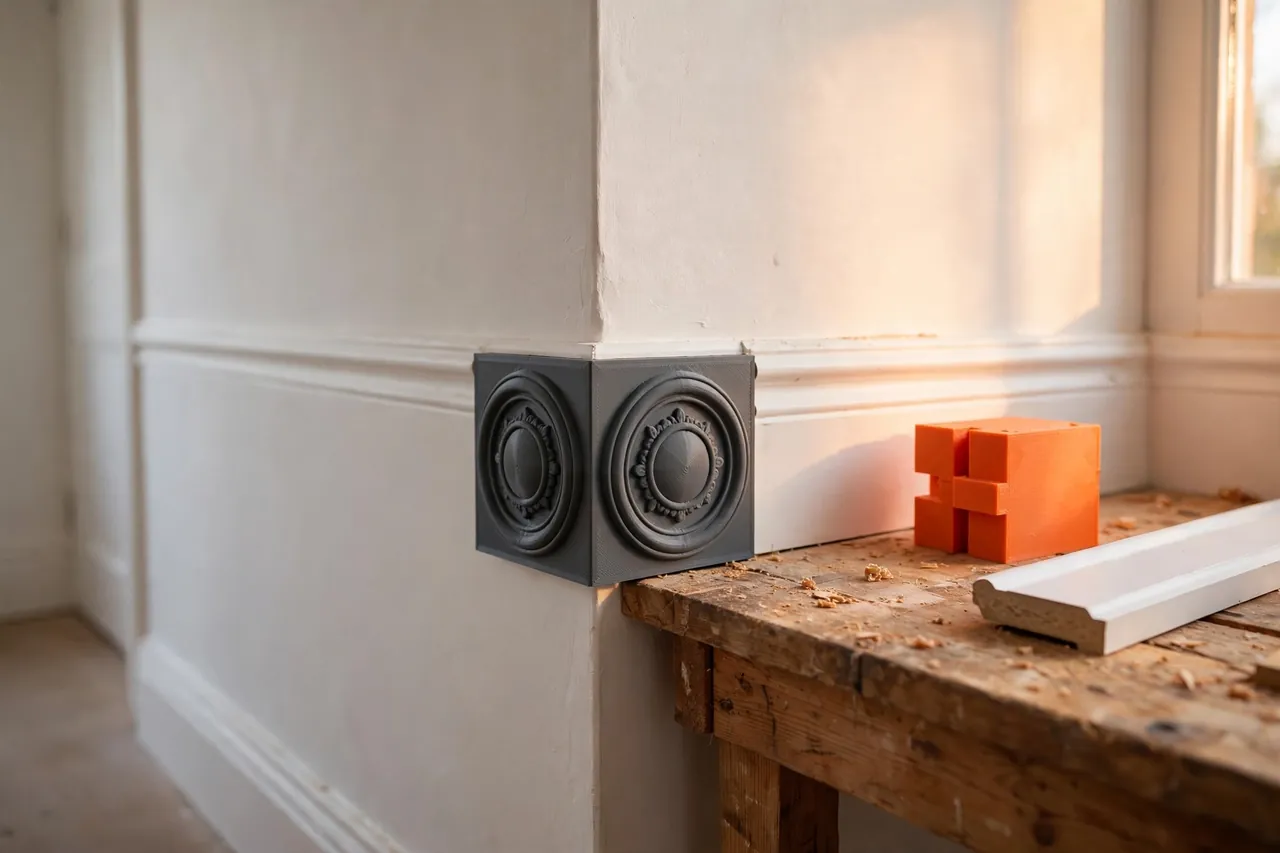
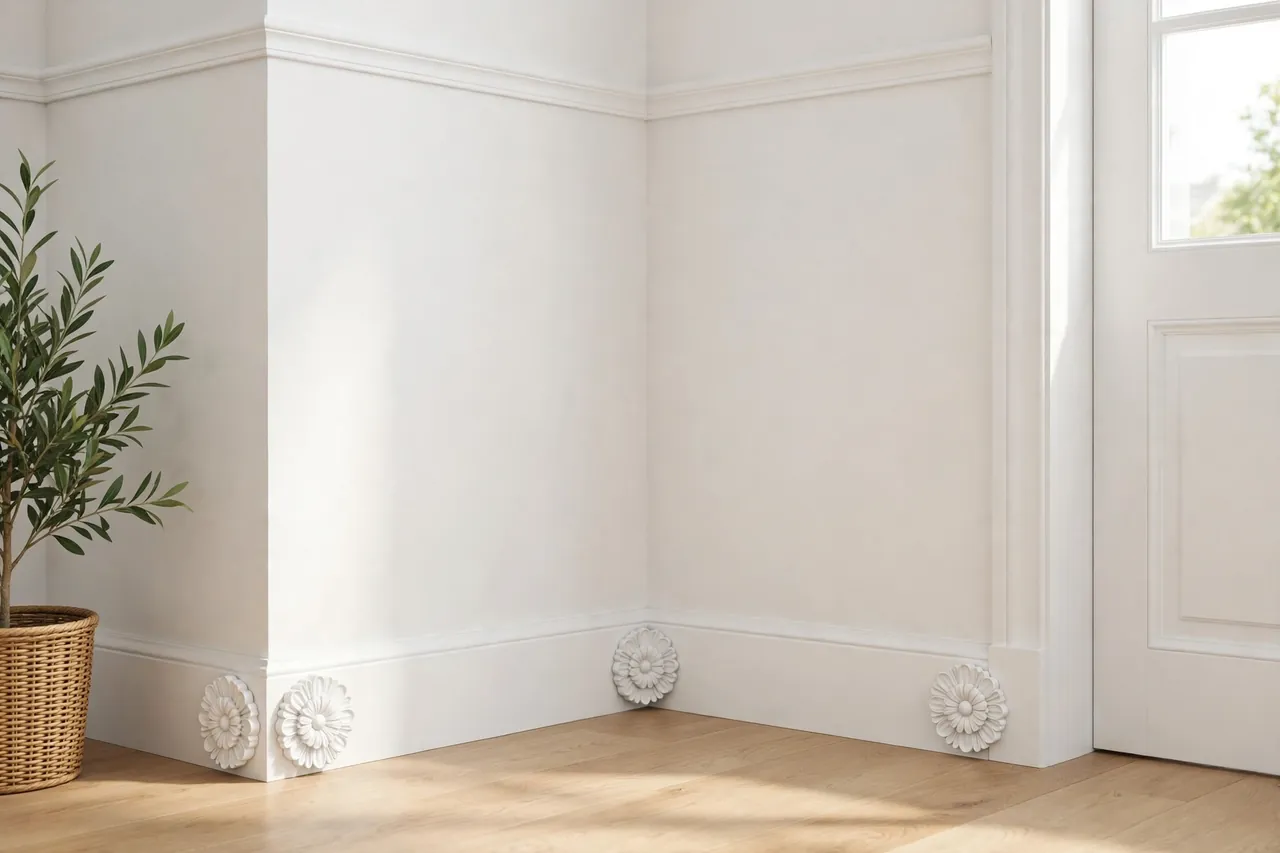
A corner block sidesteps the whole problem. Instead of cutting two tricky angled ends, you install a decorative block — a rosette — in the corner, and each run of baseboard simply ends in a clean square cut that butts into the block. Square cuts are the easiest cuts in trim work, and the block itself becomes a deliberate design detail rather than a hidden compromise.
This guide covers designing and printing corner blocks sized to your baseboard, fitting them at inside and outside corners, and finishing them so they look like part of the original trim. The blocks are decorative trim pieces only — they carry no load and simply cover and finish a corner joint.
What You Need
A corner block is a chunky, simple print, roughly the height of your baseboard and a little wider. Most home printers handle it easily.
Materials and tools
- A home 3D printer with a build area of roughly 120 mm in at least one direction
- PLA filament for indoor trim, or PETG if the room gets very warm or damp
- A short offcut of your actual baseboard to measure and test against
- A tape measure, calipers, and a small square
- A miter saw or handsaw for the square cuts on the baseboard itself
- Wood filler or paintable caulk, sandpaper, primer, and trim paint
- A drill, small screws or finish nails, and construction adhesive suitable for trim
PLA is the natural choice here: it paints beautifully, sands smooth, and indoor trim never sees heat or weather. Choose PETG only for a steamy bathroom or a sun-baked porch, and expect to work a little harder to get paint to grip.
Suggested print settings
- Layer height: 0.20 mm for the body; 0.16 mm if your rosette face has fine detail you want crisp.
- Walls: At least 4 perimeters — the block should feel solid when you press a nail into it.
- Infill: 25 to 40 percent, grid or gyroid. Solid enough to take a finish nail without splitting.
- Top and bottom layers: 5 or more, so the visible face sands and paints without infill pattern showing through.
- Orientation: Print face-down on the bed for the smoothest decorative face, or back-down if the face has raised detail.
- Supports: A simple flat-backed block needs none; a deeply relief-carved face may need light support.
Print one test block first and hold it against your baseboard offcut before printing a whole room’s worth.
Design Considerations
You can model a corner block in any basic CAD program. At its heart it is a square post with a decorated face and carefully sized sides.
1. Size it to your baseboard
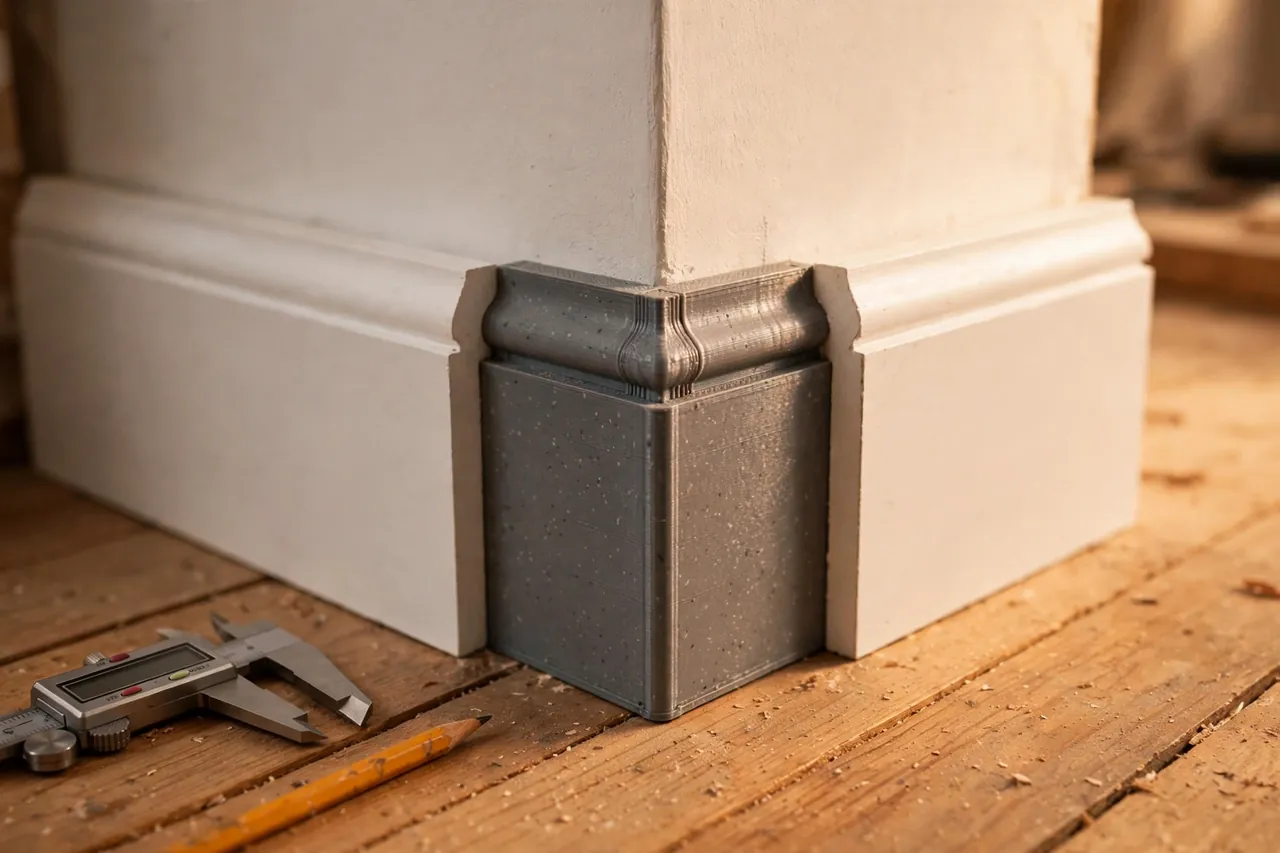
Measure your baseboard’s height and thickness first. The block should stand about 10 to 20 mm taller than the baseboard and project about 3 to 6 mm proud of its face on each side.
2. The decorative face
The classic rosette is a round medallion: a raised circle, a smaller inner circle, and a center dome or a simple ring pattern. If your trim is plain and modern, skip the medallion and use a simple beveled or stepped square face instead. Match the block’s personality to the room, and keep detail shallow — deep carving traps dust and prints slowly for little benefit.
3. Inside and outside corners are different parts
An inside-corner block is a simple square post: two flat sides receive the baseboard ends, and the decorated corner faces into the room. An outside-corner block wraps the corner, so it needs an L-shaped or notched back that hugs the wall corner, with baseboard butting into both exposed faces. Model both versions from the same face design so a room with both corner types still matches. Dry-fit outside blocks carefully — wall corners are often rounded with plaster or compound, and a little relief at the back helps the block sit tight.
4. A hollow back saves filament and helps fitting
Step-by-Step: Printing and Assembly
- Measure your baseboard — height, thickness, and the profile’s deepest point.
- Model the block about 10 to 20 mm taller than the trim, with your chosen face design and a hollow back.
- Print a single test block and sand the face lightly to knock down layer lines.
- Test the fit against a baseboard offcut: the trim end should disappear behind the block’s edge with no gap showing from the front.
- Adjust the size if needed. A block 2 mm too small looks wrong; reprint rather than filling big gaps.
- Print the full set, counting inside and outside corners separately, plus one spare of each.
- Prime the blocks before installation. Primer reveals layer lines you missed and makes finish painting much easier.
Step-by-Step: Installing the Corner Blocks
- Mark the corner position and hold the block in place, checking it sits plumb and tight to both walls.
- Fix the block first. A dab of trim adhesive plus one or two finish nails or small screws into the wall or corner stud area holds it permanently.
- Measure the first baseboard run from the previous block (or wall) to the face of your new block — not to the corner behind it.
- Make a square cut at that length. No angles, no coping: this is the whole point of the system.
- Butt the trim into the block, check the joint from standing height, and fix the baseboard as you normally would.
- Repeat on the other side of the corner, then move to the next corner and work around the room.
- Fill and caulk sparingly. A hairline of paintable caulk where trim meets block, and filler over nail heads, is all a good fit should need.
- Paint everything together — blocks and baseboard in the same coat — so the corner reads as one intentional piece of trim.
If you are replacing damaged corners on existing trim rather than installing new, our guide on careful removal pairs well here: you may also enjoy our related guide, “3D Printed Trim Pry Tools: Remove Trim and Panels Without Denting Paint,” which shows how to lift old baseboard without tearing the wall behind it.
Tips for Better Results
- Paint a sample block first. Hold it in the room’s actual light; rosette shadows change how deep the detail should be.
- Keep one master size per room. Mixing slightly different block sizes looks like a mistake, not a feature.
- Sand the face in one direction with fine paper for a finish that takes paint evenly.
- Cut trim a hair long, then shave to fit. A square cut is easy to shorten and impossible to lengthen.
Common Mistakes to Avoid
- Sizing the block exactly to the baseboard height. It must stand taller and prouder, or the trim ends peek out.
- Skipping the test print. Corner geometry and trim profiles vary; one test block saves a room of bad ones.
- Using deep, fussy detail. Fine relief fills with paint and disappears; bold, shallow shapes survive finishing.
- Nailing through the decorative face. Fix through the sides or rely on adhesive so the medallion stays clean.
- Forcing an outside block onto a rounded corner. Relieve the back instead, or the block will rock and crack paint later.
Care, Storage, and When to Choose an Alternative
Installed blocks need nothing beyond the dusting and occasional repaint the baseboard itself gets. Store spare prints flat in a labeled bag with the room name; if a block is ever damaged by a vacuum or a moved sofa, a primed spare swaps in minutes.
Know the honest limits, though. In a period home where original profiled trim must be matched exactly, a skilled carpenter coping real timber corners is the right answer, and wooden rosette blocks from a millwork supplier offer the same shortcut in solid wood. A printed block shines for painted trim, repairs, rentals, and modern rooms — anywhere paint, not grain, is the finish.
FAQ
Will printed corner blocks look cheap next to real wood trim?
Not once they are primed, filled at the joints, and painted in the same coat as the baseboard. Visitors see a rosette detail, not a material. The giveaway is always a poor fit, which is why the test print matters more than the filament.
Can I use corner blocks with tall baseboard?
Yes — scale the block to suit, keeping it 10 to 20 mm taller than the trim. Very tall blocks may need to print in two stacked sections on a small printer; a horizontal seam at a natural step in the design hides the join well.
Do the blocks work on outside corners that take knocks?
They hold up as well as the trim itself for everyday bumps. Print outside blocks in PETG with an extra wall or two if the corner guards a busy hallway, and fix them with adhesive as well as nails so a knock spreads the load.
What if my walls are not square?
That is exactly where blocks win. The block bridges the imperfect corner, and each baseboard run is cut square to the block rather than angled to the wall. Small wedges of filler behind a block on a badly out-of-square corner disappear under paint.
Conclusion
Corner blocks turn the hardest part of baseboard work — the corners — into the easiest. One square cut per run, a decorative rosette hiding the joint, and no coping saw required. Print a matched set for a room, and trim that once felt intimidating becomes a calm, repeatable job.
For the straight runs between corners, clean cutting still matters, and you may also enjoy our related guide, “3D Printed Miter Cutting Guide for Trim, Molding and Small Stock,” which helps when a project does call for an angled cut. And for taller, more ornate work overhead, our related guide, “Crown Molding Cutting Jig: 3D Print a Nested Crown Holder for Perfect Corners,” applies the same make-the-corner-easy thinking at ceiling height.
Print one test block this weekend, hold it in a corner, and you will immediately see how much simpler the whole room becomes.