Introduction
Between screws, a cordless driver leads a dangerous life. It gets balanced on the top rung of a ladder, perched on a joist, laid on the floor where boots find it, or tucked under an arm while both hands juggle a panel into place. Every DIYer has watched a driver slide, tip, and fall — and winced at what it landed on, or what it landed as.
The problem is rhythm. Driving work is a cycle: position the panel, hold the screw, drive, park the driver, adjust, repeat. The park step has no proper home, so the driver goes wherever is nearest, which is rarely somewhere good.
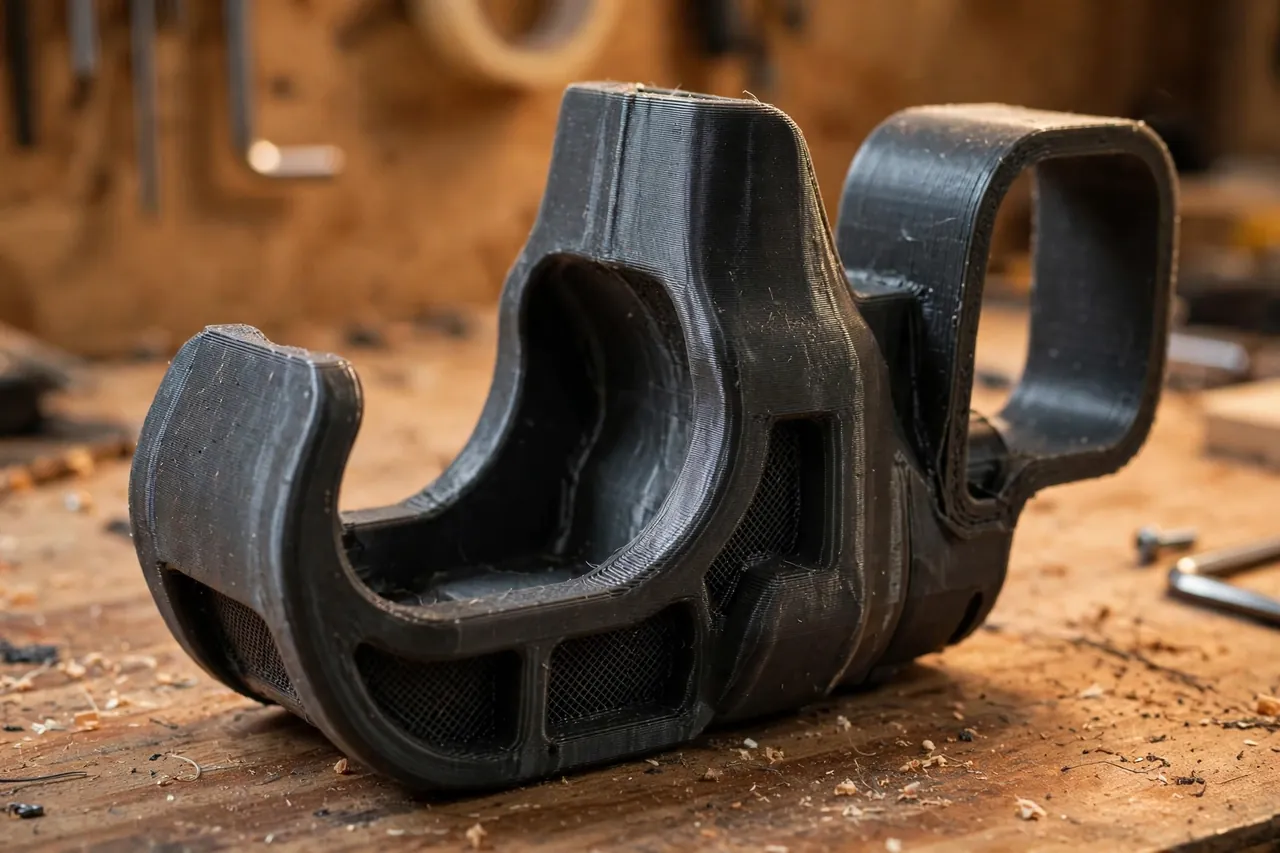
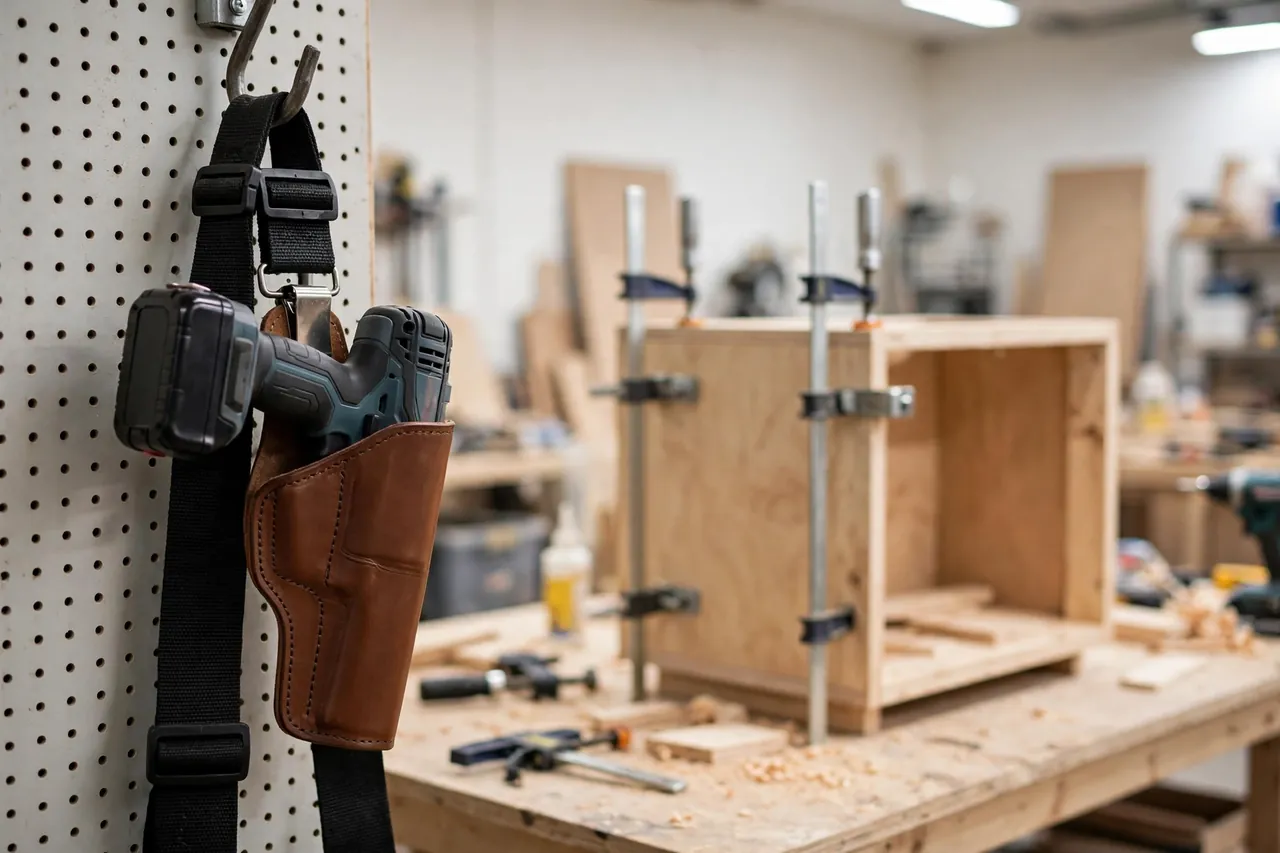
A 3D printed drill belt holster gives the park step a permanent answer: a rigid cradle on your hip, shaped to your driver’s body, that receives the tool the same way every time and holds it upright and secure while your hands get on with the real work. Holster, drive, holster — the cycle tightens, the drops stop, and the driver is always exactly where your hand expects it.
This guide covers measuring your driver, designing a cradle that supports it safely, and using the holster sensibly. It is a holder for parking a tool between tasks — the driver’s own weight is supported by the cradle and your belt, and like any hip-worn holder it suits a compact driver, not the biggest driver in the kit.
What You Need
The holster is one chunky print plus your existing belt. Success depends on measuring the driver you actually own, in the orientation you naturally park it.
Materials and tools
- A home 3D printer with a build area of roughly 150 mm in at least one direction
- PETG filament for toughness; avoid PLA for a part that takes knocks on a hip
- Your cordless drill-driver, with its most-used battery fitted, for measuring and testing
- The belt you actually work in — leather work belt or tool belt — to size the loop
- Calipers and a tape measure for body width, handle shape, and belt dimensions
- A small file or sandpaper for easing the cradle’s entry edges
- Scrap wood and a few screws, for a loaded carry test around the shop
PETG is the honest choice here: a holster gets bumped against door frames, ladder rails, and bench corners all day, and PETG flexes and survives where PLA cracks. Print it stout rather than light — this part carries a tool you like.
Suggested print settings
- Layer height: 0.20 to 0.28 mm; strength and speed matter more than fine finish.
- Walls: 5 or more perimeters — the cradle and belt loop are the structure.
- Infill: 50 percent or higher, gyroid or grid, especially through the loop and cradle base.
- Top and bottom layers: 5 or more on load-bearing faces.
- Orientation: Print with the back panel flat on the plate, so layer lines run horizontally through the belt loop rather than peeling across it.
- Supports: Only if your cradle shape demands them; a simple open cradle usually prints clean.
Print a partial test — just the cradle section — and offer the driver up to it before committing to the full, material-hungry print.
Design Considerations
A good holster is shaped by three facts about your driver: where its weight sits, how it enters the cradle, and how it stays.
1. Support the body, not the chuck
Measure the driver’s body where it naturally wants to rest: most compact drivers park best supported under the motor body and cradled around the handle’s top, with the chuck and bit pointing forward or down-forward, clear of the cradle. Model a saddle that matches the body’s width with about 0.5 mm of clearance — snug enough not to rattle, loose enough to draw one-handed. Never design the holster to pinch the trigger or rest against it; the trigger zone must sit completely free and untouched.
2. The entry and the draw
You will holster the driver hundreds of times, often while looking at the workpiece, not the holster. Give the cradle a flared, rounded mouth that funnels the body home, and a back panel tall enough to guide it. The draw should be a straight lift with a slight tilt — no twisting, no two-handed wrestling. Round every edge the tool slides past; a driver drawn fifty times a day will find any sharp lip and chew it.
3. Retention and the belt loop
Gravity and shape do most of the retaining: a driver seated deep in a shaped saddle stays put through normal bending, reaching, and ladder climbing. Size the belt loop to your real belt — commonly 40 to 50 mm wide — with about 0.5 to 1 mm of play, and make the loop deep and fully enclosed so the holster cannot ride up and off. If you use both a plain belt and a padded tool belt, print the loop for the thicker one; a spacer shim tames it on the thinner belt.
Step-by-Step: Printing and Assembly
- Measure the driver — body width, body length, handle angle — with its usual battery fitted.
- Measure your belt and decide holster position: strong-side hip, slightly behind the hip bone, is the natural draw for most people.
- Model the back panel and saddle with a flared entry, trigger zone completely clear, and a fully enclosed belt loop.
- Print a cradle test section and check the driver seats fully and lifts out cleanly.
- Print the full holster in PETG at the stout settings above.
- Ease the entry edges with a file until the driver slides home without catching.
- Thread it onto the belt and run a loaded test: walk, bend, kneel, and climb a step in the workshop with the driver parked.
- Adjust if needed. A saddle that lets the driver tip forward needs its front support raised slightly; small iterations are normal.
Step-by-Step: Using the Holster While You Work
- Fit the belt with the holster empty and position it where your hand falls naturally.
- Park the driver before the job starts, so the first cycle already uses the rhythm.
- Holster by feel: slide the body down the back panel into the saddle until it seats, then release.
- Draw with a straight lift, bringing the driver up and forward in one motion.
- Between screws, always re-holster rather than setting the driver down “just for a second” — seconds are when falls happen.
- On ladders, park before you climb, with the driver seated and your hand confirming the seat before you move.
- At breaks, leave the driver holstered on the belt hung from a hook, or remove belt and driver together.
Tips for Better Results
- Match the holster to one driver. A cradle shaped for your main driver beats a universal bucket that fits everything loosely.
- Add a small bit dock on the holster’s face — a shallow hole or magnetic spot — for the second bit you keep swapping to.
- Print in a bright color if you work outdoors or on site; a charcoal holster on a charcoal belt, dropped in grass, is a treasure hunt.
- Keep the battery size consistent; a larger pack changes the balance and may deserve its own cradle variant.
When the driver comes off your hip at the end of the day, our related guide, “Cordless Tool Wall Mounts: 3D Print Holders for Your Drill, Driver and Saw Bodies (storage only),” covers giving the same tools a proper home on the wall.
Common Mistakes to Avoid
- Cradling the tool by its chuck or bit. The body takes the support; bits stay clear, sharp ends away from everything.
- Any contact with the trigger. If the design can touch the trigger in any seated position, redesign it — no exceptions.
- A loose belt loop. A holster that migrates around the belt puts the driver where your hand is not. Size the loop to the belt.
- Holstering the biggest driver you own. Compact and mid-size drivers carry happily; a heavy hammer drill belongs on the bench or its own case.
- Trusting the first print without a loaded test. Walk, bend, and climb with it in the workshop before trusting it on a ladder.
Care, Storage, and When to Choose an Alternative
Wipe dust from the saddle, inspect the loop and cradle after any drop, and store the holster on the belt or a hook rather than under a pile of tools. PETG tolerates a cold garage and a hot one; if the saddle ever cracks through, retire and reprint rather than gluing a part that carries a tool above hard floors — and possibly above your foot.
Choose a commercial holster when your work is all-day, every-day site work with heavy drivers, where molded leather or ballistic nylon has decades of refinement behind it. For home repair, cabinet fitting, fencing, and deck work with a compact driver, a printed holster fitted to your exact tool is lighter, cheaper, and honestly better shaped. It also pairs naturally with our guide, “Replacement Tape Measure Belt Clip: 3D Print a Clip That Fits Your Belt,” for the other hip, and with “3D Printed Drill Bit and Driver Bit Organizer: A Workbench Storage System That Grows With You” back at the bench.
FAQ
Will a printed holster hold my driver securely on a ladder?
A deep saddle, an enclosed belt loop, and a loaded carry test say yes for compact and mid-size drivers in normal movement. Seat the driver deliberately before climbing, keep the trigger zone clear by design, and never hang anything else from the holster.
My driver is an unusual shape. Will this still work?
That is precisely the case printing wins. Measure your driver’s body, shape the saddle to it, and test with a partial print. Odd shapes that no universal holster fits are a straightforward modeling exercise.
Should the bit stay in the driver while holstered?
A short bit seated in the chuck, pointing forward and clear of the cradle, is the normal working arrangement. Remove long or fragile bits before holstering, and never let any part of the holster press near the trigger.
Can I print the holster in PLA to test the shape?
Absolutely — a PLA prototype is the smart way to prove fit and draw. Just do not carry a tool in it beyond the workshop test; make the working holster in PETG.
Conclusion
Drivers fall because between screws they have nowhere proper to be. A 3D printed drill belt holster, shaped to your driver and sized to your belt, turns the park-and-draw cycle into muscle memory and keeps the tool off ladders, joists, and floors.
Measure your driver, print a cradle test, run the loaded walk-around, and then enjoy the strangely large calm of always knowing where your driver is: on your hip, seated, ready.
It is one of those prints that justifies itself before the first project is finished.